Mobile menu toggle

Search results for: Apple One

Keep iPad In Business Costs Down By Thinking Outside Of The Box

By

ipad-money
The iPad can be great for businesses, especially if they can keep the cost down

There are a number of fields and professions in which mobile professionals share a pool of mobile devices. For companies with field agents, sales people, and marketing professionals, the need for each user to have a dedicated device may not be the most economical option and a better approach can be to simply configure a number of iPads with similar specs that users or teams can check out when they go on the road.

This shared iPad model can be  a way to implement the iPad while reducing overall expense. One challenge, however, is that a business typically needs to provide mobile Internet access for individuals or small teams – something that can be a pricey proposition.

Mass Effect Infiltrator Gets ‘Massive’ Update With New Bonus Mission, Manual Aiming, More

By

Update Mass Effect Infiltrator now to get a new bonus mission, manual aiming, and more.

Unlike some of EA’s recent iOS games (I’m looking at you, Battlefield 3: Aftershock!) Mass Effect Infiltrator has become a huge success. It’s great gameplay and entertaining storyline have earned it some really glowing reviews, and it recently featured in our selection of the best Retina-ready games for the new iPad.

Today it receives a “massive” update that adds a new bonus mission, manual aiming, more optimizations for the new iPad, and more.

The GuitarJack Puts Ten Thousand Guitar Effects Right In Your Pocket [Review]

By

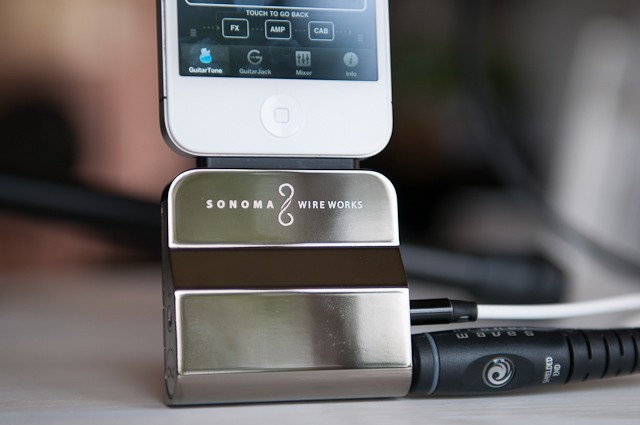
GuitarJack
It's Shiny. It's Pretty. It's GuitarJack.

There are no shortage of gadgets out there that allow you connect your guitar to your iPhone, putting the power of The App Store at your guitar’s disposal. But if you’re looking for the best of what’s around (see what I did there?), Sonoma Wire Works’ GuitarJack ($150) has a mixture of beauty and talent you’d do well to consider.

Intel Hints Next MacBook Pros Might Have Retina Displays

By

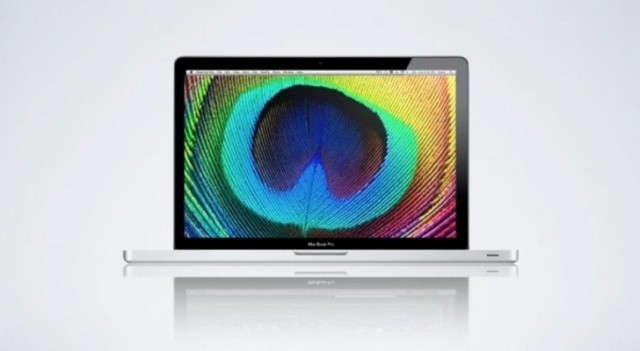
retinambps

Intel’s upcoming Ivy Bridge update are scheduled to be officially announced and made available on April 23rd, and they will most likely be immediately used to build updated, Air-like MacBook Pros including second-gen Thunderbolt controllers.

But could the next MacBook Pros also have HiDPI, Retina-ready displays? It’s conjecture at this point, but we know Apple has been interested in moving to Retina quality displays in its Mac line for quite some time, and now a recent comment from Intel VP Kirk Skaugen confirms that Ivy Bridge makes it possible for PC makers to make retina display laptops and computers, “if OEMs choose to use it.”

In other words? The next MacBook Pros might not just have slimmer footprints and ditch the optical drives, but pack four times the pixels. Swoon.

[via 9to5Mac]

LogMeIn Launches Dropbox Competitor Called Cubby

By

post-160398-image-ce3a2ba8666f787ebd9916867790008c-jpg

LogMeIn has launched a new cloud-based storage, syncing, and sharing service that hopes to compete with services like Dropbox, Box.net, and the upcoming Google Drive. Called ‘Cubby’, the service offers 5GB of free storage which is protected by LogMeIn’s 128-bit SSL encryption, and it can be accessed from a web browser or using the official Cubby apps for Android and iOS.

Batch Convert Tons Of Image Types With Snap Converter [OS X Tips]

By

Snap Converter

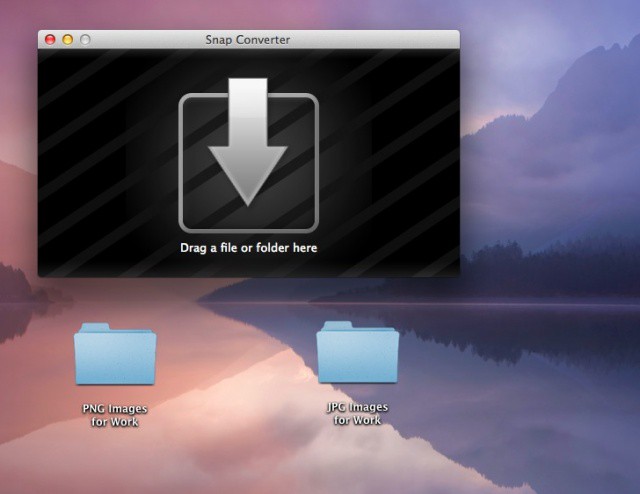
Images and their various types are a funny thing. There are a ton of them out there, including jpg, png, psd, tiff, gif, and the like. They all have their uses and pros and cons. But what happens when you have a bunch of, say, png files and need them all converted to jpg? You COULD open them one by one in Preview and duplicate, then save each one as a jpg, but you don’t have that kind of time. Or patience. Lucky for you, today’s tip should help.