Intel's new Ivy Bridge processors are expected to feature in Apple's next MacBook Pro.
Intel has reportedly shifted the announcement of its next-generation Ivy Bridge processor from April 29 to April 23 as PC makers gear up to release their second-generation of ultrabooks in May. But you could see it powering Mac OS X before then, with the new chip expected to replace its predecessor, the Sandy Bridge processor, in Apple’s next MacBook Pro and iMac.
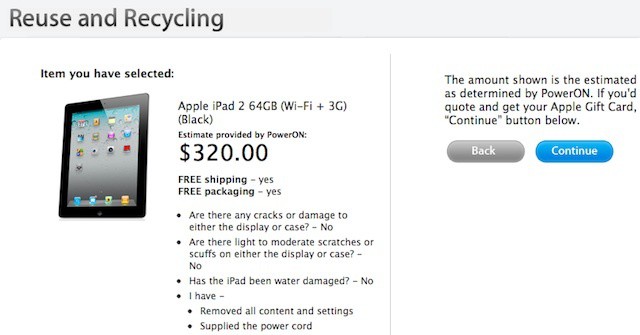
Like a lot of people, I greeted the news that Apple was on the verge of scheduling a press conference for the inevitable third-gen model by scouring the web to discover who would pay me the most for my gently used first-generation iPad.
After poking around a bit, I selected NextWorth, which had a good reputation on various sites (including ours) and was offering $170 for my WiFi 16GB iPad, a solid $30 higher than anyone else. I printed the prepaid UPS label and shipped it off, waiting for the deposit to my PayPal account on the other side.
So imagine my surprise when I received an e-mail two weeks later offering just $70 — effectively the value of the battery and internal electronics alone. Needless to say, I was pissed off. As it turns out, I had good reason to be. Quite ironically, I was getting shorted on my iPad because of a software glitch. As were many others like me.
Quickoffice is finally complete thanks to Powerpoint editing.
Quickoffice Pro HD is one of the App Store’s best third-party office suites, and until Microsoft Office hits the iPad, it’s the best way to view and edit Word and Excel documents on the go. Its latest update adds Powerpoint editing to that, in addition to native email support, an enhanced visual interface, and more.
Managing hundreds or thousands of Macs in big companies requires the right skills and tools
Last week I took a brief look at how managing a handful of Macs differs from managing dozens or hundreds or even thousands of Macs. Some readers asked how big companies like Apple, Google, Viacom, or IBM actually go about managing large numbers of Macs – both in terms of the tools they use and in terms of how their IT processes differ from supporting Macs in small businesses.
I can’t speak for how Apple manages the Macs of its thousands of employees, but I have worked with several large companies as a Mac IT professional – along with a number of schools and colleges, government agencies, and small businesses. Here’s a look at the tools and processes that they use to configure, deploy, and manage Macs on a grand scale.
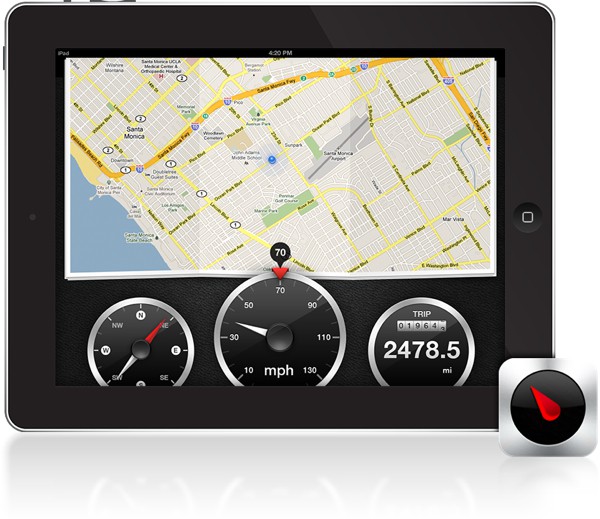
Renowned developer Steven Troughton-Smith has released the iPad version of his popular Speed iPhone app. Thanks to the iPad’s larger 9.7-inch display and Retina resolution, Speed for iPad is the perfect GPS for your automobile. Not only does Speed track your location on a map, but the app tells you how fast you’re going and the distance you’ve traveled.
This tip comes via OS X Daily, one of Cult of Mac’s favorite tips sites. Check them out for more great tips!
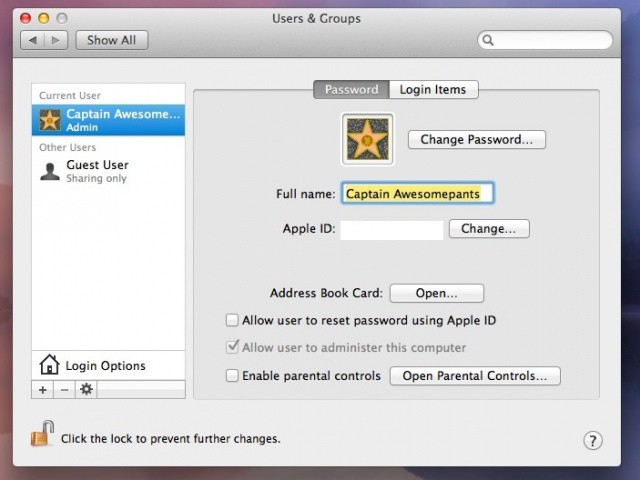
Ever wish your dull, boring first/last name combination username was just a bit more awesome? Yeah, so do we. Here’s a quick tip on how to change it, Captain Awesomepants.
Procreate piles on the new features, and yet remains lag-free and easy to use
Procreate, the already excellent iPad drawing app, has been updated to play nice with the iPad 3’s Retina Display. But to dwell on that would be to ignore the massive changes that have gone into this version. Make no mistake: This might be labelled v1.6, but it is much more like a v2.0.
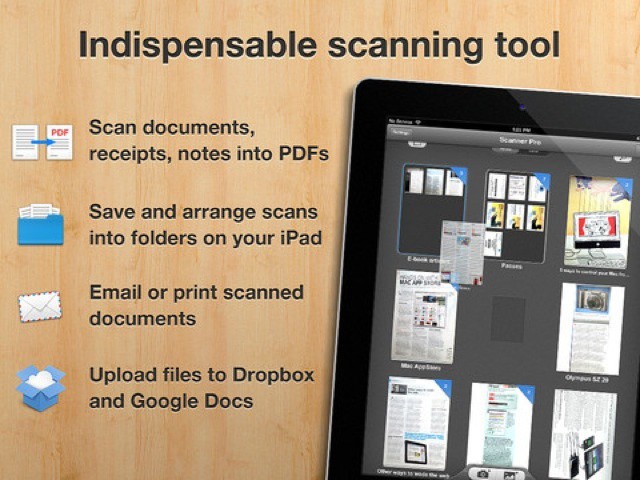
Scanner Pro is my new favorite scanning app for the iPad. It doesn’t do OCR, it doesn’t grab phone numbers from business cards. It just scans, stores, shares and searches your paper documents, and it does it with a beautifully simple interface.
The app is actually an update to the old iPhone version, but this new version (4.0) is completely redesigned and is now a universal app. And just in time, too, as the new iPad’s 5MP autofocus camera makes it a pretty great scanner.
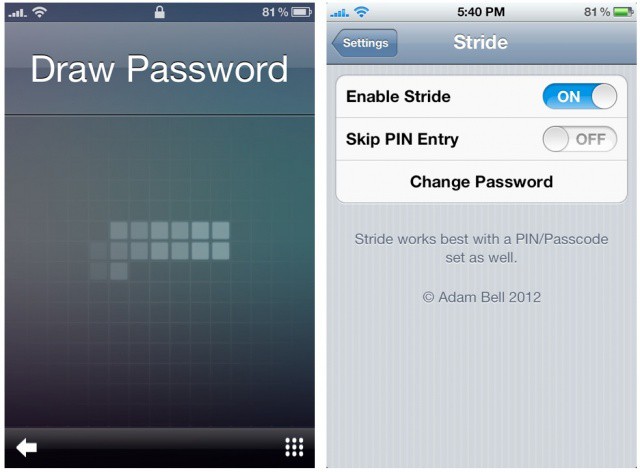
That doesn't look like your typical iOS lock screen.
A new jailbreak tweak called Stride brings better-than-Android-like gestures to your iOS lock screen. Developed by talented App Store and jailbreak developer Adam Bell, Stride costs $3 in Cydia. Gone are the boring days of the ‘slide to unlock’ bar. Now you can unlock your jailbroken iPhone with a pre-set gesture of your choice! And boy does it look sweet.