Mobile menu toggle

Search results for: Apple One

Bump Adds The Ability To “Magically” Bump Photos To Your Computer In Latest Update
By

post-169333-image-d981a8f5d36648e6c70c916408561901-jpg

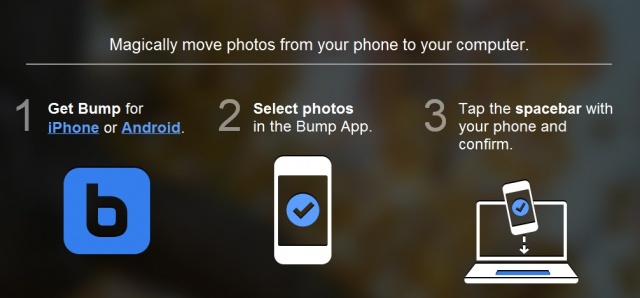
The creators of the popular Bump app that lets you share contact information and photos by simply bumping two phones together has bumped up their magic to include your computer. Thanks to today’s update, users will now be able to “magically” transfer their photos from their phone to their computer by simply bumping their phone against their keyboards spacebar. Say what? Yea, and the best part is there’s no additional software needed!

Why Instapaper Never Switches Off While You’re Reading, And Other Friendly Tricks

By

nice-tapaper.jpg

Instapaper is packed with user-friendly niceties

Ever notice that Instapaper never seems to switch off your iPad or iPhone’s display while you’re reading, no matter how long you get distracted while reading, nor how slowly you read a page, whereas iBooks and Kindle regularly go dark if you don’t keep up a good pace? No? That’s because you’re not supposed to, even though Instapaper developer Marco Arment spend quite a lot of effort tweaking the app to do it.

You Can Now Pick Up A 2011 MacBook Pro For Just $200… If You Don’t Mind Bullet Wounds [Update]

By

"There's a hole in my MacBook, dear Liza, dear Liza."

There are a long list of advantages that come with owning a Mac, but premium machines come with premium price tags. As such, we’re always on the lookout for fantastic deals on Apple’s latest releases, and we’ve found a terrific one on Craigslist. For just $200, you can pick up a late-2011 13-inch MacBook Pro with a 2.4GHz Core i5 processor and 4GB of RAM.

There’s only one caveat: You’ll have to work around six massive bullet wounds.

Why Your Kitchen Wants an iPad Of Its Own

By

092811_fridgepa

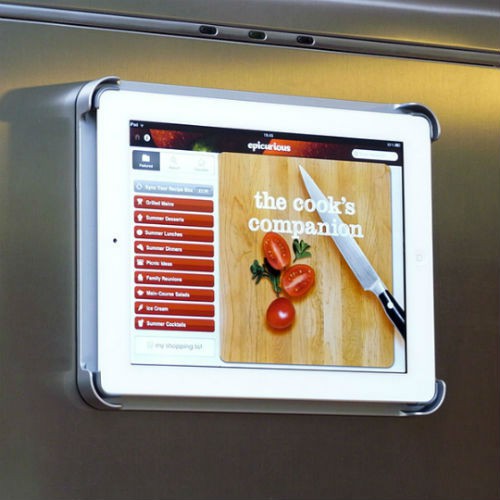
The Apple iPad is the fastest-growing consumer electronics device in history. But what’s it for? Where do you use it?

As a hard-core iPad fan since day one and a certifiable foodie, I can tell you that the kitchen is the single best place to use an iPad. Sure, you can bring your iPad into the kitchen. But you really should buy your kitchen its very own.

Don’t think of it as a needless expense; think of it as the cheapest possible way to transform your kitchen into the futuristic smart kitchen of tomorrow. For less than $600, you can give your kitchen abilities that even the most optimistic futurists never dreamed of. It’s a wonderful time to be a gadget-happy foodie.

Read why on Houzz.com

Yahoo Reaches For Relevancy With New Axis Search Platform, iOS App Included

By

Axis on iPad

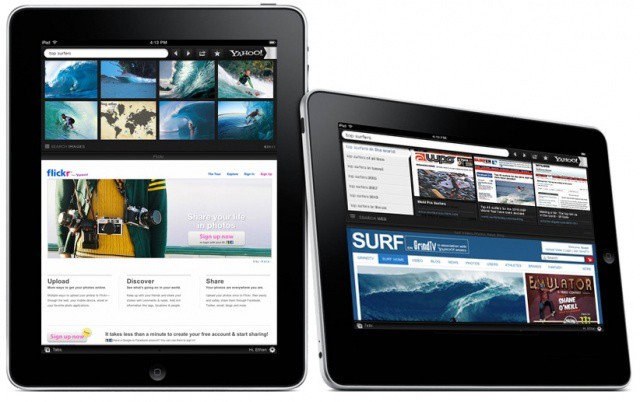
Yahoo announced tonight the launch of its new search platform, Axis. The idea here is that users can search the web using their iPad, iPhone or computer and then pick up that search when they move from one device to the next. It’s a cool idea, and one that we hope other search companies pick up soon.

Yahoo is touting Axis as a one-step search solution, allowing users to visually search the web from any other web page without having to leave that page to search. The visual layout on the app looks a lot like the Pulse News app, with previews of web search destination sites listed in swipe-able rows on a black background.

MIT Students Create The Future With An iPad And A Glove

By

Collaboration

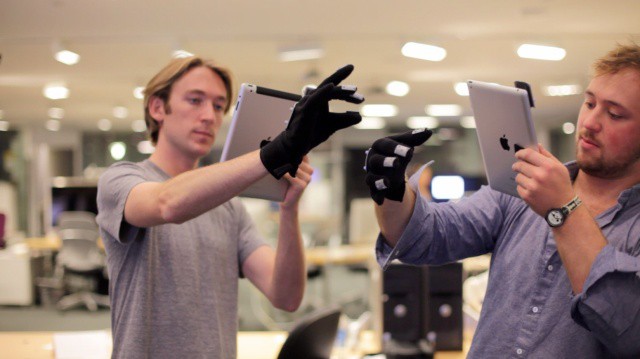
You’ve seen Stephen Spielberg’s film, Minority Report, right? Tom Cruise’s character stands in front of virtual screens, puts on a pair of gloves, and manipulates the data and the memories without touching a thing. Well, the super brains at MIT’s media lab have taken the first step toward that reality, using Apple’s magical device as a display screen and a special glove/attachment combo to interact with it.

The video the group has released shows some pretty fancy stuff, drawing objects in 3D real time, and then manipulating them in collaboration with others. There’s even some slick Minority Report-style interface there, with researches moving red and blue rectangles around in the virtual space they’ve created on the iPad.

Tarmac Is iOS Management Tailored For Small Business [Mobile Management Month]

By

Tarmac focuses on core needs and low overhead

May is Mobile Management Month at Cult of Mac, where we will be profiling a different mobile management company every weekday. You can find all previous entries here  and read our Mobile Management manifesto here.

Tarmac is a fairly focused device management option from Mac and iOS developer equinux (makers of the Mac utility VPN Tracker). Tarmac focuses on delivering the core iOS management needs with low overhead. equinux’s narrow focus on just iOS allows the company to provide a wide range of enterprise systems integration options. Tarmac specifically targets the small business market with separate small/medium business and larger enterprise versions.

BYOD Is A Great Fit For Small Business

By

BYOD can help small business attract, retain talented employees

Often discussion around BYOD and mobile management focus on larger companies like IBM and VMWare (both of which have made big bets on BYOD). For larger enterprises, BYOD is a big change for IT professionals and users alike. Testing and transitioning to a BYOD model is filled with culture shock, challenges, and deeply held concerns about data and device security.

For small and mid-size businesses, however, the experience can be very different. That’s to be expected since smaller IT departments are often more tightly integrated with staff taking on multiple roles and less delineation of duties and job functions. Often this leads small business IT to be more agile and more engaged with the rest of the organization.

According to Nasstar, small businesses are employing BYOD in large numbers and with positive results.