As has been discussed in the past, the general consensus among those in the tech industry seems to be that the only way to compete with the iPad is to make your product cheaper than it.
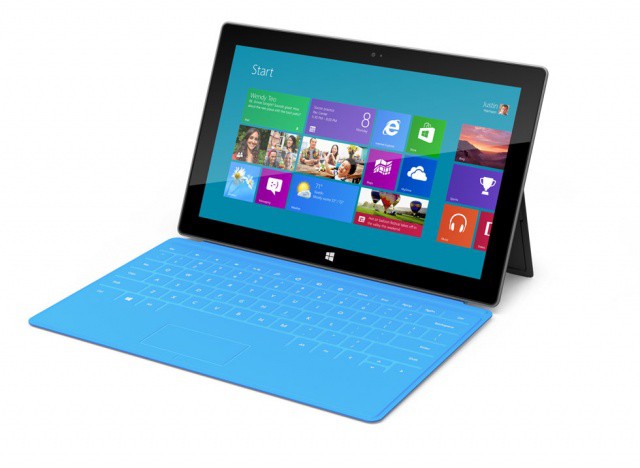
This was moderately successful for devices such as the Kindle Fire, which sold in respectable numbers, but fell off after a short amount of time, even though it retailed for only $199. If history is anything to base expectations off of, the Microsoft Surface may be in trouble. The Next Web is reporting today that Microsoft’s entry into the tablet market may cost considerably more than the iPad.
We’ve spent a good deal of time on apps that will work on your iPhone, what with its built in cell-data capabilities, but wanted to find some great ones for you iPad-only owners as well. Yes, apps made for the iPhone or iPod touch can run in enlarged mode on the iPAd, but we’re kind of iPad snobs and really only want to run iPad apps natively. That’s why you’ll only find Universal or iPad-only apps in the next list for road-trips with your iPad.
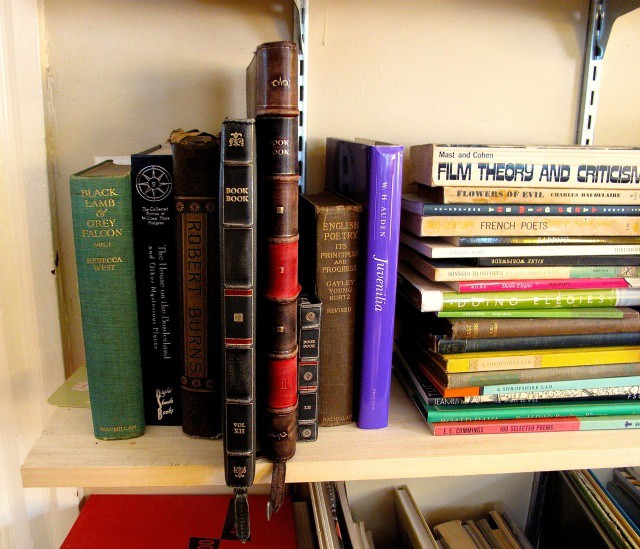
The new BookBook case for the iPad 2 & new iPad looks right at home in a library.
Whether squirreling away a pistol, a bottle of Laphroaig or the true secret of the Mummy’s Curse, leathery hollowed-out tomes are a staple hiding place for both the bibliophile and posturing quasi-literate alike. And no wonder: there are few hiding places that are attached with the same sort of pungent and mysterious romanticism as an empty book.
For the last couple years, TwelveSouth has been trying to apply some of that mystery, romanticism and pungence with their line of BookBook cases for Apple devices. The cases, which protect your Apple device or computer in a leather-bound cover that could pass for an old folio if you don’t squint at the title too hard, are undeniably a little precious, but I’ve also found time and time again that they generate a lot of compliments from strangers.
Some of TwelveSouth’s BookBook experiments have been better than others. For example, we really loved the BookBook Case for the MacBook Air, but thought there were a lot of problems with the BookBook for iPad.
TwelveSouth must have been paying attention, because they’ve released an updated version of the BookBook for iPad, and it addresses pretty much all of our criticisms of the first model, finally turning it into a case that you can truly love, even if it does still have a few problems.
User input is key to planning and managing a successful enterprise app store
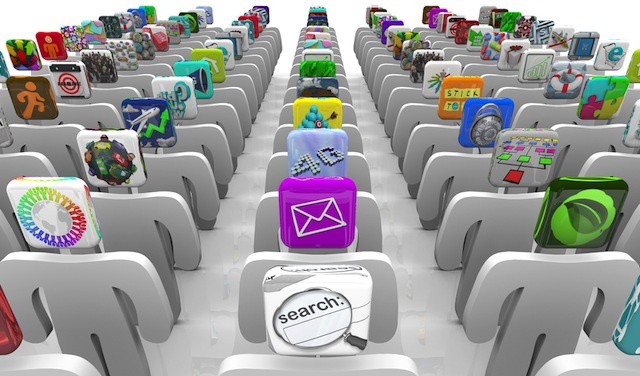
Enterprise app stores are becoming a common feature in many business that have embraced BYOD and mobile devices like the iPhone and iPad. An enterprise app store offers two core advantages: it allows users to easily install apps developed internally and it allows IT managers and others to offer a set of recommended apps from public sources like Apple’s iOS App Store.
Given the thousands of business and productivity apps available for iOS devices (not to mention profession-specific apps in other categories), providing guidance to users can help get them started with the best tools quickly and easily. The tricky part, however, is deciding which public apps to include in an enterprise app store.
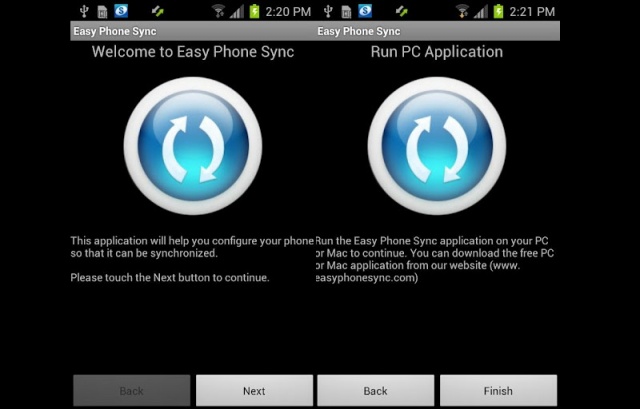
It’s no secret, Samsung has been crawling under Apple’s skin for quite some time. Now, with the release of the Samsung Galaxy S III, Samsung wants iPhone users to know they can make the switch effortlessly thanks to a free app they’re making available to UK Galaxy devices. The app is called Easy Phone Sync, from developer Media Mushroom, and promises to makes transferring your iOS content over to your new Galaxy device a breeze.
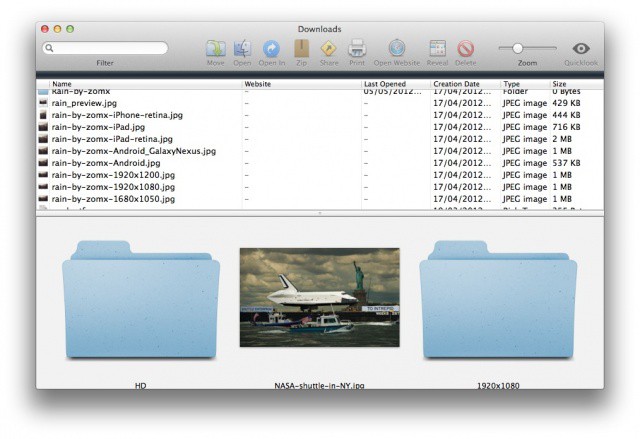
Is your downloads folder out of control? Use Downloads for Mac to tame it.
I don’t know about you, but the downloads folder on my Mac is one that I just cannot keep organized. Every so often I’ll trawl through it and delete all the stuff I don’t want, while filing the stuff I do want into other folders. But most of the time it just includes a heap of documents and images that I’ve picked up over a course of many months.
But Downloads for Mac is a simple app that can change this. It displays each and every item in your downloads folder — whether its at top level or buried deep within other folders — and makes it easier to see what you have going on in there. For those of you with downloads folders like mine, this should make the cleanup process much quicker, and much easier.
BYOD offers useful lessons for any business, even ones that don't offer BYOD programs.
BYOD may be one of the big technology trends out there for businesses, but not every business wants or needs a BYOD program. BYOD is, of course, not a magic bullet for addressing every company’s mobile needs. It also isn’t guaranteed to deliver cost savings compared to providing employees with corporate owned and managed devices.
Companies not pursuing BYOD can still gain value from investing in some of the technology concepts and solutions that becoming a standard part of BYOD programs. After all, BYOD is one of the biggest trends of consumerized IT, but it is only one trend out of many.
Here are five key BYOD lessons that any business or organization can apply even without implementing a BYOD program.
Much better than a picture of your motorbike, right?
Fed up of trying to find the perfect wallpaper for your Mac? There are plenty out there that feature supercars you’ll never be able to afford, models you’ll never meet, and sandy beaches you’ll never visit. But for something a little more interesting, check out Satellite Eyes, a wonderful little app that displays a satellite view of your current location as your desktop background.
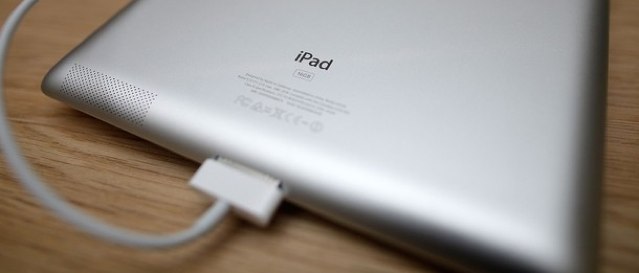
Although it takes forever to fully charge, the new iPad costs less than $2 a year to run.
Like its predecessors, Apple’s latest iPad promises to provide you within around ten hours of battery life for surfing the web on Wi-Fi, watching video, or listening to music. But with its high-resolution Retina display and LTE connectivity, it needs a much bigger battery to do that.
And we all know how long it takes for that battery to charge, because it has been well documented since the device made its debut earlier this year. But the cost of keeping it running may be a lot less than you think.
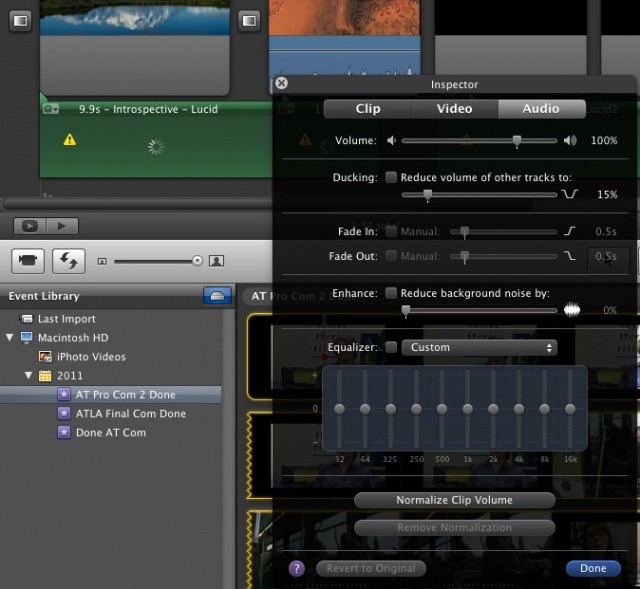
Remember that audio makes up the first half of the term, “audio-visual.” Movies are just as much about sound as they are vision – a fact that Hollywood never forgets; nor should you. Apple made some fairly great improvements to the audio editing capabilities of iMovie ’11, and here they are.