Mobile menu toggle

Search results for: Apple One

Designer Makes Concept Flash Cards For Hipster Kids [Gallery]

By

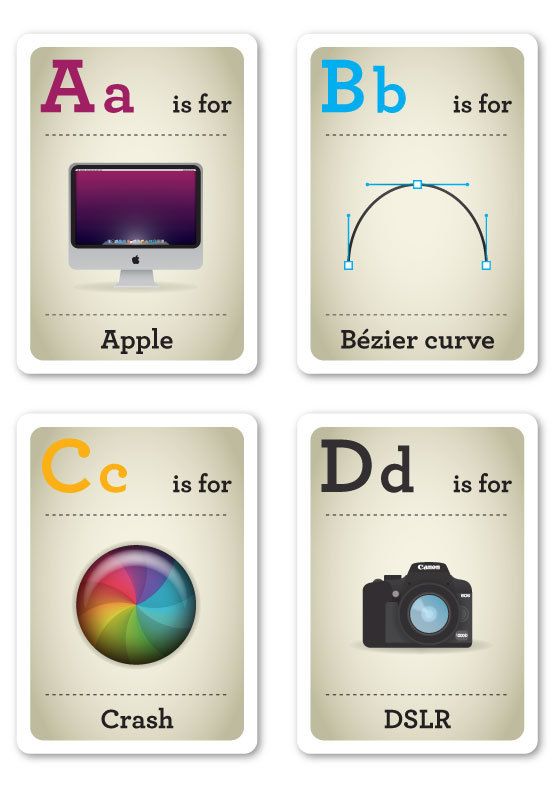
design nerds flash cards

The kids of the Hipster Generation will have it real easy, brother. They’re going to be taught by their parents about the health benefits of organic food, the sartorial qualities of plaid vests, and of course, product design. So the best way to innoculate the good qualities of the Hipster worldview might be by making them learn it through beautifully designed, old-school flash cards.

And guess what? Apple has a place in the cards.

AirPlay Direct Could Be The Best Business And Classroom Presentation Tool Ever

By

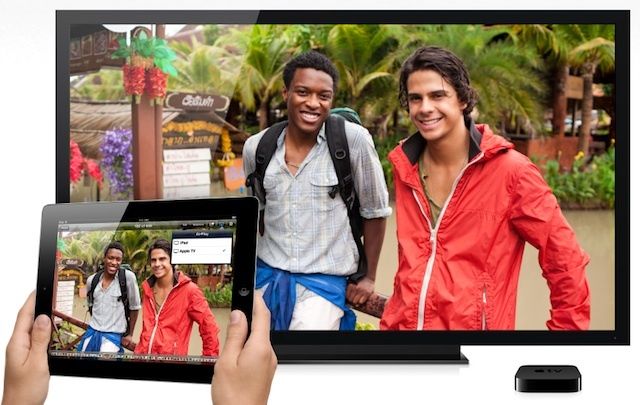
AirPlay Direct could be the best business and classroom presentation tool ever.
AirPlay Direct would easily win fans in business, education, and even IT.

One of the first thoughts I had when Apple announced AirPlay Mirroring as a feature in Mountain Lion was that it would make an excellent mobile presentation tool and one that would be far easier to bring to business meetings, trade shows, or client-site training events than hauling a projector. With just a MacBook Air and Apple TV, you can plug into any HDTV, display, or projector that supports HDMI and be ready to go. That’s a great combination for any business traveler.

If Apple does announce AirPlay Direct, a new version of AirPlay that doesn’t require a Wi-Fi network, the company will have made the lives of business travelers, trainers, and educators even easier. It will probably also make network administrators in both business and education a bit happier as well.

President Barack Obama Is Taking Questions On Reddit From His MacBook

By

oz0a7

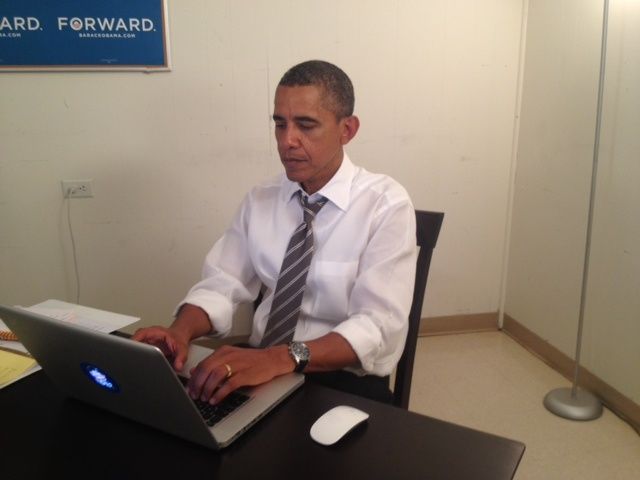
If you’ve been watching Twitter, you know that U.S. President Barack Obama is participating in Ask Me Anything (AMA) on Reddit. While celebrities and tech personalities will often opt to use Reddit as a tool for fan engagement, this is the first time anyone as high up as the big ‘O’ himself has jumped on board.

You can find Obama’s AMA thread here, but Reddit seems to be buckling under the weight of traffic. If you can’t get through, try hitting refresh.

Obama has been spotted using Apple products multiple times in the past, and is a self-admitted fan. During one interview he noted that Steve Jobs had personally given him an iPad “early.”

Via: @BarackObama

Fieldrunners 2 Receives First Update With Easier Casual Mode, Map Updates, Game Center, And More

By

You may be able to finally beat Bizarre Bazaar.

Subatomic Studios has released its first update to Fieldrunners 2, the popular sequel to the original tower defense game for the iPhone. Version 1.1 of Fieldrunners 2 is now available in the App Store, and the update brings an easier Causal mode, new map updates, Game Center integration, Endless mode, and more.

News360 For iPad Deserves A Spot In Your News Reading Habit [iOS Tips]

By

News360

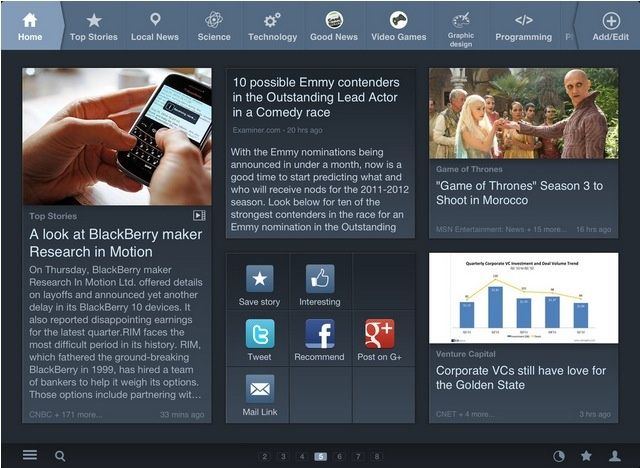
I’m not that fickle in the rest of my life, honest. When it comes to news reading apps on the iPad, however, I’ve had many loves. First came Flipboard, which grabbed my attention with its well-designed layouts of web links and images shared by people in my social network circles.

Then I found Trapit, which added both AI and editorial curation to my newsreader, though it is a bit lacking in the design department.

Now, there’s News360 for iPad, and I think I’ve fallen in love. Again.

The Best iOS Gaming Accessories [Best-Of]

By

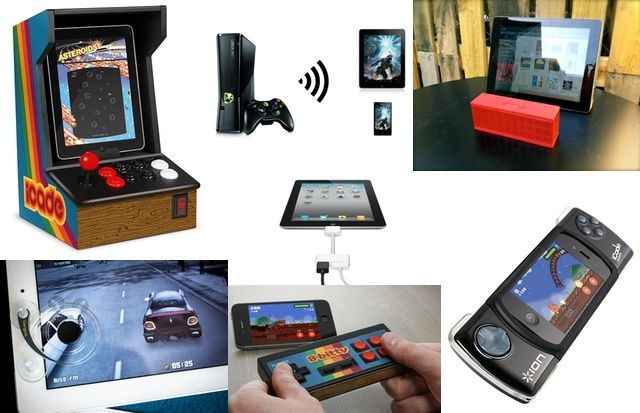
Turn your iDevice into an arcade machine or PSP beater with these amazing accessories.

iOS is the gaming platform of the future. Just ask Nintendo, who this year posted its first annual loss (nearly half a billion dollars). And while Game Boy-esque portable playing is good enough most of the time, you only need to add a few accessories to turn the iPhone into a full-on be-buttoned handheld, and the iPad into the center of a big-screen home gaming system. Read on to find out our picks for the best iOS gaming accessories.

This Is What Happens When You Accidentally Drop An iMac Down A Mall Escalator? [Video]

By

iMacPrank

What would happen if you took a beautiful, brand new iMac and “accidentally” dropped it in front of a bunch of strangers? Would they weep with you, or would they just laugh on by while calling you a bumbling idiot?

One guy thought it’d be a great prank to walk around the mall with an iMac box, and drop it in front of crowds, just to see what the reaction would be. He didn’t just drop it, though. He flung it down escalators. Tossed it into the trunk of his car. And knocked it off the top of a roof, and then tried to take the iMac box back to the Apple Store.

Check out the video below to see people’s reactions when the most beautiful computer in the universe gets clumsily destroyed.

Facebook Camera Gets Updated With Notifications And More

By

facebook-camera-pages

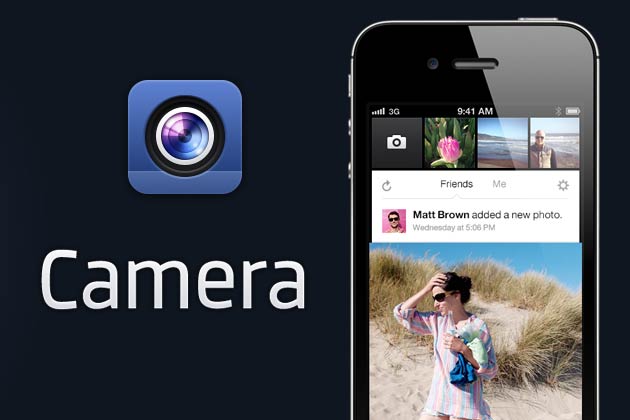
Facebook’s on a roll lately. Just a week after they released their hyper fast speed update to the native Facebook app, the world’s biggest social network has also given some improvements to the lesser-used Facebook Camera, adding notifications, likes, improved photo management, comments and other UI improvements. It’s actually a pretty usable app now!

Announcing The Winners Of Cult Of Mac’s “What’s In Your Gadget Bag?” Contest

By

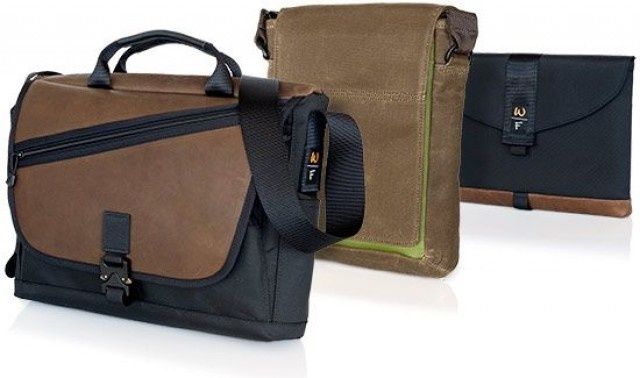
Our three prizes: Waterfield Design's Cargo Bag, the Muzetto Outback and a Sleevecase.

For the last week and a half, we’ve been asking Cult of Mac readers to spill out their gadget bags and show us what’s inside for a chance to win one of three incredible bags and sleeves by one of our favorite designers, Waterfield Designs, as part of our “What’s In Your Gadget Bag?” contest. We got dozens of fantastic entries, but at the end of the day, we only have three prizes to give away, so here are the winners.

Easily Scan And Convert Paper Documents With Quick Reader [iOS Tips]

By

QuickReader

These days, most of us are caught in an odd transition from paper to digital documents. Most of us create documents on our Macs, but also need to deal with a ton of actual dead-tree paperwork on a daily basis.

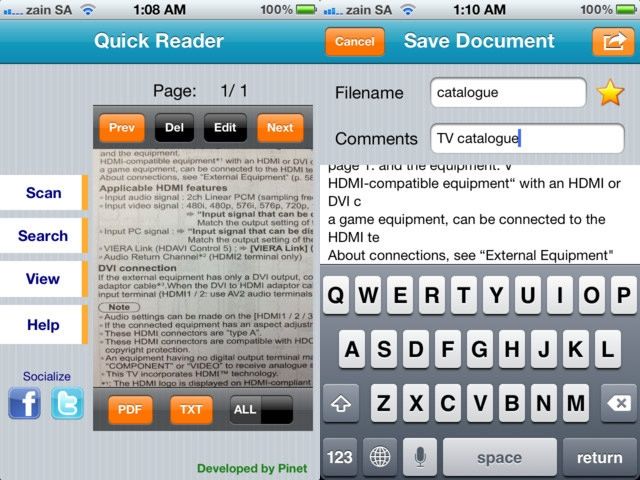
There are a bunch of optical character recognition (OCR) apps out there for iPhone, iPod touch, and iPad of varying quality and interface design. Quick Reader is one of the less expensive ones, at $0.99, so might be worth a try if your budget is tight.