Mobile menu toggle

Search results for: Apple One

How To Preorder The iPad Mini At Midnight Tonight The Right Way [Guide]

By

Screen Shot 2012-10-25 at 11.20.52 AM

After over a year of rumor and speculation, we’re less than a day away fr0m the iPad mini finally going up for preorder. Starting at 12:01AM Pacific Time, the iPad mini (Wi-Fi version only) will be available for preorder on Apple’s official site, with units delivering on November 2nd.

It’s always hard to tell with a new product, but if history is anything to go by — the iPhone 5 preorders sold out within hours, and stock is still short — the iPad mini is going to be crazy in-demand. If Apple starts preorders in the middle of the night, it’s because they’re anticipating a madhouse… such a madhouse that if they held it in the middle of the day, their servers would crash under the pressure.

Hence this guide. We’re going to walk you through the best ways to make absolutely sure you get your iPad mini preordered right at the stroke of midnight and in your hands next Friday when it officially launches in the minimum amount of time, so you can go right back to sleep.

Wondering which iPad mini to buy? Check out our guide to finding the one that is right for you.

The Digital Camera RAW Compatibility Update 4.01 . Finally

By

1351161781.jpg

It used to be that Mac owners had to wait for an OS update to get RAW support for their new cameras. This — of course — meant a long wait. Now they pop out whenever they're needed, and you don't even have to restart your Mac.

It's like we're living in the future and, with Marty McFly arriving on his hover-board in just three years from now, that's exactly how it should be.


Memoto Camera Photographs Your Entire Life, Every 30 Seconds [Kickstarter]

By

1351160555.jpg

I own a cheap plastic tape measure. I also own (or rather, haven’t yet tossed out) a conference lanyard with a retractable card holder for my laminated ID.

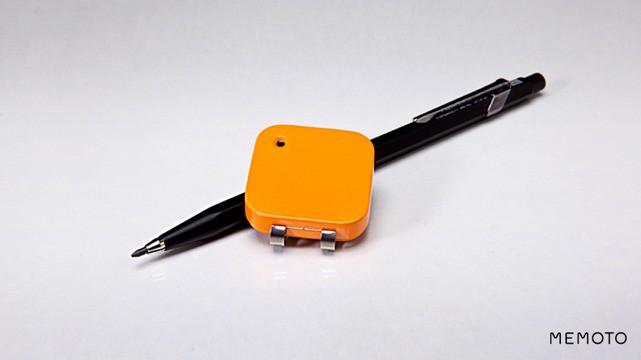
Why am I telling you this? Because both of them look just like the Memoto, a teeny-tiny lifeblogging camera which you wear around your neck or clip on your clothes. Like both of my crapgadgets, the Memoto is small and inconspicuous. Apart from the bright-orange color…

The Many Facial Expressions (And Considerably Less Shirts) Of Sir Jony Ive [Humor]

By

Screen Shot 2012-10-25 at 9.20.57 AM

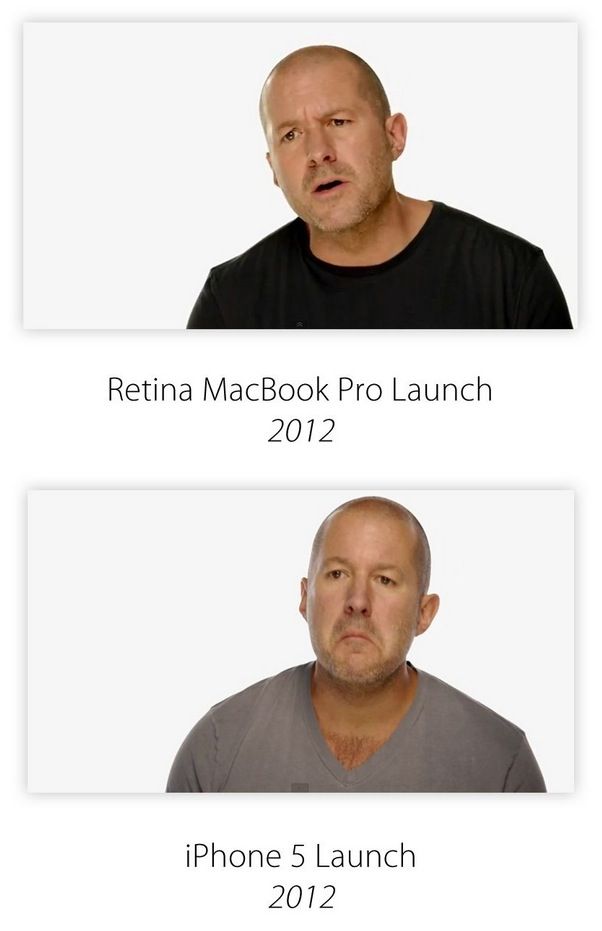
Sir Jonathan Ive, Apple’s Senior Vice President of Design, is much like Apple’s products: at best, he only comes in two colors. Even though he has been used in promotional videos for eight new Apple products in just the past three years, he has only ever worn two shirts through all of them.

Luckily, he’s Lon Chaney-like in regards to the number of expressions he can put on his face. Unfortunately, not all of them are what we would call strictly dignified.

Make Sure Your Mac Asks If You Want To Save Changes To Your Documents [OS X Tips]

By

Ask to save changes

So, Apple likes to change things; this much is a given. The software developers behind the operating system, OS X, are no different. They’re constantly changing the way things work from iteration to iteration of Apple’s computer software.

In Snow Leopard, when you made changes to a document and tried to close that document, you’d be asked by your Mac, in essence, “are you sure you want to do that?” and you could tell it to save the changes you made, or discard them. It was a way to let us know that there had, in fact, been changes to the document, whether we meant them or not.

In Lion, that little “feature” went away. Documents in Lion were always saved, regardless. This is a neat feature, in some ways, but it keeps you from knowing if you’ve made any unintended changes.

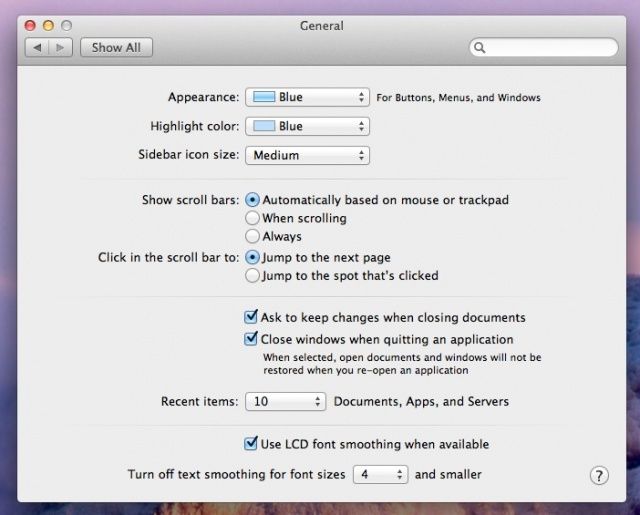
Luckily, Mountain Lion lets you choose the way you want it to work. If you want to have that failsafe “are you sure” save changes dialog, you can enable it. If you don’t want it, you can disable it.

Quiet Siri Down With Independent Volume Controls [iOS Tips]

By

If only we all came with independent volume controls, am I right?

Siri is a perfectly lovely digital assistant, helping us get sports scores, figure out whether we need an umbrella or not, or decide which movie to watch, and whether our friends are nearby to watch it with.

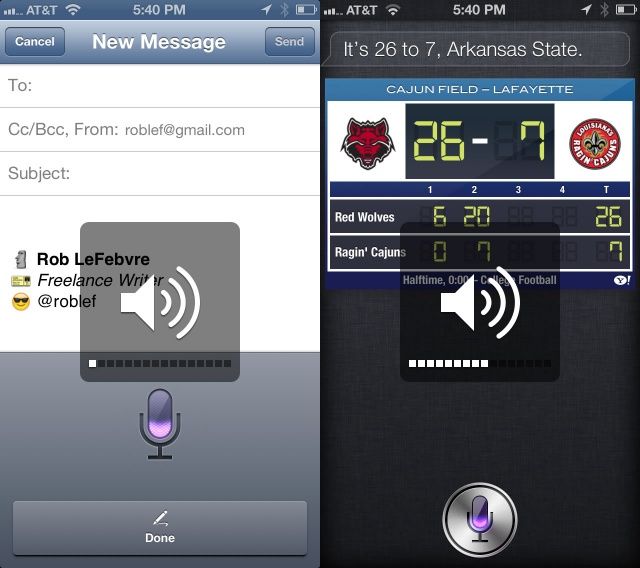
Yet Siri can, at times, just be a little loud. If you want to whisper your question to her in a quiet environment, she may, in fact, shout the answer back to you, even if you have your iPhone on silent mode. Turns out, Siri has her own independent volume controls, which can be adjusted for when you’re in those “keep quiet” situations. Or, I suppose, turn it up in the super loud ones.

Mess With Your Computer’s Guts With Mountain Tweaks [Review]

By

Mess with your Mac's mind

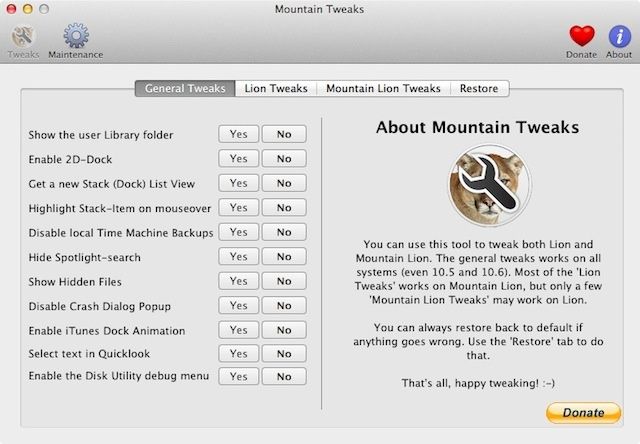
We all love OS X, but sometimes there are little things about it that annoy, or get in the way, or just don’t work the way we’d like them to. For power users, the solution to these little niggles often lies in Terminal, the command line application that lets experts dive into the heart of OS X’s innards. But for the rest of us, there’s always Mountain Tweaks.

Tweetie’s Creator Has A New iOS Game Called Letterpress, And It’s All About Words [Review]

By

The guy behind the first great Twitter app is trying his hand at gaming.

You may know Loren Brichter for the app that made him a rockstar in the iOS development community, Tweetie. Brichter was so successful with Tweetie that Twitter ended up hiring him to make Tweetie the official Twitter client for iOS and the Mac. Twitter for Mac has since fallen by the wayside, but Twitter for iPhone and iPad both live on as a testament to Brichter’s legacy.

After spearheading the initial development of Twitter’s official clients for iOS and OS X, Brichter left the social network to do his own thing again. For the past several months he’s been working on Letterpress, a new iPhone and iPad game that’s now available in the App Store.

Locate, View And Share All Your Files On iOS With iFile [Sponsored Post]

By

iFile_512x512

Sick of opening all your files in different apps? The new iFile app is a multifunctional text, image, music, document, and video reader. You can edit, browse, watch and listen to almost any kind of file that your iOS device can read, all from a single app.

You can also share files with friends, run a portable web server on your iPhone, sync files to Dropbox, and more…