Mobile menu toggle

Search results for: Apple One

Steve Jobs Was Trademarked In Turkey By A Textile Merchant

By

stevejobstm

In the United States, Apple vigorously protects their treasured founder, Steve Jobs, from the sort of jackals and graverobbers who want to steal his likeness, name or other rights to make a quick buck. Let’s hope Apple has the same pull in Turkey, because someone there has managed to slip a “Steve Jobs” trademark through the Turkish patent office.

Why There Were No Booth Babes At Macworld [Macworld 2013]

By

image
Farnaz Kermaani of the Cre8Agency modelling agnecy and her client, Jeremiah Fowler, PR director of MacKeeper, a Mac software company.

macworldbugSAN FRANCISCO, MACWORLD/iWORLD 2013 – After my article last year about Macworld booth babes, I expected to find lots of models again this year at the show. But to my surprise, there were none to be found.

The reason surprised me, but makes total sense.

How To Jailbreak Your iOS 6 Device With Evasi0n The Right Way [Jailbreak]

By

Evasi0n Jailbreak iPhone 5

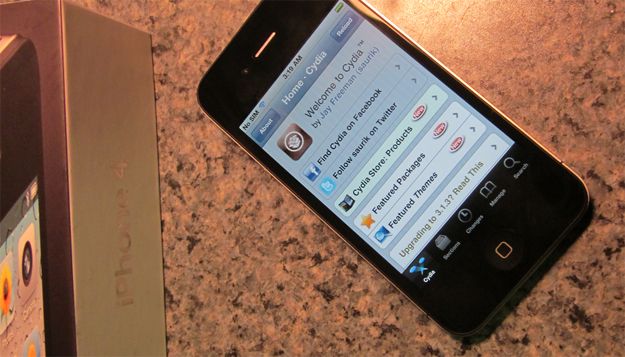
The Evasi0n jailbreak has been released for all devices capable of running iOS 6, including the iPhone 5 and iPad mini. You can download the free Evasion tool for Mac, Windows, or Linux. The jailbreaking process takes all of five minutes in most cases, and once completed, you have full access to Cydia.

Ready to get your jailbreak on? Here’s how to jailbreak your iOS 6 device with Evasi0n the right way:

Here Are Some Of The Best Jailbreak Tweaks To Try On iOS 6 [Jailbreak]

By

A new jailbreak is waiting in the wings.

Now that you’ve jailbroken your iOS device running iOS 6, it’s time to check out some tweaks and apps in Cydia, the jailbreak alternative to the App Store. There’s a lot of stuff to try in Cydia, and sometimes it can be hard to weed out of the very best tweaks from the rest.

We’ve gathered some jailbreak tweaks you need to take a look at on iOS 6:

Everything You Need To Know To Get Ready For The iOS 6.1 Jailbreak [How-To]

By

A new jailbreak is waiting in the wings.

The next big jailbreak is about to drop, and it will unchain nearly every iOS device Apple sells running the newly released iOS 6.1. We’re only a few days away from the 6.1 jailbreak now, and most bets are for a Sunday release.

There are a couple things you need to do before you jailbreak your device. Good thing Cult of Mac has you covered. Here is everything you need to know to get ready for the upcoming iOS 6.1 jailbreak:

iMac Shipping Times Slip Again In Europe, Now Stand At 4-6 Weeks

By

iMac-shipping-times-slip

It’s a bad time to purchase one of Apple’s latest iMacs if you’re living in Europe. Shipping times for the all-new, all-in-one have slipped for the second time in under a month, and customers are now facing lengthy waits for both the 21.5-inch and the 27-inch models. The former currently has a 3-4 week shipping delay, while its bigger brother will keep you waiting 4-6 weeks.

How To Make Your Existing iOS 6.1 Jailbreak Untethered [Jailbreak]

By

iphone4-geohot-jailbreak

If you’ve already jailbroken an iOS device running the latest iOS 6.1 software using the tethered jailbreak, then you won’t need to restore it and perform the whole process again to get an untethered jailbreak later today when evasi0n drops. Although this is recommended, you will be able to convert your existing jailbreak into an untethered one using a simple tweak available through Cydia.

Røde smartLav Is Not A Self-Cleaning Toilet

By

1359977463.jpg

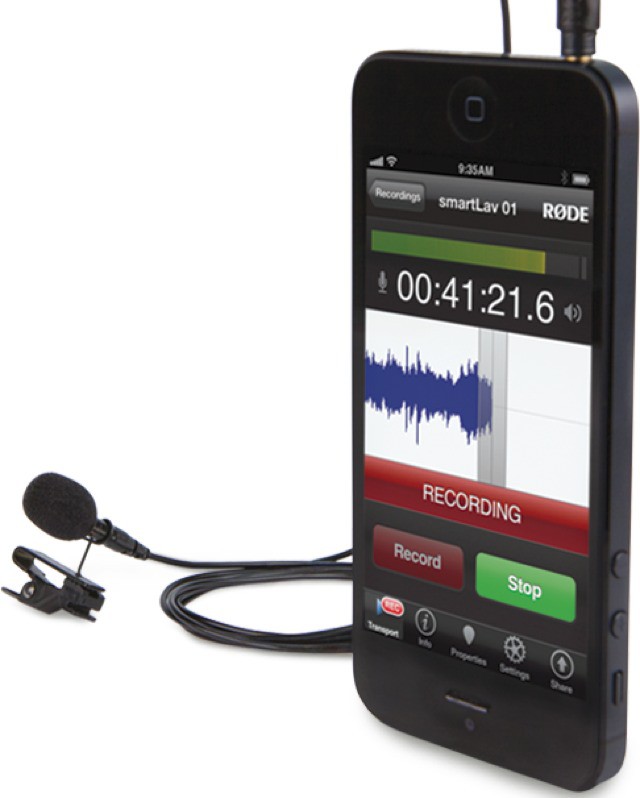
Lavalier: When I first heard the word I though it was a kind of horseback warrior who would also come soap your back when you were showering, but it turned out to be a handy clip-on remote mic. And now Rode (or RØDE, as it somewhat annoyingly insists on being called) has a lavalier mic which works with your iOS device. It’s called the smartLav, and it doubles as a self-cleaning toilet. (Kidding!)

Mastering Terminal To Hack The Finder [OS X Tips]

By

Finder-Terminal

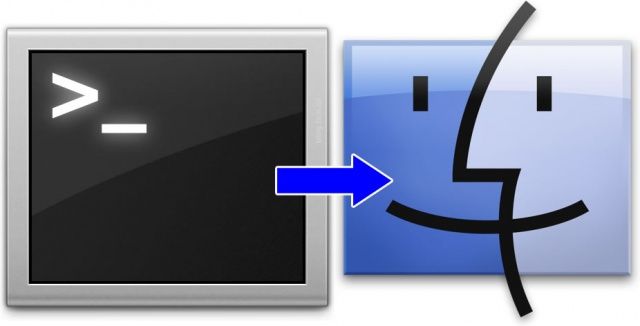
The Terminal app is like a window into the inner workings of your Mac. It accesses the Unix core of your Apple computer directly and without any muss or fuss. It can feel pretty daunting at times, but it’s really the way to dig in and make your Mac work the way you want it to. The Finder can be hacked a bit using the Terminal, of course, so we figured we could show you a few tricks, too.

Here’s how to hack up the Finder a bit to make it work better for you.