Mobile menu toggle

Search results for: Apple One

Japanese temple hopes Steve Jobs’ name will revive interest

By

1280px-Eiheiji08bs3200
This is the temple where Jobs' spiritual advisor was trained.
Photo: 663highland/Wikipedia CC

It’s no secret that Japan is a big fan of Steve Jobs, which goes some way to explaining why Apple’s late co-founder is being used as a (pretty tenuous) connection to help reinvigorate interest in the country’s Buddhist Zen tourism trade.

How? Because, as it turns out, the 13th century Eiheiji temple Japanese local authorities hope to drum up interest in happens to be the same place which trained Kobun Chino Otogawa, a.k.a. Jobs’ spiritual advisor and wedding officiator.

We warned you it was tenuous!

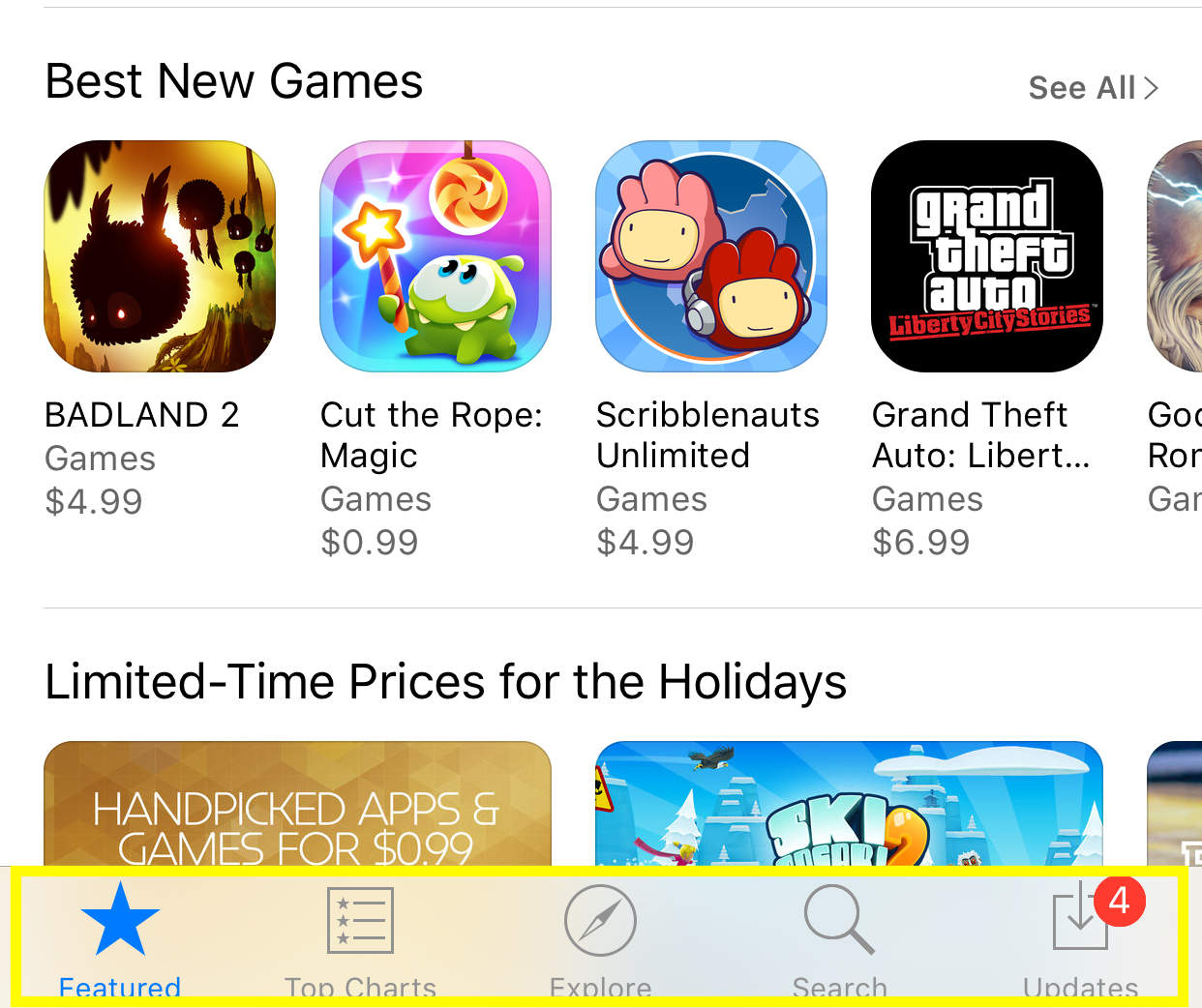
App Store app acting weird? Try this quick fix

By

You'll want to find these.
Photo: Rob LeFebvre/Cult of Mac

Twitter user and developer Peter Steinberger shouted out to the Twitterverse when his App Store app kept showing an app that needed an update, but would never actually update, even with an iPhone restart.

He got a reply from Zachary Drayer, a mobile developer himself, on how to get the App Store to force refresh.

It’s totally nonintuitive, but utterly cool, and you can do it on your Apple Watch and iTunes app as well. Here’s what to do if you’re in the same situation.

AT&T will kill two-year contracts at the beginning of 2016

By

Two-year contracts are about to be a thing of the past.
Photo: Mike Mozart/Flickr

If you want to buy the iPhone 6s on a two-year contract with AT&T you better hurry.

Internal documents from AT&T leaked online this morning revealing the carrier plans to finally kill the two-year contracts it’s offered long before it become the first carrier to sell the iPhone.

Twitter for Mac doesn’t suck anymore

By

twitter-mac-update-4
That didn't take too long, did it?
Photo: Twitter

Twitter finally resurrected its Mac app with just about everything its users have been asking for over the past several… well, for a really long time. The update at long last looks much like the Twitter you’re familiar with on your smartphone or desktop browser. It’s complete with highly requested features like GIF support and group direct messages with up to 50 people, plus a dark theme for power users and more.

“Don’t call it a comeback!” Twitter wrote in the update description. “Twitter for Mac is getting the update you’ve been asking for.”

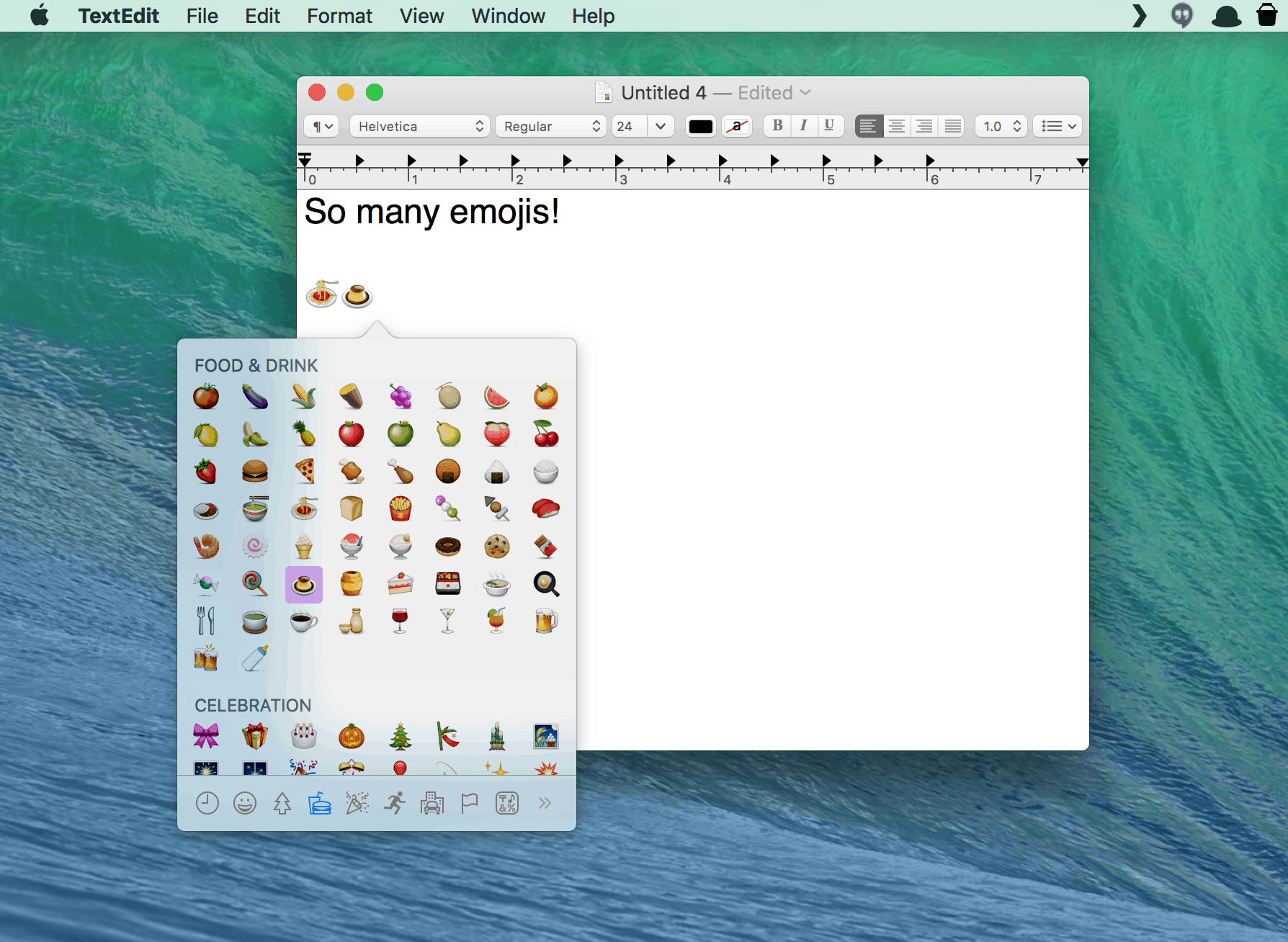
The easy way to add emojis to everything on your Mac

By

Emoji for all your textual needs.
Photo: Rob LeFebvre / Cult of Mac

In Apple’s Messages app, you can easily add emojis with a quick click on the little happy face icon in the iMessage text field. If you use a chat app like Slack, you can do the same.

But what if you want to add an emoji to an email, a letter, or any other text field? Turns out there’s an often-overlooked menu item (with a corresponding keyboard shortcut) that lets you do just that.

Check it out.

10 superb iOS and Mac apps we loved in 2015

By

ios_and_mac_apps
'Appy new year.
Photo: Ste Smith/Cult of Mac

Cult of Mac's Best of 2015 Witnessing the ingenuity of app developers both small and large is a real highlight of my job writing about the Apple ecosystem. In that regard, 2015 didn’t disappoint: Some tremendous new apps got unleashed this year on both iOS and OS X.

Here are Cult of Mac’s picks for the absolute best apps of the year for iPhone, iPad and Mac.

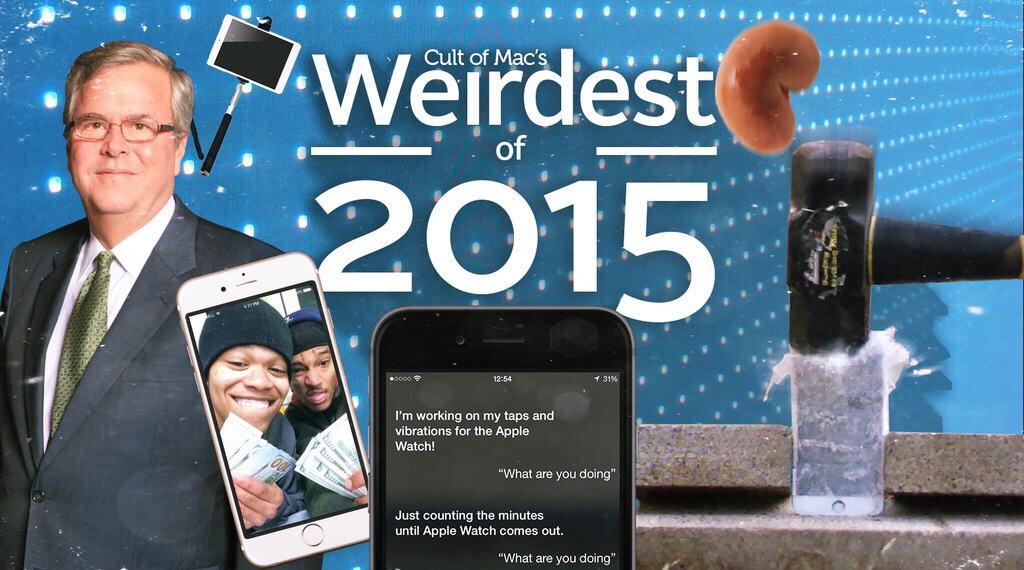
Weirdest of 2015: The year’s biggest ‘whoops’ moments

By

Apple fanatics got up to some strange stuff in 2015.
We all made a lot of mistakes this year.
Image: Stephen Smith/Cult of Mac

Cult of Mac's Best of 2015 We aren’t going to pretend we’re perfect, but that doesn’t mean we have no appreciation for the mistakes of others. They make us feel better about our own glaring flaws, and they also make for some good fodder for “weirdest of 2015” news roundups.

This year, we saw some really impressive corporate blunders as well as some head-slapping moments from Apple fans.

Kid racks up almost $6,000 on Jurassic World in-app purchases

By

Jurassic World
Cloning dinosaurs comes with a price tag. Who knew?
Photo: Lydia

Aside from a few big developers, no-one much likes in-app purchases, which have long been used to ruin mobile gaming on iOS.

However, the parents of 7-year-old Faisall Shugaa probably like them less than most — after their son racked up almost $6,000 in IAP bills, including $2,200 spent in just one hour.

iOS game AdVenture Capitalist! will scratch that ‘endless clicker’ itch

By

This can run all day.
Photo: Rob LeFebvre/Cult of Mac

If you’re anything like me, you find something compelling about an “endless clicker” game. There’s not a lot of gameplay or strategy in one of these time-wasters, but they’re fulfilling in some odd way.

Take my latest obsession: AdVenture Capitalist! Starting with a lemonade stand, you can work your way up to an oil magnate on Earth and then bust out of the atmosphere to take your industrious money gathering to Mars and the Moon.

It’s kind of ridiculous to just tap buttons to buy various industries like newspapers, pizza parlors, donut shops, and banks, but oddly soothing all the same. Here’s a quick video to give you a sense of the gameplay.

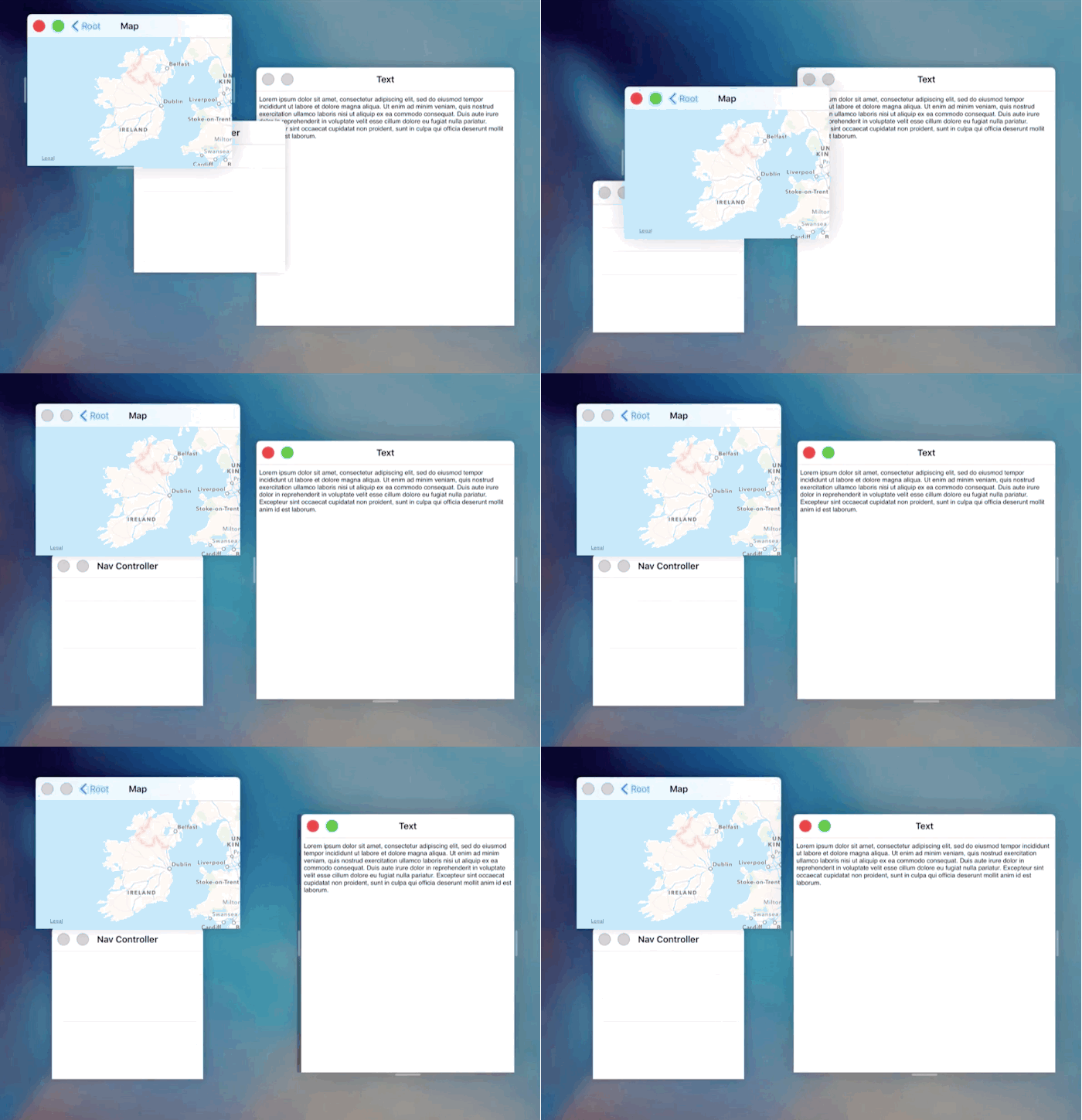
iOS concept brings joy of Windows to iPad

By

Windows could change work on the iPad.
Photo: Steve Troughton-Smith

iOS 9 finally brought split-screen views to the iPad, but it’s still not nearly as useful as the windowed multitasking views you get on a Mac. Developer Steve Troughton-Smith has come up with a much better solution with a new proof-of-concept called iOS window management that would bring the joy of working in a windows environment to the iPad.

Apple already has the foundation built thanks to UIKit. It only took Troughton-Smith 500 lines of code to build the concept with the UIWindow subclass, allowing individual app screens to be resized an overlaid on top of each other.

Check out the concept video: