Mobile menu toggle

Search results for: Apple One

Yes! Take a first look at the crazy gamer fun coming in Mythic Quest season 2

By

‘Mythic Quest’ season 2 premieres in May 2021 on Apple TV+
Mythic Quest season 2 continues the offbeat hilarity of this office comedy with a gaming twist.
Photo: Apple TV+

Every good game deserves an expansion pack. Just like Apple TV+’s game-themed Mythic Quest deserves a season 2. New episodes of the twisted comedy premiere in May as the game developers struggle to create an expansion pack for their hit Raven’s Banquet.

Apple released a trailer of the upcoming season on Friday to prepare viewers for the crazy. Watch it now.

Brydge 10.2 Max+ rugged keyboard case adds large trackpad to budget iPad

By

Brydge 10.2 Max+ is available for preorder now.
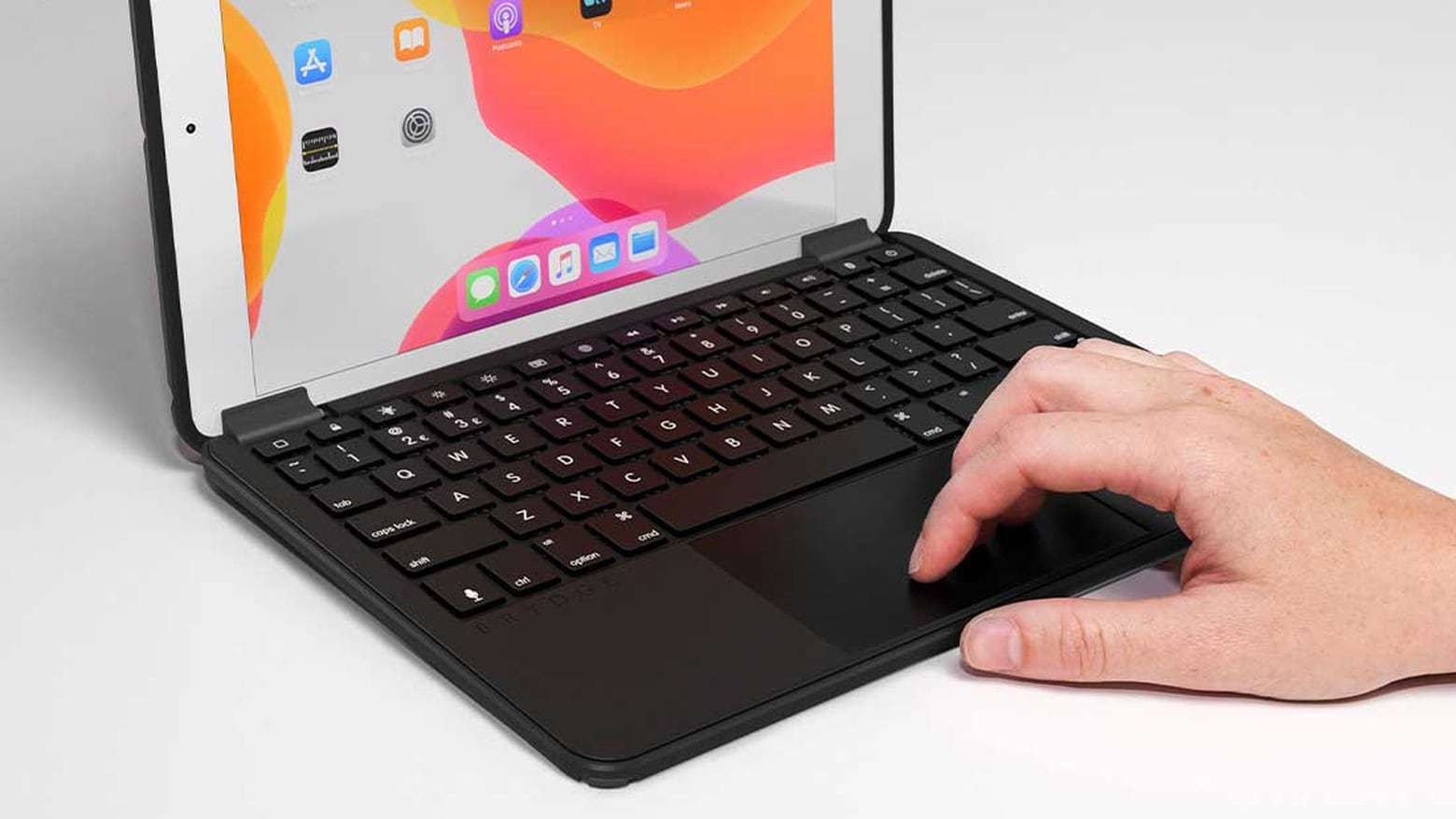
The Brydge 10.2 Max+ turns an iPad 8 into a detachable laptop/tablet.
Photo: Brydge

Brydge has a new feature-laden keyboard case for the low-cost 10.2-inch iPad. It brings a large trackpad to this tablet. And the Brydge 10.2 Max+ offers 4-foot MIL-STD drop protection thanks to a built-in Otterbox case.

This company’s keyboards for the iPad Pro are aimed at professionals. The newest one for the low-cost iPad seems to be for younger users.

College freshman sees upside of hunkering down in his parents’ house [Setups]

By

Shad Ahmad's straightforward setup centers on a MacBook Pro and 32-inch monitor.
Photo: Shahid Ahmad

Shad Ahmad was a hard-studying freshman majoring in biology and minoring in history at Harvard University in Cambridge, Massachusetts, when the COVID-19 pandemic struck.

Going home to continue classes for a semester remotely from his parents’ house in Wisconsin may not have been ideal, but Ahmad found a comforting upside. Integrated smart technology makes his life easier, he told Cult of Mac.

Google’s Chrome OS proves more popular than macOS in 2020

By

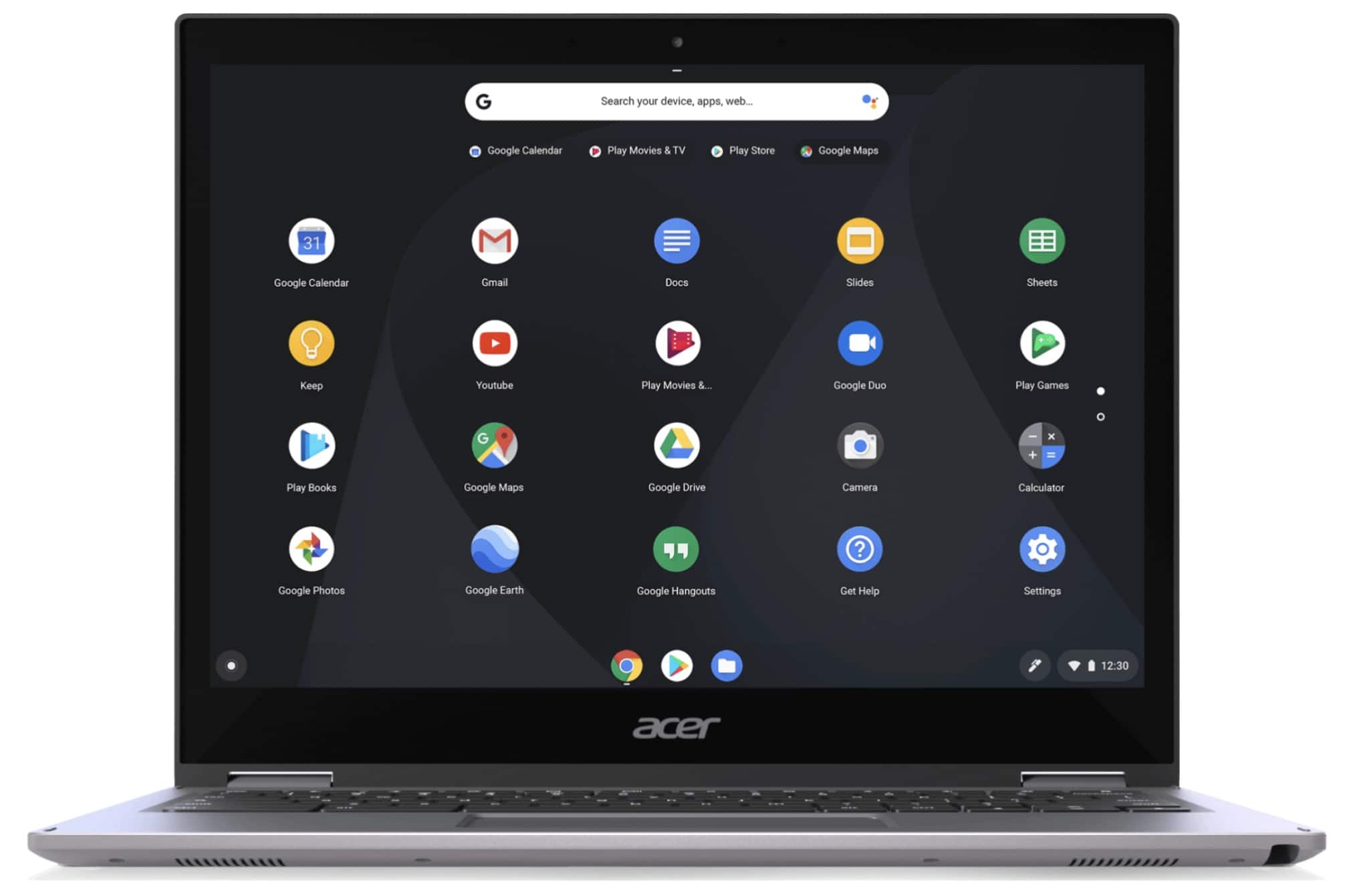
Chrome OS image
Move over Mac!
Photo: Google

According to new figures by IDC, 2020 is the first year in which Google’s Chrome OS was found on more new computers sold than macOS.

That’s due to the success of Chromebooks made by the likes of Acer, Asus, Dell, HP, and Lenovo. While no figures are given, it seems likely that these now outsell Macs.

CoverBuddy protects iPad Pro, plays nice with Magic Keyboard [Review]

By

SwitchEasy CoverBuddy review
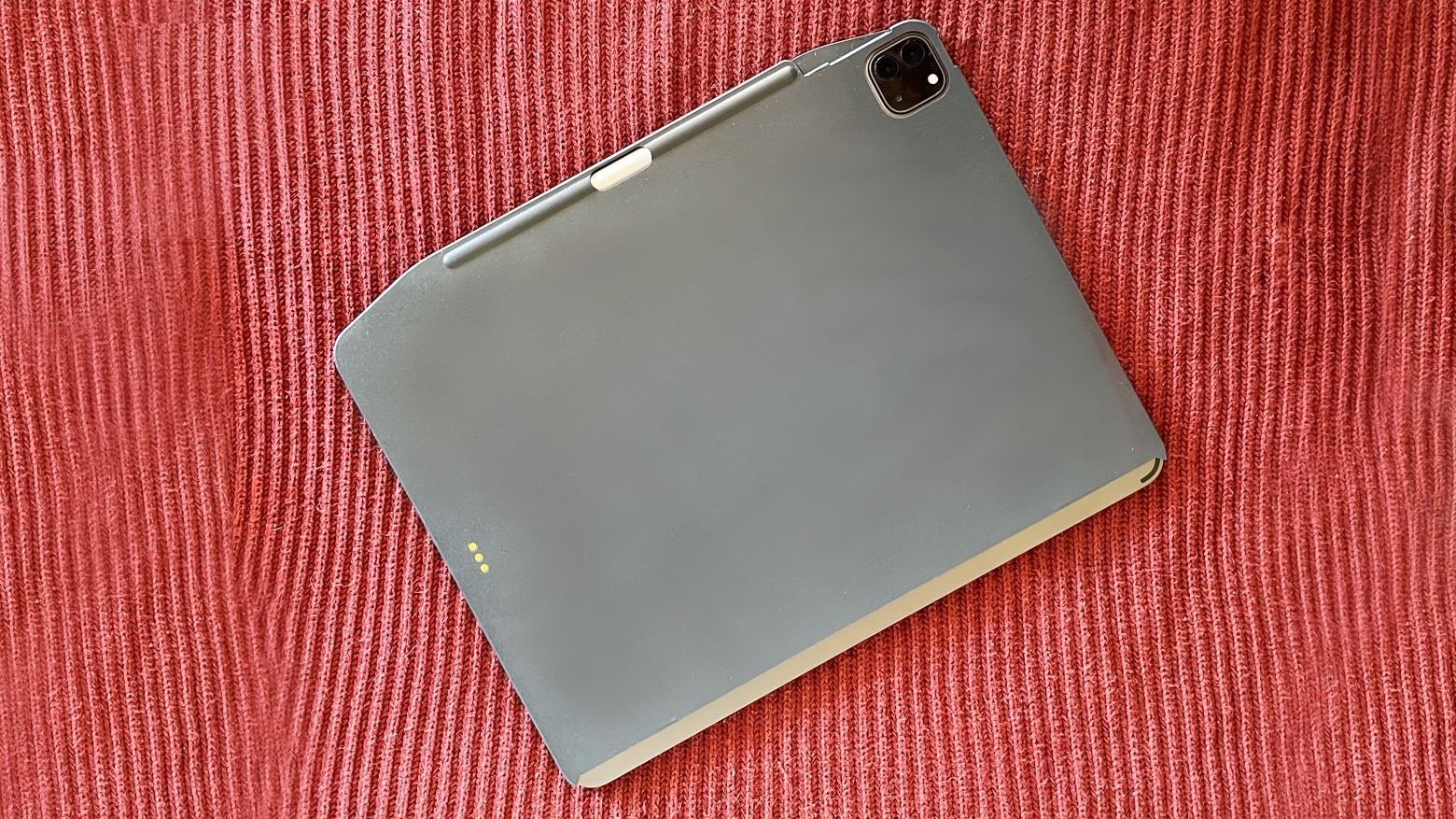
SwitchEasy CoverBuddy adds extra protection for iPads that are used with Apple’s clip-on keyboards.
Photo: Ed Hardy/Cult of Mac

The Apple Magic Keyboard and Smart Keyboard for iPad are amazing but they prevent putting the tablet into most cases, so it has to be “naked” when not clipped to the keyboard. That’s no problem for the SwitchEasy CoverBuddy, a protective case that Apple’s clip-on keyboards can work right through.

Mac fan transforms 1997 Toshiba Libretto into tiny Hackintosh

By

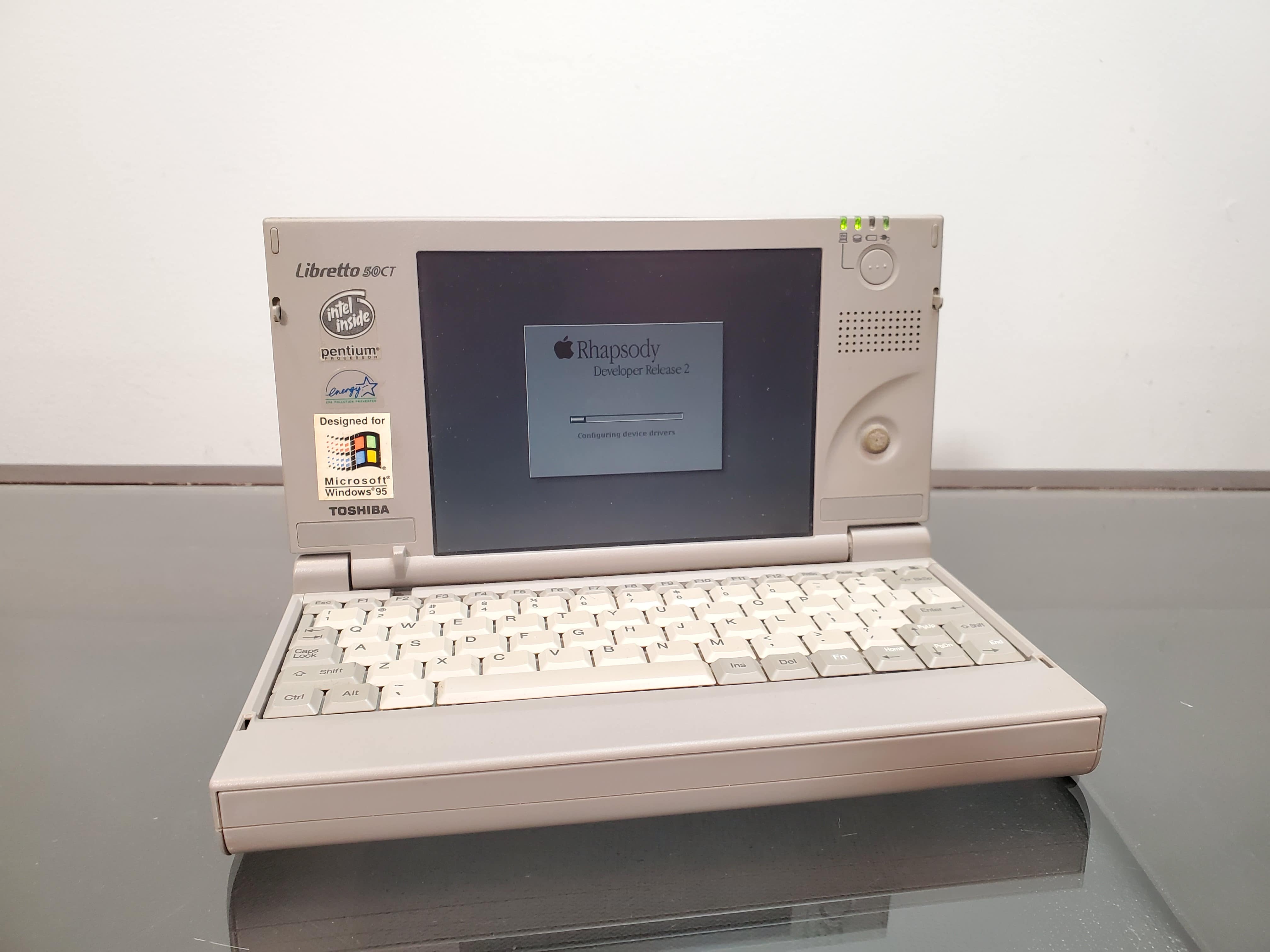
Libretto
The Apple portable that never was.
Photo: Action Retro

Long before we all started carrying around powerful computers in our pockets, there was the tiny Toshiba Libretto. A game-changing device when it arrived in the 1990s, the Libretto downsized the entire Windows PC experience into a subnotebook the size of a paperback.

As the world’s smallest commercially available Windows PC, it certainly proved revolutionary. The only problem is the Libretto was … well, a Windows PC.

YouTuber Action Retro recently set out to right that wrong with an awesome Hackintosh project. After transforming the diminutive Libretto into a miniature Mac, he spoke with Cult of Mac about the experience (and his love of vintage Macs).

How to use Mobility Metrics in iOS 14

By

New mobility metrics in the iOS Health app provide essential data on how you’re walking.
Photo: Graham Bower/Cult of Mac

The new Mobility Metrics feature that Apple added in iOS 14 offers important insights into your health and fitness. Using its built-in sensors and some extremely smart software, the iPhone in your hip pocket captures data and analyzes how you walk at all times. Then, the Health app serves up seven key measurements that provide an overall picture of your strength, coordination and cardiovascular health.

Even if you don’t experience any mobility difficulties, you might still be interested to see what these new stats reveal about the way you walk.

Instagram content creator pictures setup perfection [Setups]

By

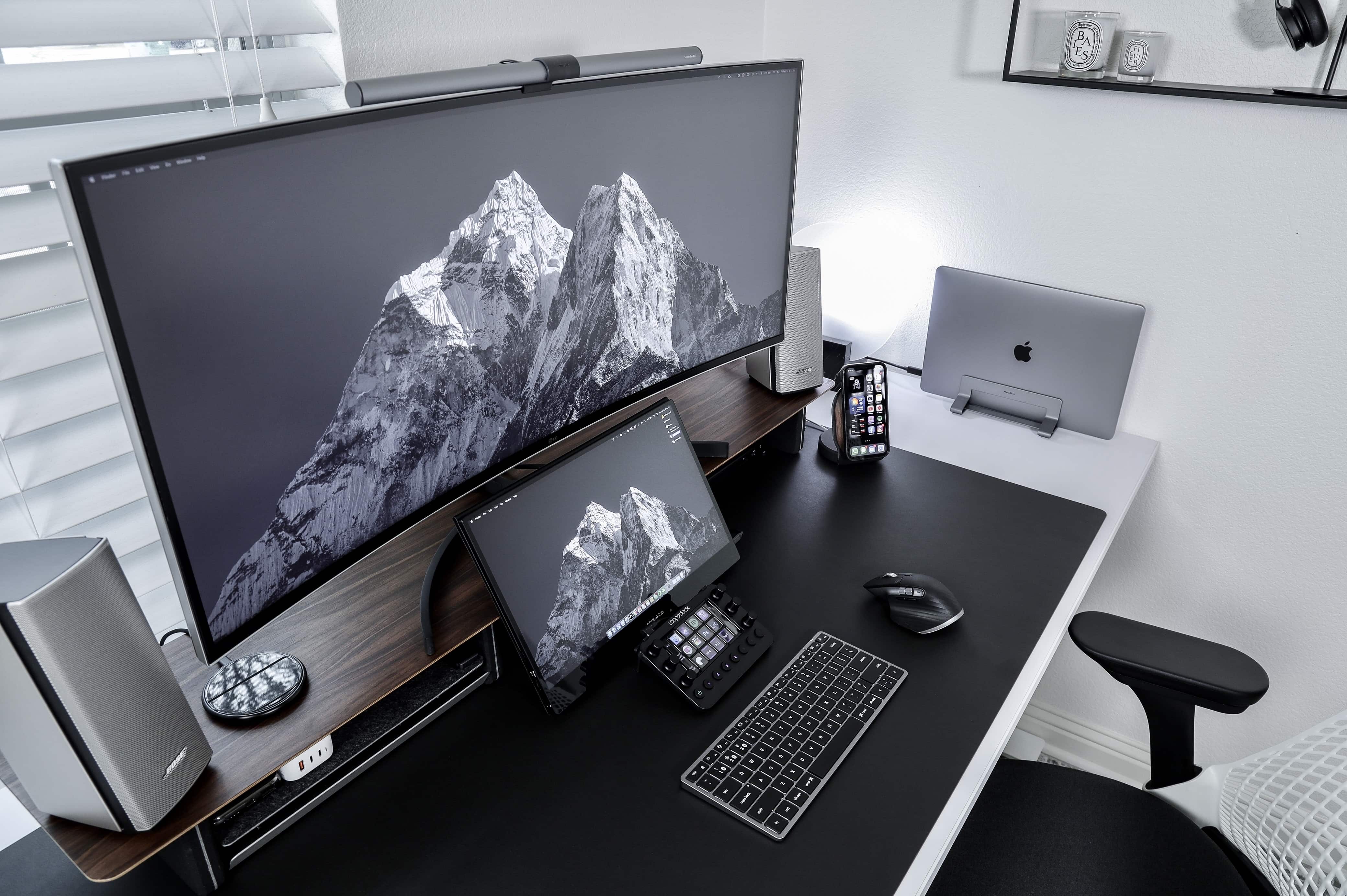
Instagram content creator Matt Tran runs his MacBook Pro with an ultrawide screen and a portable one for different reasons.
Photo: Matt - Instagram @nvzion

Austin, Texas-based photographer Matt Tran initially built his impressive setup to share his pics on Instagram, and you can certainly see a lot of them there. But now he uses his workstation, centered on a MacBook Pro and two monitors of vastly different sizes, to film and edit videos.

“I like having the 38-inch [LG] ultrawide to view the timeline on Final Cut Pro and the smaller, 15.6-inch Desklab portable monitor to review the footage,” he told Cult of Mac.

Microsoft’s unified Office app finally lands on iPad

By

Microsoft Office iPad
It only took a year after its iPhone debut.
Photo: Apple

Almost exactly one year after it arrived on iPhone, Microsoft’s unified Office app is now finally available for iPad. The app combines Word, Excel, and PowerPoint in one single package.

That means that all your documents are in one place, and you don’t need to switch between apps depending on whether you’re editing a text document or using a spreadsheet.

Prop up your MacBook for easier typing with the ParcSlope [Review]

By

Twelve South ParcSlope review
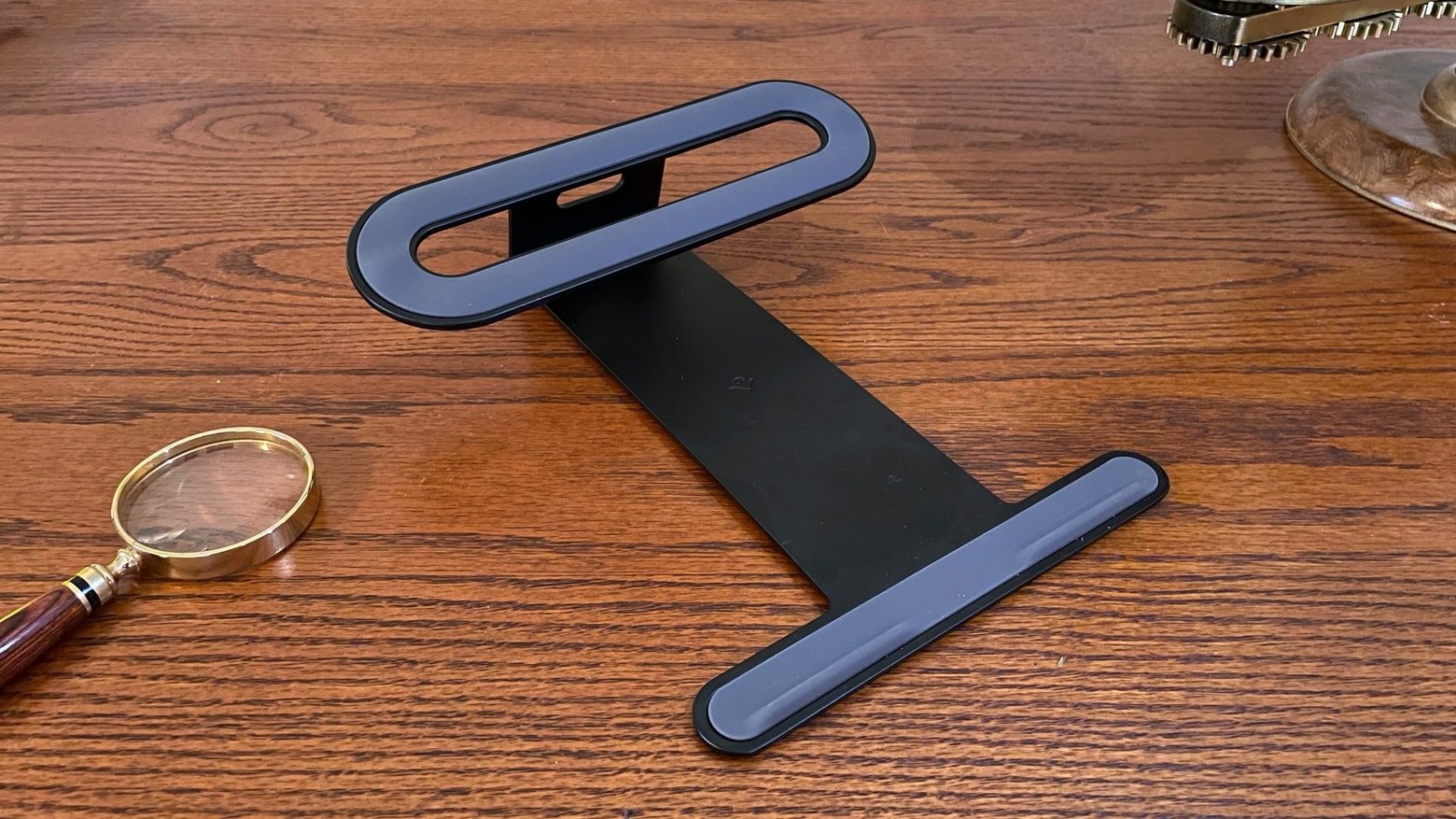
Twelve South ParcSlope securely supports an Apple laptop or tablet.
Photo: Ed Hardy/Cult of Mac

Tilting up the base of your MacBook makes it easier to type. And it elevates the screen to be nearer eye level. The Twelve South ParcSlope is a simple, sturdy laptop stand that offers both benefits. And you can use it with your iPad, too.

I used the ParcSlope for several days to see how well it performed in real-world use. Read on to see what I found out.