Mobile menu toggle

This setup has more wood than you can shake a stick at [Setups]

By

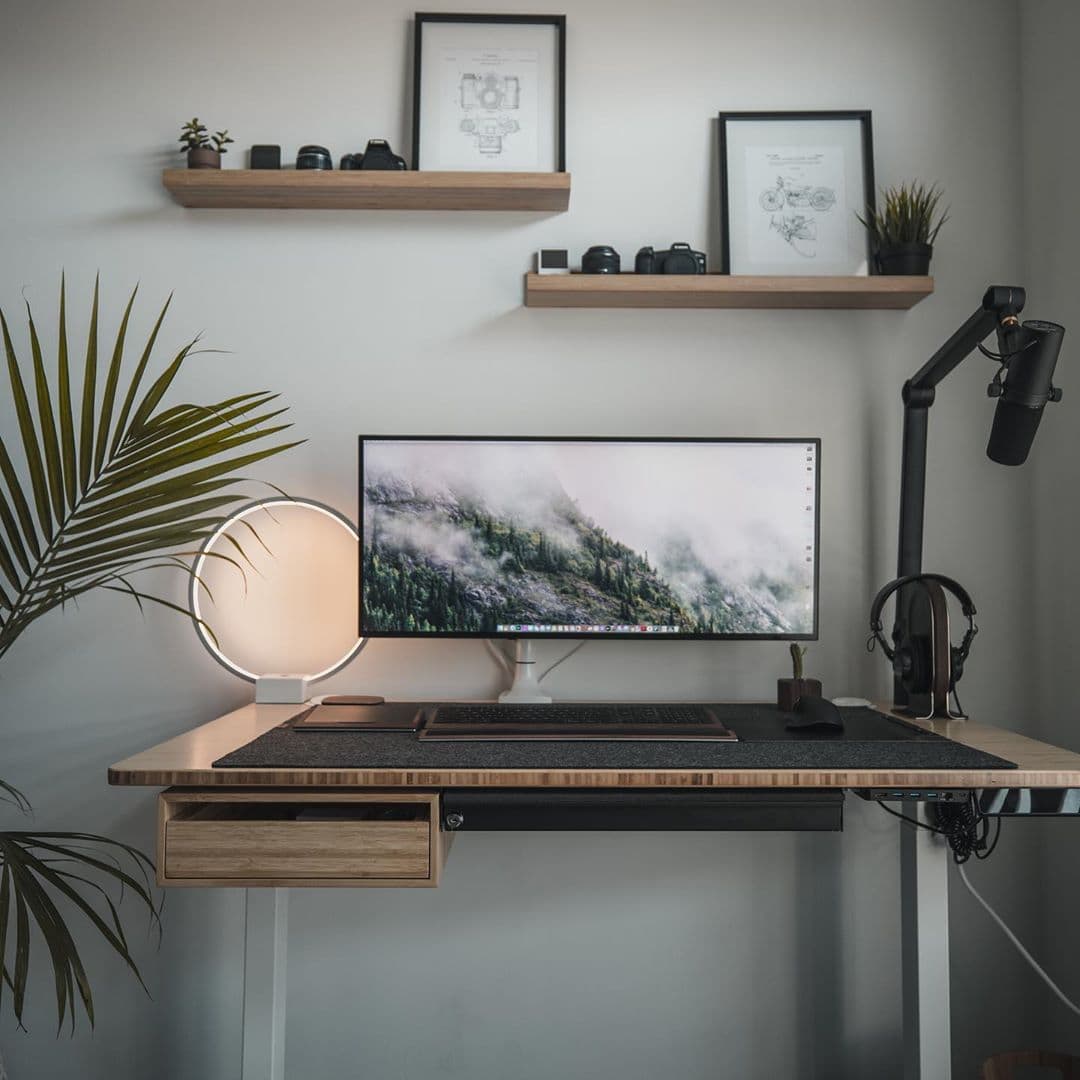
MacBook Setup
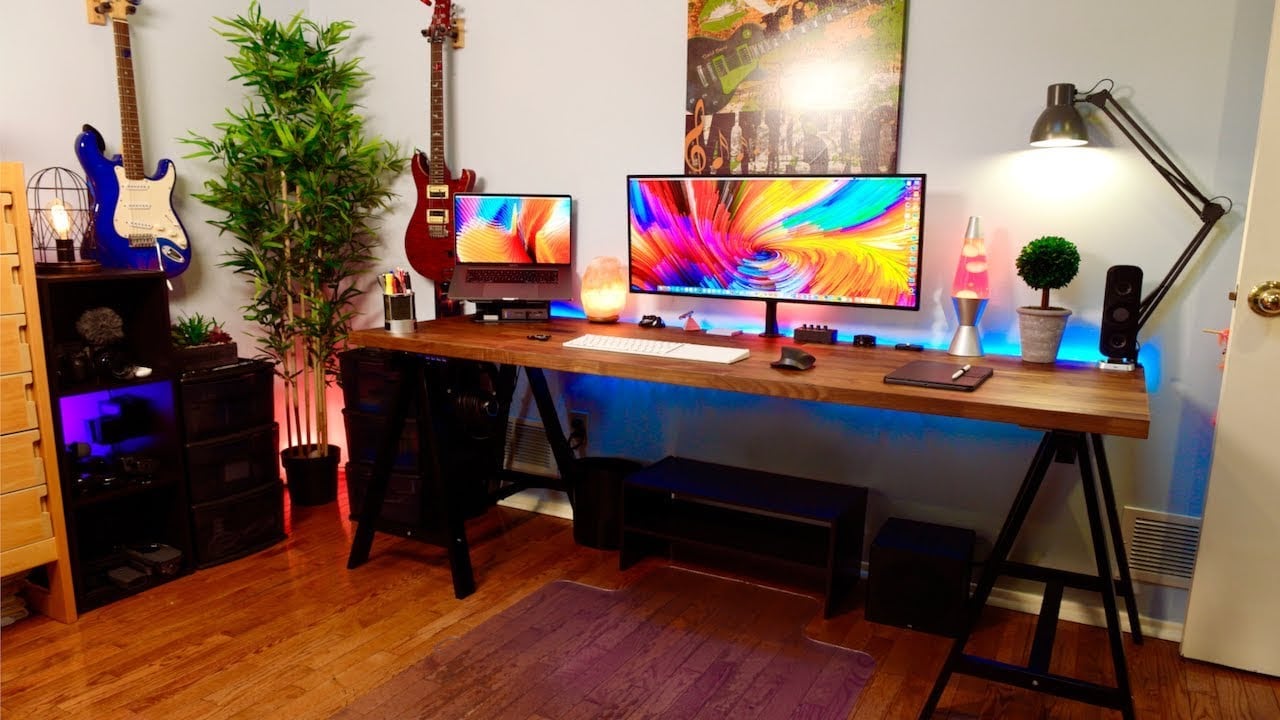
All the wooden products and plants make for a very calm setup.
Photo: @hussaintausif

When accountant and realtor Tausif Hussain built his setup he was looking for wellness and nature themes.

He uses a Jarvis Bamboo Standing Desk, which is both eco-friendly and joint-friendly. He also has a Muvmat, an anti-fatigue mat that is also a foot massager. The Muvmat simulates standing in a forest; it is filled with bumps that imitate rocks, branches, and twigs. And pretty much every device rests on top of some wooden accessory or stand.

Apple gets it ‘write’ with Scribble on iPadOS

By

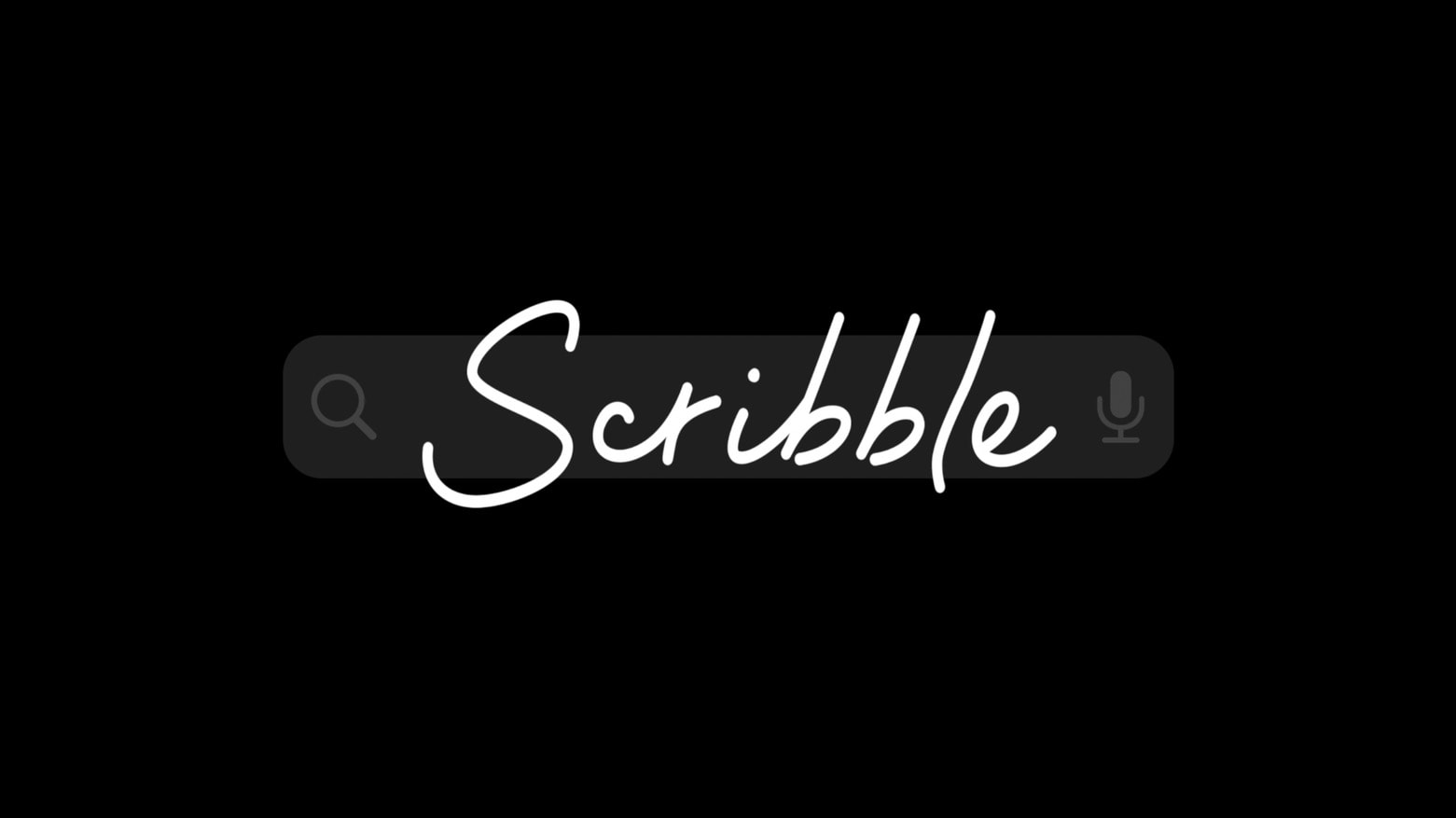
Scribble is the most significant new feature in iPadOS 14
Apple’s Scribble handwriting-recognition system makes iPad styli more useful.
Photo: Apple

WWDC 2020 Apple finally brought handwriting recognition to iPad. With Scribble built in iPadOS 14, it’s possible to enter text simply by drawing on the screen.

My testing with the first version shows its an amazing feature. But one with room for improvement.

Picture this: The new 4K Stogram lets you have your way with Instagram

By

4K Stogram
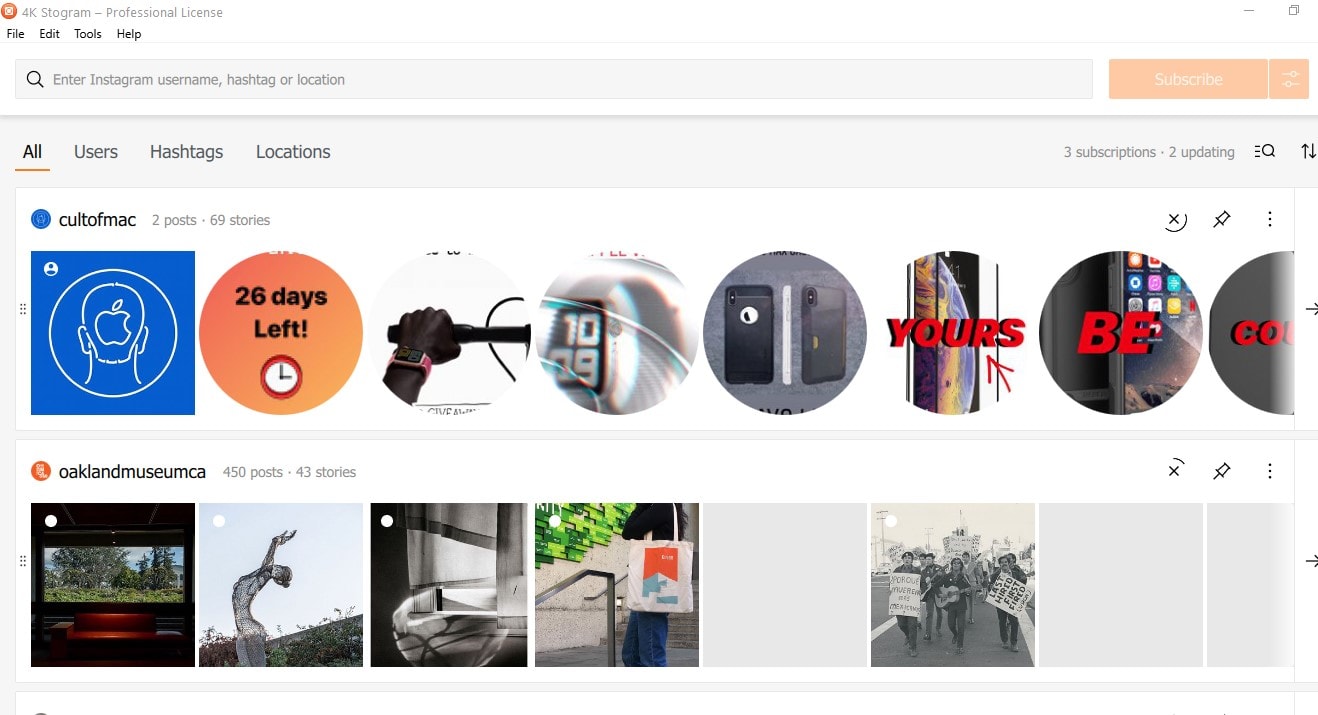
Take control of your favorite Instagram content with 4K Stogram.
Screenshot: OpenMedia

This Instagram management post is presented by OpenMedia, maker of 4K Stogram.

The download world is filled with third-party tools intended to enhance your experience with other tools, apps and services — and sometimes they really do help. One such case is 4K Stogram, an Instagram viewer and download app for macOS, PC and Linux.

Catch our reactions to the WWDC 20 keynote on The CultCast

By

The CultCast podcast: Get our reactions to all the new software showcased during the WWDC 2020 keynote.
So ... much ... new ... software!
Photo: Apple

WWDC 2020 On today’s special edition of The CultCast: Catch our reactions to all the great stuff announced at the WWDC 2020 keynote. We highlight our favorite features from iOS 14, MacOS Big Sur, tvOS, iPadOS and watchOS, and so much more.

Today’s episode is supported by CleanMyMac X, an all-in-one utility from MacPaw that takes care of your Mac’s health. It’s a macOS cleaner, a performance monitor, a malware remover and occasionally, a lifesaver. And until July 5, you can go to macpaw.com/cultofmac to get CleanMyMac X with a 30% discount.

Apple opens Find My app to rival item trackers

By

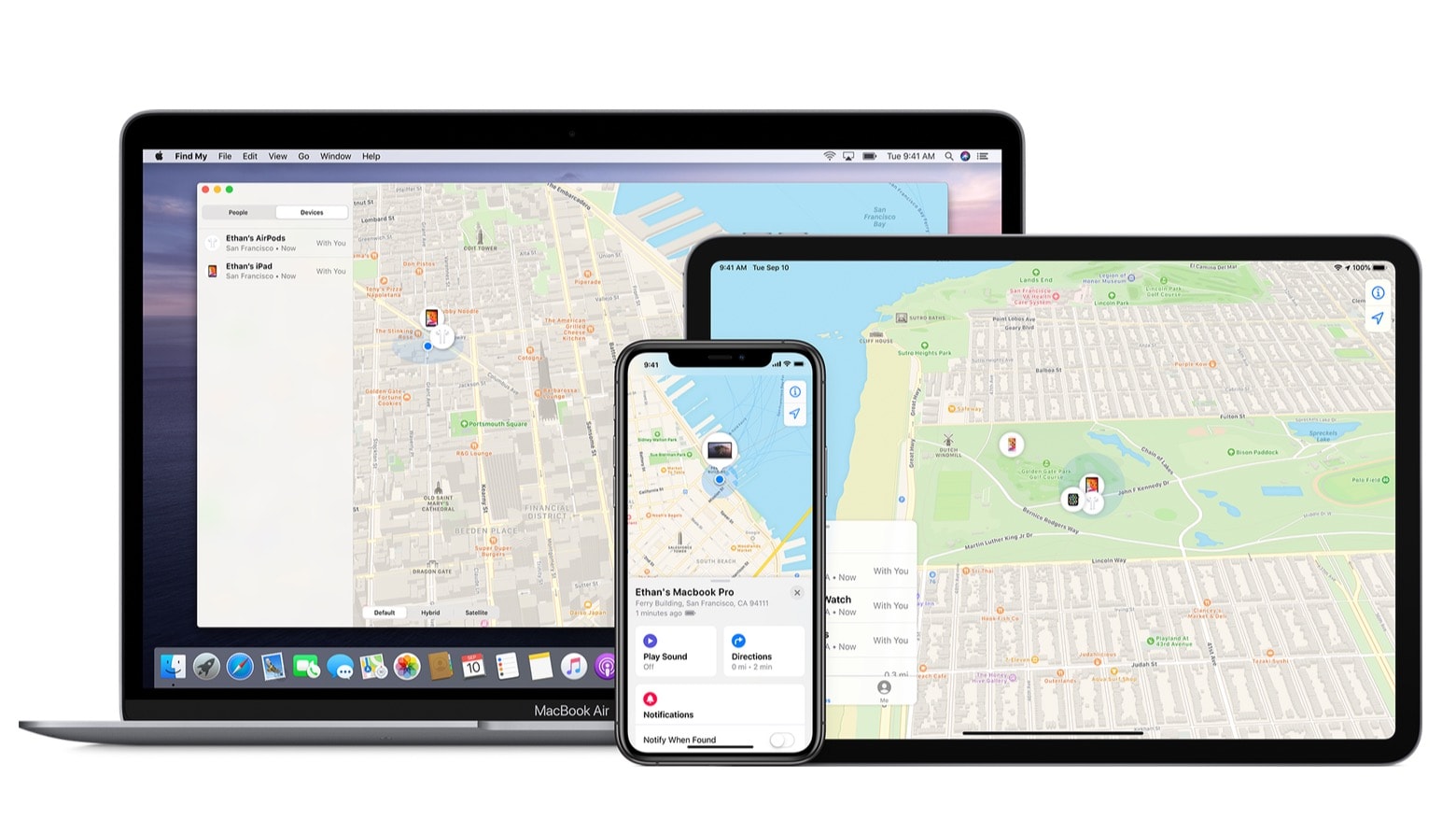
The Find My‌ Network is created by iPhone, iPad and Mac devices
Tile and other location-aware Bluetooth item trackers could soon be accessible through Apple’s Find My app.
Photo: Apple

WWDC 2020Third-party item trackers will be able to connect to the Find My‌ Network created by iPhone, Mac and other Apple devices, the company announced Monday during its annual developers conference.

This will be a huge benefit to Tile, who recently complained to the EU Commission that Apple is making it harder for customers to use Tile’s location-aware tracking tags even as Apple prepares to launch its own.

After virtual WWDC, Apple should never go back to live keynotes

By

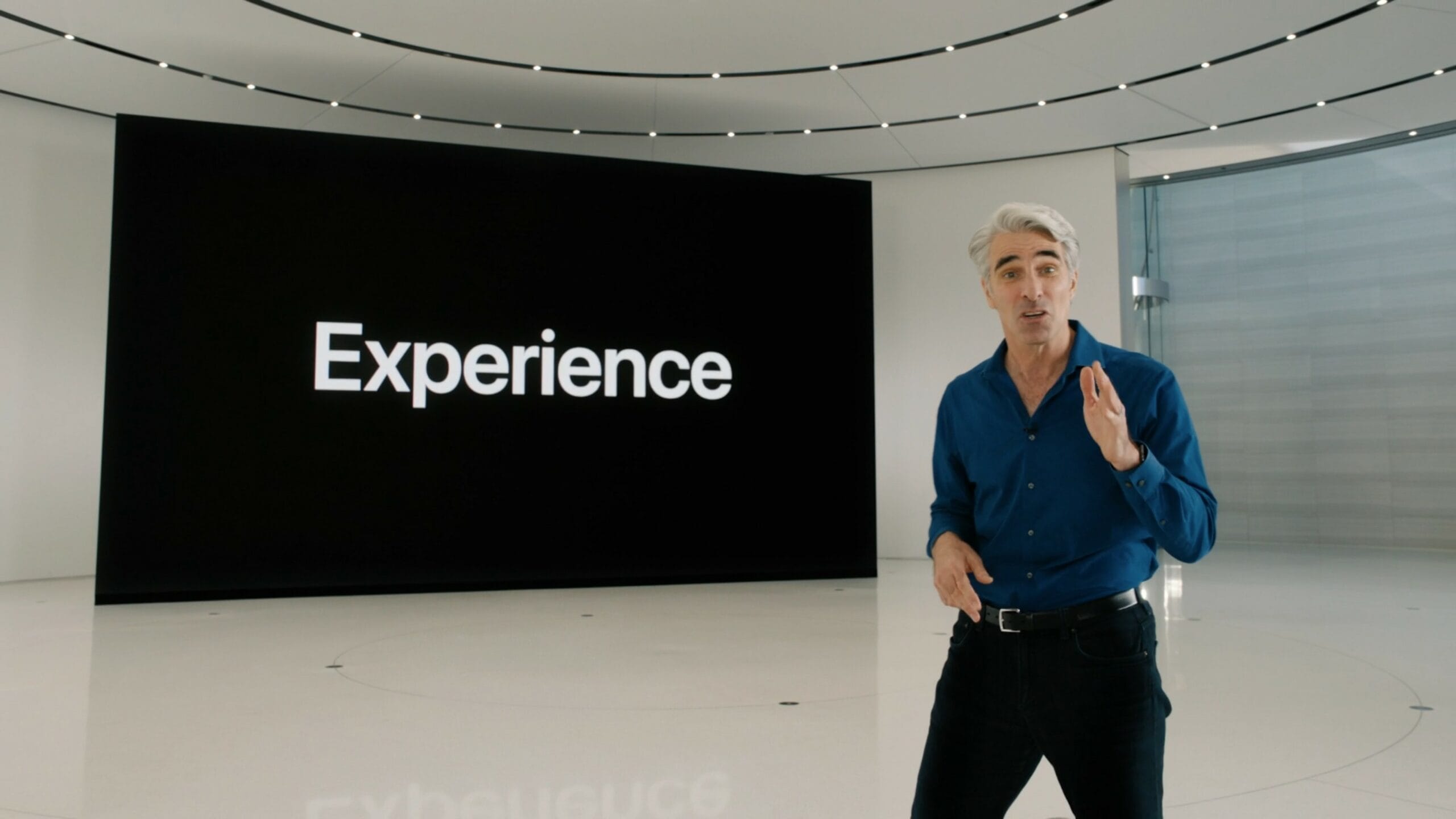
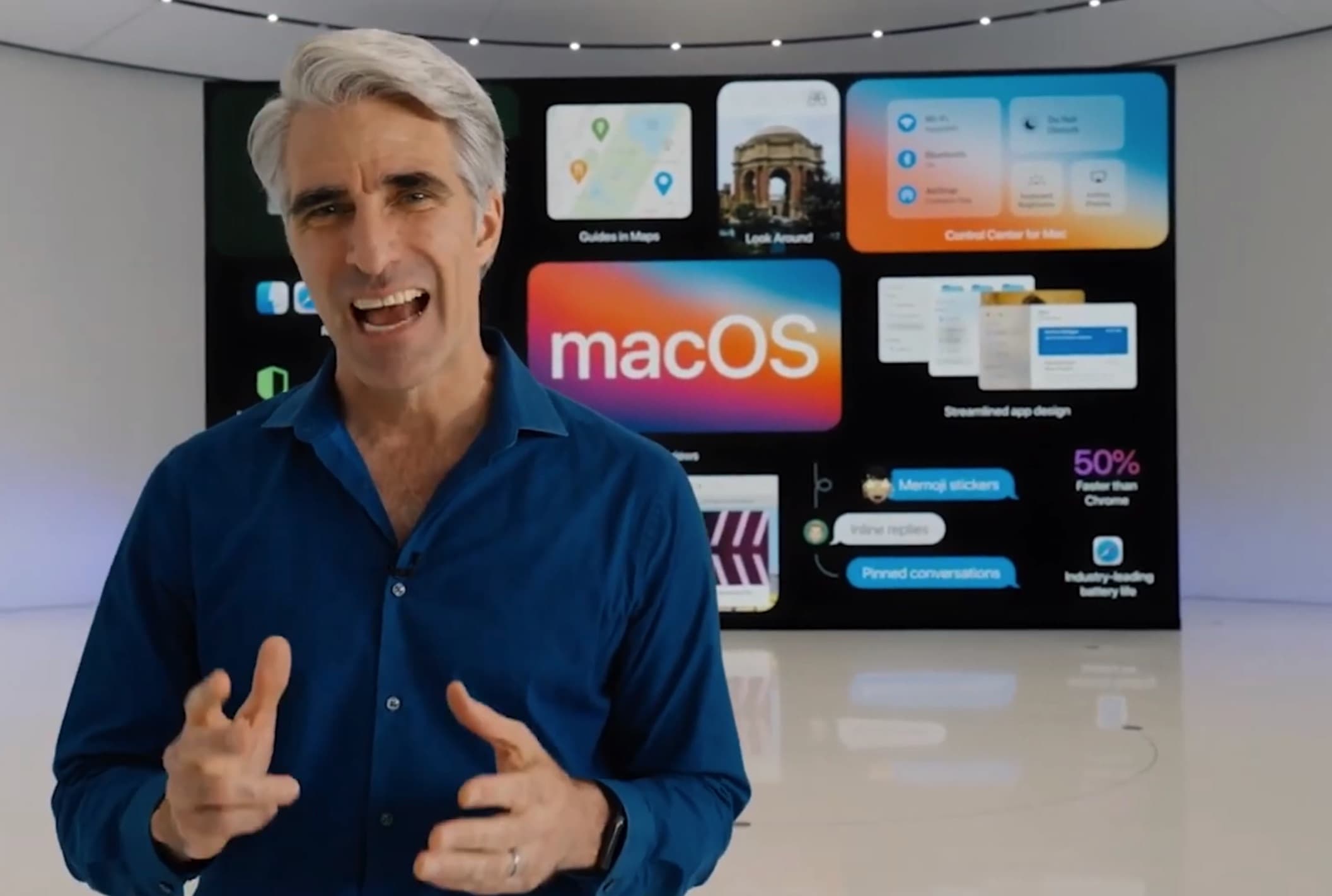
During the WWDC 2020 keynote, Apple software chief Craig Federighi reveals big changes coming in iOS 14.
It was certainly a different experience, Craig. I'll give you that.
Photo: Apple

WWDC 2020 Apple turned chicken sh*t into chicken salad with Monday’s WWDC 2020 keynote, and now I don’t want Cupertino to ever go back to doing live keynotes. Crude? Perhaps. Truthful? You bet.

Before the streaming event started, some of my Cult of Mac colleagues discussed how Apple would deal with its first virtual keynote. Some of us thought Apple would simply deliver the same Steve Jobs Theater experience, but with no audience present. (Heck, if Apple wanted to, it could have gone the route of U.K. televised football and added crowd noise.) Others thought Apple would, well, think different.

Apple chose this second option and, in the process, freshened up a formula that has remained the same for years. Here’s why it would be a step backward for Cupertino to consider going back to live keynotes.

iOS 14 accessibility feature listens out for crying babies, smoke alarms, and more

By

Baby crying
iOS 14 and iPadOS 14 will listen out for the important sounds taking place in the background.
Photo: Tim Bish/Unsplash CC

iOS 14 and iPadOS 14 has an impressive accessibility feature that can listen out for sounds like running water, a person knocking on the door, smoke alarms, babies crying, and more — and then warn users about it with an on-screen notification.

It’s an incredibly smart feature, based on machine learning technology, that could range from useful to life-saving. Who says that always-listening tech has to be limited to “Hey, Siri”?

Charge up 5 iOS devices in one tidy platform [Deals]

By

iPM 5 Charger
This all-in-one charging stand sports 5 USB 3.0 ports, AirPod charger, and detachable Apple Watch charger.
Photo: Cult of Mac Deals

Whether working from home or sharing space at the office (remember those?), keeping everybody charged usually means dealing with clutter. This sleek charging stand can handle five iOS devices at once, and more.

Apple makes it easier for devs to challenge App Store review process

By

app-store
The App Store has been mired in controversy lately.
Photo: Apple

Apple will allow developers to challenge its app review process, and also end its current practice of blocking bug fixes due to minor violations of its rules, Reuters reported Monday.

Apple has not yet revealed the details of the mechanism devs can use to appeal rulings, and an Apple spokesperson declined to comment. However, the feature is supposedly on the way.

‘I Just Go Into Jiggle Mode’ reimagines WWDC keynote as a top-tapping pop hit

By

Craig Federighi at WWDC 2020: Is there no end to Craig Federighi's talents?
Is there no end to Craig Federighi's talents?
Photo: Apple

WWDC 2020 One of the low-key highlights following any Apple keynote is seeing how Jonathan Mann, the musical YouTuber who once made Steve Jobs dance, will turn it into a song. This year, Mann’s winning creation is called “I Just Go Into Jiggle Mode,” using a line uttered by Apple software chief Craig Federighi during Monday’s virtual WWDC keynote.

Along with audio clips from the event, Mann also sings tweets written by various online commentators. The results are weird, hilarious — and more than a little catchy. Check out the WWDC 2020 song below.

2020 iMac, AirTags and other rumored devices skip WWDC 2020

By

The 2020 iMac could like a bit like this.
The redesigned iMac wasn’t unveiled at WWDC 2020 as had been rumored.
Concept: Ed Hardy/Cult of Mac

WWDC 2020 Although Monday’s keynote address for Apple’s annual developers conference was chock-full of announcements, some much-rumored products didn’t see the light of day.

Despite the rumor mill working overtime in the run-up to WWDC 2020, there was no hardware presented at all.

Humble Thunderbolt dock turns a MacBook into a full-featured setup [Setups]

By

MacBook Pro Setup
You can't chain down this MacBook setup.
Photo: Ben Boxer

Ben Boxer is a busy student always on the go, so naturally he has a MacBook setup. “One thing that is really important with any setup is speed and portability,” he said, “that is why everything here is driven off of a laptop.”

All of his gear is connected to a CalDigit TS3 Thunderbolt 3 Dock and it only takes one cord to plug it into his MacBook. He says he has 25 TB of storage connected to it.

iPad won’t get some of iOS 14’s best new features

By

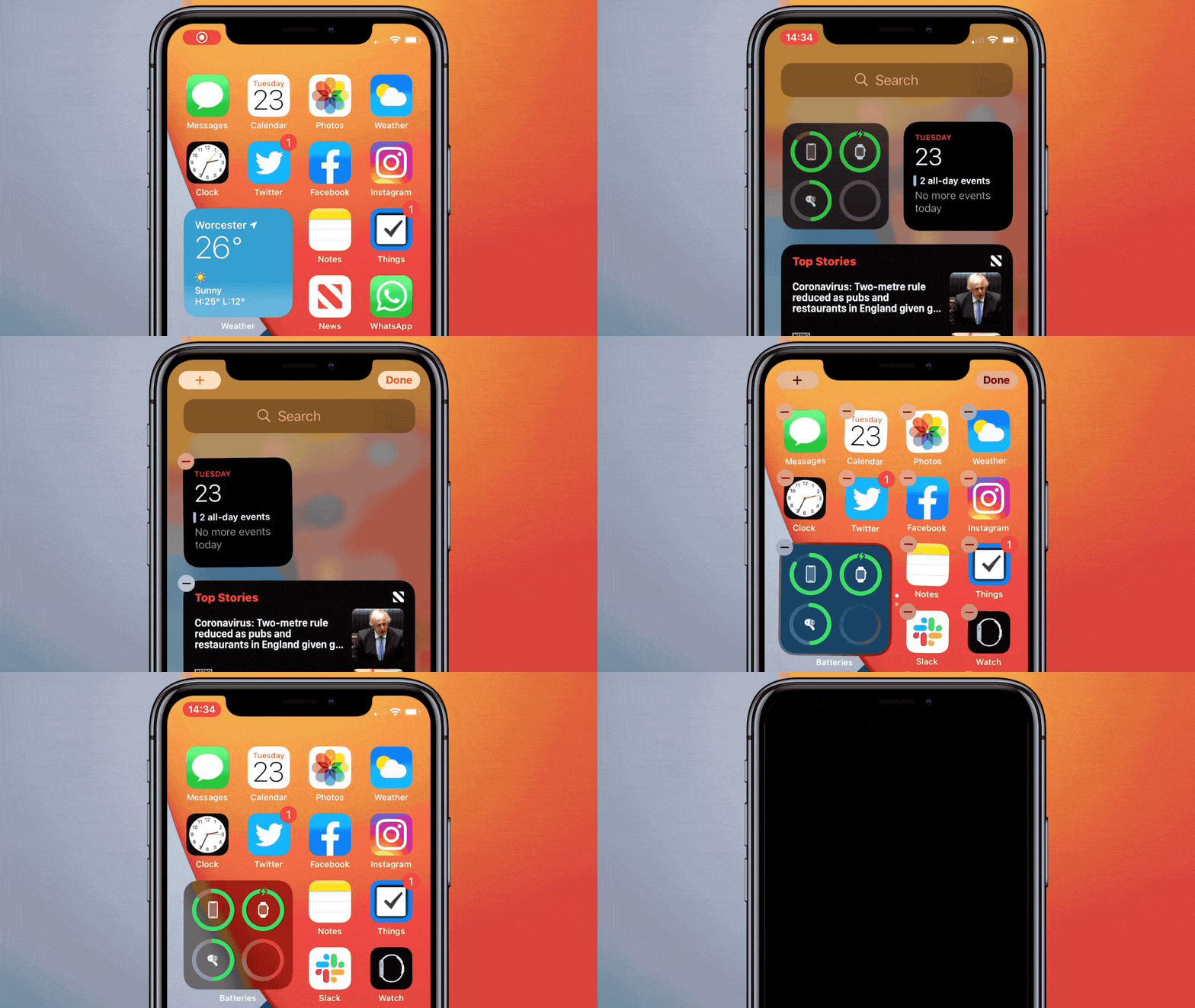
iPadOS 14 Home screen widgets aren’t nearly as flexible as they are in iOS 14
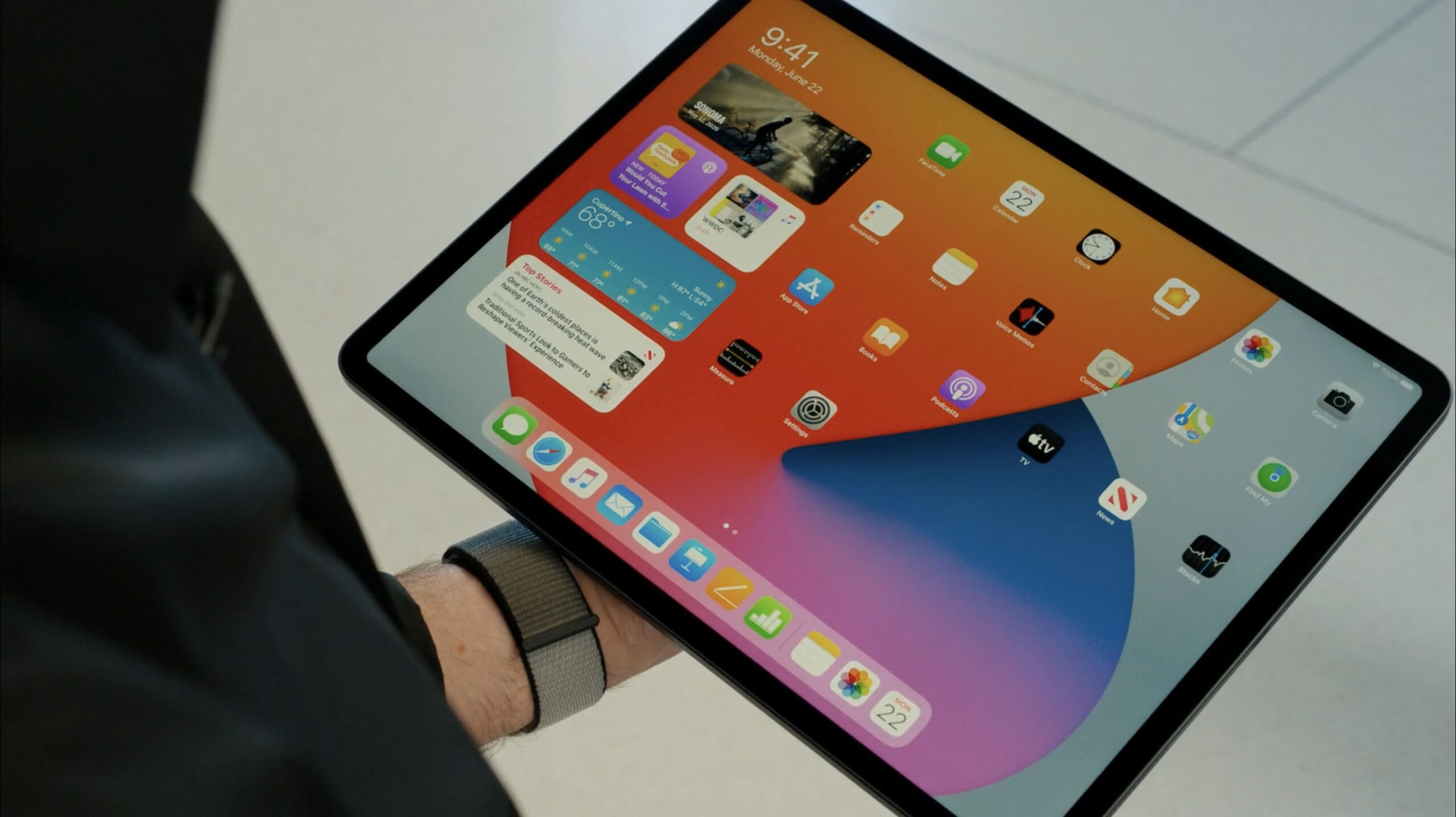
Home screen widgets in iPadOS 14 can only be placed along the left edge.
Photo: Apple

WWDC 2020 Apple gave the world its first look at iOS 14 and iPadOS 14 at WWDC 2020 on Monday. And while these are still closely linked, one of the signature features added to the iPhone version, the App Library, isn’t making the jump to the iPad version.

And placement of Home screen widgets is very limited for tablet users.

7 huge changes for Apple users from WWDC 2020

By

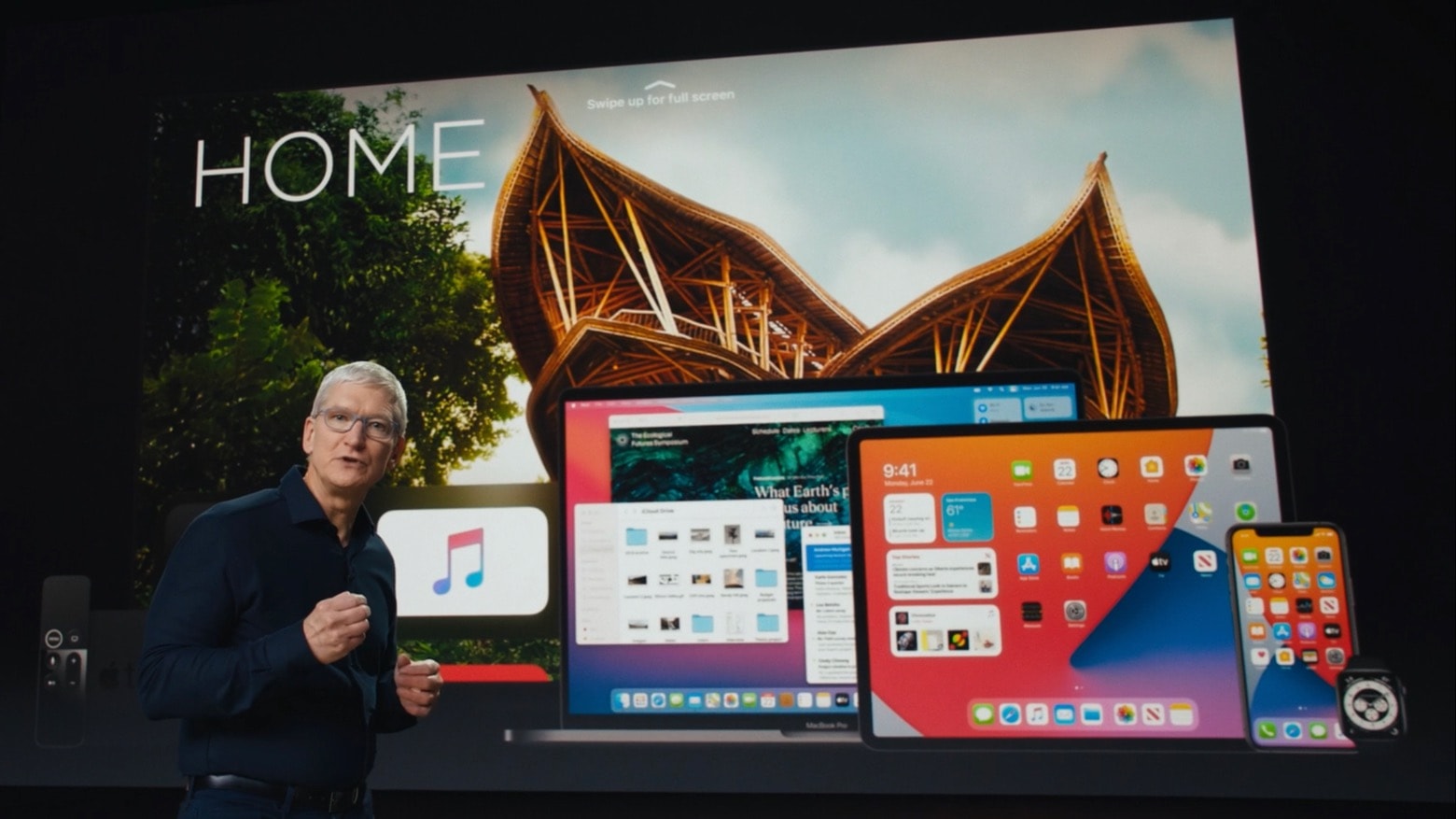
Tim Cook opened and closed WWDC 2020
CEO Tim Cook and other Apple executives handled the tough job of a WWDC 2020 keynote without an in-person audience.
Screenshot: Apple

WWDC 2020 Apple rose to the challenge of holding a keynote for its annual Worldwide Developers Conference in an empty auditorium Monday. A range of executives took the wraps off operating system upgrades for Mac, iPhone, iPad … the whole swath of Cupertino’s devices.

The presentation went surprisingly well, considering that the COVID-19 pandemic prevented the presence of the usual odd mix of highly enthusiastic Apple employees and professionally skeptical journalists.

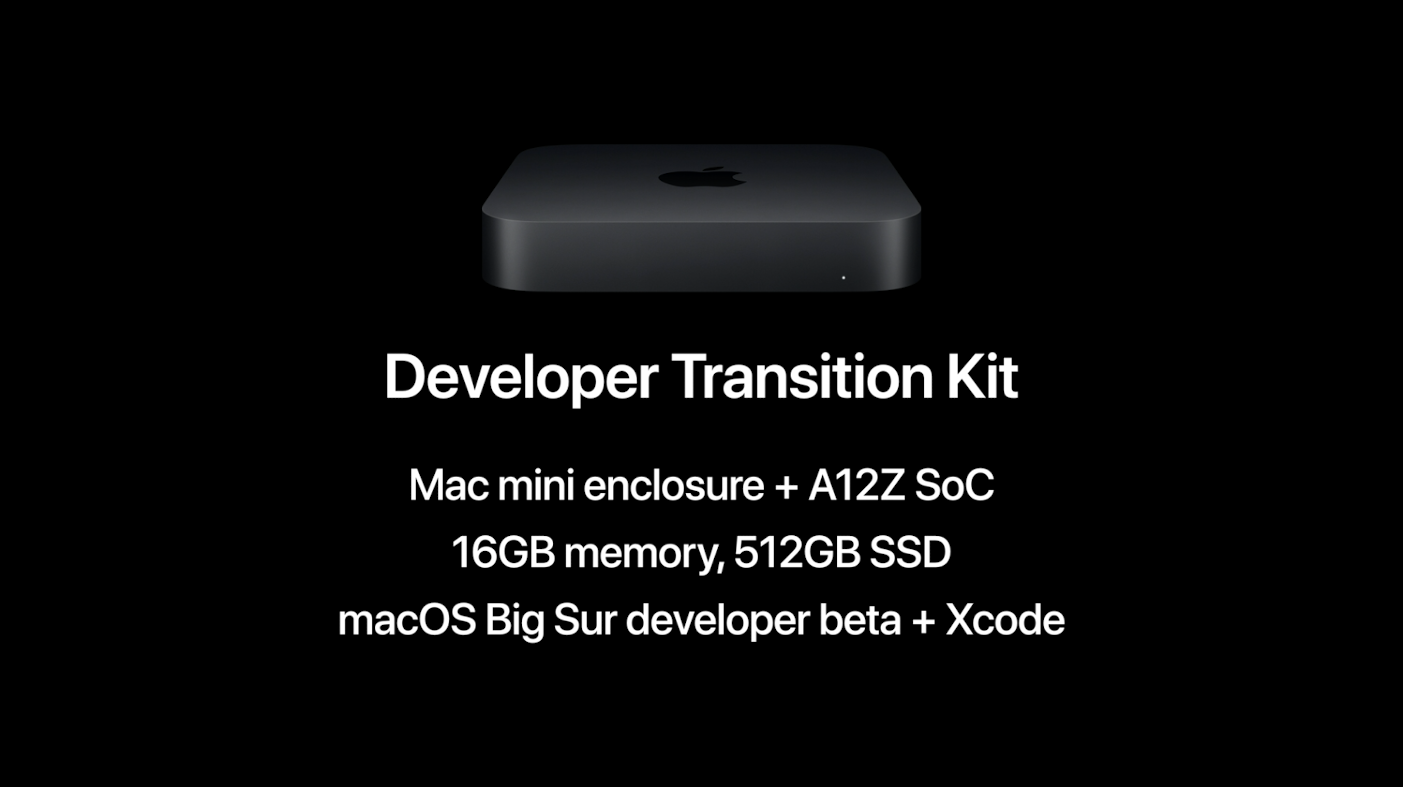
Developers get very first iOS 14, macOS Big Sur, iPadOS 14 betas

By

First betas of iOS 14, iPadOS 14, macOS Big Sur and more all debuted Monday.
Developers already got their hands on pre-release versions of all the software updates from WWDC 2020.
Photo: Cult of Mac

WWDC 2020 Apple unveiled major updates for all its operating systems at WWDC 2020 on Monday, and already released the first betas of them all. That includes iOS 14, macOS Big Sur 11, iPadOS 14, watchOS 7 and tvOS 7.

The general public won‘t get their first taste of these new updates until July, according to Apple CEO Tim Cook.

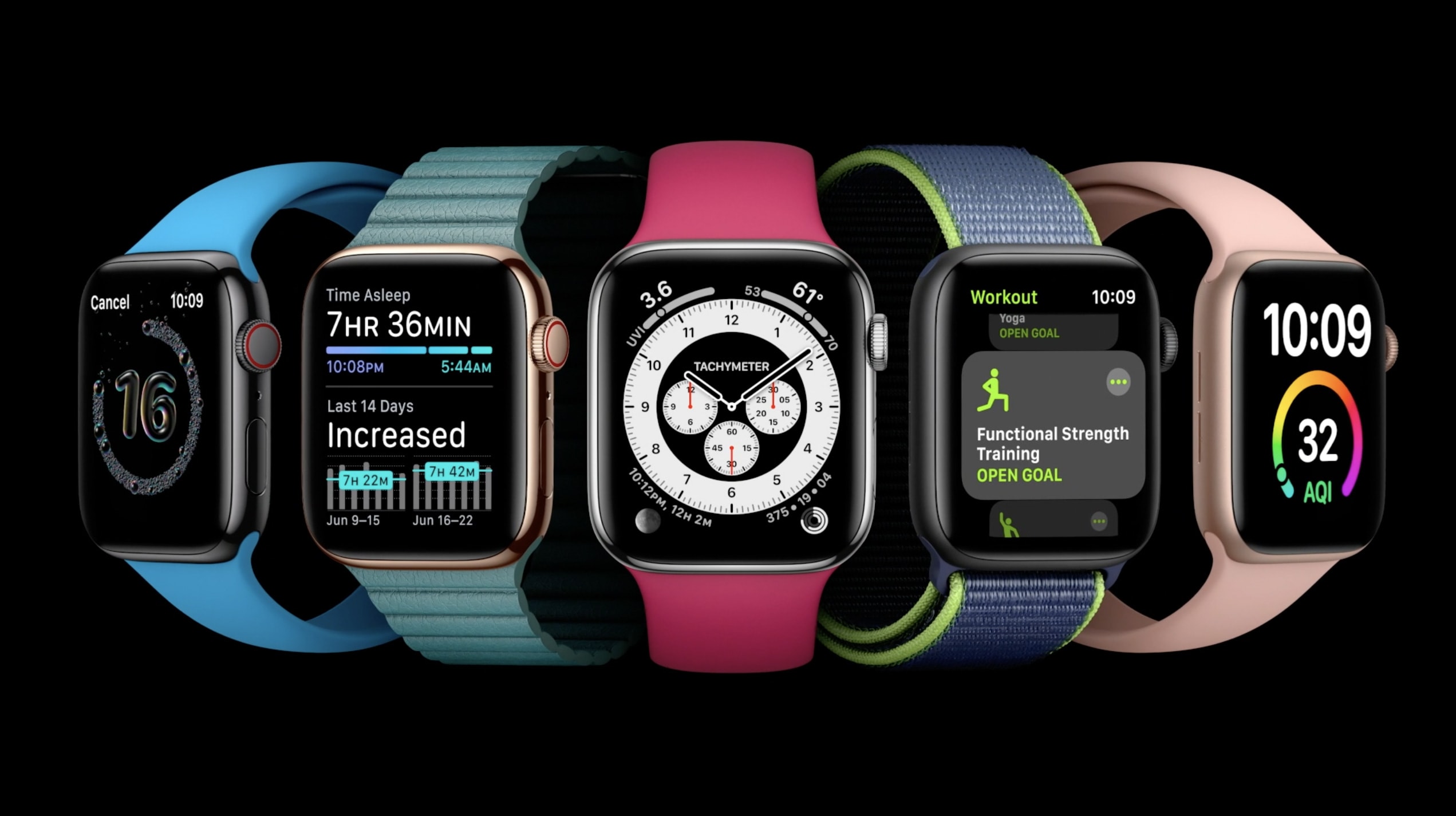
watchOS 7 adds new workouts, sleep tracking, shareable watch faces and handwashing

By

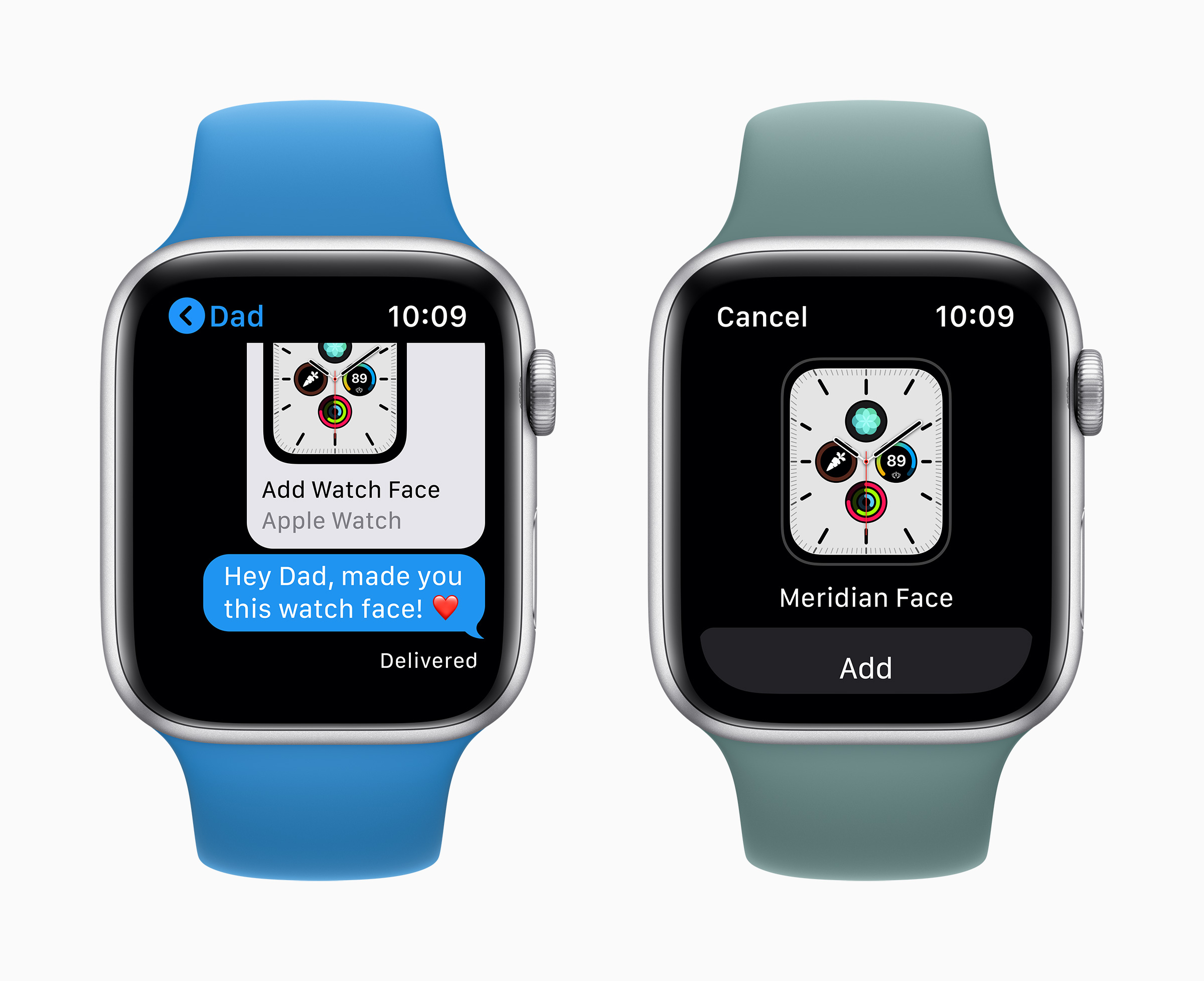
watchOS 7 introduces new complications and watch face sharing
Photo: Apple

WWDC 2020 Apple revealed Monday what it has up its sleeve for Apple Watch when watcOS 7 debuts this fall. Thanks to rumors and leaked betas over the past few months, we already expected many of the Apple Watch features showcased during the WWDC 2020 keynote, like watch face sharing and sleep tracking.

Still, Apple still unleashed some surprises, including a redesigned and renamed Activity app. There’s even an automatic handwashing-detection feature that could help people keep COVID-19 and other nasties at bay.