This week’s Apple patent news comes out of China, where a couple of new iPad designs have been discovered in line drawing, describing an iPad with dual dock connectors and an iPad with a smart bezel button.
Usually when we write about jailbreaking iPods here at Cult of Mac, we’re specifically talking about hacking your iPhone or iPod Touch to be able to run unsigned code… not iPods that are actually able to perform jailbreaks on other devices. That makes this story somewhat unique, because if you have an iPod Classic and a PlayStation 3, you can now use the former to perform a jailbreak on the latter.
The first PlayStation 3 jailbreaking solution was discovered earlier this month, and allows devices that can connect to a PS3 through the console’s USB port to permanently hack the device to run unsigned code. What’s so interesting about this jailbreak solution is that a wide range of devices can perform the hack, from a USB stick to an official controller to a Ti-84 calculator.
The latest variation of this jailbreak uses the iPod Classic family combined with the Rockbox open source media firmware. Right now, the jailbreak only works using select generations of the iPod Nano and iPod Classic, but given Rockbox’s expandable nature, we wouldn’t be surprised to see support creep to other clickwheel iPods — and media players support by Rockbox — sooner rather than later.
About a month ahead of America and Europe, New Zealand clocks fall an hour back when they switch to Daylight Savings Time on the last Sunday of September. Apparently, though, New Zealand iPads and iPhones are proving a tad overzealous when it comes to falling back this year: numerous iOS users are reporting that since yesterday’s switch, their alarms are going off an hour early. Given that Kiwis were already having to wake up an hour earlier than they were used to, that’s quite a rude awakening.
China wasn’t the only country to get the iPhone 4 this weekend. Denizens of both Qatar and the United Arab Emirates also got their hands on Cupertino’s latest handset, packed with all the features separating it from its predecessor the 3GS save one: FaceTime.
According to The National, iPhone 4s sold through UAE carriers Etisalat and du as well as those sold by Vodafone in Qatar are missing the FaceTime software, although the forward-facing camera is obviously still there. According to the carriers, they’ve had no hand in stripping the video chat feature out, and they are petitioning Apple to reinstate Facetime soon.
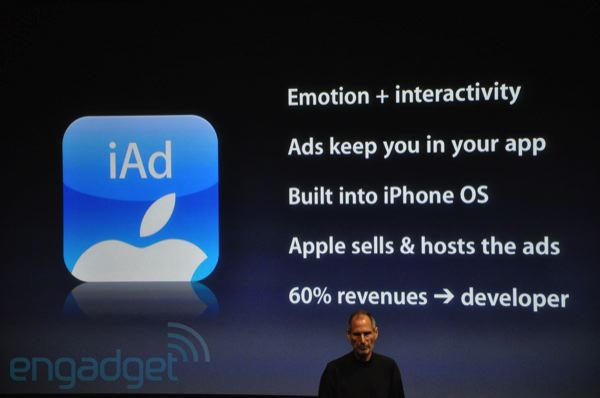
Although Apple’s mobile advertising platform iAd debuted in June with 0 percent of the market, the interactive ads found in apps for the iOS platform may soon have 21 percent marketshare, tied with Google’s mobile efforts. Apple’s gains are coming at the expense of Google and other more well-established online advertisers, suggests a new report.
According to IDC estimates published by Bloomberg Businessweek, Google’s share of mobile advertising will fall to 21 percent in December, down from 27 percent in December 2009. Yahoo will also take a hit, dropping to 9 percent, down from 12 percent. (Yahoo CEO Carol Bartz recently predicted Apple’s advertising platform would ‘fall apart.) Likewise, Microsoft’s market numbers will be trimmed to 7 percent, down from 10 percent. As for Nokia, its mobile ad share almost disappears from the radar screen to 2 percent.
FileMaker recently released FileMaker Go for the iPad and iPhone. I’ll be taking a look at the iPad version only today, because based on my experience with technology in the Enterprise the larger format screen that the iPad provides is the way to go. I think that version will be better received by business users since the iPhone screen is much to small to use on a regular basis or at least it is for me. It’s good in a pinch, but for real work I prefer the iPad as primary and the iPhone as backup.
FileMaker Go will not work by itself since you need to have FileMaker Pro, which is now at version 11, to create databases that you will use with the iOS app. FileMaker Go will allow you access and edit the information in the database you created with FileMaker Pro on your Mac or PC.
Apple has settled claims with state regulators who allege the company mishandled electronic waste. Photo: Thomas Dohmke
Although Adobe said Apple’s recent decision to relax rules on developers using Flash in IOS applications had little effect, the change was enough to get EU regulators to drop an antitrust investigation into the Cupertino, Calif. company’s practices. European Competition Commissioner Joaquin Almunia Saturday “welcomed” Apple’s change of heart.
Earlier in September, Apple announced it would permit developers to use third-party tools to create applications for the iOS platform. The restriction was seen as aimed at Adobe, which had released a tool permitting developers to use Flash in applications for the iPhone, iPod touch and iPad. As a result, Adobe restarted development of a Flash tool in Flash Professional aimed at the iPhone.
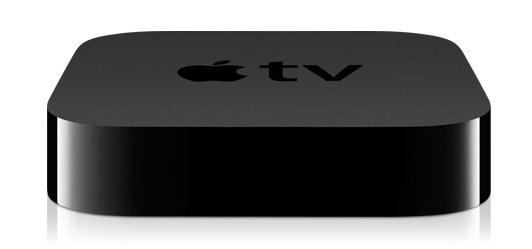
Last week, the internet was buzzing with reports that Apple would be delaying the new Apple TV from its original September release to some time in mid-October. The hypothesis behind these reports was based on users receiving e-mails about expedited shipping being refunded. This hasn’t stopped the Apple TV from shipping in September since mine has already shipped although it won’t arrive until October 1st.
If you haven’t checked your Apple TV order status yet then head over to https://www.apple.com/orderstatus and check now. Let us know in the comments if yours is on the way or not yet.
The Observer’s John Naughton wrote an interesting piece for this weekend’s paper arguing a point that many of us would raise our hands and agree with: iTunes is bloated beyond belief, and Apple needs to do something about it.
Naughton points out that iTunes is at the center of the new Apple empire. Apple’s success depends largely on iDevices, and iDevices tend to get plugged into computers. And when that happens, they need iTunes to hold their hand.
The problem is that iTunes has become less than the sum of its parts. Weighed down by the multitude of tasks it has been assigned, iTunes has become slow, unwieldy, and confusing.
If you’ve updated iTunes to 10.0.1 in the last day or so, you might have noticed that Ping is pushing itself in your face rather more forcefully than before.
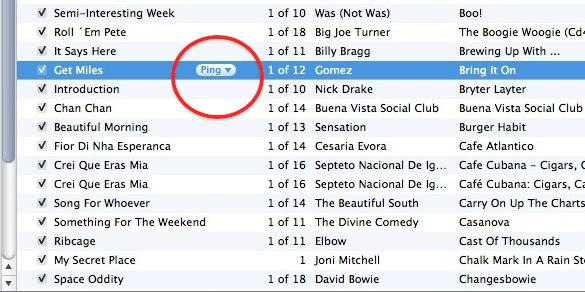
One thing: there’s the Ping sidebar on the right. Another: there’s a new Ping drop-down menu that appears in your music library, alongside any song you have selected.
They’re fine if you use Ping, but if you don’t, you might want to get rid of them. The sidebar is easy to deal with, you can hide it with a click. But the drop-down menu requires a little more tinkering to get rid of.
This week’s must-have iOS games include the awesome new Real Soccer from Gameloft, which features gorgeous high-definition graphics optimized for the retina display. We also have their long-awaited Gangstar sequel, Miami Vindication, and some seriously addictive gameplay in ngmoco’s We City.
Check out a few of our favorite games from the past week after the break!
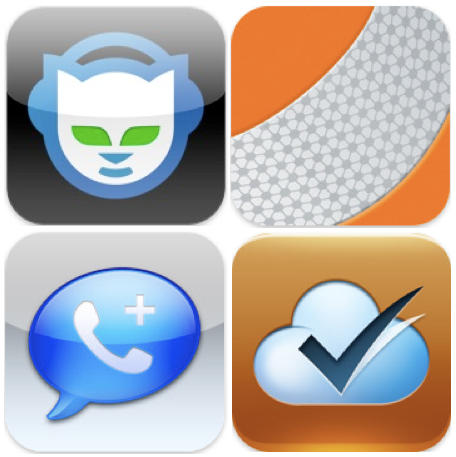
This week’s must-have iOS apps include Napster’s new music streaming application that provides access to over 10 million of songs on your iOS device, Google Voice calling with GV Mobile+, and a media player that supports pretty much every codec out there!
Check out a few of our favorite apps from the past week after the break!
After a disappointing Wi-Fi-less iPhone debut last year, more than 1000 people lined up to be among the first to buy an iPhone 4 at the Xidan Joy City Apple Store in Beijing on Saturday.
A number of Apple fans camped out for the release, according to a report covering the launch, with the coveted first place in line going to Yu Zhong Hui, who lined up in the early morning hours Thursday. “Physically, it’s been painful. But mentally, I’m very happy,” Yu said.
“It’s like waiting in line to see a movie star,” said 26-year-old systems engineer Sun Jian Kuan. “No phone can best the iPhone.”
China Unicom, the mobile carrier for the device, has reported 50,000 users signed up for an iPhone 4 on the first day of pre-orders. China’s pricing for iPhone 4 without a contract is 4,999 yuan ($744) for the 16GB model and 5,999 yuan ($893) for the 32GB model.
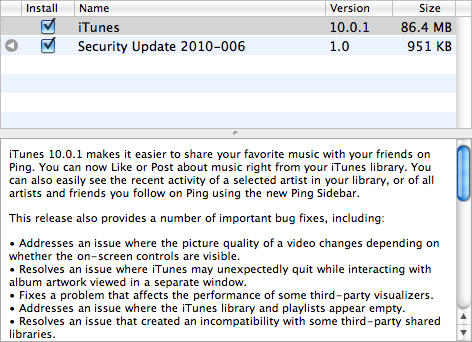
Apple has issued an update to iTunes today which brings with it several bug fixes, and adds some small features for its social music network, Ping. Version 1.0.1 weighs in at 86.4 MB, and it fixes the following bugs:
• Addresses an issue where the picture quality of a video changes depending on whether the on-screen controls are visible.
• Resolves an issue where iTunes may unexpectedly quit while interacting with album artwork viewed in a separate window.
• Fixes a problem that affects the performance of some third-party visualizers.
• Addresses an issue where the iTunes library and playlists appear empty.
• Resolves an issue that created an incompatibility with some third-party shared libraries.
As well as these bug fixes, new features for Ping now make it even easier to share your favorite music with your friends – instead of having to ‘like’ or post about music from the iTunes Store, you can now do it straight from your library. There’s also a new Ping sidebar:
iTunes 10.0.1 makes it easier to share your favorite music with your friends on Ping. You can now Like or Post about music right from your iTunes library. You can also easily see the recent activity of a selected artist in your library, or of all artists and friends you follow on Ping using the new Ping Sidebar.
Grab the update now via Software Update on your Mac, or from the Apple website here.
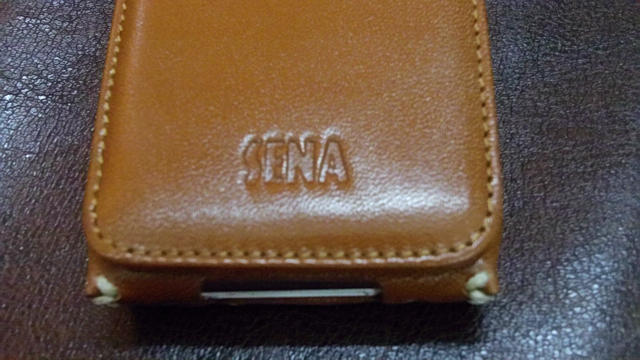
Case maker Sena designs premium handcrafted cases for leather junkies, myself included. Their cases are all of superior quality and come in plenty of designs to choose from, which makes it a no-brainer choice if you are looking for something classy to protect your iDevice. The $69.99 Sarach Flip Leather is no exception.
What’s Good?: The case itself is a piece of art. As you would expect, a lot of thought has been put into the styling of the case.
While it’s nice to use FaceTime to “show junior to your senile father-in-law” or “try to force a smile out of your spoiled brat,” wouldn’t you rather use your iPhone 4 to look at live naked girls?
The first porn service to target iPhone 4′s video chat feature FaceTime is betting that you do. iP4Play is promoting itself with a kiss between adult stars Kagney Linn Carter and Natalia Romero in this video.
In the video, after mocking the current wholesome, family-orientediPhone ads, the pair bra-and-pantie clad blondes are induced to smooch for a client, a dude in a polo shirt — Morgan Grimes’ older brother? who declares: “Oh my god, this is so awesome!”
We close out another week with three iPhone applications in the spotlight. First is ‘Resident Evil’ for the iPhone – just $1. This is just one of the apps on sale from the iTunes Apps Store. Next is XMG Studio’s Cannon Cadets, a game for the iPhone or iPod touch. Finally, there is a deal on NAVIGON’s Mobile Navigator for the iPhone. This app provides 2D and 3D maps, along with many other features.
Along the way, we’ll also check out other hardware and software for the iPhone, iPod and Mac. As always, details on these and many other items can be found at CoM’s “Daily Deals” page right after the jump.
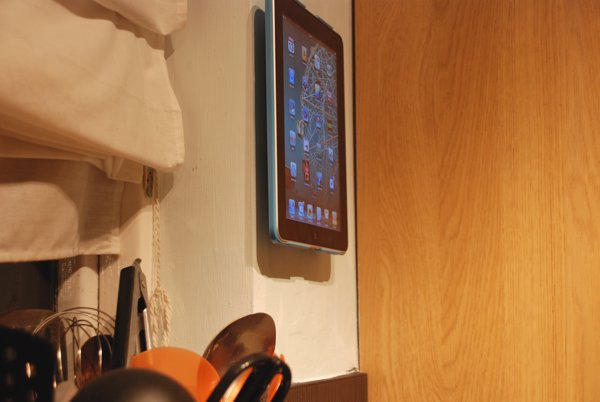
The Wallee is both a hard case for iPad as well as a simple and efficient wall mounting solution. It allows you to use your iPad throughout your home. It’s one of the best solutions out there, and delivers both on style and functionality. The Wallee is a gadget that is so well-engineered that I often forget about it. It has just blended its way into my everyday life – just like the iPad itself.
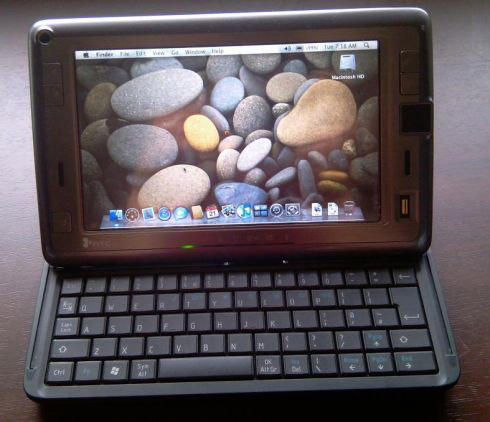
Way back before the iPad, there was the HTC Shift, a 7-inch UMPC with a 1024 x 600 touchscreen, a full QWERTY keyboard, EVDO data functionality and an 800MHz Intel A110 CPU. For mobility buffs, it was then what today’s tablets are to them now, but it cost an arm and a leg at $1,500. Even worse? It ran Windows. Vista. That alone was enough to drop the ‘f’ from the product’s name.
These days, you can probably pick up an HTC Shift pretty cheap on eBay, and while there’s still little to recommend it over an iPad (or, heck, even the Galaxy Tab) it turns out that the diminutive little UMPC is Hackintoshable, with OS X Leopard running pretty much flawlessly on it, with the exceptions of WiFi and the fingerprint reader.
If for whatever reason you’ve got a Shift around, or find yourself morbidly curious enough to pick one up cheap on eBay to make yourself one of the tiniest Hackintoshes around, you can find the instructions over on the XNA Developers forum.
New reports Friday added to growing speculation a CDMA version of Apple’s popular iPhone 4 may appear in early 2011. Industry publication Digitimes, citing “industry sources”, claims supplier Pegatron will begin building the handset in November. The new iPhone version will hit 3 million to 4 million units in the first three months, and 10 million by mid-2011.
The 10 million figure may suggest the phone is targeted at Verizon, often-cited as the first U.S. carrier to sell the device once AT&T’s exclusivity expires. Many believe Verizon could get a CDMA iPhone as early as January. The 10 million initial shipment would not be enough to also support a CDMA iPhone 4 going to a second carrier, such as China Telecom or Sprint, reasons the web site.
After a long period of scuttlebutt, the Associate Press is now reporting that Target will start selling Apple’s iPad.
Starting October 3rd, Target stores around the country will stock all three versions of the WiFi-only iPad, and apparently (as well as mysteriously) a single flavor of the 3G model, at least according to numerous media reports.
When Apple first unveiled the iPad earlier this year, my dirty secret was that I was less excited about the tablet itself — which innerly I dismissed as just a big iPod Touch — than I was about finally having a use for the gorgeously vintage leather brown courier bag I had picked up at the local flea market months previous for a song, and agonized ever since over something to do with.
Over time, my allegiances have shifted: I love everything about my iPad with a complete passion, where as my bag has become a hated symbol of love crippled by broken promises, like a woman you wait until your wedding night for whose legs fall off mid-coitus. That metaphor isn’t actually as utterly insane as you might think, because my once treasured courier bag’s clasps continuously rip off under the weight of the bag’s contents, and no matter how I might reaffix them, they just won’t stay on.
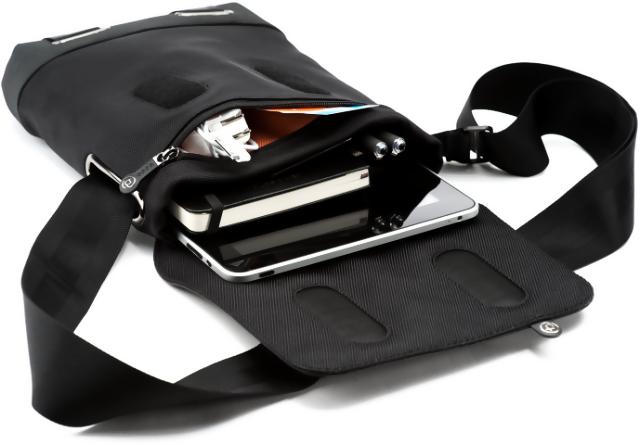
Meet the iPad courier bag that is going to get me to chuck my old one in the garbage: the Cobra Courier XS, a sleek and sultry bag crafted from black 1680 dernier ballistic nylon and trimmed with the most supple of Nappa leather. Gentlement, this is the kind of bag you buy an iPad for, and I’m even happy with its price… a respectable $145.
Garry’s Mod started out as a simple modification for Valve Software’s Half-Life 2 that allowed players to goof around with the physics, models and other assets inside the game files.
Over the last six years, however, Garry’s Mod has taken on a life of its own, supporting every Source engine game under the sun, including Half-Life 2, its episodic expansions, Portal, Counter-Strike: Source, Left 4 Dead and Left 4 Dead 2, as well as blossoming into a full retail title.
Now it’s on the Mac, having been released by Valve through their popular Steam for Mac digital delivery service. Steam is having a 50% off sale on the title right now, so it costs only $4.99… although you should be aware that to actually use Garry’s Mod to make elaborate Rube Goldberg machines or — as in the videos embedded above and below — absolutely hysterical internet videos, you’ll need to own at least one Source engine game.
Check out some of the more classic products of Garry’s Mod after the jump.
Are you the owner of an iPhone 3G who is disappointed that you can’t run deathmatch with friends through Apple’s new match making service, Game Center? A jailbreak and some hacking could get you up and running, if you’re feeling bold.
Over at Redmond Pie, Taimur Asad goes through the process of getting jailbreak running on an iPhone 3G… which is (coincidentally for this experiment) the only iPhone that can currently be jailbroken under iOS 4.1 right now.