Review by Jordan Trimas
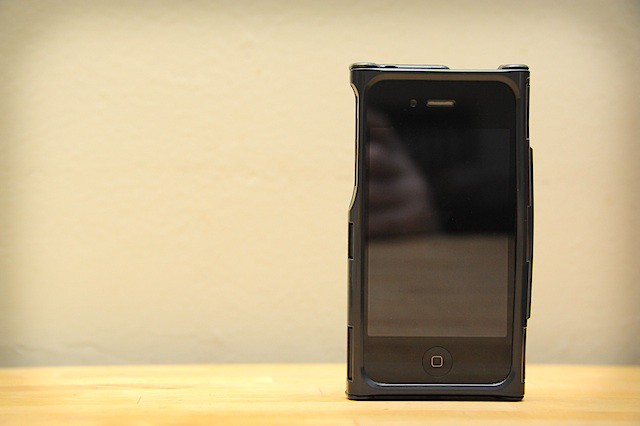
The iFunner iTur is a hard-shell iPhone 4 case that incorporates a wallet compartment, in which you can store a few credit cards and your ID, accessed through a hinged door. But is it really funner than other cases? Nope.
Review by Jordan Trimas
The iFunner iTur is a hard-shell iPhone 4 case that incorporates a wallet compartment, in which you can store a few credit cards and your ID, accessed through a hinged door. But is it really funner than other cases? Nope.

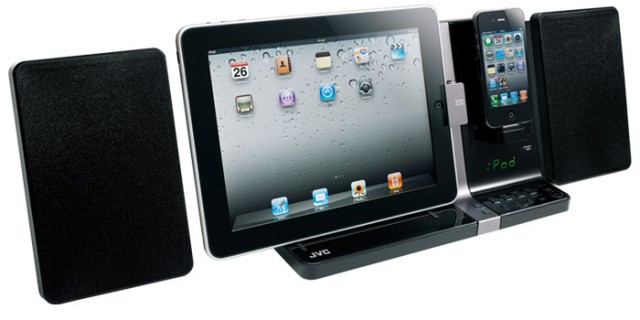
JVC is now shipping the UX-VJ3B speaker system. What sets the UX-VJ3B apart from similar systems is its dual-dock support for the iPad and iPhone at the same time.
For $199.99, the JVC UX-VJ3B is an affordable speaker system that will also mount your iPad and iPhone side by side. Isn’t that every Apple geeks dream?

The Humble Indie Bundle brings you five awesome games for the Mac all bundled into one tempting package. The great thing about this bundle is that you set the price.
That’s right! You get to pay what you want for 5 DRM-free Mac games.
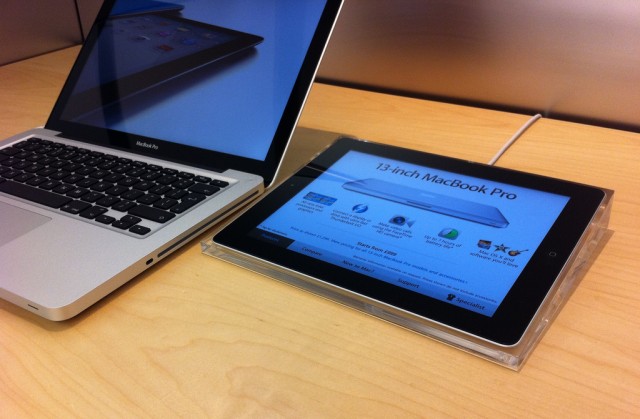
If you walk into an Apple store these days you will find tons of iPads on display. No, we aren’t talking about the iPads that are actually available for purchase, but instead the ones that sit next to each and every Apple product with descriptions, details and interactive elements.
These iPads run an internal Apple app called “Smart Sign,” and the app is meant to help connect you with Apple store employees and show you information about products. If you’ve ever wondered what these iPad “Smart Signs” are actually made of, someone has been able to see what’s going on under the hood of one of these iPad displays. Let’s just say, it isn’t your typical iPad.
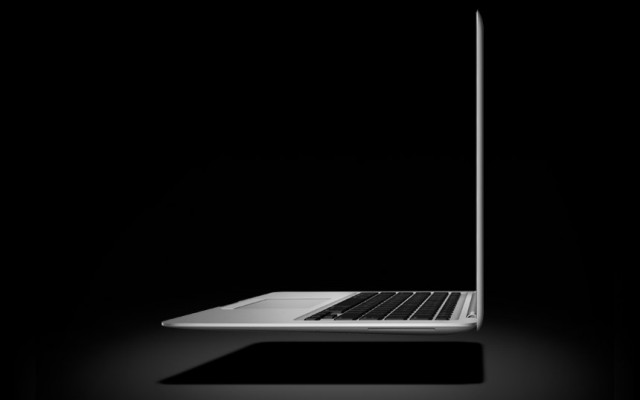
Hot on the heels of the new MacBook Air, Apple looks to already be working on a mysterious, “ultra-thin” 15-inch Macbook to add to the mix.
Not much is known about what this upcoming notebook from Apple will be like, but the MacBook Pro line hasn’t seen a refresh since February. Could it be an Air-style MBP?

OS X Lion is the best version of OS X yet, but some of its design choices aren’t without controversy… especially the decision to make the whole operating system more like iOS.
Hate that stuff? Over the next few days, we’ll be posting some tips on taking the iOS inspirations back out of your Mac. Today, we’re going to focus on how to stop your Mac from handling your text input as if you were typing it out on your iPhone.

The Geniuses at your local Apple Store are trained to be some of the most confident and unflappable retail employees in the biz, but how far can you push it? Can you order a pizza in an Apple Store? Can you take your wife on a date to one? Can you get your iPhone repaired dressed as Darth Vader? Can you bring your pet goat into the store?
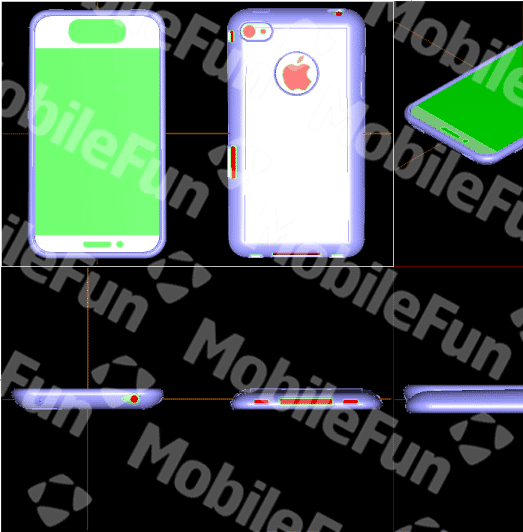
Prototype case designs coming out of Chinese accessory makers based upon leaked Foxconn intelligence are painting a dramatic picture of the next iPhone. If these leaks are right, the iPhone 5 won’t be a mere iPhone 4S, but rather a radical new device that not only boasts a curved, more ergonomic design and a larger display, but also revolutionizes one of the core aspects of the iOS experience… it totally gets rid of the Home button.
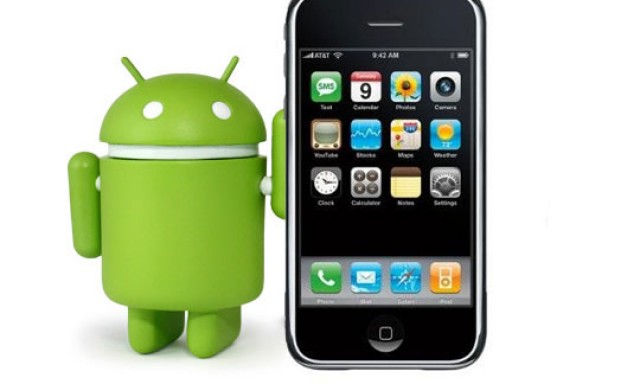
Can we talk? That’s the message coming from executives at Android-handset maker to Apple. HTC’s finance chief wants to “sit down” with the Cupertino, Calif. tech giant flush from a patent win that could be costly for companies touting Google’s mobile operating system.
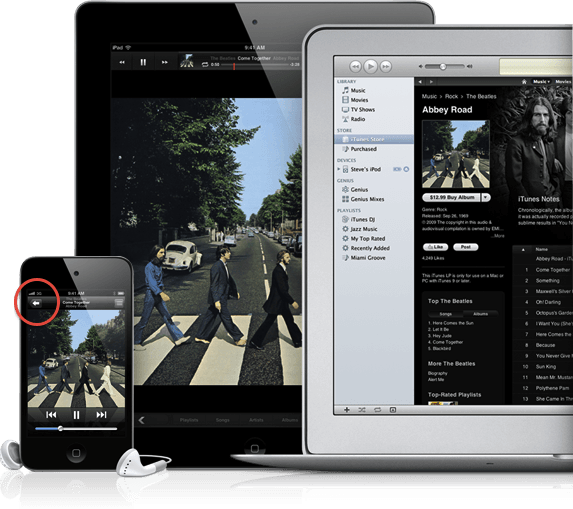
See anything interesting in the image above, plucked right from Apple’s own website? Say, the iPod Touch with the 3G icon in the top left? Did Apple just out a web-connected iPod Touch coming in September?
httpv://www.youtube.com/watch?v=8vN1yw67hyc&feature=player_embedded
TwelveSouth is famous for its selection of beautiful products that lovingly accompany our favorite Apple gadgets. Just recently we reviewed the elegant BookBook case for the MacBook Air, and now there’s an iPhone 4 case to match.

Ah, the marketing sleight-of-hand, it’s something to behold. On one hand, Android sales are thundering past the iPhone. Yet, on the other hand, buyers are finding Android isn’t as easy-to-use as iPhone, resulting in returns of 30-40 percent.
OS X Lion is being hailed by many as the most secure operating system yet, not just from Apple, but in total. In particular, its FileVault encryption rewrite is being widely hailed as one of the most secure, low-overhead ways yet to keep your data safe.
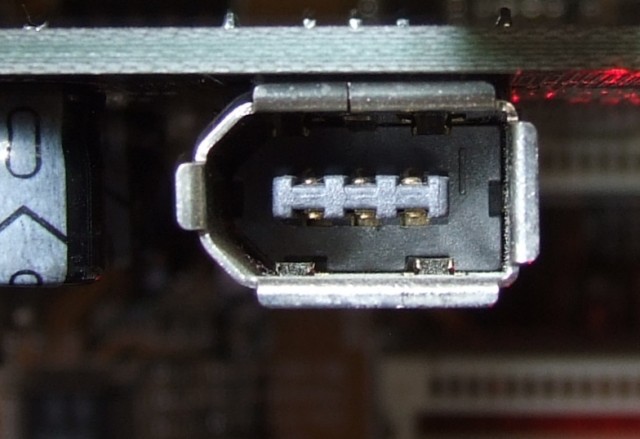
But behind all the talk, there’s a huge security hole in OS X Lion that has been present at least since Snow Leopard. Any Mac with a Firewire port is vulnerable to it, and it’s so easy to exploit that any hacker with physical access to your computer can get your password within minutes.

Although not the smallest, Apple’s planned store in New York City’s Grand Central Terminal could be the tech giant’s cheapest Big Apple location. The backdrop of countless movies, the cavernous Grand Central turns out to be less expensive than your average Manhattan store front.
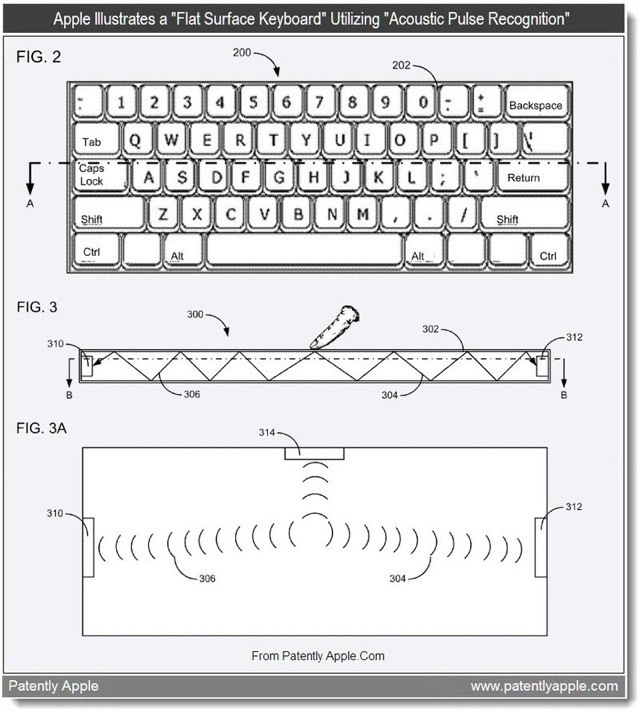
The latest patent to surface from the Cupertino camp shows Apple has been working on a physical keyboard that does away with physical keys. That’s right — a keyboard, much like the one you might have in front of you now, but without keys. Instead, you’ll use piezoelectrics, haptic feedback and acoustic pulse recognition to type.

It was revealed yesterday that the long-awaited Facebook app for iPad was already here — not in the App Store, but hidden away inside the Facebook app for iPhone. We published details on how to install the app on your iPad, but soon after the news spread, Facebook decided to block access to those using the app before its public release.
Fortunately, as is often the case with these things, jailbreakers have provided a workaround — a new tweak called FaceForward that reactivates the official Facebook app for iPad.
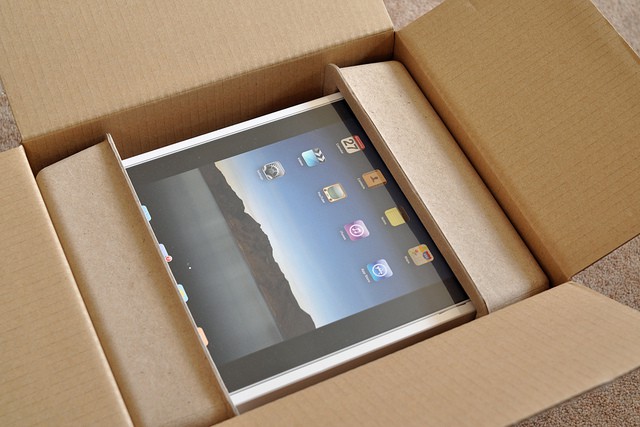
The staggering success of Apple’s iPad has inevitably spawned a myriad of wannabe devices from a large number of electronics manufacturers. While many of these tablets are yet to really compete with Apple’s tablet, the Cupertino company is still preparing itself for a worthy adversary by “adjusting the cost structure” of the iPad 3.
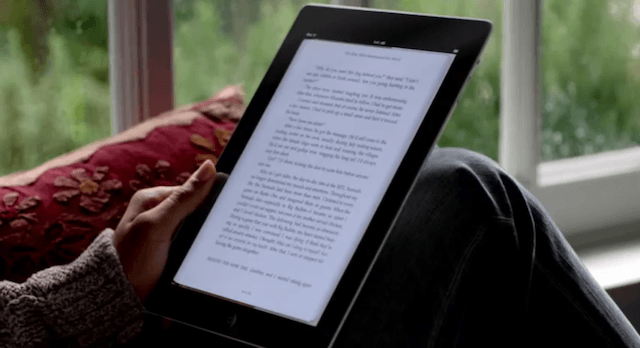
Amazon’s Kindle app for iOS was updated yesterday in order to comply with Apple’s latest in-app purchase terms and secure its place in the App Store. In addition to removing the link to its external Kindle store, however, did you notice that the update introduced more than 100 magazine and newspaper subscriptions to iOS?

Apple’s latest iOS 4 update dropped yesterday, which “fixes a security vulnerability with certificate validation.” Jailbreakers were initially advised not to update to the latest firmware, but as long as you’re happy with a tethered jailbreak for the foreseeable future, you’re safe to go ahead and update your device and then jailbreak with the latest RedSn0w release.
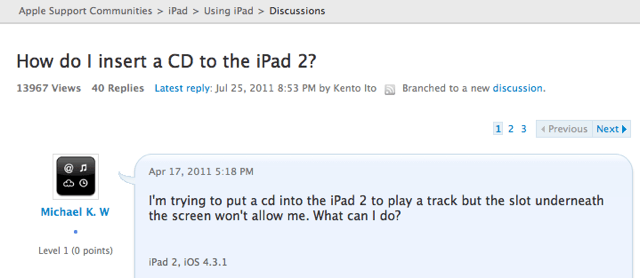
I’m not sure whether this guy over on the Apple Support forums is genuine, or whether he’s set up this thread purely for fun, but either way it’s hilarious. Having recently purchased an iPad 2, ‘Michael K. W’ is seriously considering returning his device to the Apple store because he cannot get his CDs inside.

Adobe wants to help iPhone photographers improve their pics.
The company, which recently released Photoshop Elements 9 on the Mac App store, is sponsoring a series of events called Photoshop & You in San Francisco until Aug. 6.
On Friday, July 29, you can first learn more about the mobile camera that made those point-and-shoots practically obsolete, then head out into the streets of San Francisco with the experts to shoot.
Dan Marcolina, who wrote a well-received book on iPhone photography called iPhone Obsessed and Knox Bronson, founder of P1xels, hub of the iPhoneography movement, will be talking on “Phone Art: The Exploding Digital Inevitable in Technology, Technique, and Culture.”
The pair will discuss with participants the global community of photographers united by these handy devices and some of the more interesting issues around the evolution of the medium and working with apps.
Afterwards, you can take part in a mobile photo walk (caveat: no regular cameras allowed) with Marcolina and Bronson through iconic Union Square.
Events are free but space is limited, you can sign up here.
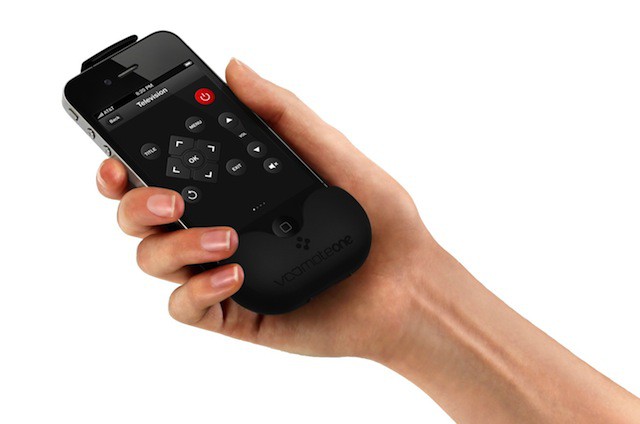
Judging by the name “VooMote One” — the name German-based Zero1.tv came up with for its just-launched VooMote One app-enhanced universal remote for iPhone — German words sometimes don’t translate too well into English. Hopefully its super-customizable app will do all the talking.
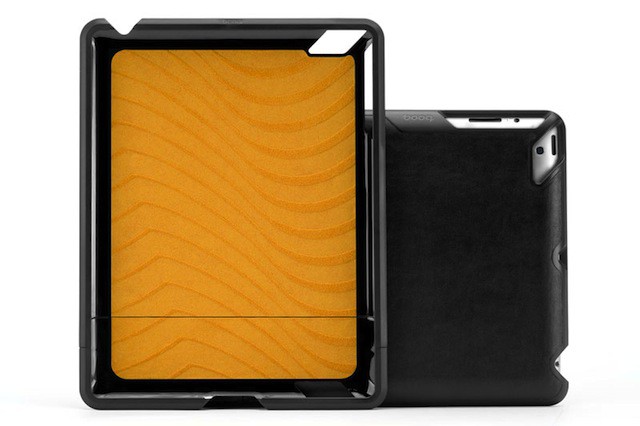
There’s no shortage of covers for the iPad out there — but there aren’t many that many with Booq’s new Viper Slider’s executive panache at this price point.
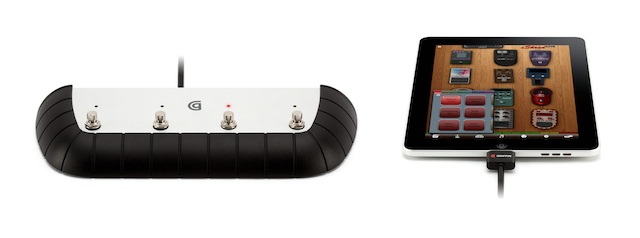
Ever since we drooled over Griffin’s StompBox at CES, the more musically intrigued members of our gang have been eagerly waiting for the jazzed-up, four-switch pedal box to actually arrive (I’m pretty sure our Lonnie Lazar has been sitting there, forlorn and imploring, like some lost, guitar-wielding puppy). Wait’s over, Lonnie — it’s here.
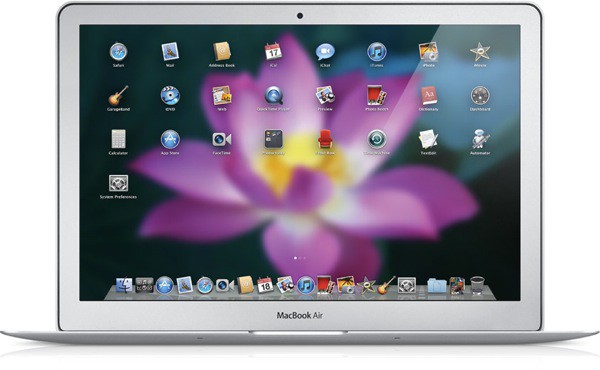
One of the hallmark user features in OS X Lion is the iOS-like Launchpad. From the Launchpad, you can view, open, organize, and manage all of your Mac apps just like the iPhone and iPad.
While some may love Launchpad, many have voiced complaints over the confusing nature of how Launchpad handles Mac apps. In this post, we’ll show you how to completely clean out your Launchpad and start over.