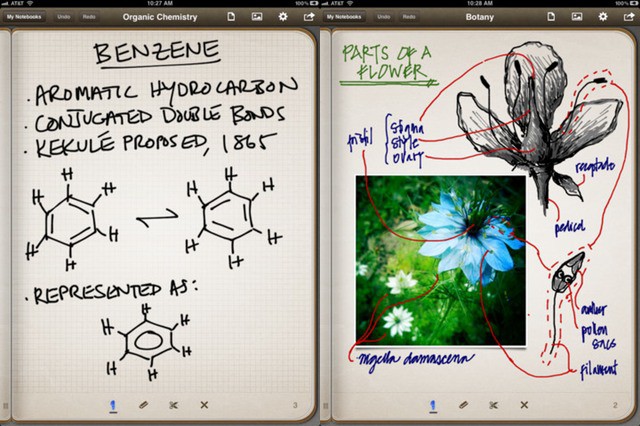
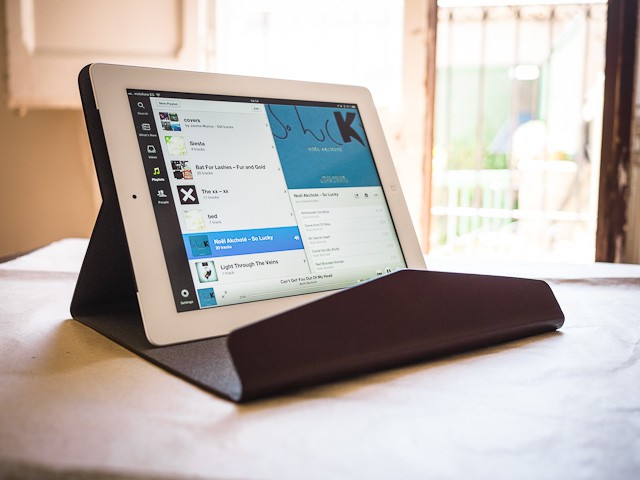
Penultimate, one of the two best pen-and-paper apps for the iPad, has gotten a Retina upgrade. This is a pretty big deal, as the feel and look of the ink, plus the responsiveness of the app, are what make it so great. Now, with super-smooth, hi-res graphics, can it keep its crown?
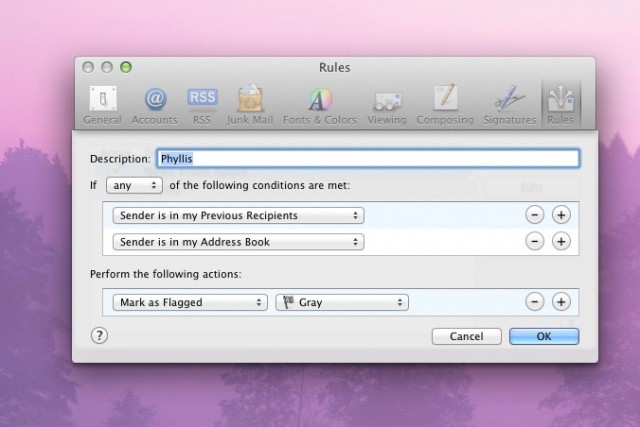
If you use Apple’s Mail app on your Mac to read and manage your email, you know that it puts the number of unread emails in a little red circle on the top right of the Mail icon in the Dock. If you’re like most of us, however, that number is usually a.) larger than you want it to be; b.) not very descriptive. How many of those emails are actually for you, personally? Today’s tips shows you how to make that happen.
Although several rather bizarre rumors have claimed Apple will integrate a projector into a future iPhone, it seems a little unlikely — at least for many years. But thanks to PoP Video, you can add your own projector that displays 960 x 540 video for just $99.
Deep down in my soul, I want to believe that Apple is going to come out with a holographic iPad and iPhone someday just so I can watch three dimensional Lady Gaga dance parties unfold in Lilliputian fashion. CES totally sold me on the idea, and even if we have to wait 15 years for a holographic iPad, I’m cool with that.
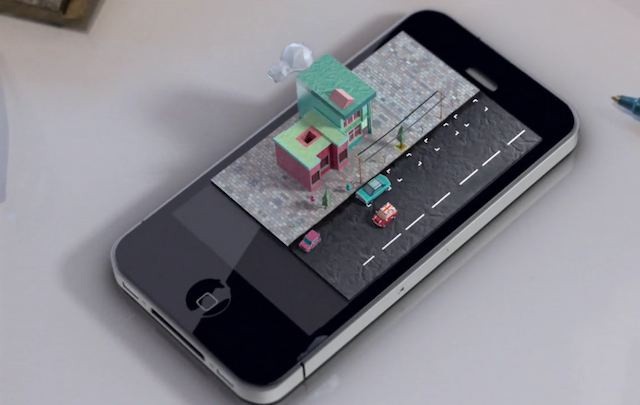
LA-based 3D artist Mike Ko decided to take it up a notch though, and envisioned what it would be like if three dimensional objects could blossom into life from the iPhone’s screen. Objects like, say, a miniature city with whimsical little cars zipping around the streets. Check out Mike’s iPhone 3D video masterpiece below and let us know what you think.
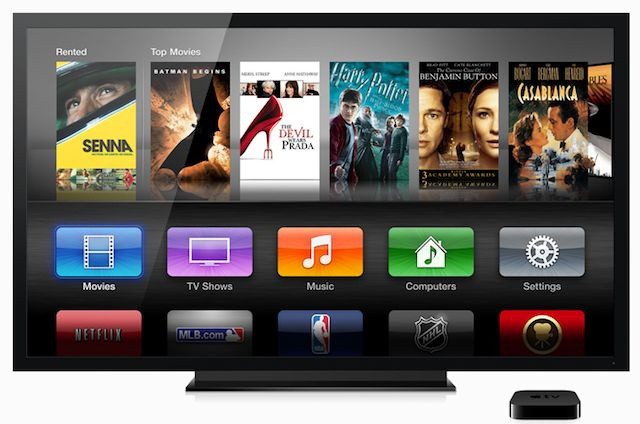
The Apple television set won't arrive until 2014, according to one analyst, but you can look forward to an awesome set-top box before then.
Saving up for that widely-rumored Apple television set? Well, according to one analyst, you have plenty of time. J.P. Morgan’s Mark Moskowitz issued a note to investors this week in which he states there is no indication Apple’s TV will make its debut during 2012, and that the current economic climate just isn’t suitable.
Moskowitz believes we’ll be waiting until 2014 instead, but suggests we could see an exciting new Apple TV set-top box before then.
If you’re a fan of first-person shooters and gaming on your mobile devices, then you should be looking forward to N.O.V.A. 3 from Gameloft. The company’s first N.O.V.A. titles have been two of the best smartphone shooters available — particularly on iOS — and the latest promises to be even better.
In its latest trailer, Gameloft teases N.O.V.A. 3’s incredible multiplayer mode, and damn… it looks good.
Jiggle mode. That’s what we call the moment you hold an iOS app icon until it starts wiggling uncontrollably on your home screen. There’s no technical name for when you tap, hold, and drag icons around, so jiggle mode it is.
Now that we’ve defined that comical term, meet AlwaysArrange. This new jailbreak tweak lets you arrange app icons on your iPhone without having to enter jiggle mode, and the experience is actually better than it sounds.
Why would Twitter feel the need to buy its own photography app?
Facebook’s $1 billion acquisition of Instagram secured the social networking giant ownership of the largest and fastest growing mobile photography network on the planet. Instagram has 50 million users, and Facebook is already the top site for image hosting on the internet.
There were rumors that other companies, like Google, were also in talks to buy Instagram before Facebook could sink its teeth in. The New York Times even said that Twitter was trying to court Instagram at one point. According to a new report, Twitter ended up approaching another hugely popular iPhone photography app after Facebook swooped in and stole Instagram.
FileMaker DevCon offering $300 discount for early registration
FileMaker is offering early registration pricing for developers and database professionals attending the company’s annual developer conference. The conference, known as FileMaker DevCon will be held July 16-19, 2012 in Miami. Special pricing for conference attendees extends for nearly three weeks until May 22. Special hotel rates for attendees will continue through the middle of next month.
FileMaker DevCon is a four day event that will feature “under-the-hood” sessions, an Exhibitor Showcase, and several opportunities to connect with FileMaker engineers, product managers, and the company’s tech support team. The event includes more than 70 sessions for creating, managing, and deploying FileMaker solutions. The sessions will cover the latest version of the FileMaker lineup including desktop, server, and mobile versions of the product.
RunKeeper and Pebble? It's an exercise geek's match made in heaven.
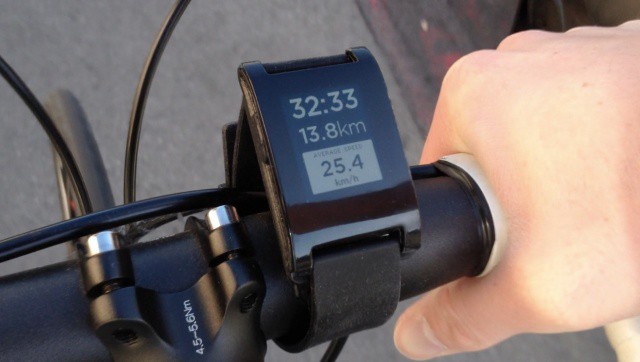
RunKeeper makes fitness apps for a variety of smartphones and is widely considered the premiere platform for tracking and sharing workout information. Today the company announced that it will be the first third-party service to partner with the Pebble watch, a record-breaking Kickstarter project that has collected over $8 million in funding. Pebble sports a customizable interface that can connect with apps and smartphones like the iPhone and Android.
Thanks to the partnership with RunKeeper, Pebble owners will be able to see live fitness data and control RunKeeper without touching their smartphones during a workout.
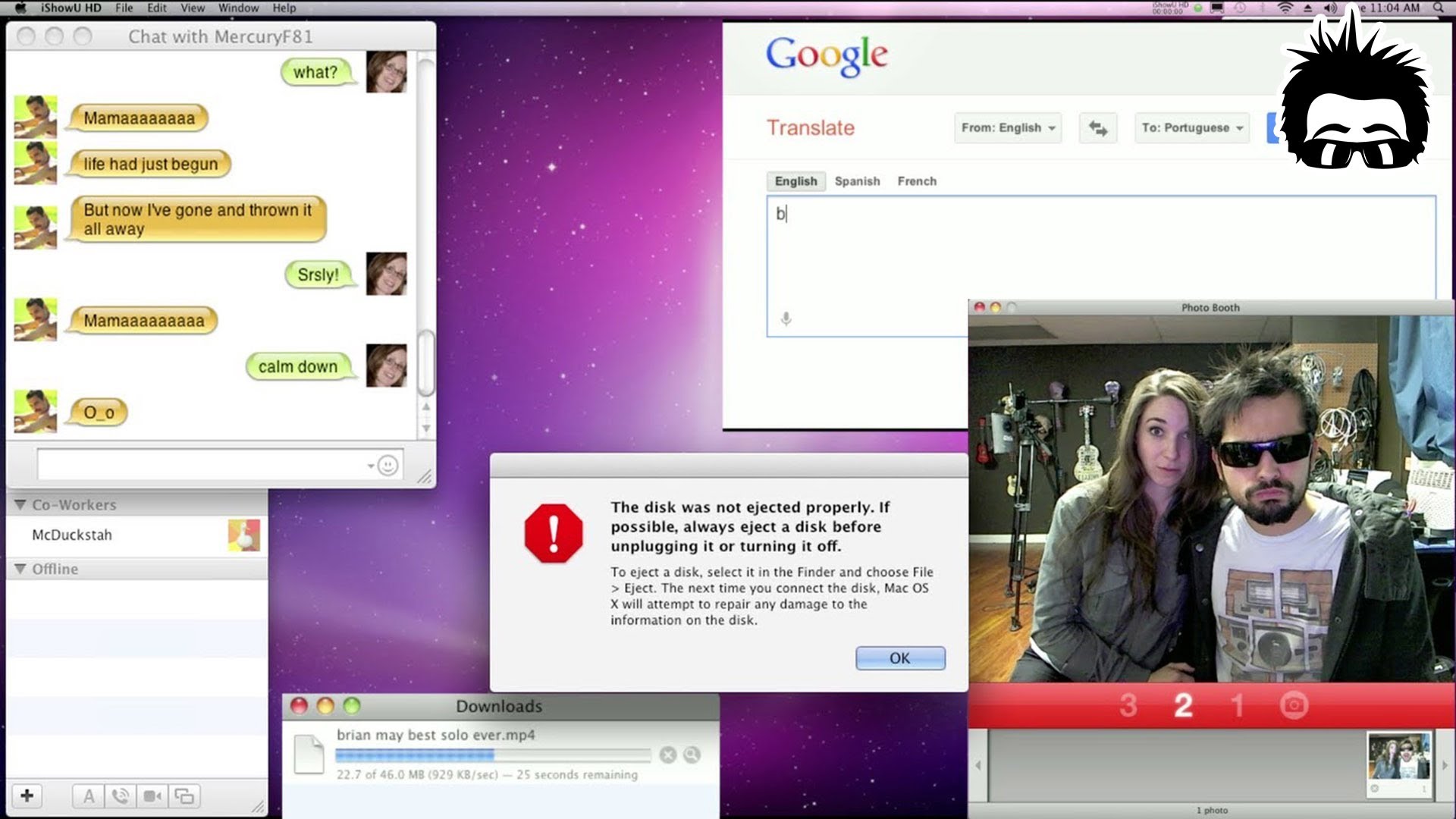
This is just awesome. Queen’s “Another One Bites The Dust” as performed entirely by OS X system sounds. The only slight quibble we have is that it really should be using Siri to sing the lyrics… or, since Siri’s nowhere to be found on the Mac, at least the Samantha voice in OS X’s Text-To-Speech mode.
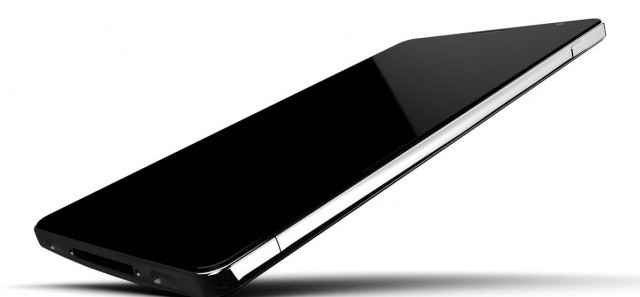
Liquidmetal iPhone concept by NAK Studio • http://bit.ly/ITBqrf
Rumors have been flying about Apple’s next-gen iPhone featuring a liquidmetal alloy casing, unlike the glass backing that currently cradles the iPhone 4 and 4S’s precious internals. Liquidmetal would assumedly create a lighter iPhone that’s also more durable and scratch resistant. There’s also been rumors that the next-gen MacBooks will be made of liquidmetal, but no hard evidence has surfaced to support the speculation.
Two years ago Apple bought exclusive rights to use material from Liquidmetal Technologies in its products, but we have yet to see a liquidmetal iPhone. The only liquidmetal material to be incorporated was the pin used for ejecting the iPhone 3G SIM card. Will 2012 be the year Apple’s product line goes liquidmetal? Sadly, the odds don’t look good.
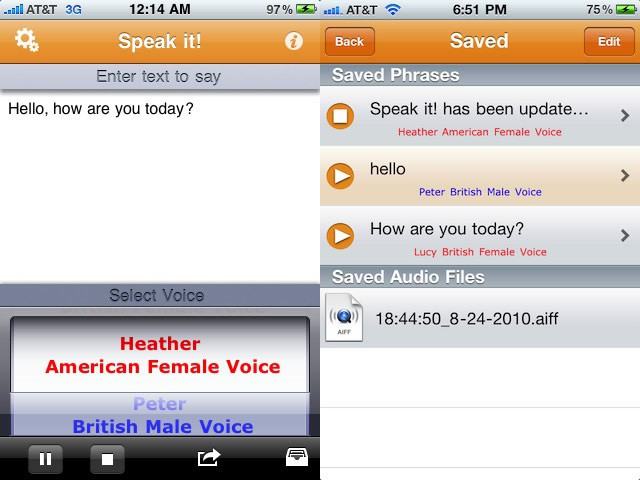
In my day job, I work with folks with disabilities. Some of them have lost the ability to speak through an accident or stroke, and come to us looking for technology and devices to help them reclaim their ability to communicate with others. One of the apps I find myself frequently recommending is today’s tip.
AirWatch offers mobile device, app, and information management
May is Mobile Management Month at Cult of Mac, where we will be profiling a different mobile management company every weekday. You can find all previous entries here and read our Mobile Management manifesto here.
AirWatch provides a full range of mobile management features and implements all of the iOS 4 and iOS 5 management and monitoring capabilities. The software integrates with a range of enterprise technologies including directory services. The service works with a wide range of clients including small and mid-size businesses, large and enterprise organizations as well as government agencies.
After the success of their 1984 Super Bowl commercial, Apple created a broad-cast quality production titled “1944” that was designed to motivate Apple’s international sales force during a 1984 company meeting in Hawaii. Apple supposedly spent $50,000 on the production that used a mix of professional actors alongside prominent Apple figures. The 9-minute commericial uses a World War II theme to focus on the battle between Apple and IBM, with El Jobso taking up the mantle of FDR. The entire video is pretty bizarre and terribly corny, but definitely worth watching.
The Diary is so minimal that it's missing a magnet
Spigen’s all-glass iPhone and iPad screen protectors use some special kind of silicone gloop to stick them in place, but that same gloop can be found in one of Spigen’s cases. It’s called the Diary, and as it consists of just one sheet of folded leather, it’s about as minimal as you can get. It’s also pretty classy, and has one huge, glaring omission.
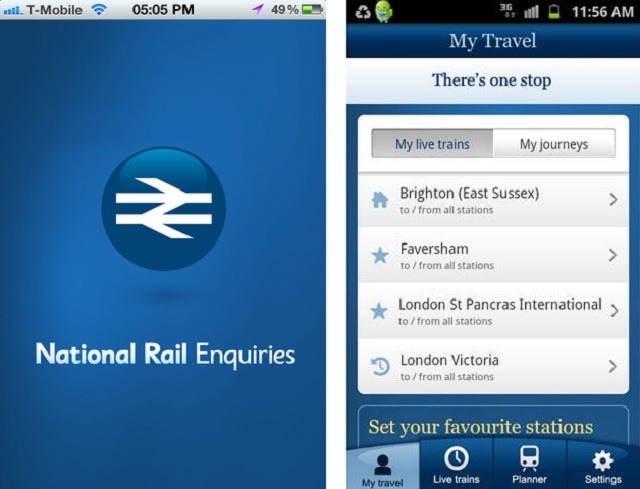
You may have been quite content using such unofficial apps as the UK Train Times for your detailed, real-time U.K. train information but we thought you’d like to know that an official U.K. National Rail app has finally made its way to Anroid and iOS. Announced yesterday, the official National Rail Enquiries app for iOS and Android feature detailed, real-time information as well as:
Let me begin this review by admitting that seeing the words “electric” and “British” close together always seems to conjure up images of an MG or Triumph on fire, with flames pouring out of the engine compartment (apologies to British readers, co-workers, editors or friends I may have offended with this statement. Also my mom).
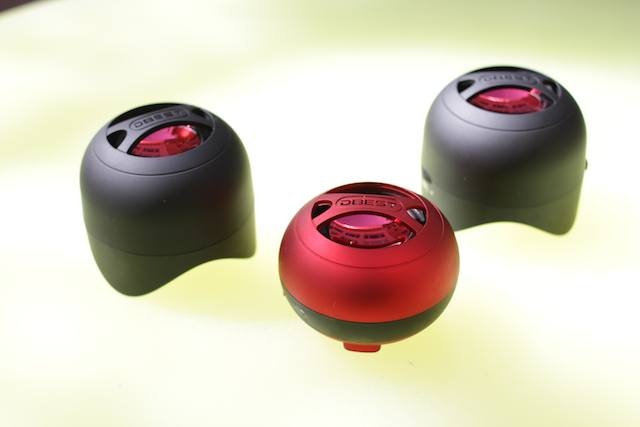
UK-based DBest’s tiny single, and stereo, Bluetooth speaker models — respectively named PS4001BT ($60) and PS4003BT ($70) — didn’t spark; in fact, apart from a lack of sophistication, the tiny dynamos were surprisingly powerful, packing a powerful audio punch into an almost unbelievably minuscule package — especially in the case of the single-speaker unit, the clear winner of the two models.
Parallels for iPad offers great features for a steal at $4.99 sale price
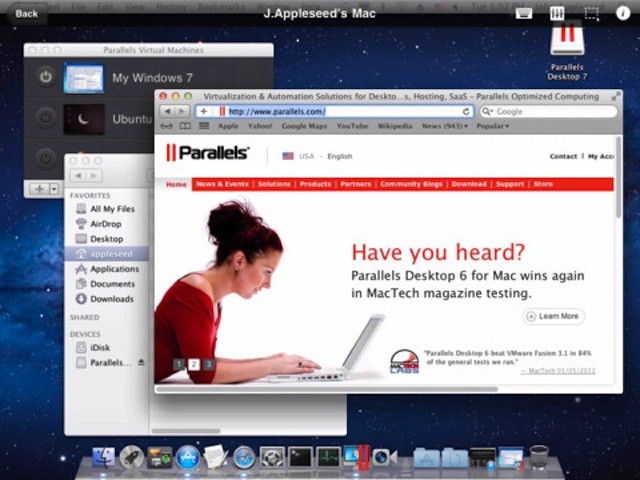
Parallels released an update to the company’s mobile access app for iPhone and iPad. The app offers an array features, particularly for iPad users. The current update adds iPad and iOS 5 optimization, international keyboard support, retina graphics on the new iPad, along with several bug fixes including Mac and Windows scrolling fixes.
During last week’s earnings call Tim Cook was asked what he thought about Windows 8 being “optimized” for tablets. Cook humorously responded that, “anything can be forced to converge, but the problem is that products are about tradeoffs, and you begin to make tradeoffs to the point where what you have left at the end of the day does not please the user. You can converge a toaster and a refrigerator, but those things are probably not going to be pleasing to the user.
Well, guess what, Timmy? A couple of genius engineers over at The Brydge went out and combined two of the greatest kitchen appliances of our time — the toaster and the fridge — and came up with the glory of The Froaster. Eat those words! Eat them!
Do you use Amazon’s Cloud Drive over any of the other cloud clients du jour like Dropbox, SkyDrive, SugarSync, Google Drive, and so on? Congratulations: you’ve somehow managed to be a die-hard user of the service despite the lack of a native Mac app. You had to upload and download files through the browser like some kind of sucker.
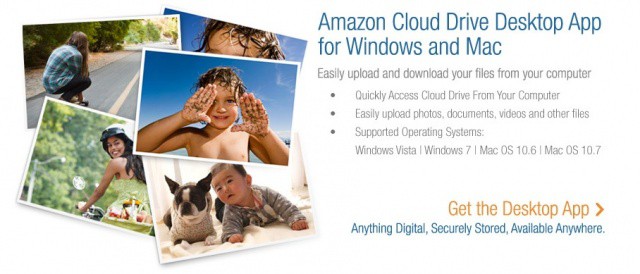
Now Amazon’s about to reward you for your patience with the native client they probably should have shipped in the first place. Yup, the wait is over: Amazon’s Cloud Drive Desktop App for Mac is now here, allowing you to easily upload your files to Cloud Drive by dragging them to an icon or simply right-clicking on a file or folder.
Just don’t expect Dropbox-style syncing. Cloud Drive’s a different kind of beast, and if you want to download your files, you’ll have to do so manually.
Struggling to get rid of that last $750? Lensbaby has just the thing for you
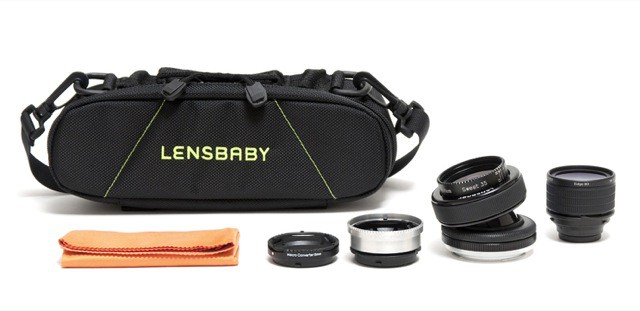
If you have been thinking about dipping a photographic toe into the contrasty, blurred waters of Lensbaby’s lenses, and you happen to have $750 (but not $805) lying around the house with nothing to spend it on, then perhaps you might consider the Pro Effects Kit, a bundle of some of Lensbaby’s funnest gear, all in its own special bag.
Back in March, Amazon offered up certified refurbished Amazon Kindle Fires for an amazing $139. It was only a 24-hour deal but sold out in half the time. Well, the deal is back, and yes, it’s another 24-hour deal. It’s already about half-way through the deal but they still appear in stock so you might want to take this opportunity to pick up a nice little tablet for cheap.
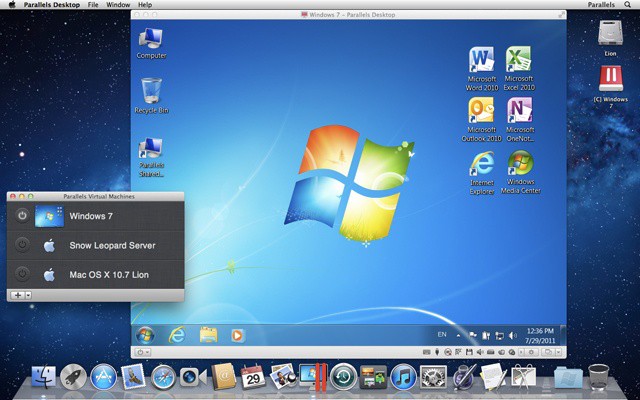
Parallels offers tools and guidance for mass Windows on Mac deployments
Deploying a large number of Macs with a full load of software can be a challenge for any organization. There are, of course, tools that help ease the process of both initial roll outs as well as software installation or updates.
If Mac users also need the ability to run Windows apps,however, there’s an extra layer of complexity. IT departments need to to get Windows onto each Mac, configured, and joined to enterprise systems in an efficient manner. Adding to the challenge Windows on Mac deployments add to the good amount of additional data that needs to be deployed – more than doubling it in some situations.
Could viruses actually protect company data on an iPhone or iPad?
The BYOD movement has transformed the relationship between IT staffers and other employees in a wide range of companies. While there are benefits to BYOD, there are also headaches – and securing data on personal devices and/or securing the devices themselves is one of the biggest. While there’s an ongoing discussion about whether to manage data, apps, or devices, right now most companies are developing a strategy that has a mix of approaches.
All that could change if the mobile management industry unfolds the way Gartner analyst Ken Dulaney expects. Dulaney is an advocate of creating what he calls “beneficial viruses” that companies can layer into apps and data itself – the idea being that the data could delete itself if it becomes compromised.