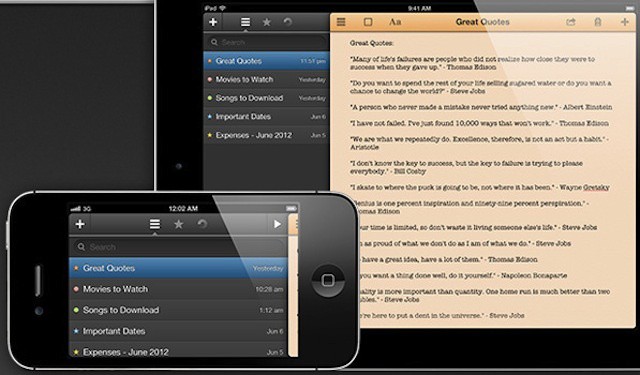
Just Type includes many features that Apple's own Notes app lacks.
The Notes app bundled with the iPhone is great for quick little notes, but it hasn’t really changed since the original iPhone, and offers very few options other than a selection of three fonts. For those that want an app more powerful than Notes, but not as advanced as something like Pages for the iPhone, Just Type by Shubham Kedia might just be the perfect notes app.
Companies developing internal iOS apps need to ensure those apps don't compromise security. Photo: 1Password
Many IT departments are under intense pressure to develop and implement a range of mobility initiatives. Those initiatives often span a range of IT disciplines. There’s the effort to develop internal apps, provide access to new and legacy systems from mobile devices like the iPhone and iPad, the need to manage and support users devices as part of BYOD programs, and the need to develop customer-facing solutions like mobile-oriented sites and native apps.
With so many pressures hitting IT organizations at the same, compromises are being made because of tight deadlines and budgets. According to security expert Jeff Williams, that push to get solutions out as quickly as possible may result in solutions that have major security flaws in them.
As has been discussed in the past, the general consensus among those in the tech industry seems to be that the only way to compete with the iPad is to make your product cheaper than it.
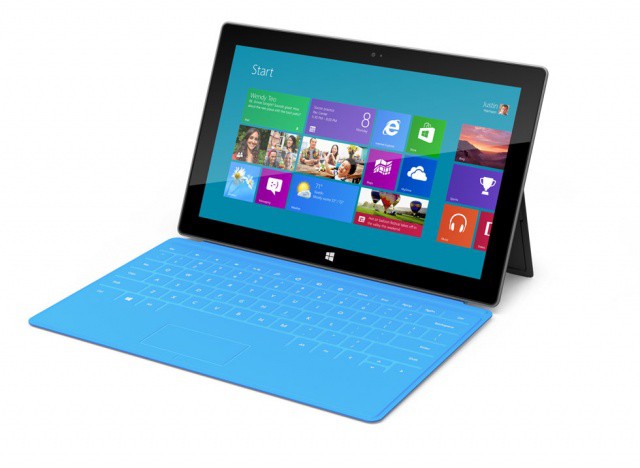
This was moderately successful for devices such as the Kindle Fire, which sold in respectable numbers, but fell off after a short amount of time, even though it retailed for only $199. If history is anything to base expectations off of, the Microsoft Surface may be in trouble. The Next Web is reporting today that Microsoft’s entry into the tablet market may cost considerably more than the iPad.
Both Apple and Samsung have been engaged in a courtroom battle for what seems like ages now, bickering back and forth like an old married couple. Like a parent intervening between two fighting kids, Judge Lucky Koh has finally stepped in between Samsung and Apple to lay down some rules.
We’ve spent a good deal of time on apps that will work on your iPhone, what with its built in cell-data capabilities, but wanted to find some great ones for you iPad-only owners as well. Yes, apps made for the iPhone or iPod touch can run in enlarged mode on the iPAd, but we’re kind of iPad snobs and really only want to run iPad apps natively. That’s why you’ll only find Universal or iPad-only apps in the next list for road-trips with your iPad.
The new BookBook case for the iPad 2 & new iPad looks right at home in a library.
Whether squirreling away a pistol, a bottle of Laphroaig or the true secret of the Mummy’s Curse, leathery hollowed-out tomes are a staple hiding place for both the bibliophile and posturing quasi-literate alike. And no wonder: there are few hiding places that are attached with the same sort of pungent and mysterious romanticism as an empty book.
For the last couple years, TwelveSouth has been trying to apply some of that mystery, romanticism and pungence with their line of BookBook cases for Apple devices. The cases, which protect your Apple device or computer in a leather-bound cover that could pass for an old folio if you don’t squint at the title too hard, are undeniably a little precious, but I’ve also found time and time again that they generate a lot of compliments from strangers.
Some of TwelveSouth’s BookBook experiments have been better than others. For example, we really loved the BookBook Case for the MacBook Air, but thought there were a lot of problems with the BookBook for iPad.
TwelveSouth must have been paying attention, because they’ve released an updated version of the BookBook for iPad, and it addresses pretty much all of our criticisms of the first model, finally turning it into a case that you can truly love, even if it does still have a few problems.
User input is key to planning and managing a successful enterprise app store
Enterprise app stores are becoming a common feature in many business that have embraced BYOD and mobile devices like the iPhone and iPad. An enterprise app store offers two core advantages: it allows users to easily install apps developed internally and it allows IT managers and others to offer a set of recommended apps from public sources like Apple’s iOS App Store.
Given the thousands of business and productivity apps available for iOS devices (not to mention profession-specific apps in other categories), providing guidance to users can help get them started with the best tools quickly and easily. The tricky part, however, is deciding which public apps to include in an enterprise app store.
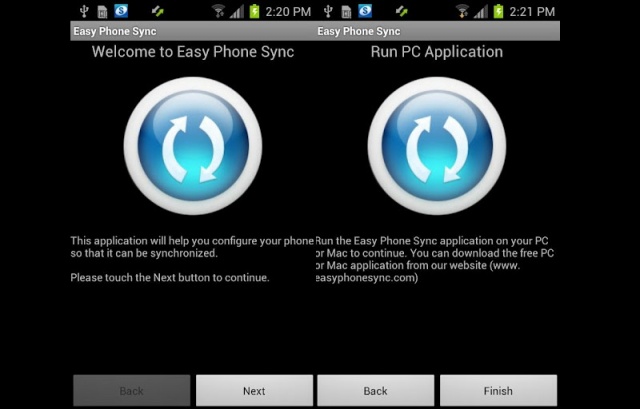
It’s no secret, Samsung has been crawling under Apple’s skin for quite some time. Now, with the release of the Samsung Galaxy S III, Samsung wants iPhone users to know they can make the switch effortlessly thanks to a free app they’re making available to UK Galaxy devices. The app is called Easy Phone Sync, from developer Media Mushroom, and promises to makes transferring your iOS content over to your new Galaxy device a breeze.
Years ago, I worked out a way to remote control my home’s lamps from my iPhone: just record the sound of somebody clapping, and play it back when you want to switch a light on or off.
Now, though, there’s a much higher-tech way to do the same thing. It’s an iPhone-controlled lightbulb from Insteon.
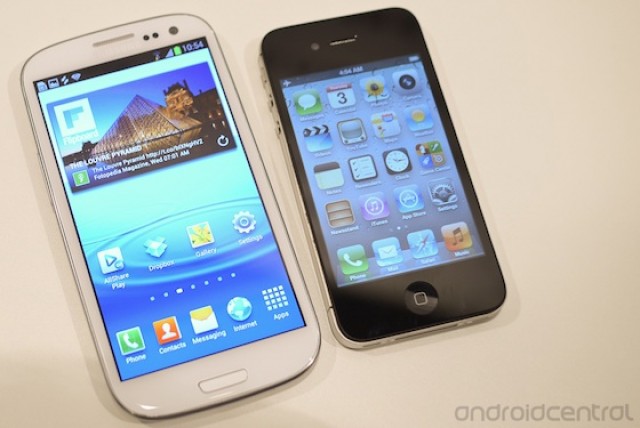
Switching from the iPhone to the Galaxy S III? You're crazy. Here's an app to help you switch.
Sometimes, something so traumatic happens to the human body that a person undergoes a complete personality shift. The girl who was, before, a model member of the Christian league gets hit by a car suddenly becomes promiscuous and violent. The good-natured guy who helps everyone has a wrench fall on his skull from fifty feet and becomes a drug-addicted psychopath. And the alpha businessman who is in a car crash goes from trading on Wall Street to rambling incoherently and exposing himself on subway platforms.
It’s sad, but it happens, and Samsung wants people who have been unfortunate enough to undergo such mental trauma ending in a complete personality shift to know that they’ve got a friend in them. That’s the only explanation for the Korean manufacturer’s latest play: an app for the deranged minds who are switching from the iPhone to a Galaxy smartphone.
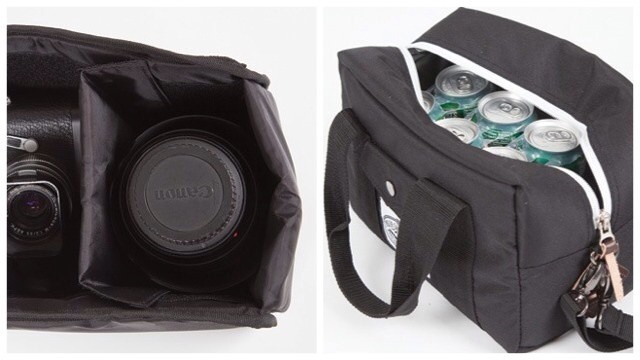
I used to think that Wash & Go – shampoo and conditioner in one bottle – was the greatest combination of all time. That’s until I found out about the Camera Cooler, a camera bag and beer cooler in one. Clearly, the predictions that the Singularity would occur in 2012 were correct.
Arguing the iPad can't access legacy IT systems often means IT is ignoring much bigger problems
Plenty of people have offered their thoughts and opinions about Microsoft’s Surface devices after the company unveiled the two tablets earlier this week. One particular thread of conversation has been what Surface means for the iPad in businesses and enterprises. One piece that stood out to me was Justin Watt’s blog post Goliath Wants David’s Market.
Watt offers an interesting and well written argument that Surface may find success in many companies because they are still using legacy applications and processes – some of which may have originated long before Windows XP and OS X and have been patched countless times to over the years or decades to continue functioning. His core argument is that many iPad users access these tools using virtual desktop solutions like Citrix Receiver. As a result, at least for some tasks, the iPad functions as a Windows tablet. That could give Surface and other Windows tablets an edge over the iPad if they can directly deal with the legacy code involved or deliver the same virtual desktop experience.
The truth, however, is that many companies are chugging along on legacy solutions that were never designed to work with devices like the iPad. In fact, some widely used legacy systems have roots that weren’t even designed to work with Windows! In many companies, IT has been able to keep the age and state of those systems under wraps. But the iPad, and now the iPad versus Surface discussion, is now pushing that dirty little secret into the light of day.
One user interface designer has swapped Cupertino for Menlo Park.
We often hear stories about Apple luring talented individuals away from rival companies over to its Cupertino campus. But sometimes it works the other way around. Facebook has installed a new Product Design Manager, Chris Weeldreyer, who previously worked as an Apple user interface design engineer.
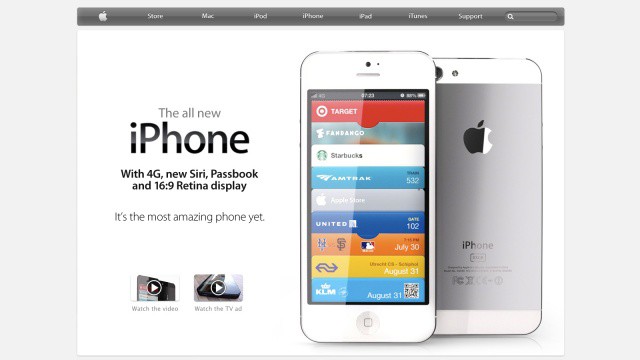
Will Apple's website look like this come October? We hope so.
When I first spotted those leaked images of what was claimed to be the next-generation iPhone’s rear panel, I wasn’t keen on the two-tone aluminum look, and I found myself wondering what Jony Ive was up to inside Apple’s design labs. But now that I’ve seen a few mockups of that design, I’ve changed my mind.
In fact, the latest mockups, created by Martin Hajek, look absolutely incredible.
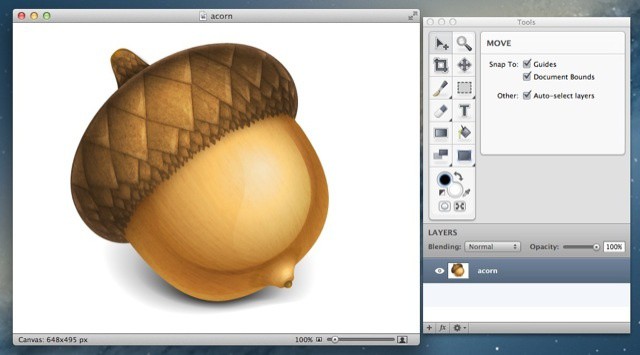
Think Retina display Macs are a gimmick? Think again: Mac developer Gus Mueller is almost ready to pop out an update to the Acorn image editing app which will use the Retina display on the new MacBook Pro to spectacular (and rather useful) effect.
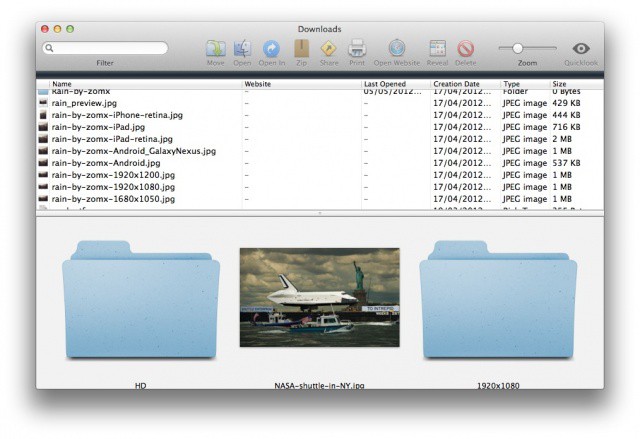
Is your downloads folder out of control? Use Downloads for Mac to tame it.
I don’t know about you, but the downloads folder on my Mac is one that I just cannot keep organized. Every so often I’ll trawl through it and delete all the stuff I don’t want, while filing the stuff I do want into other folders. But most of the time it just includes a heap of documents and images that I’ve picked up over a course of many months.
But Downloads for Mac is a simple app that can change this. It displays each and every item in your downloads folder — whether its at top level or buried deep within other folders — and makes it easier to see what you have going on in there. For those of you with downloads folders like mine, this should make the cleanup process much quicker, and much easier.
BYOD offers useful lessons for any business, even ones that don't offer BYOD programs.
BYOD may be one of the big technology trends out there for businesses, but not every business wants or needs a BYOD program. BYOD is, of course, not a magic bullet for addressing every company’s mobile needs. It also isn’t guaranteed to deliver cost savings compared to providing employees with corporate owned and managed devices.
Companies not pursuing BYOD can still gain value from investing in some of the technology concepts and solutions that becoming a standard part of BYOD programs. After all, BYOD is one of the biggest trends of consumerized IT, but it is only one trend out of many.
Here are five key BYOD lessons that any business or organization can apply even without implementing a BYOD program.
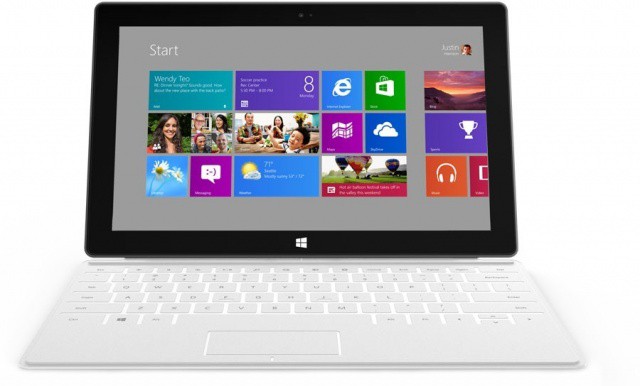
For all the buzz about the Microsoft Surface, we don’t know really know the most important things about it yet. We don’t know when it’ll be released. We don’t know how much it’ll cost. As nice as the Surface looks, Microsoft didn’t even say if it would come with 3G, let alone with LTE. And according to Bloomberg, the reason they didn’t announce it is because the Surface won’t: it’s WiFi-only.
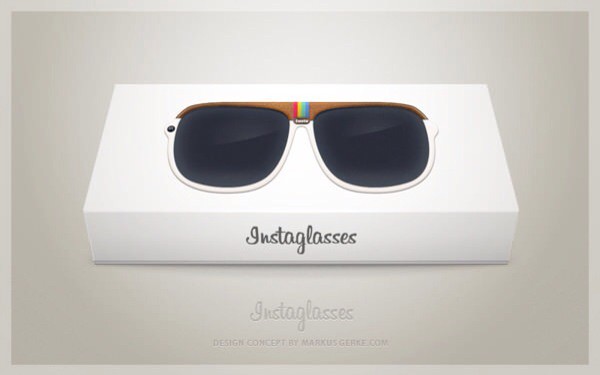
These Instaglasses make the whole world look retro-tastic.
Instaglasses. What a fantastic idea. Sadly only a concept (and surely destined to remain so), these special specs survey the scene before you and apply your choice of Instagram filter to the real world. You’ve heard the expression “seeing the world through rose-tinted glasses”? Well, these are retro-tinted glasses.
Much better than a picture of your motorbike, right?
Fed up of trying to find the perfect wallpaper for your Mac? There are plenty out there that feature supercars you’ll never be able to afford, models you’ll never meet, and sandy beaches you’ll never visit. But for something a little more interesting, check out Satellite Eyes, a wonderful little app that displays a satellite view of your current location as your desktop background.
A gang leader who orchestrated the production of counterfeit credit cards and then used them to purchase over $1 million worth of iPhones, iPads, and MacBooks from Apple Stores throughout the United States has been sentenced to up to nine years in prison.
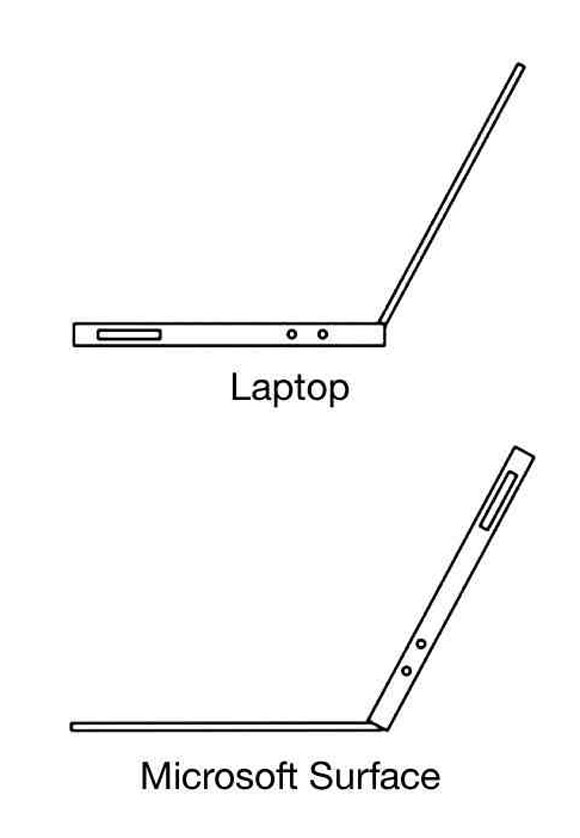
The word “innovative” has been thrown around a lot in the aftermath of Microsoft’s Surface announcement, but how innovative is the design, anyway? The thickest part of a MacBook Air is the keyboard, which allows you to balance it on your lap to type on it; where as the Microsoft Surface is just an Air flipped upside down, with the thickest part the screen, making it the first thing to go flipping off your lap.
Okay, we admit, this image is a little exaggerated, but it’s funny, and it does raise a good criticism of the Surface: ostensibly, the Surface is a tablet with a keyboard cover that allows it to be used as a notebook, but its form factor makes it impossible to type on unless you’re at a desk or a table.
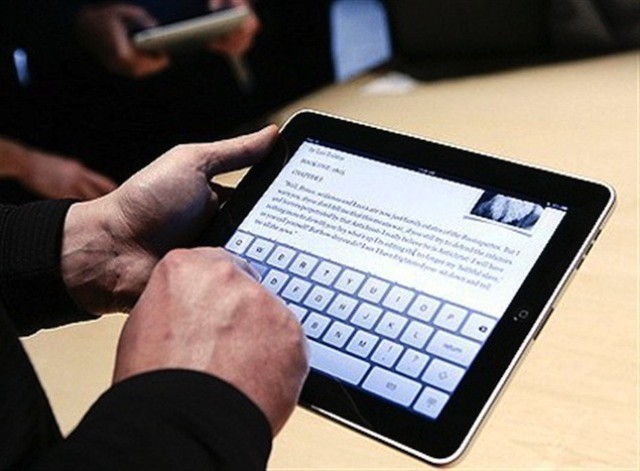
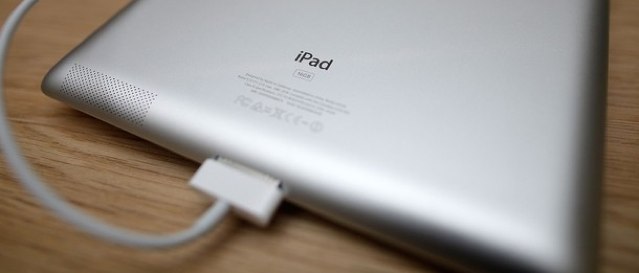
Although it takes forever to fully charge, the new iPad costs less than $2 a year to run.
Like its predecessors, Apple’s latest iPad promises to provide you within around ten hours of battery life for surfing the web on Wi-Fi, watching video, or listening to music. But with its high-resolution Retina display and LTE connectivity, it needs a much bigger battery to do that.
And we all know how long it takes for that battery to charge, because it has been well documented since the device made its debut earlier this year. But the cost of keeping it running may be a lot less than you think.
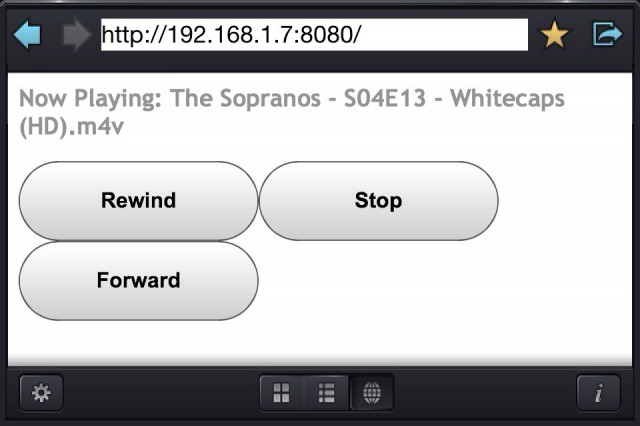
The new browser-based remote is ugly but effective.
CineXPlayer, the excellent, rock-solid, play-anything video player for iOS, had gotten yet another big update. Every time the app is bumped to a new version, I wonder what the developers will be able to add next time. And today’s answer is… Quite a lot.
If your Mac doesn't already have one of these, now's a good time to make the upgrade.
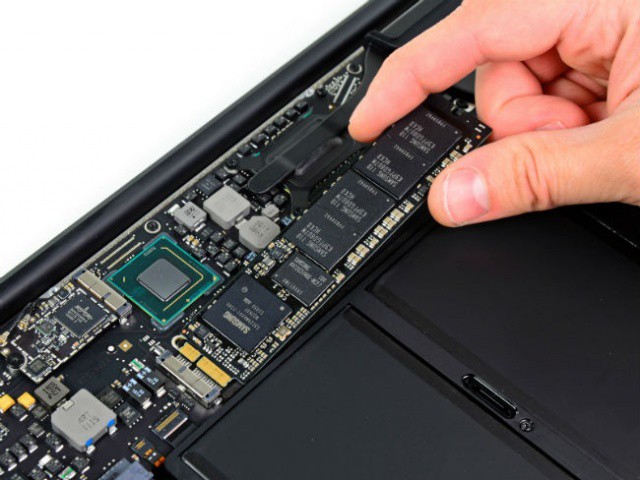
Forget RAM, forget a faster CPU, forget a beefier graphics card. If you are still running a Mac with a spinning, physical hard drive, the best upgrade you can possibly make is to drop a solid-state flash drive into the machine. The immediate effect on perceived performance is stunning: it’s the difference between seeing a spinning beach ball every hour and not seeing one for months at a time.
Unfortunately, for a long time, what has kept most people from making this update to their older Macs has been price. SSDs are more expensive than physical HDDs. That’s still true, by the way, but it’s less so now than it ever has been, making this a perfect time to finally take the plunge.