Toys are just lifeless pieces of plastic completely devoid of feelings – orarethey? It’s not like they could just walk around with an iPhone taking pictures of pretty sunsets and duckface self portraits for Instagram, right? Since science has yet to prove that toys are just just like us, Instagrammer Santlov provides fantastic images of toys playing with their iPhone, iPad, and Macs. Want to know what Scarface or Boba Fett would look like snapping Instagram pics? Take a look –
There’s no way to be nice about it: Microsoft is not cool. Their products aren’t cool (sans Xbox!). Their logo isn’t cool. And then there’s their dancing, prancing, screaming, bear of a man slash CEO: Steve Ballmer. And on our brand new CultCast, we have to ask: could Microsoft bring their sexy back with a CEO who isn’t the official jester of the tech community?
And then, don’t miss our discussion on how one simple hardware upgrade can transform your aged Macbook Pro into an unholy speed demon! That’s right, you don’t need a Retina Macbook, just $200 and ten minutes can bring you a renewed computing power that would make even Tim Cook’s glasses start to fog!
Subscribe to The CultCast now on iTunes, or easily stream new episodes right on your iPhone or iPad with Apple’s brand new Podcasts App.
When we review speaker docks here at Cult of Mac, one of the most common things we’ll ding them for in our ratings is lack of Bluetooth streaming support. Especially for the more expensive speaker docks, it just seems like a no brainer: why not just slap in a Bluetooth chip for a couple bucks and infinitely expand the usefulness of your product?
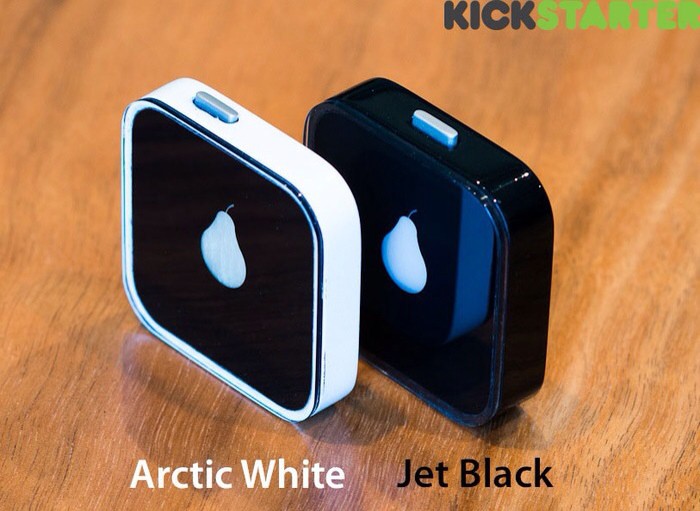
We assume that we will continue to be disappointed by Bluetooth-less speaker docks for years to come, but maybe this brilliant KickStarter project can help mitigate that disappointment. Called the Pear (get it?), it’s a tiny little Bluetooth dongle that plugs into your speaker dock’s 30 Pin Dock Connector and gives A2DP streaming Bluetooth audio support to any device!
There’s not much more to it, which is why this is such a great idea: imagine being able to upgrade that dusty old speaker dock going unused on your nightstand or in your kitchen with just a $40 add-on. Unfortunately, it’s a Kickstarter project right now, but with more than $29,000 dollars towards its $40,000 goal already attained with almost two months left to go, this looks like one idea that’s going to soon become a reality.
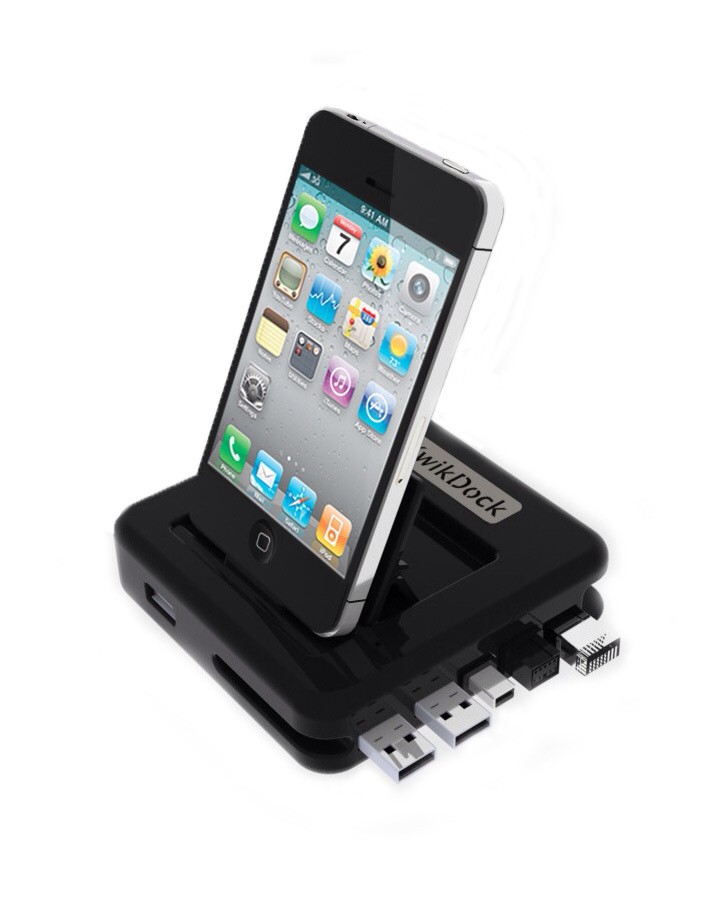
Sick of plugging and unplugging cables from your MacBook Pro every time you get back to your desk? Hate wasting one of the two USB ports just to keep your iPhone connected? And finally: don’t want to spring for a $1,000 Thunderbolt Display?
Then the KwikDock might be right up your alley: It’s a simple (and cheapish) pass-through dock with some handy extras.
Foursquare, Facebook, even Find My Friends… these are all services that are ostensibly designed to help us to find our real-life buddies when we’re around town. So why are they so bad at it? Why do they all feel so useless?
The reason’s pretty simple when you think about it: most of the time, you don’t really care where your friends are, or how many trophies they’ve earned, but when you do want to know where they are, you want to know exactly where they are at that precise moment, either because they’re running late or you’re hoping to meet up. And the only way to really know that with any certainty is to ask directly.
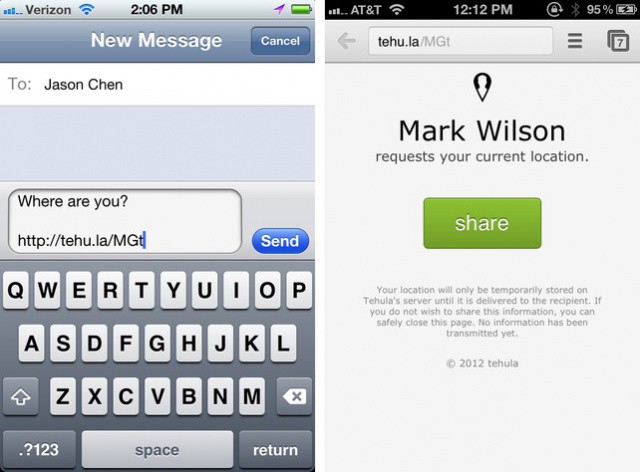
Tehula is a new iPhone app that makes asking people where they are just deviously simple. And it works even if you don’t have an iPhone or iPad: all you need is a phone with a GPS unit and a web browser.
Dr. Andrew K. Przybylski tries to explain why we all mourned Steve Jobs's death.
Most of us never had the opportunity to meet Steve Jobs, but as Apple fans and users, we knew a lot about the company’s co-founder and former CEO. Even though we didn’t know him personally, we all felt an immense sense of loss when Jobs passed away last October.
In an effort to try to understand why Jobs’s death had such an affect on his fans, Dr. Andrew K. Przybylski from the University of Essex has conducted a three-part study that looks at how we felt connected to Jobs though his devices.
This is the Pear, and it might just be one of the most useful iPhone accessories yet devised. It’s a little, puck-like Bluetooth receiver that is designed to slot into any speaker dock and free your iOS device from its needy clutches.
Laurene Powell with husband and former Apple CEO Steve Jobs.
Steve Jobs’s widow, Laurene Powell, who is said to be the richest woman in Silicon Valley, has reportedly purchased a $4 million home in Sun Valley, Idaho, where Apple CEO Tim Cook is attending the Allen & Company media conference this week. The new property is said to be located near a river’s edge in the wetlands area, and boasts three bedrooms and two and a half bathrooms.
Your iPhone is more than a phone, it’s part of your life. It knows what you’re doing now (putting out fires with your boss? planning for drinks?), where you’re going for lunch and where you wish you were.
Even if you’re an open book — frequent Foursquare check-ins, Instagramming dinner, Spotifying all over the place — you probably wouldn’t broadcast every single thing you do with your iPhone, right?
Steam has kicked off its summer sale, offering up to 75% off some of the hottest games for Mac and PC. The sale runs until July 22, Steam is adding new titles each and every day, with customers given the opportunity to vote for the titles they want to see reduced.
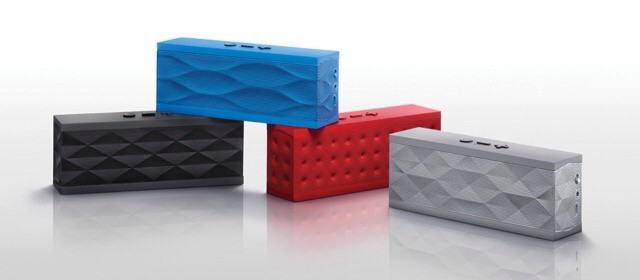
Jawbone's iconic Jambox speaker gets yet more new features.
The big advantage Jambone’s Jambox has over its competitors is upgradeable firmware. The speaker is in fact a tiny computer which can be updated from time to time. Previous additions have been the spookily excellent surround-sound simulation called Live Audio, and you can also install one of many apps which add new voices, or let you access third-party services.
The Jambox might not be the loudest or even the best-sounding speaker out there, but it is certainly the most future-proof. And now another update adds yet more new features.
Get ready to build some crazy contraptions on your Mac.
After landing on Android and iOS yesterday, Rovio has confirmed that Amazing Alexwill be making its way to Mac and PC. The new physics-based puzzler is Rovio’s first break away from the hugely successful Angry Birds series, and it’s already gotten off to a great start, rocketing up to the number one spot in the App Store’s paid charts in several countries.
Copying files to a new Mac? Perhaps one of them newfangled MacBook Pros? While most of us use Migration Assistant to move our files from one Mac to a new one, it may not be an option in your particular case. I’ve definitely wanted to move just the bare minimum of files over to a new Mac before, and today’s tip should help with just that.
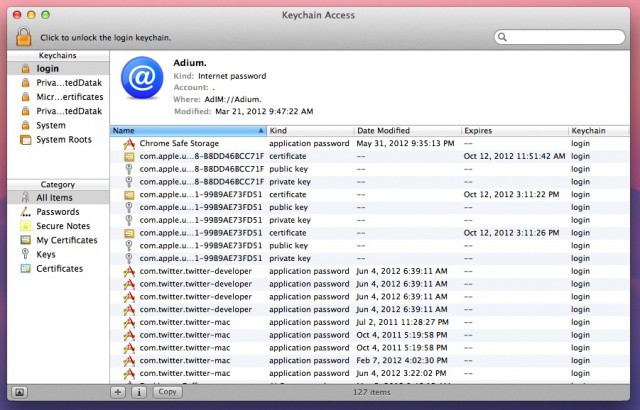
The Keychain is a place to store passwords and login information, and it’s fairly easy to move your Mac’s Keychain to a new one. Here’s how.
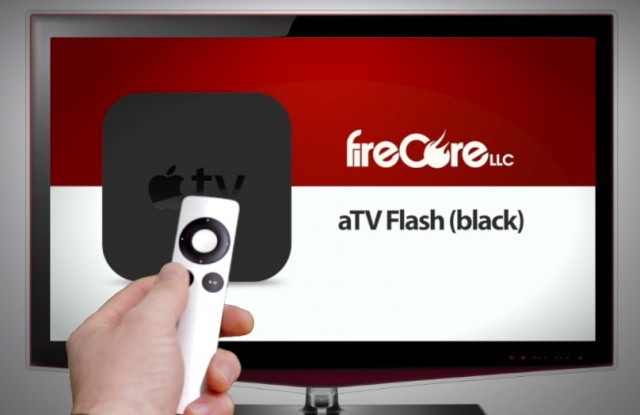
One of the reasons most of us jailbreak our Apple TV is to install aTV Flash (black), a terrific piece of software from FireCore that adds a ton of incredible features to your set-top box. In its latest update, aTV Flash delivers a number of features, including trakt.tv integration for those who never know what to watch.
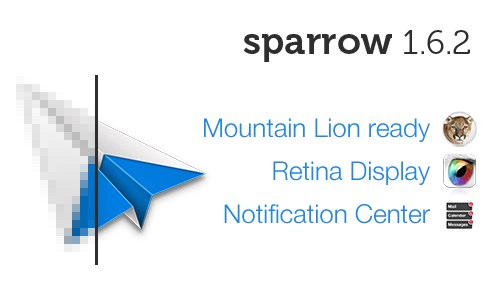
Sparrow, my favorite mail client on both Mac and iOS, just received a new update that will be particularly exciting to those of you with the new MacBook Pro. In addition to support for OS X Mountain Lion and Notification Center, Sparrow 1.6.2 brings high-resolution graphics for the new MacBook Pro’s Retina display. It’s also on sale for just $4.99 until Monday, July 16.
The shipping delay for the new MacBook Pro with Retina display has decreased for customers in the United States the first time since the notebook made its debut on June 11. What was once a 3-4 week wait has now decreased to 2-3 weeks.
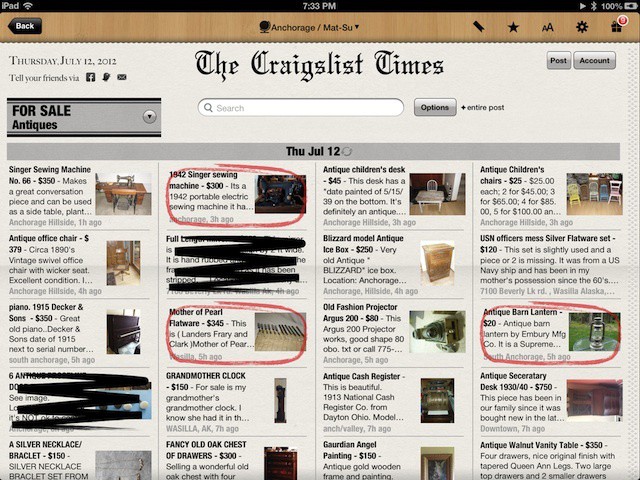
We all love Craigslist, right? I mean, this plain text website has changed the way I live, at least. I’ve posted a home for sale, advertised for job openings, sold musical equipment, and bought more than my fair share of similar items through the basic website since the early 2000s. In a short time the service replaced newspaper classified ads as my go-to method of finding local stuff.
But it’s just. So. Ugly. And it’s got super tiny on the screen, even when you’re using an iPad to access it. Which is where Craigslist the app comes in.
Both Samsung and Apple filed pre-trial juror screening questionnaires with the US District Court that is handling the patent dispute originally filed by Apple agains Samsung. Potential jurors will have to answer close to 750 questions unless Judge Koh, the District Judge who has been handling this case, asks for some winnowing of the number of questions. 49 of those questions are from Apple, with the remaining 700 filed by Samsung. That’s six pages to forty pages, respectively.
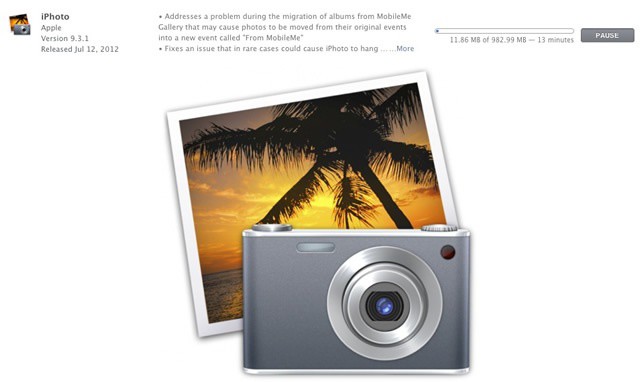
iPhoto for Mac just updated to version 9.3.1, bringing a few bug fixes to the table along with a couple of new features. The almost one gigabyte download is available in the Mac App Store now.
What’s New in Version 9.3.1
– Addresses a problem during the migration of albums from MobileMe Gallery that may cause photos to be moved from their original events into a new event called “From MobileMe”
– Fixes an issue that in rare cases could cause iPhoto to hang when upgrading libraries
As of version 9.3, iPhoto was able to open Aperture 3.3 or later files, supported AVCHD video, and added an expanding Description field to see while you enter more text. You can flag photos in Magnify view, keywords are now preserved when exporting GPS location embedded files, and the new Export option allows you to organize photos into event subfolders.
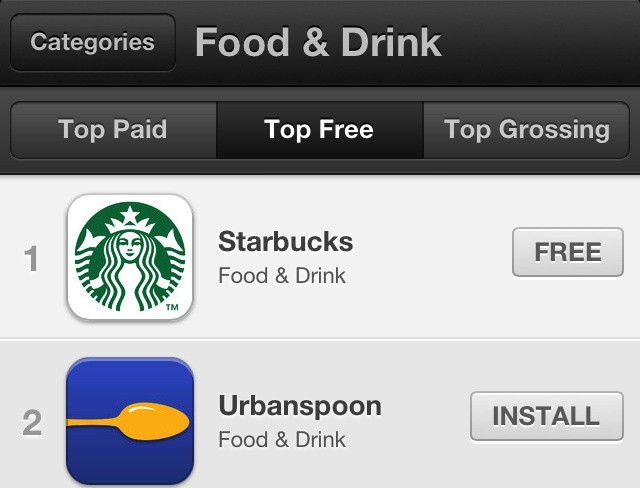
Not too far back, we brought you the news that Apple would soon be adding a Food and Drink category to the App Store. Today, Apple has pushed the new category live, and you can go check it out for yourself.
The iPhone 4S has a great 1080p camera, but unfortunately, getting great video with it is still a challenge, due to the lack of stabilization options available for it. Tripod accessories have become more widespread within the last year, but there’s still been no good way to get creative, professional looking shots with the iPhone. With the iStabilizer dolly, all that changes.
You read that right, Sprint has finally unleashed a twister of LTE pockets in and around the Kansas City area. They may be mere corn kernels compared to the likes of Verizon and AT&T but it’s a start — and one that I’m sure will have Sprint customers skipping down the yellow brick road.
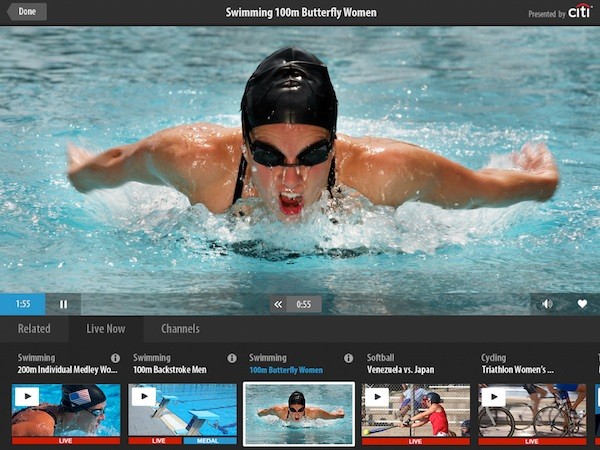
NBC just announced that it will be streaming all 302 medal events from the 2012 Summer Olympics in London to U.S. viewers via its new iPhone and iPad app. Not only will NBC be streaming everything live on its Olympics website, but these two new iOS apps will also stream each event as it happens in real time. Over 3,500 hours of event coverage will be streamed to desktop and mobile viewers, making this year’s Olympics coverage the most internet-friendly in history.
The only catch is that viewers will need to verify in-app that they are subscribed to a cable/satellite provider that includes CNBC and MSNBC.
By now, you’ve probably heard that Apple has a large data center in North Carolina which powers much of the iCloud ecosystem that Apple debuted in 2011. What you may not know, though, is that the small town of Maiden, North Carolina almost lost the contract with Apple. Thanks to GigaOm, we now know how it all went down.
If you use Omnifocus on your iPad to “get things done,” you know that one of the key features of the system is to capture to do items and tasks as quickly and efficiently as possible to your management software (in this case, Omnifocus). If it’s a hassle to add things to your list of things to get done, you probably won’t add them. If you don’t add them, you won’t do them. It’s a vicious circle.
The OmniFocus forums have a sweet shortcut way to add things right to the OmniFocus inbox, with minimal fuss and muss.