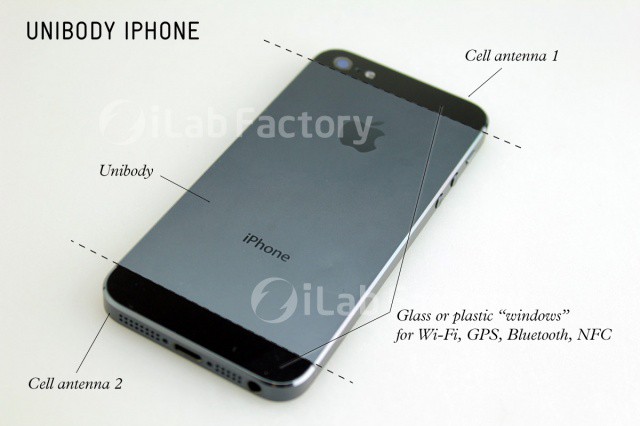
At this point, most of our readers are familiar with what the next iPhone is going to look like, including the fact that it will feature a unibody design with a two-tone metal backplate. But what’s the story with that metal backplate? Has it been designed that way just to look good and set itself apart from the design of the iPhone 4/4S, or is there a more cogent design philosophy behind the three alternating stripes of metal and glass?
We won’t know for sure what Apple is thinking until the iPhone 5 is officially announced, but one industrial designer has a great theory about why the back of the next iPhone looks the way it does. As is usually the case with Apple’s design, the new iPhone’s back plate doesn’t just look good… it’s incredibly functional and magnificently strong.