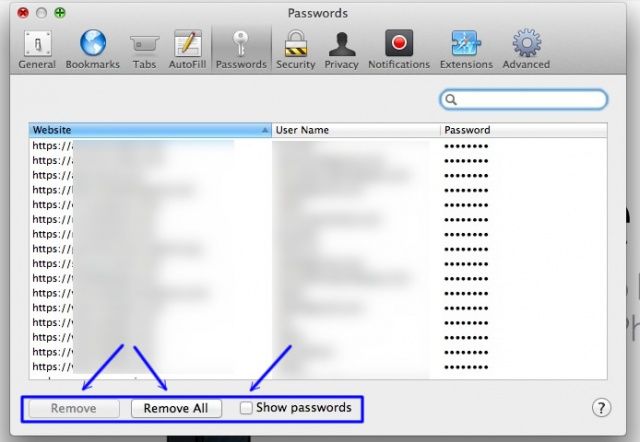
Yesterday, we showed you how Safari 6 keeps track of the passwords you use when you visit websites that require them. They’re kept in a list in the background, so that when you connect to a secure website, you don’t have to enter in your user name or password every time. This is enabled (or disabled) in the Safari Preferences window, under the Auto-Fill tab, for some reason.
Disabling this feature makes your Mac more secure, if you are sharing the Mac or other folks have access to it. If you do use the saved password feature, however, there’s a cool little way to see what those passwords are right in Safari.