Text editor groupies of the world, gather round. I have something new to show you.
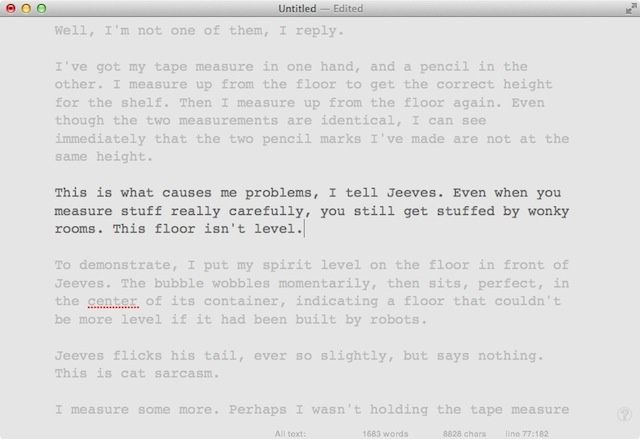
Clean Writer Pro is a newcomer to the OS X text scene, and offers a lot of the basics for a very good price: and right now, it’s on sale for a dollar.
Text editor groupies of the world, gather round. I have something new to show you.
Clean Writer Pro is a newcomer to the OS X text scene, and offers a lot of the basics for a very good price: and right now, it’s on sale for a dollar.


Researchers in the UK have put together a prototype wrist-worn sensor that turns your own hand into a 3D movement controller for almost any device you can think of.
Experts from Newcastle University and the Cambridge-based Microsoft Research used off-the-shelf parts to assemble a sensor that straps to your wrist and detects movement of your arm, hand and fingers. There’s no need for any external sensor, nor for line-of-sight to the device you’re controlling. Everything’s done using the technology you wear.
Here’s a video that explains more.
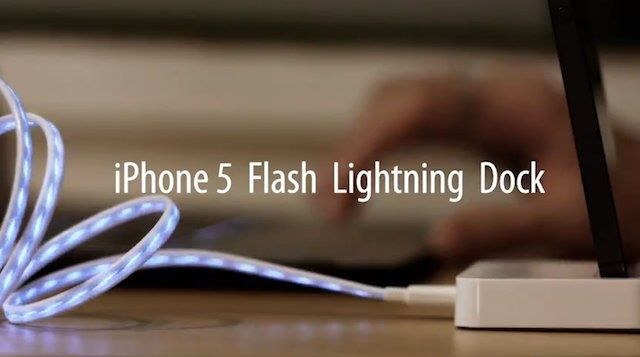
Buying a whole set of new Lightning cables to replace the 30-pin connector cables we’ve been using for years has left a lot of iPhone 5 feeling a little bit blue. No one wants to spend $100 to buy five new cables, but cheap Chinese knock-offs have seemed out of reach thanks to the authenticator chip Apple’s used in the new data cables.
Hope has risen though, as clever Chinese hackers announced today that they’ve been able to successfully clone Apple’s Lightning Authenticator Chip, paving the way for cheaper third-party Lightning cables and accessories.
You know how it is with iOS-enabled fitness trackers: they’re like busses. You wait around for ages, and then three (or more) all turn up at once.
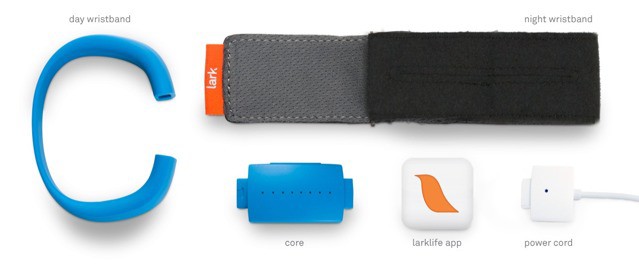
And the sweetest, cleanest-looking of those busses looks to be the Lark, a clever, wrist-mounted sensor which tracks your whole day, from daily exercise to nightly sleep.

“Ugh! An unboxing video? This isn’t 2008.” I know, guys, but seriously, the new iPod Touches have been rarer than a black unicorn playing kickball with a pack a wallabies. Like, hardly anyone’s even seen them yet in the real world, but here’s the first look. It’s an unboxing video from a guy in Japan that just received his iPod Touch.
The packaging is super minimalist – of course – and boy is the new iPod Touch skinny and beautiful. The unboxing video is a bit blurry, but we’ve got a comparison video of the iPod Touch against an iPhone 4 after the jump.
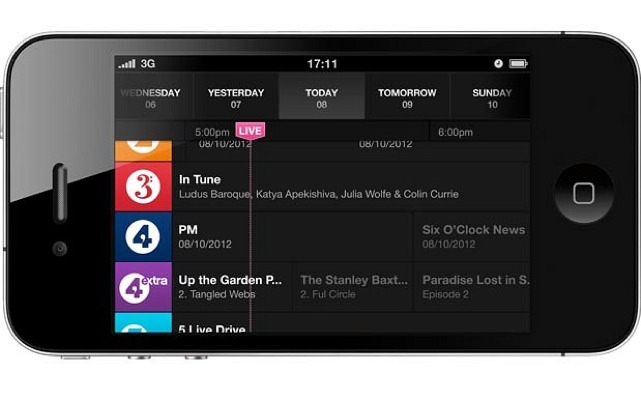
If you live in the UK, or if you know how to make your iPhone think that it’s in the UK, then you can now listen to BBC radio from a new dedicated app. It’s called iPlayer Radio, and it turns your high-tech, $700 pocket computer into a 1980s clock radio.
This, if you were wondering, is awesome.

Since his death in 2011, countless pieces of art have been created in memory of Steve Jobs and his work at Apple, but this is one of the neatest statues we’ve seen that has been dedicated to the Apple co-founder.
Crafted by Ukranian artist, Cryil Maksimenko, the monument was installed in Odessa Ukraine on the one year anniversary of Steve Jobs’s death. It’s comprised of numerous gears, screws, bearings and other pieces from bicycles, motorcycles and cars, which looks fascinating when you look at it up close. Take a look at the pictures below and see for yourself.
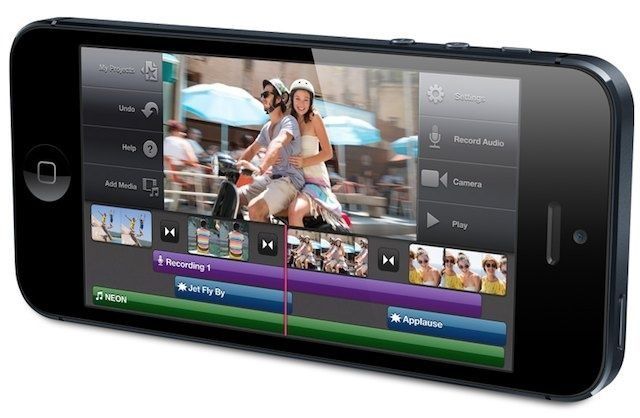
The iPhone 5 is expected to launch in India on October 26, more than seven weeks after making its debut in the United States. The device is also expected to come with “wider availability” than previous models, which were hard to get hold of, and should come with a similar price to the iPhone 4S when that first launched in India.
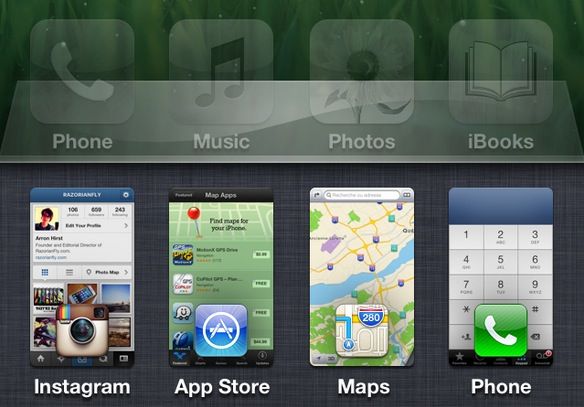
Back when I had a jailbroken iPhone, one of my favorite Cydia tweaks was a hack called Switchy, which came to life based upon an initial forum post mocking up a more advanced app switcher for iOS. I’m hopeful, then, that the same will prove true for this new switcher concept posted over the weekend, which might be the best looking, most attractive and most functional app switcher we’ve seen yet.
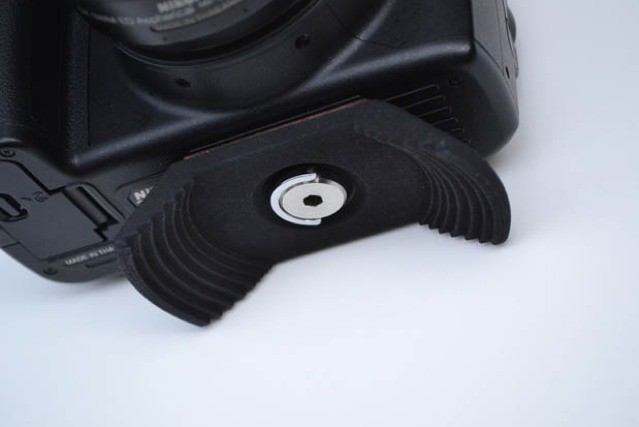
Another week, another clever way to hold your lens cap.
One of the very best things about the iPhone’s camera, aside from its portability, its speed, its quality, its connectivity and its ability to share pictures instantly. And to edit them. And its tough, sapphire crystal protective cap. And… Wait. Where was I?
Ah, yes. One of the best things about the iPhone camera is that there’s no lens cap to lose. That’s not the case for your supposedly superior SLR. Which is why you’re going to have to spend another $14 or so just to fix the problem.

If the lack of a native Google Maps app on your iOS 6 device is giving you headaches, then good news: someone’s just made one, and you can grab it for free.

If you think the iPhone 5 is hard to get hold of where you live, spare a thought for those in Hong Kong, where the device is in such short supply, users must play the “Apple Store lottery” to be in with any chance of getting their hands on one. According to one analyst, locals have more chance of winning the real lottery than picking up the Cupertino company’s latest smartphone the day after they order.

I-Mego’s Throne headphones will bring a big dose of retro styling to the sides of your head. While they pack almost every modern piece of tech you need, they look more like those old-style mics used by radio-announcers (radio announcers in movies at least) and blues crooners.

Looks like iOS 6 users aren’t the only ones unhappy with Apple’s new Maps app. The Taiwanese government is also complaining about the service, which reveals its new $1.4 billion early warning radar station in satellite view. The Defense Ministry is now asking the Cupertino company to obscure the images.

So, when you use OS X Dashboard widgets for a while, chances are you’ll download a few of them that might fit together into categories. In OS X Mountain Lion, Apple set the “Add More Widgets” screen to look a lot like iOS, as we showed you in a previous tip. The cool thing is that you can create iOS-Style folders in here, too, and add a bunch of apps to one slot, thereby organizing your Dashboard in a similar way to that of an iOS device screen.
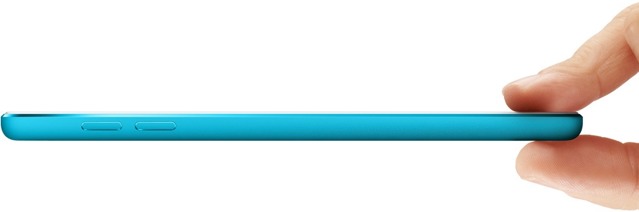
Talk from around the internet says that the new iPod Touch is starting to ship to those who pre-ordered it. Several Apple customers are reporting that their orders are now en-route from China.
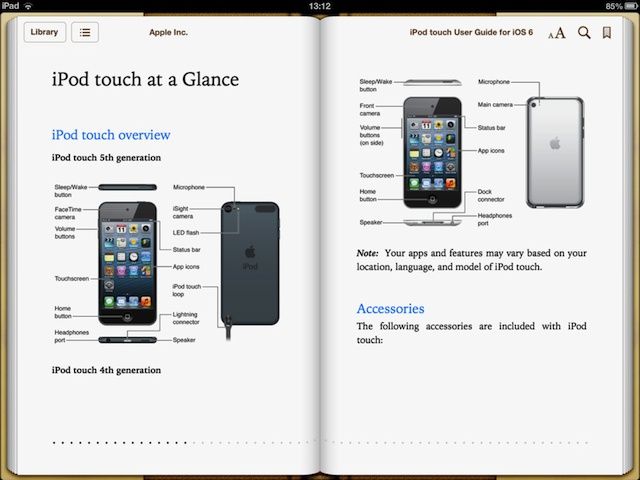
Apple has released a new digital user guide for the fifth-generation iPod touch, which was announced alongside the iPhone 5 back in September. The 138-page eBook covers “everything you need to know” about the device, and is available to download now — for free — from the iBookstore.
In addition to this, the new iPod touch has now received its first benchmarks, which reveal it’s packing an 800MHz dual-core A5 processor.
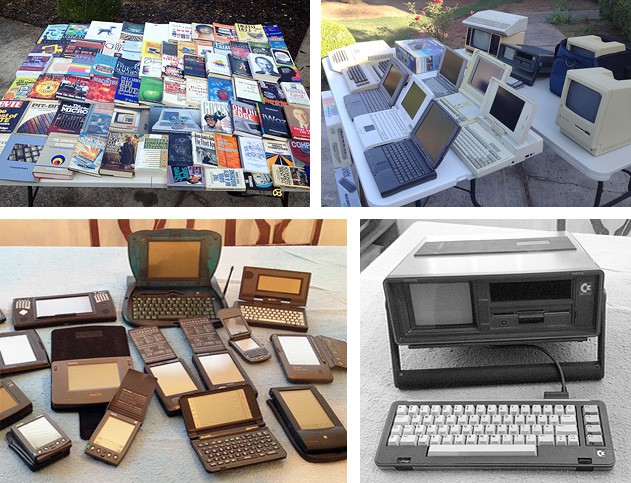
Apple is all about the latest and greatest, inventing (and selling) the future. The computer marketplace as a whole evolves with ever accelerating speed – that two year old iPhone or laptop, so passé. Sometimes its helpful to take a step back and appreciate the long view of computing.
David Greelish is a computer historian who has been studying vintage computing for many years, as a writer, collector, podcaster and now vintage computing festival sponsor. His journey has included playing Star Trek text adventures on teletype machines, rescuing orphaned Lisas and Commodore 64s from unloved futures, and lobbying Apple to create a visitor’s gallery of company history in their new corporate HQ. He’s still getting flak for that last one.
Cult of Mac contacted David to hear his story.

Sega has announced that arcade classic Crazy Taxi is coming to iOS devices this month. It hasn’t given us a whole lot of information on the game — none at all, in fact — but it’s expected that the title will be a complete port of the original Dreamcast hit, with the original (and awesome!) Offspring soundtrack.
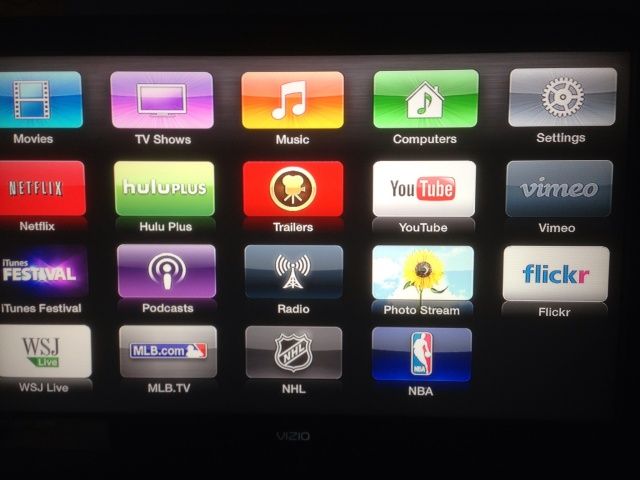
Apple has published a Knowledge Base article that shows how to arrange the Apple TV app icons on the main screen. The update, 5.1, also added Shared Photo Streams, AirPlay Send audio, iTunes account switching, Trailer searching, new Screen Savers, support for Subtitles, more advanced Networking options, and the standard stability and performance enhancements.
Arranging the app icons is really very simple, and Apple’s post shows us how it’s done.

If you haven’t had the chance to play Pocket Planes on an iOS device, you really should. If, however, you live in a world where games cannot touch your iPhone or iPad (you poor, sad creature), then here’s some great news: Pocket Planes is coming to the Mac on Thursday.
Better yet, if you do own the game on your iOS device, you’ll be able to quit playing on your iPhone or iPad, and pick the game up on your Mac (or vice versa).

Quite a few resellers of Apple’s Mac Mini computer are currently out of stock of the diminutive desktop Mac, potentially signaling a potential hardware refresh. Amazon, MacConnection, Mac Mall, and J&R retailers are all reported to not have any more Mac minis of the 2.3 GHz or 2.5GHz persuasion, according to Apple Insider.
German Mac blog, Macerkopf, also noted today that Mini supplies are running out in its country, as well.
Could this be the front wave of a potential new hardware refresh of the Mini, perhaps to the new Ivy Bridge chipset?

Apple won’t let you put the iOS Newsstand icon in a folder for some ridiculous reason. It’s annoying. A lot of people don’t use Newsstand on the iPhone, and after awhile that wooden bookshelf icon seems to just sit there, mocking you. Wouldn’t it to be nice to hide it in a folder with all the other stock apps you don’t you use, like that stupid Compass app?
There was a trick discovered in iOS 5 that lets you hide Newsstand with some finger magic, but the process is a little tedious. A new utility app for the Mac called StifleStand puts Newsstand in an iOS folder for you, no jailbreak required.
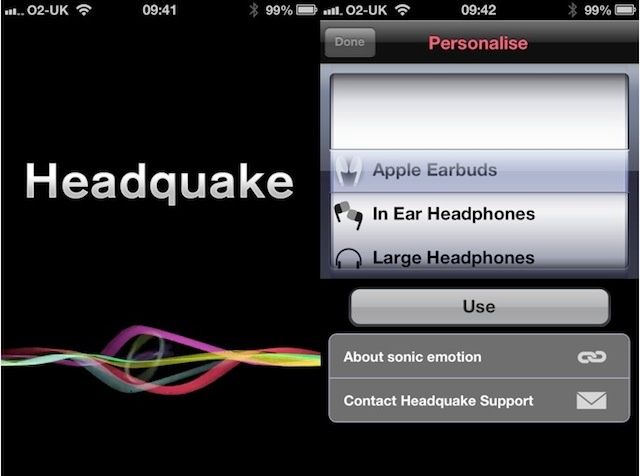
Headquake is a music sound enhancement app for iOS. It claims to “flat narrow sounds to an enormous yet perfectly balanced 3D Sound experience surrounding your head.” But hearing, like music, is a very individual thing, and Headquake’s efforts aren’t always much of an enhancement.
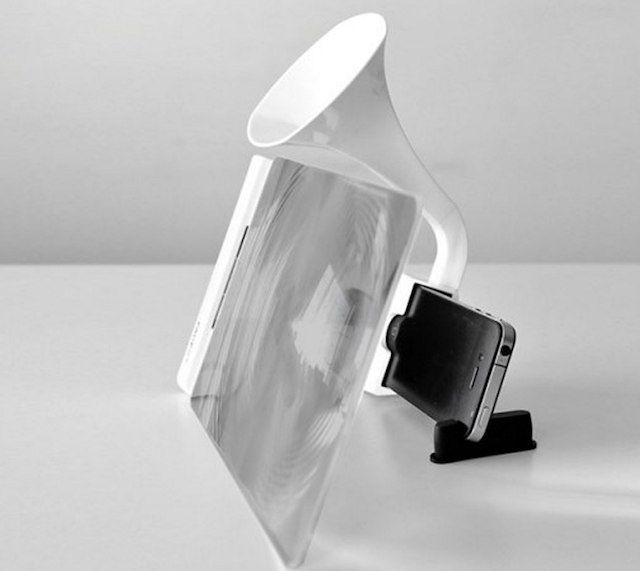
The iPhone 5 has a slightly larger display than the iPhone 4S, but come on, no one wants to watch movies on a tiny little 4-inch screen. You could go and buy an iPad or iPad Mini if you really want to watch movies on your iOS device, or you could save your self a few hundred dollars and buy this odd accessory that magnifies your screen size.