Apple may or may not be making a smartwatch, but that’s not stopping its partner, Hon Hai Precision Industry – better known by it’s trading name, Foxconn – from making an iPhone compatible watch of its own.
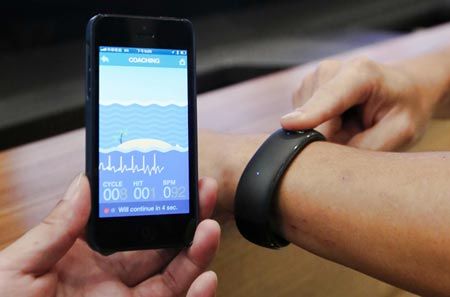
Hon Hai unveiled it’s first smartwatch today at a shareholders meeting. The device can connect wirelessly to an iPhone and provides data on users’ vitals, such as heartbeat and respiration. The smartwatch can even check phone calls and Facebook posts.
Oh, and remember how the iPhone 5S might be getting a fingerprint sensor? Hon Hai chairman Terry Gou said they’re working to add that to their smartwatch in the future along with some other health features.