Ever wonder how your iMac stays so silent, despite being equipped with three separate fans?
A new patent application, published Thursday, details the innovative computer fan used in present generation Macs and MacBooks.

Ever wonder how your iMac stays so silent, despite being equipped with three separate fans?
A new patent application, published Thursday, details the innovative computer fan used in present generation Macs and MacBooks.


The U.S. Postal Service will sell a collectable stamp of Steve Jobs in 2015, according to a document obtained by The Washington Post. The design of the stamp is still being developed, and the exact date of availability is not yet known.
The late Apple co-founder has become even more of a cultural icon since his passing,. His memory and legacy continues to be honored in everything from Smithsonian exhibits to the Grammys.
Other notable figures to appear on postage stamps next year include Johnny Carson, Ingrid Bergman, Elvis Presley, and James Brown.
Source: The Washington Post
Via: Engadget

Control Center was one of the top touted features added to iOS 7, but while the new swipe up gesture to toggle it is great, you might find yourself using multitask function more, so Bill Labus created a gorgeous iOS 8 concept that merges multitasking with control center to give you quicker access to your most used controls.
“Flicking up from the bottom of the edge allows the multitasking app views to be tied directly to the gesture, which allows for direct manipulation and avoids having to wait for a passive animation to complete before interacting with them.”
Developers can grab the Xcode project and take it for a spin or you can get your fill from the video teaser below:

If you have a soft spot for beautiful book bound notebooks like the famous Oxford Black n’ Red, then you’re going to love the SLIMS for iPad mini from BUKcase. Made using traditional book binding techniques, it’s almost identical at first glance — but when you open it up you find its pages have been replaced by a handmade wooden frame that lovingly cradles your iPad mini.
Born in the U.K., and also available for the iPad Air, SLIMS isn’t just a protective case, but also a stand for typing and watching movies. It accommodates all of your iPad’s buttons, ports, and cameras — so you never need to take it out — and it has built-in magnets that automatically wake your device up and put it to sleep.
SLIMS comes in black with a grey, blue, or red interior, and BUKcase will even emboss your name on the front.

The story of WhatsApp — the messaging app just purchased by Facebook for an insane $19 billion — is pretty fascinating.
Seems that the app’s founders did everything right by doing everything wrong. They flouted Silicon Valley rules like getting press and adding features, and instead focused on making the app do one thing well: send messages. It all sounds very Apple-like, and it’s been well covered in fascinating features from Forbes and Wired that are currently doing the rounds.
One detail in the Forbes piece flew out at me in particular — detailing how Apple accidentally created the core element of WhatsApp by adding a new iOS feature.

Here at Cult of Mac, we take quite a few screenshots. Our current favorite for taking and annotating them is Share Bucket, and of course you can always use Preview or Grab to take your screenshots, but what about the basics? Not everyone needs fancy screenshot capabilities. Aren’t the built-in tools in OS X good enough for most of us?
They sure are, and while we’ve covered a couple of them before, we haven’t just put them all in one tip to rule them all. Or something like that.

I’ve covered a few list-makers before, but this one just replaced Notes as my go-to item tracker.
It’s called UpWord Notes, and it is a simple but powerful app that lets you create, manage, and update lists with just a few simple commands. You can swipe left to make bullets and mark things as important, and you cross items off with a swipe to the right. Coolest of all, you can pull down, refresh-style, to remove all crossed-off items at once.
Plus it all syncs to Dropbox, so you can rest assured that you can always get your grocery list anywhere.

Tengami has gathered a bit of a following during its development due to its beautiful, pop-up-book art style and zen-like demeanor. It has relaxing music, a dialogue-free narrative, and puzzles that are clever and occasionally very tricky.
The game is out now as a universal app for iOS devices, and it has a lot of expectations to live up to. Can it live up to the excitement?
It absolutely does, delivering an endlessly fascinating experience in one of the most beautiful packages you have ever seen.

https://youtu.be/kCQUbkt68T0
Fleksy, the alternative keyboard for iOS and Android, has just been updated to allow any developer of iOS apps to easily implement its streamlined features for free. The software development kit (SDK) will allow any app that needs a keyboard effortlessly include Fleksy’s system without making any changes to the app itself.
“We’re very excited to finally make our SDK available to hundreds of thousands of developers around the world. We learned a lot from the private beta and today’s release brings the most beautiful, streamlined 3rd-party keyboard experience yet for iOS” said Ioannis Verdelis, COO of Fleksy.

If you made a New Year’s Resolution to get in shape, it’s never too late to start, and this Cult of Mac Deals promotion offers a device that will definitely help ease you into a consistent exercise routine.
With a hi-res, color touchscreen and built-in apps, the Striiv Smart Pedometer is way more than a step counter. Striiv features a proprietary “activity motivation system”, designed by leading experts in game design and behavior change with one goal in mind: to get you to walk a lot more. And now you can get Striiv for the lowest price ever offered: just $59.99 courtesy of Cult of Mac Deals!

Like many of us, Travis Jensen spends his lunch hour taking iPhone pics.
Unlike most of us, however, his moody urban landscapes and punchy black-and-white portraits have been the object of two photo books, shot with fellow street photography veteran Brad Evans, Tenderloin U.S.A. and the #iSnapSF Field Journal.

When T-Mobile sent out an email to BlackBerry-using customers suggesting that they switch to an iPhone 5s, the response from the BB faithful was loud and angry.
Even BlackBerry CEO John Chen said that he was “outraged” by T-Mobile’s behavior.
As a make-good, the network operator has now said that it will offer any customer who wants to upgrade to a new device $250 for a BlackBerry phone — or $200 for any other smartphone, including the iPhone.

By now I’m sure you’ve heard that Facebook has acquired WhatsApp for a ridiculous $19 billion, but it wasn’t the only Silicon Valley giant that was willing to stump up silly stacks of cash for the cross-platform messaging service. Sources say Google was also interested, but it only offered $10 billion.

Everyone loves mini golf, but how do you make mini golf even better? By adding robots, of course. And by having it take place in outer space.
Helping Orbit the Robot and his ladyfriend Tess find their way home, Astro Golf players must participate in a variety of space-themed mini golf challenges — involving dodging black holes and avoiding a plethora of spaceship-related impediments.
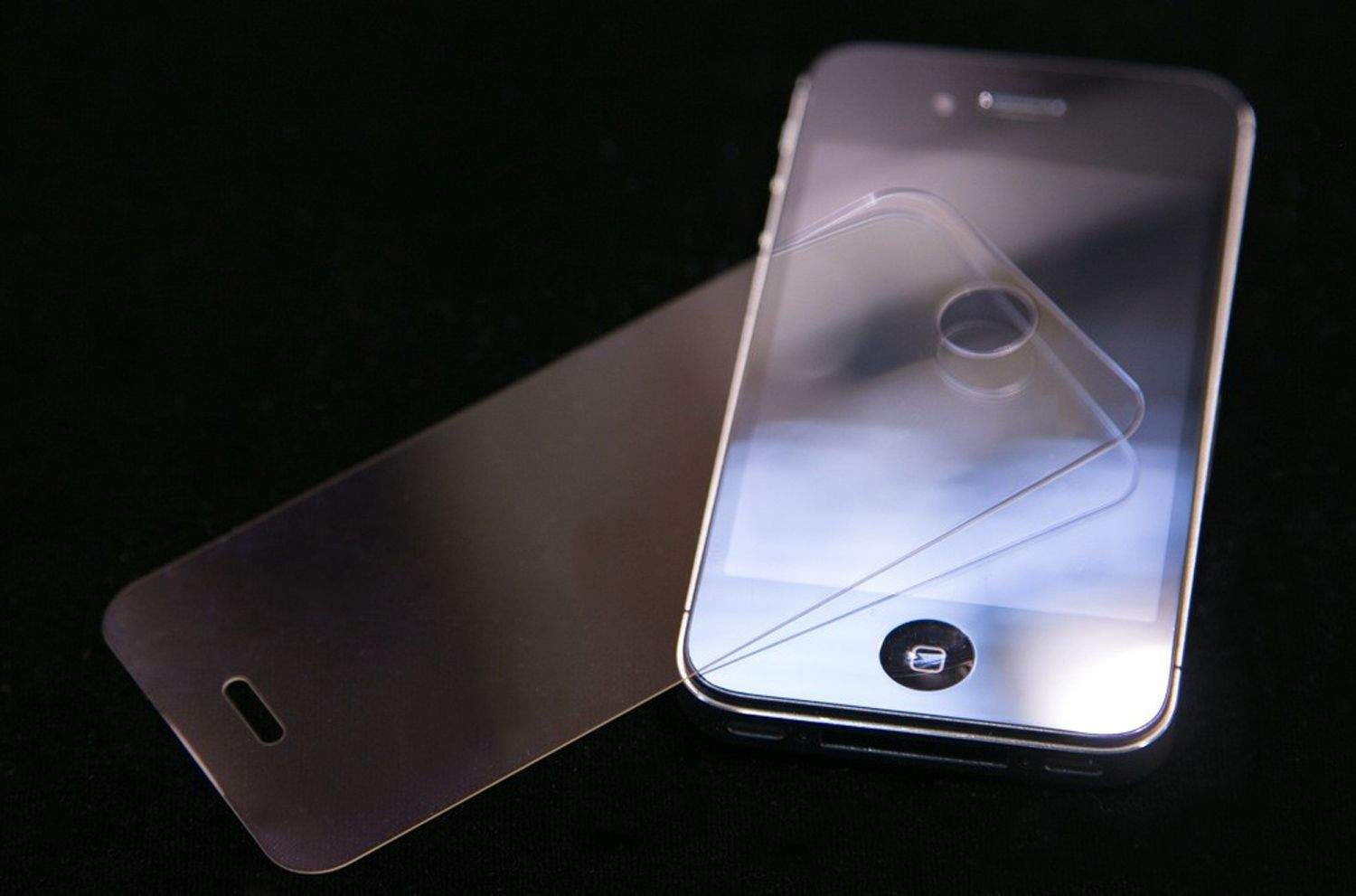
During an Ubuntu Town Hall Hangout on Wednesday, Canonical founder Mark Shuttleworth made some interesting comments regarding Apple’s sapphire displays.
“Apple just snapped up three year’s worth of the supply of sapphire screens from the company that we had engaged to make the screens for the [Ubuntu] Edge [smartphone],” he said.
For those unfamiliar with it, the Ubuntu Edge was a proposed “high concept” smartphone announced by Canonical on 22 July 2013. Canonical was seeking to crowdfund a production run of 40,000 units through Indiegogo, but the project was scrapped when fundraising was able to only raise $12,809,906 out of the $32 million goal needed to kickstart the project.

Interactive map app WunderMap has received a new update, adding universal support (the app was previously designed for iPad only), as well as other neat touches.
These include a full-screen map view, accessible by swiping upwards on the top bar; a completely redesigned display for current conditions, forecasts, and alerts; a simplified interface which combines layer groups and layers to better control what you want to see on your WunderMap; and the ability to “share your weather with your mom” via webcam.
In addition, WunderMap has received a new app icon, and vastly improved performance and memory usage.
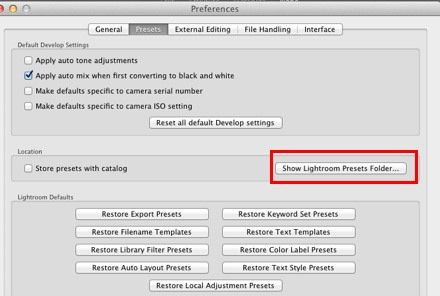
Here’s a slightly obscure tip that’s worth sharing becasue it could literally save you from a lost photo library. If you use Lightroom, Adobe has a “secret” script you can download that extracts the JPG images from your previews. Why would you want to do this? Say you lose the hard drive with all your original RAW photos on it, or you just get drunk one night and wake up in the morning to find you deleted your Lightroom folder.
This script will rescue you.

The TopoCharger is an odd little device, but it could be useful for some. It’s an iPhone GPS case. What? Yes. A GPS-less GPS that comes with on-board storage for maps, and a big fat battery pack so you can use your iPhone in GPS mode without killing its own battery dead. If you’re wondering why you’d bother with this instead of just using a regular battery case, then keep wondering, because I have no idea. Yet. Let’s check it out.
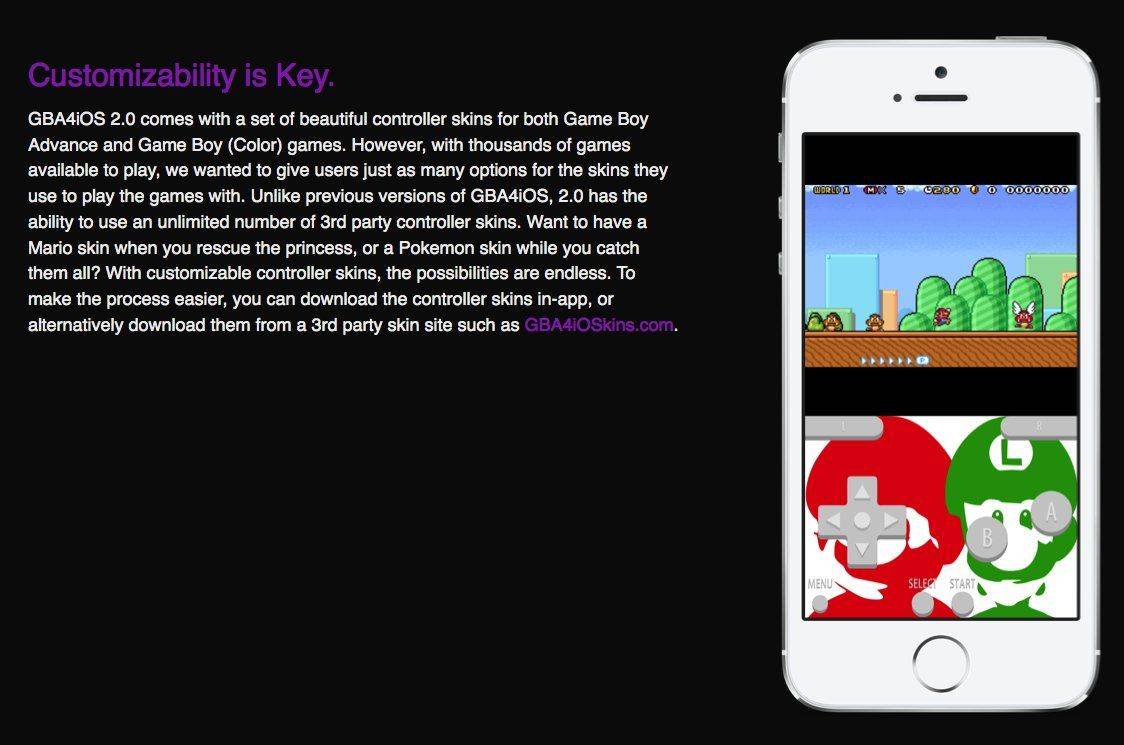
We might be no closer to getting classic Nintendo games on iOS, but independent developer Riley Testut yesterday released the long-awaited 2.0 update to his slick Game Boy emulator, GBA4iOS.
Supporting Game Boy Advance, Game Boy Color, and original Game Boy games, GBA4iOS is the most straightforward and best-looking way to bring nostalgic Nintendo action to iOS 7 — and you don’t even need to jailbreak your iOS device to use it.
All that is required is to open up Testut’s dedicated GBA4iOS website — which greets users with the Apple-esque message, “Game Boy Advance, meet iOS. Again.” From there, simply tap “download” and you’ll be tracking wild Pokemon, or leaping on mushrooms with Mario, in no time.
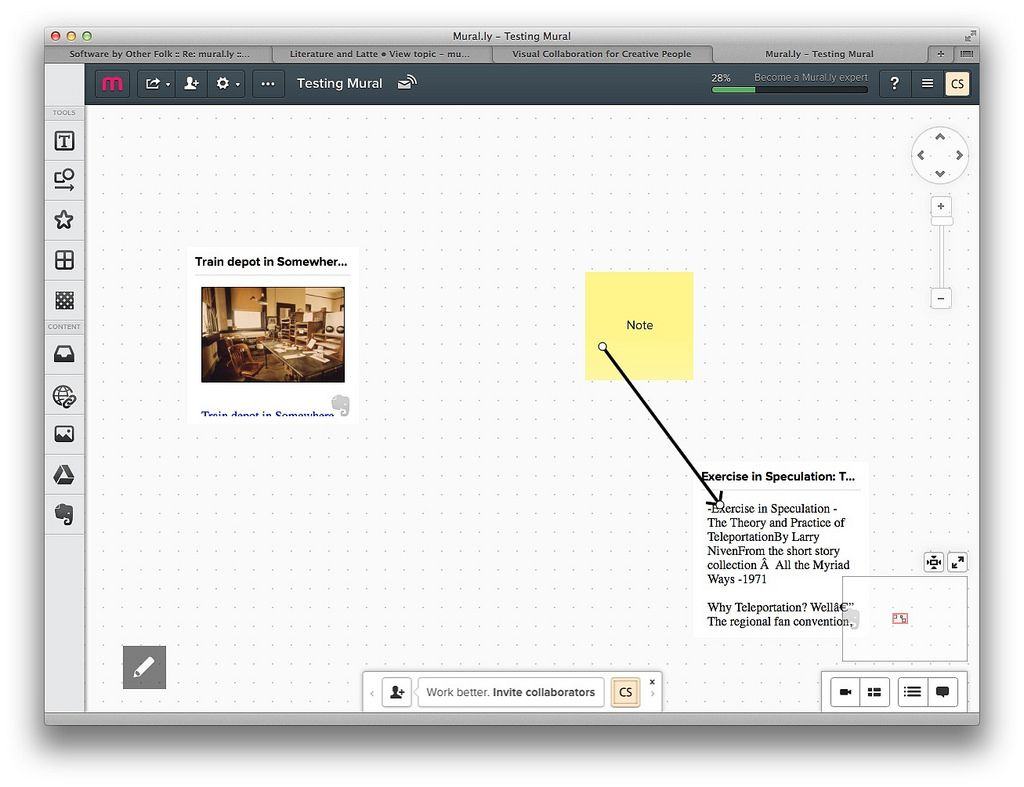
Mural.ly is a mood-board app, or white-board app, or cork-board app, or whatever you want to call it, and it works in the browser and as an iOS app. I’ve been testing it out (briefly) and so far it’s pretty great. It even lets you access your Evernote notes and drop them into a “mural.”
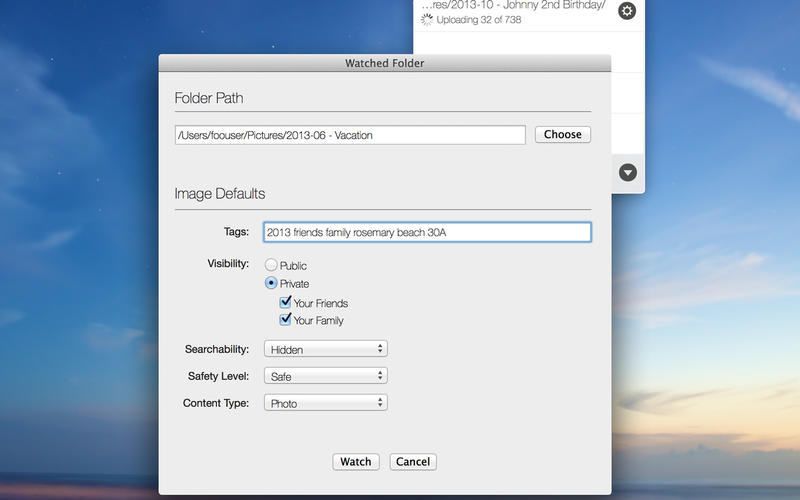
Flickr’s 1TB storage “limit” is great and all, but getting even 1/100th of that up to Flickr in the form of photos is still tricky. The iOS Flickr app takes care of new pictures on your iPhone, and now a new app called Uppr, from friend of Cult of Mac Robert Miles (not, not that Robert Miles). And boy is it slick.

Text selection on iOS is still a pain in the ass. Some apps fix it up with extra buttons above the virtual keyboard, but Thoughts 2, an iPhone notes app, adds extra buttons to the text selection itself. This makes it easy to expand and contract the selection one character at a time which – given the fickle nature of text fields in iOS – should help a lot.

Most endless running games are the definition of pick-and-up-play affairs: sometimes with more depth than you’d expect, but also games that will immediately graspable by the most casual of audiences.
An endless runner in an airplane (an endless flyer?) Any Landing is a bit different. Taking its name from the old saying about any landing you can walk away from being a good one, Any Landing will most appeal to a more hardcore game audience — the kind of people who will invest a few hours in mastering control mechanics.
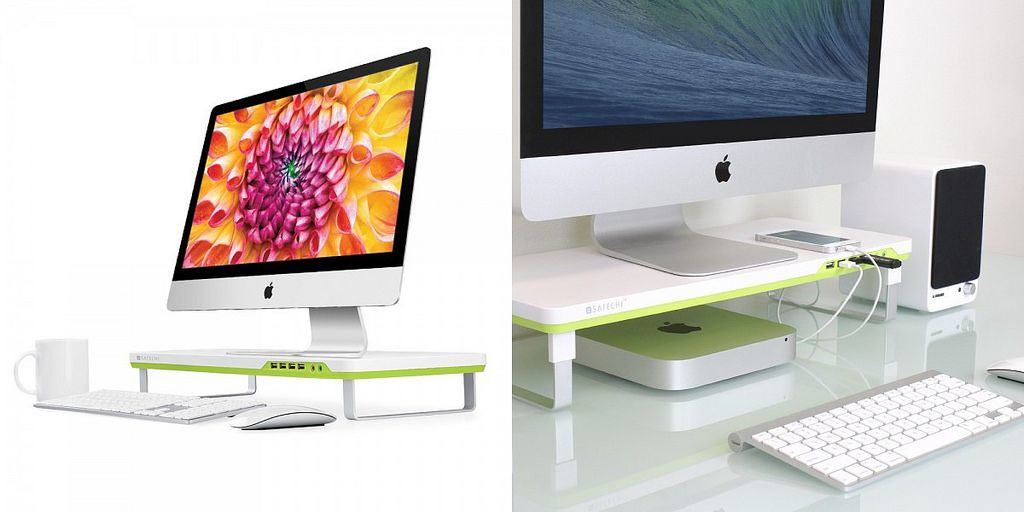
Satechi’s new F1 Smart Monitor Stand really is smart, apart from the name which almost had me tossing it into the email trash because I thought it was a car-themed novelty accessory.
In reality, it’s a little stand for your iMac or your Cinema Display, only it comes with a built-in USB hub with headphone and microphone ports. WHY HAS NOBODY THOUGHT OF THIS BEFORE?
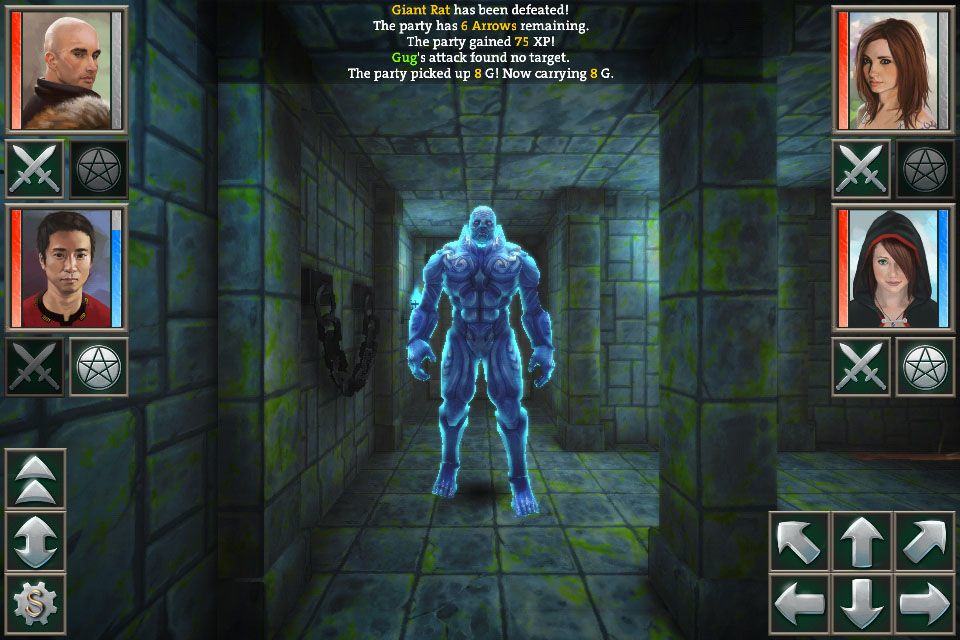
What’s that, you say? You’ve been longing for a retro, old school, three dimensional dungeon crawler to take with you on your iPhone and iPad?
Look no further than Coldfire Keep, a brand new first person dungeon crawler from Steve Jarman and Crescent Moon Games. You’ll have to make your way through this beautifully rendered 3D dungeon, full of monsters, puzzles, hidden secrets and–natch–tons of loot.
It should be in the App Store tonight (February 19) by 11 pm Eastern time here in the US, if all goes according to plan, and it’s looking pretty sweet, if the video below is to be trusted.