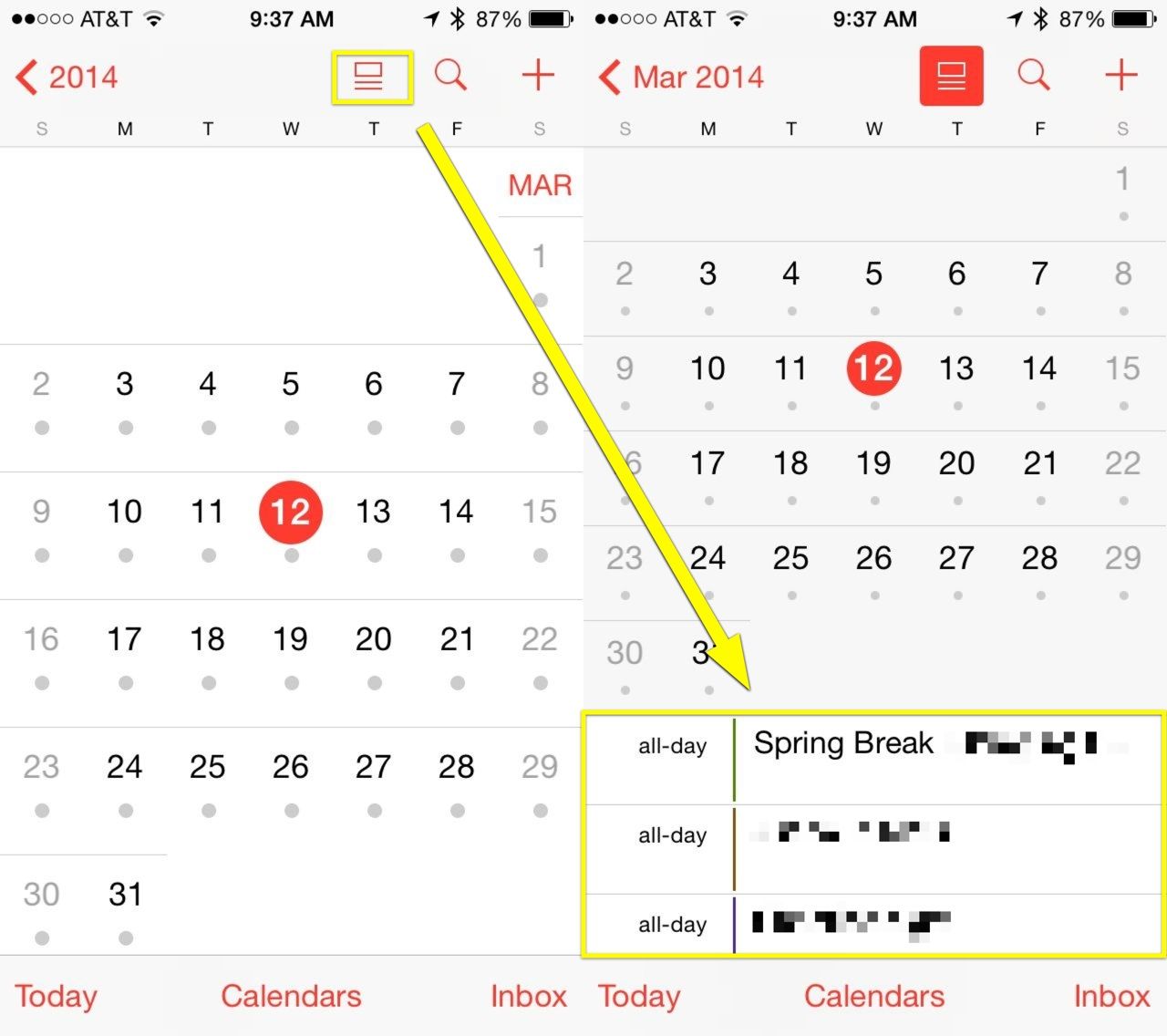
The new iOS 7.1 update now lets you see your events list along with your monthly calendar all on the same screen, giving Apple’s Calendar app a much-needed boost in usefulness.
We owe at least one dark corner of iTunes to sneaky parents.
Back in 2011, Apple listened to what sounded like a chorus of adults who didn’t want their kids to know what mommy and daddy were doing on the family iPad by allowing users to “hide” purchases.
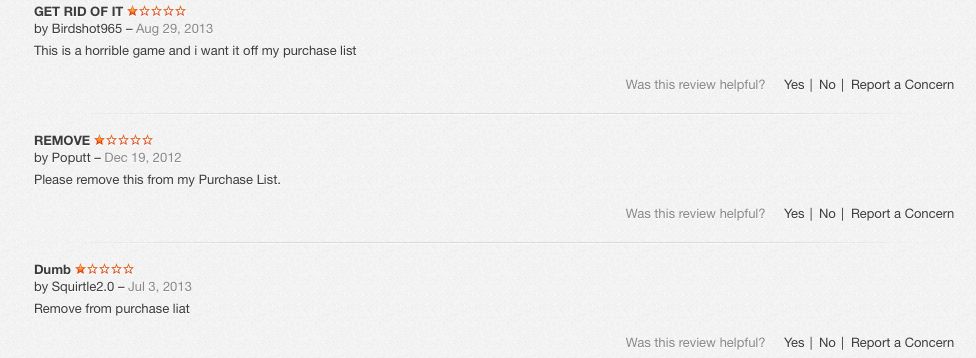
If you spend any time lurking around the more shadowy parts of the store, you’ll note how many of the reviews of these apps are comments from desperate users who want the traces of their momentary lapse in judgement wiped clean. The ability to hide purchases and downloads changes that, to a point.
Reviews from an adult “Truth or Dare” game.
Like a lot of things in iTunes, the destination may be straightforward but the road is tortuous, making it easy in effect for multiple users (parents, kids, co-workers) to hide what they buy (or download) on iTunes.
The key word here: hide. Apple will not delete a record of anything you download or buy on your devices, unless in the first 90 days you ask for a “refund” or “report a problem.” (More on this below). Note that Apple considers free downloads “purchases,” so those go on your permanent record “purchase history,” too.
This means that you can delete the dubious Kama Sutra app that your co-worker downloaded on the company iPad while at SXSW, but a record of its passing across your device will live on, forever, in the purchase history, even if it was free.
That said, there are two ways to squirrel your not-for-public-viewing materials under the virtual mattress. The first is the one authorized by Apple, the second one we stumbled across researching this story.
Method One: Create a “hidden list” of purchases or downloads
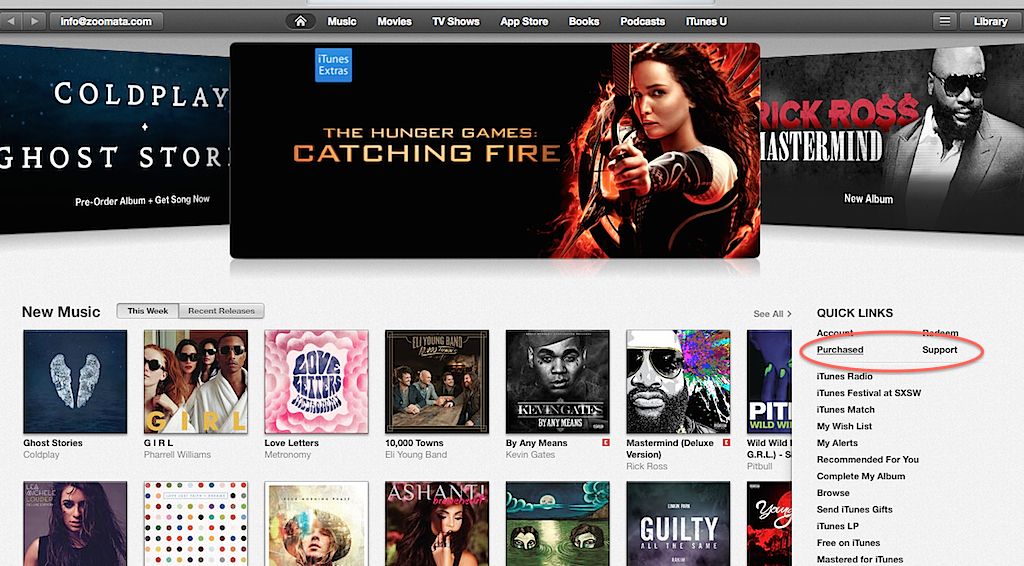
Once signed into your iTunes account, click on the “purchased” link under the Quick Links section on the right.
Remember, this “purchased” also list includes any free media downloaded across any devices linked to this account — music, movies, TV shows, apps and books.
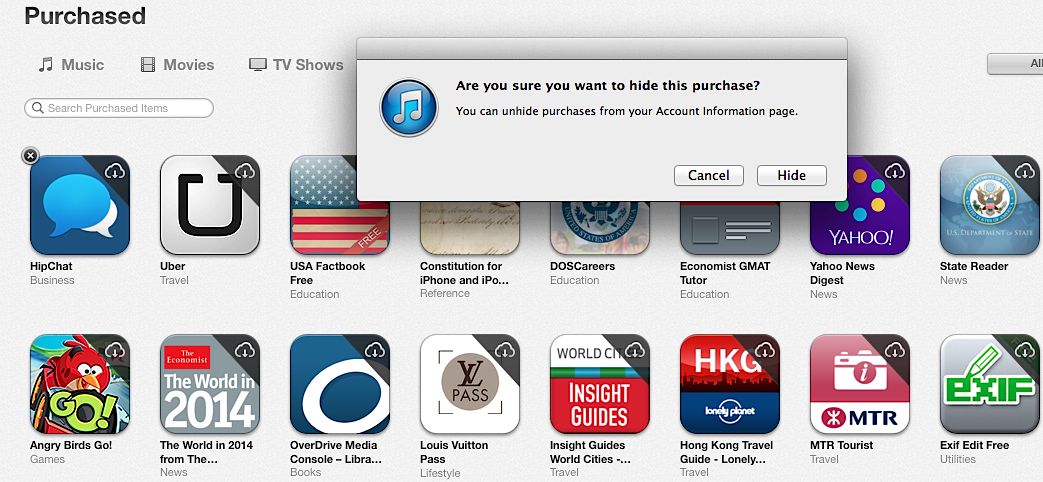
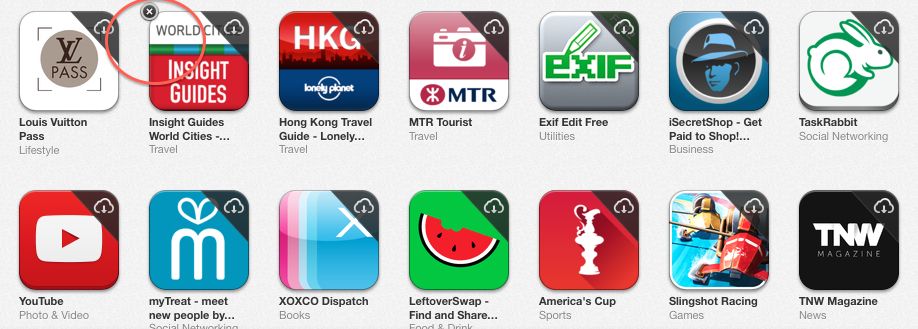
Using apps as an example, inside the purchase list, all the icons will appear with a “x” in the left-hand corner when you mouse over them. Clicking on the “x” hides them across all your devices. (Note: not deleted. I mean it: they will not be deleted from your device or your purchase history. Just hidden from view.)
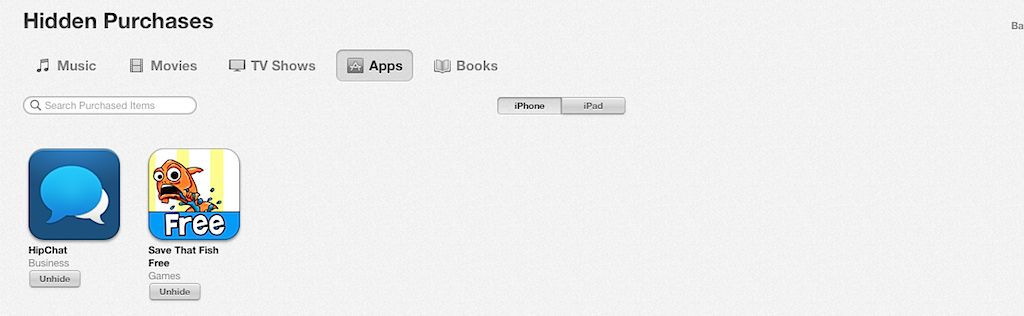
These records live on in the cloud. To see what may be hidden — or unhide them — head back to your “Account” section. Scroll down to iTunes in the Cloud and select “manage” under Hidden Purchases.
From here, you can “unhide” them for easy access.
Method two: Smokescreen
You may have noticed a problem: while it’s easy to hide questionable music and such, what about in-app purchases? These don’t show up on the previous menu, making, for example, a monthly Grindr Xtra subscription out in the open in your purchase history.
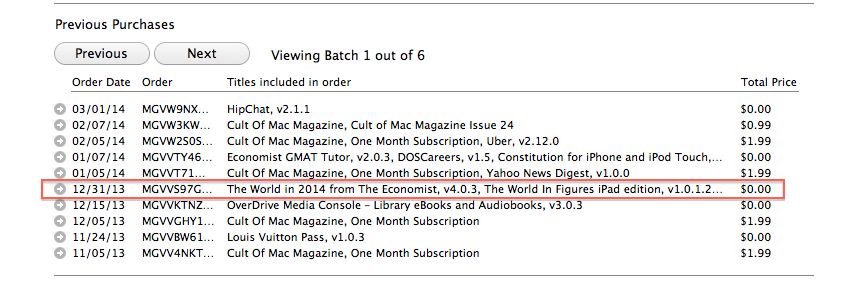
Under account information, click on “purchase history.” Here’s where the smokescreen comes in: Apple lumps all activity for one day together in a tiny, difficult-to-read grid with room for the barest description.
So it’s easy to bury something by downloading a couple of free, innocent-sounding apps at around the same time; without going inside the history for that particular day, you miss the whole picture.
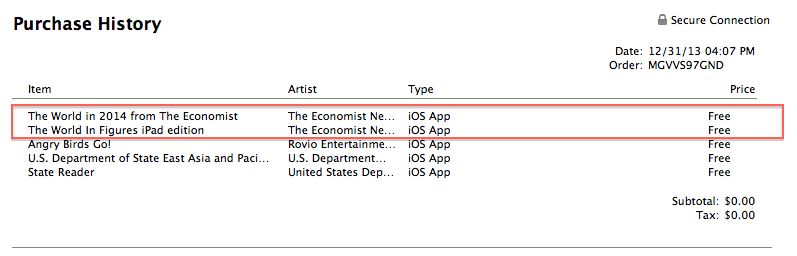
Here’s a concrete example of what looks like account activity for December 12 – note: only two virtuous-looking downloads.
To see the whole enchilada, you have to click on the tiny, left-hand arrow to open up that day’s worth of activity. Here you’ll note that three more downloads — look mom, Angry Birds! — didn’t make it on to the first page.
We’re going to bet that if your iTunes account gets heavy use by multiple people and multiple devices, you’d have to be a determined snoop to a) know Apple doesn’t list everything on the first page and b) open it up to see what else might be there. It’s also from this inside page with the full day’s purchases that you can “report a problem” and lobby to have the purchase removed, though many people have reported getting no satisfaction.
Ever since the first Angry Bird flapped its wings back in 2009, Rovio has been only too happy to churn out sequel after sequel with slight variations on flinging birds with slingshots, but for its next act the video game studio is introducing a turn-based roleplaying game for the Angry Birds world.
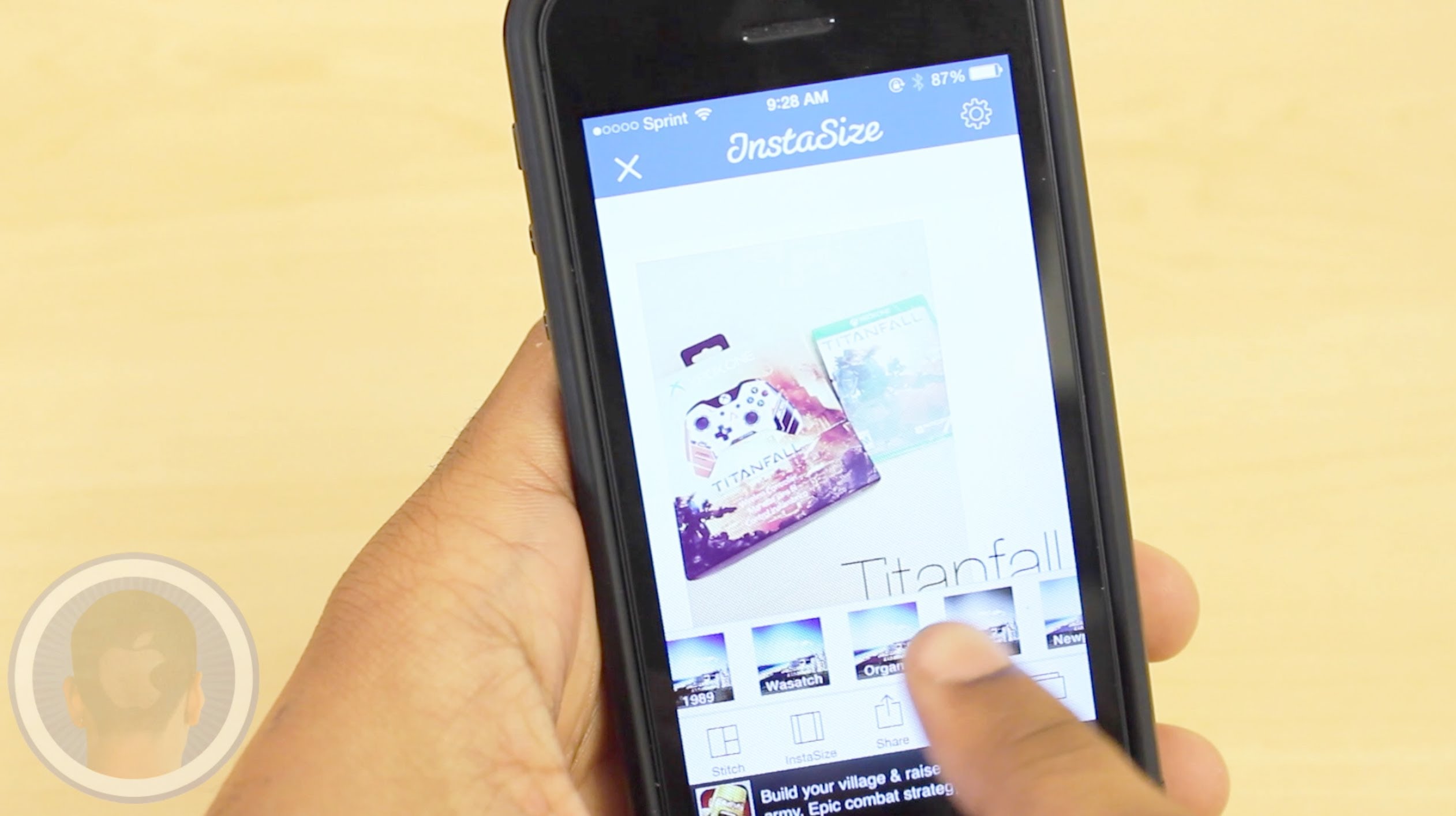
Tons of photos are posted daily onto social networks like Facebook’s “Instagram”. While many may feel like they’ve taken the perfect picture, the app makes them compromise by not being able to post the whole photo in view. The app InstaSize is an application made to aid this common problem. Scale your photos down and do so much more thanks to tons of awesome features. Will InstaSize become your go-to editing app?
Take a look at InstaSize and find out what you think.
This is a Cult Of Mac video review of the multi-platform application InstaSize brought to you by Joshua Smith of “TechBytes W/Jsmith.”
Maybe it’s just me, but I’ve never had a problem with storage on my iPhone. I run a middle-of-the-road iPhone 5 with 32 Gb of space on it, I load a ton of games and take a lot of pictures with the thing, and I rarely worry about running out of space.
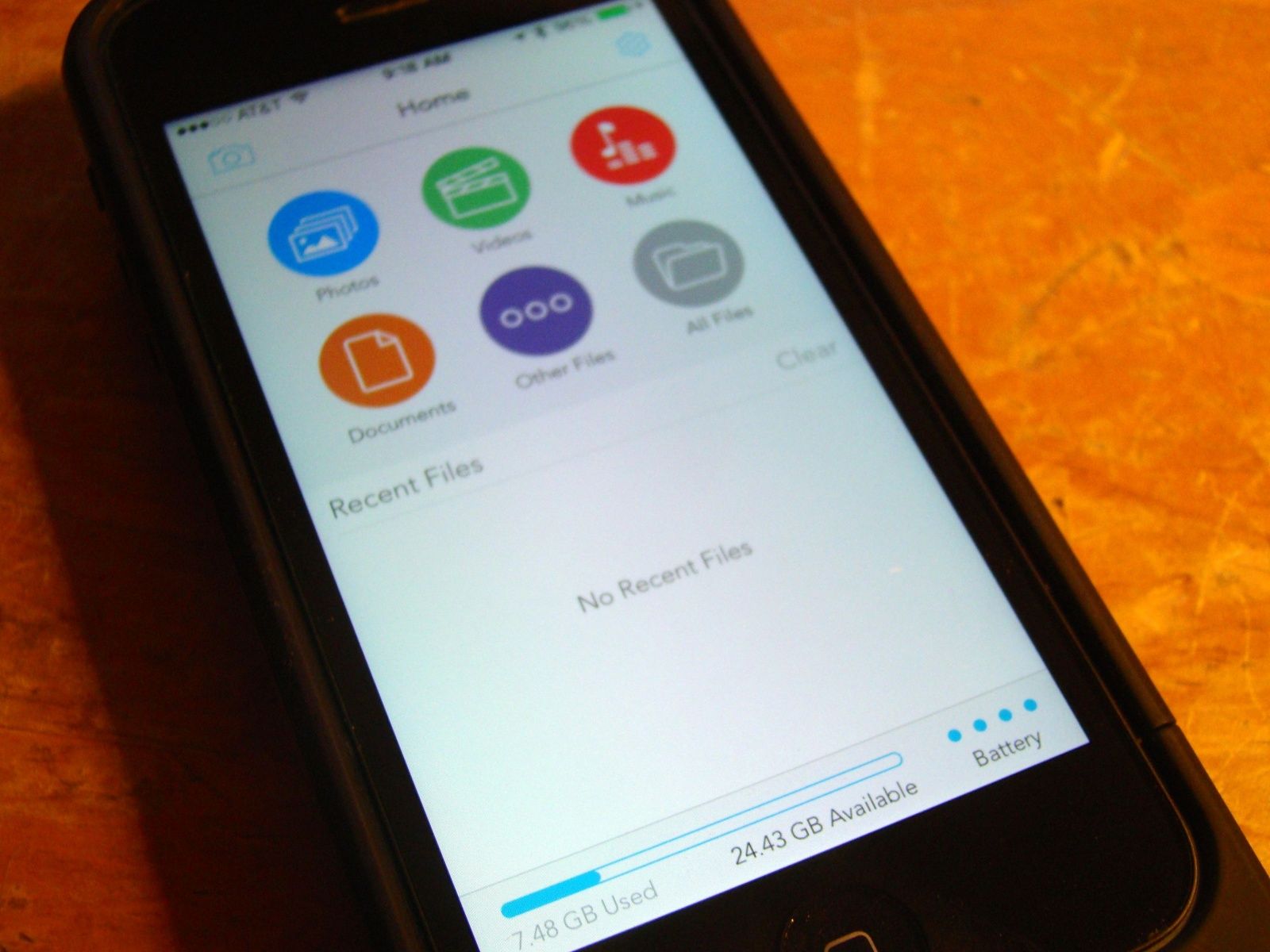
Space Pack by Mophie Category: Battery Pack, File Storage Works With: iPhone 5, iPhone 5s Price: $149.95
I do, however, continually run out of battery life. The Mophie Space Pack has both issues (or non-issue plus issue, it gets confusing) covered with both a kick-ass extra battery power feature and a extra 32 Gb of space feature. The Space Pack works with a neat little app called, appropriately, Space, which definitely gets the job done.
Browsing the App Store can be a bit overwhelming. Which apps are new? Which ones are good? Are the paid ones worth paying for, or do they have a free, lite version that will work well enough?
Well, if you stop interrogating me for a second, hypothetical App Store shopper, I can tell you about this thing we do here.
Every week, we highlight some of the most interesting new apps and collect them here for your consideration. This time, our picks include a comparison shopper for books, a route-maker that factors in current traffic, and a couple things to keep your pictures nice and pretty.
Here you go:
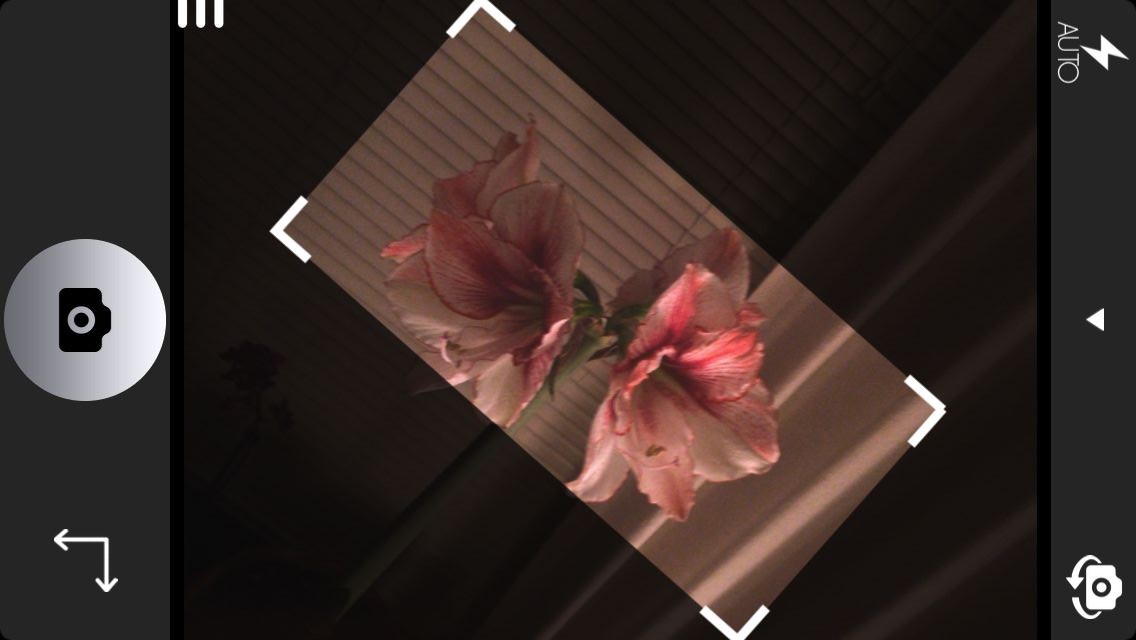
It’s not likely that anyone consistently takes pictures that look like one of the supervillains’ hideouts in the old Batman TV show, but even a slight tilt can make a photo look strange. Orient is an app that will eliminate your photography’s chronic case of the skews by using your iPhone’s gyroscope to ensure that every shot you take is level and straight.
You can choose from a bunch of aspect ratios, and then Orient works almost exactly like your regular Camera app, complete with Instagram-style filters.
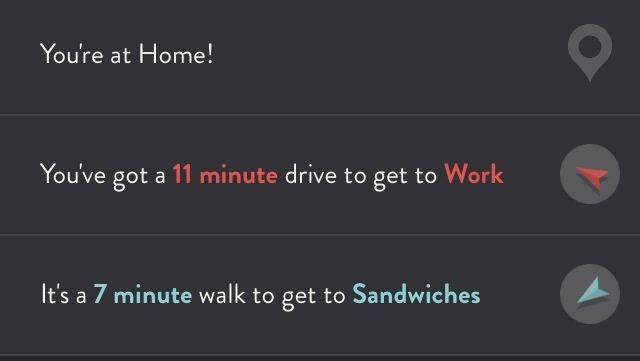
ETA is all about telling you how far you are from your favorite places. It’ll also point out which direction they’re in, in case you have to know that at all times.
But Maps will do that, too, so to distinguish itself, ETA lets you build up a list of your most-traveled spots, and it’ll tell you at a glance how long it will take to get there in current traffic. And with a couple taps, you can get directions from either your built-in navigator or Google Maps. And that’s really handy because I always like to know how far I am from sandwiches.
I love living in the future, but sometimes I feel a little spoiled. This app wants you to find useful things, but it thinks that your iPhone or iPad keyboards are just too hard to use.
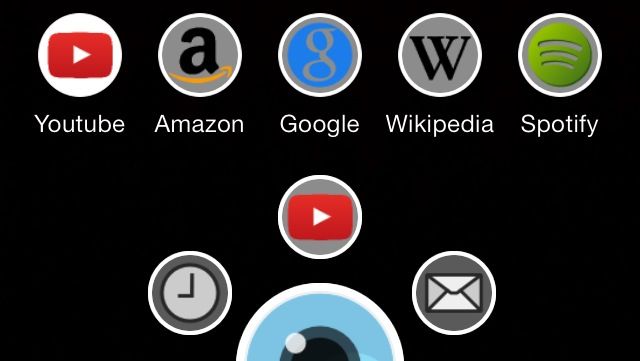
Shot & Find is a visual-search app that lets you quickly search YouTube, Amazon, Google, Wikipedia, or Spotify just by snapping a picture of a movie, video game, or CD cover. It works really well, too. I did a YouTube search from a DVD, and it pulled up the trailer. A Wikipedia search from a 12-year-old video game also worked just fine.
The app’s effectiveness is almost as ridiculous as its premise, but you can’t argue with results.
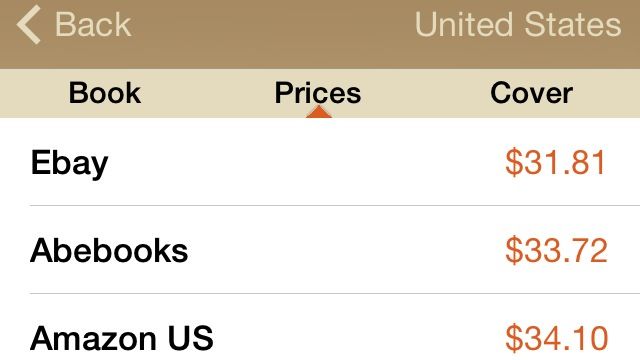
Now that you know where to find all those DVDs, video games, and CDs with Shot & Find, you might want something to read. All Librarist needs is an ISBN, a keyword, or a quick scan of a barcode, and it’ll let you compare prices from stores all over the world.
The scanning works really well, and it includes an impressive selection of stores to choose from. Now if only it actually had some way to give me more time to read, it would pretty much be the perfect app.
Admit it: You have trouble keeping your camera level when you’re taking a picture of an important document. And then the text looks all weird, and it’s embarrassing.
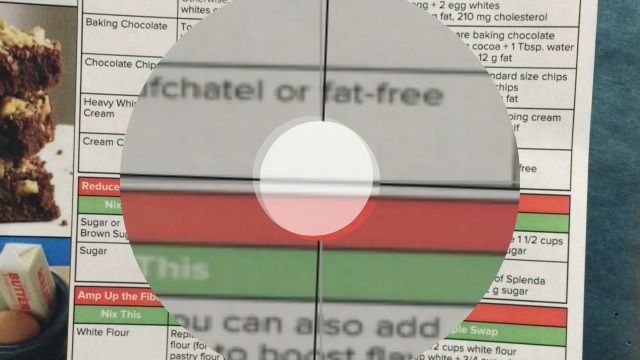
Alright, maybe it’s not super embarrassing, but it’s nice to avoid skewing anything if you can help it. With Photo Copy Level, you just place your iOS device against the thing you’re shooting and set the level, and then a handy circle tells you when you’re shooting straight. The upgrade unlocks features like an automatic shutter.
Quick – when is Earth Day this year? How about Saint Patrick’s Day? Not sure?
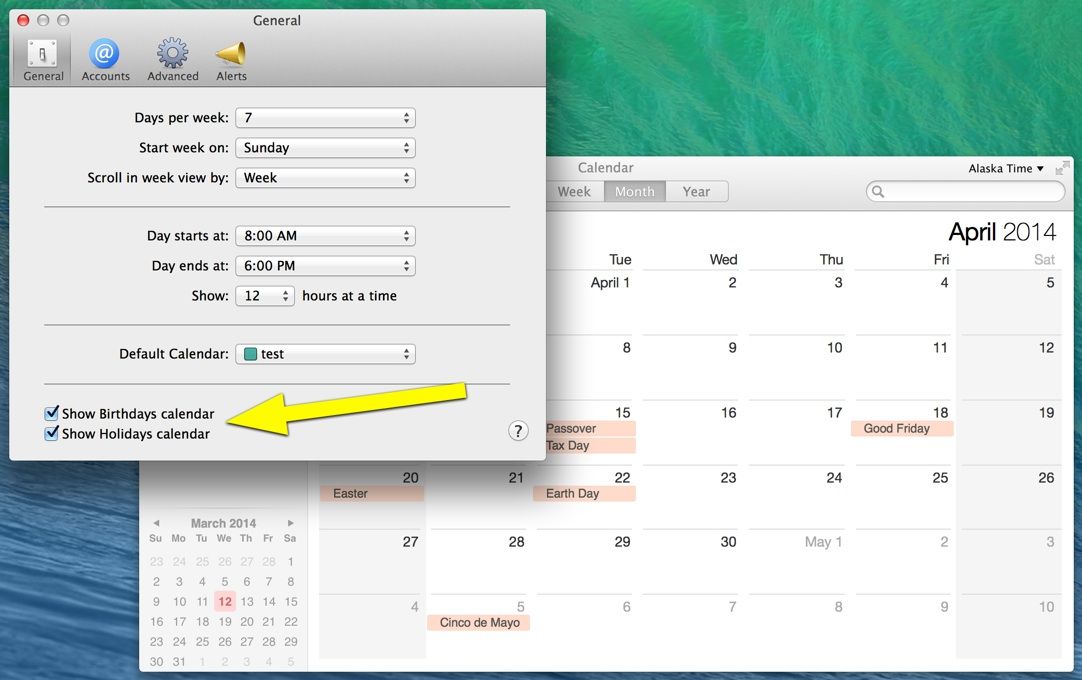
Then why not enable US Holidays in your Calendar app, right on your very own Mac? It’s quick, simple, and will make sure you never forget to wear green on March 17, or recycle on April 22.
Admit it: You have trouble keeping your camera level when you’re taking a picture of an important document. And then the text looks all weird, and it’s embarrassing.
Alright, maybe it’s not super embarrassing, but it’s nice to avoid skewing anything if you can help it. With Photo Copy Level, you just place your iOS device against the thing you’re shooting and set the level, and then a handy circle tells you when you’re shooting straight. The upgrade unlocks features like an automatic shutter.
The second season of The Walking Dead: The Game is well underway, with the launch of Episode 2, “A House Divided” on the 4th of this month. It’s ready for download as an in-app purchase on the Mac version of the game via Steam as well as through the iOS version of the gritty adventure game based on the award-winning comic book of the same name.
Publisher Telltale Games has just put up a slick-looking trailer for the game, with a haunting new song that plays over the end of the video. You can download the song over on the Telltale Games site for free as well, in case you’re longing for the old-timey feel of the thing after you watch the trailer below.
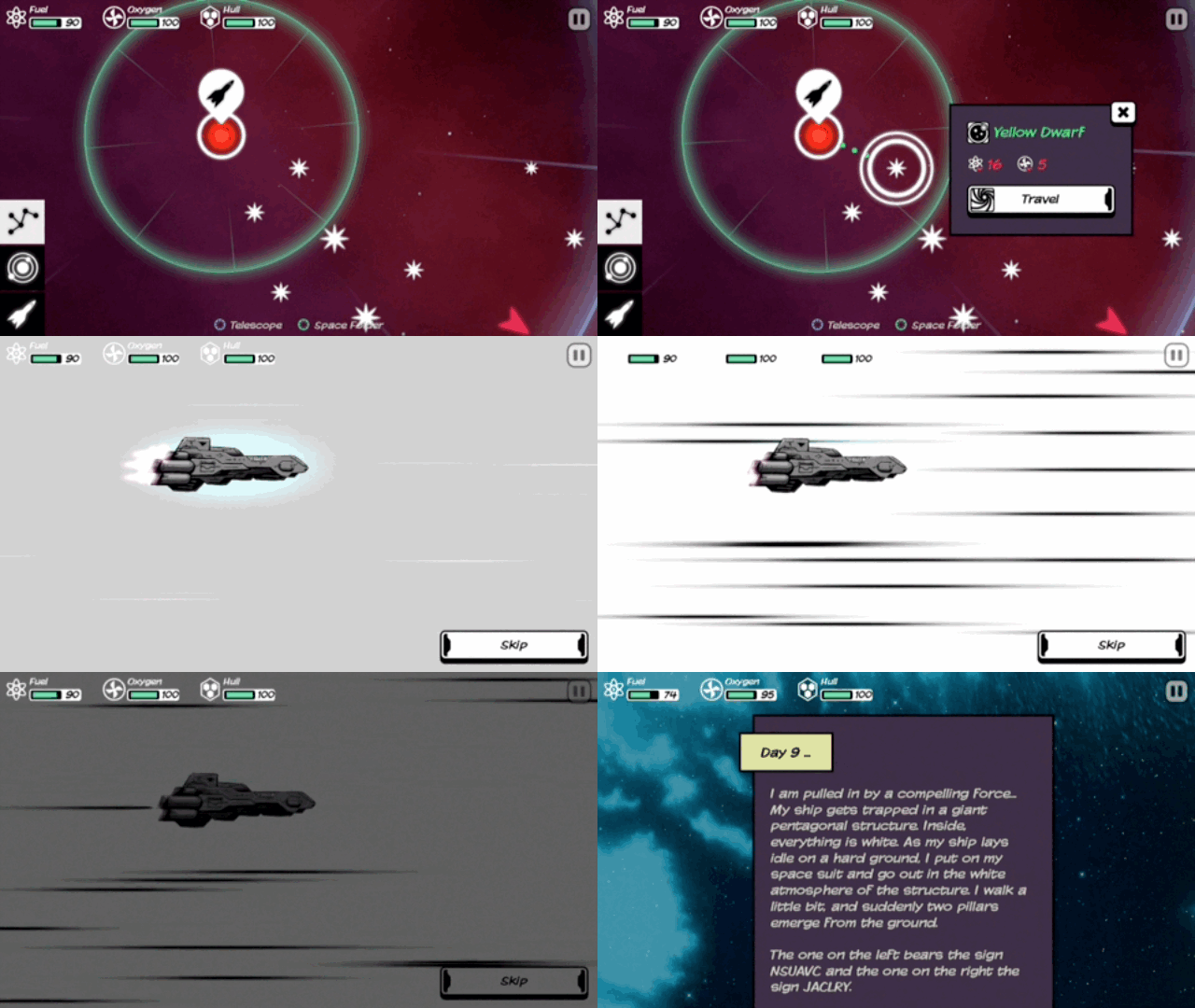
The cosmos has a bunch of ways to kill you, and in Out There, one of them will probably succeed. And it’s just as well, really, because I have it from a reliable source that it’s lonely out in space.
Out There by Mi Clos Studio Category: iOS Games Works With: iPhone, iPad Price: $3.99
But if you insist on surviving, you’re in for a challenge because this game is as cruel and random as life itself. You play the role of a lone astronaut who wakes up from cryosleep to discover that your circuit’s dead, and there’s something wrong. And now, you’re stuck in uncharted territory with limited resources.
It’s up to you to get the stranded hero across the map, but it’s not at all easy.
App-powered toys are simply incredible. They add excitement and cool special features to an ordinary idea. The MOTO TC Rally is a prime example. This app-powered toy is where virtual and real-world racing collide.
Microsoft will release a OneNote application for Mac later this month, according to sources familiar with its plans.
OneNote is already available on iOS and Android — and, of course, Microsoft’s own Windows platforms — and the new Mac app is part of the company’s plans to take on rival note-taking services like Evernote.
Hoddie was one of the main architects of QuickTime during his stint working at Apple
QuickTime architect, ex-Apple programmer, and former trusted Steve Jobs lieutenant Peter Hoddie has launched a new Indiegogo crowdfunding campaign.
Called Kinoma Create, the project aims to create a JavaScript-powered Internet of Things construction kit, aimed at professional product designers, as well as web developers with no prior hardware experience.
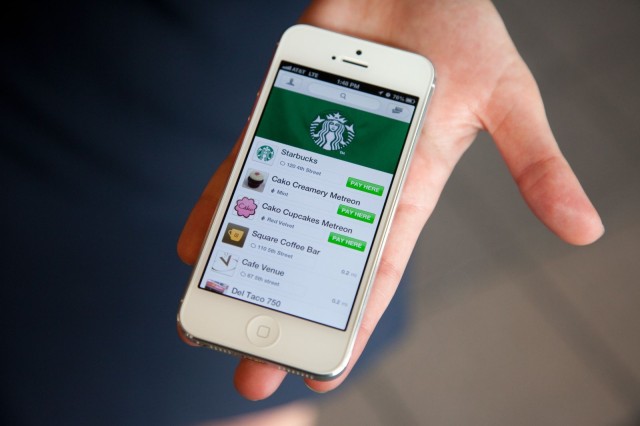
Starbucks has confirmed that it will be revamping its mobile app to add digital tipping and a new user interface later this month. The update will also bring a new “shake to pay” feature that will provide quick and easy access to your Starbucks Card barcode.
Gameloft has released the trailer for its forthcoming The Amazing Spider-Man 2 mobile game.
Timed to coincide with the build-up to the movie sequel of the same name (which hits theaters Friday, May 2), the game will land in the App Store sometimes in April.
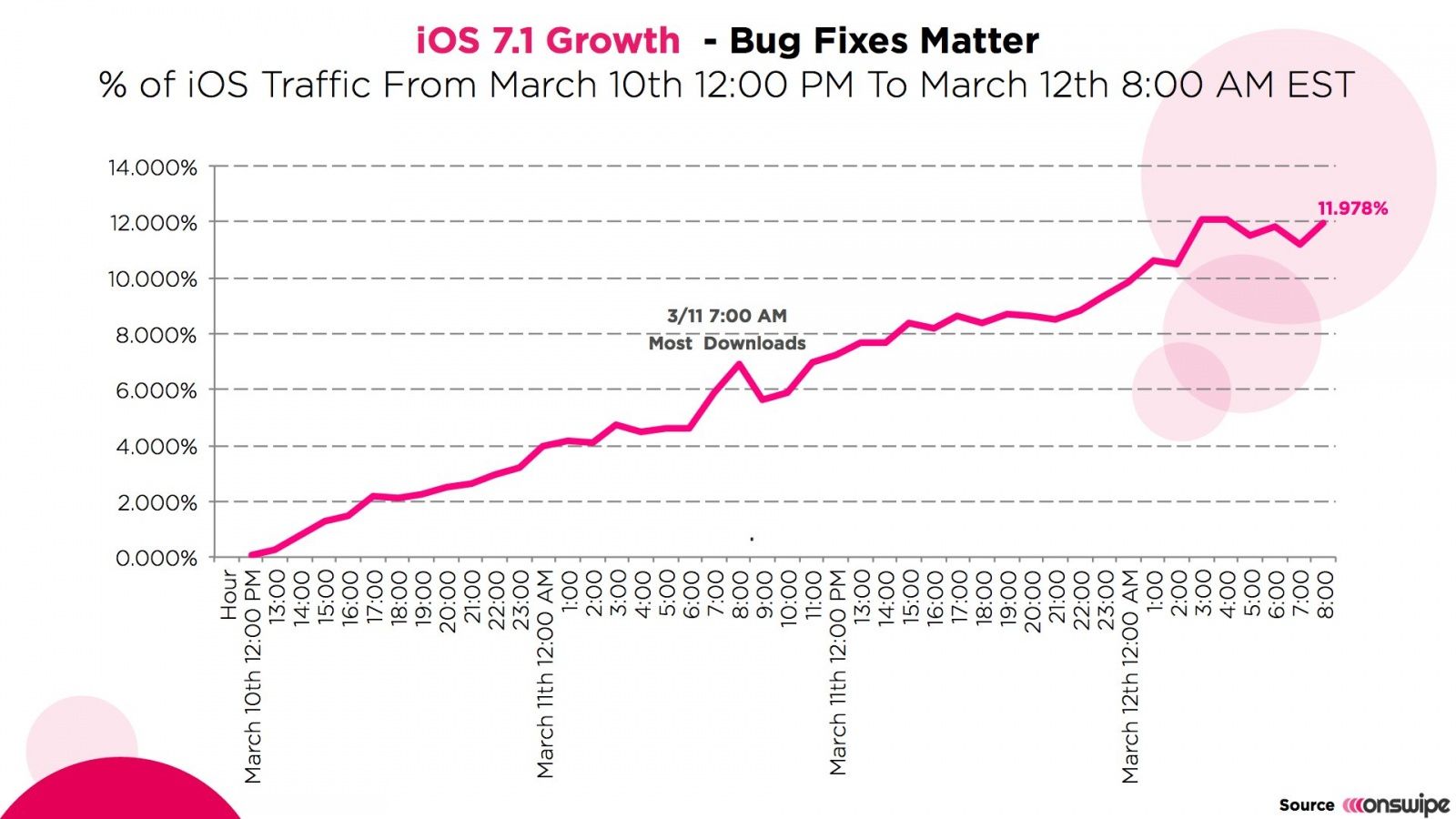
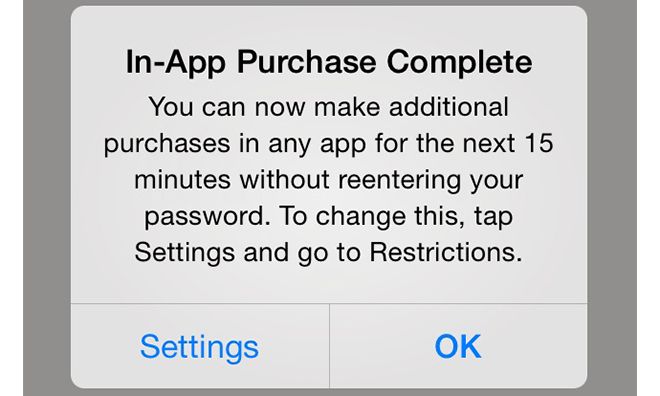
Among the new features of iOS 7.1 is the addition of a warning message for users concerning the 15-minute in-app purchase window. This quarter-hour window allows you to buy IAPs on an iOS device without further authorization for 15 minutes following the correct entry of a password.
Drug dealers, pimps and other criminals should be getting excited right now, of they live in Germany at least – their burner phones are about to get a whole lot more secure.
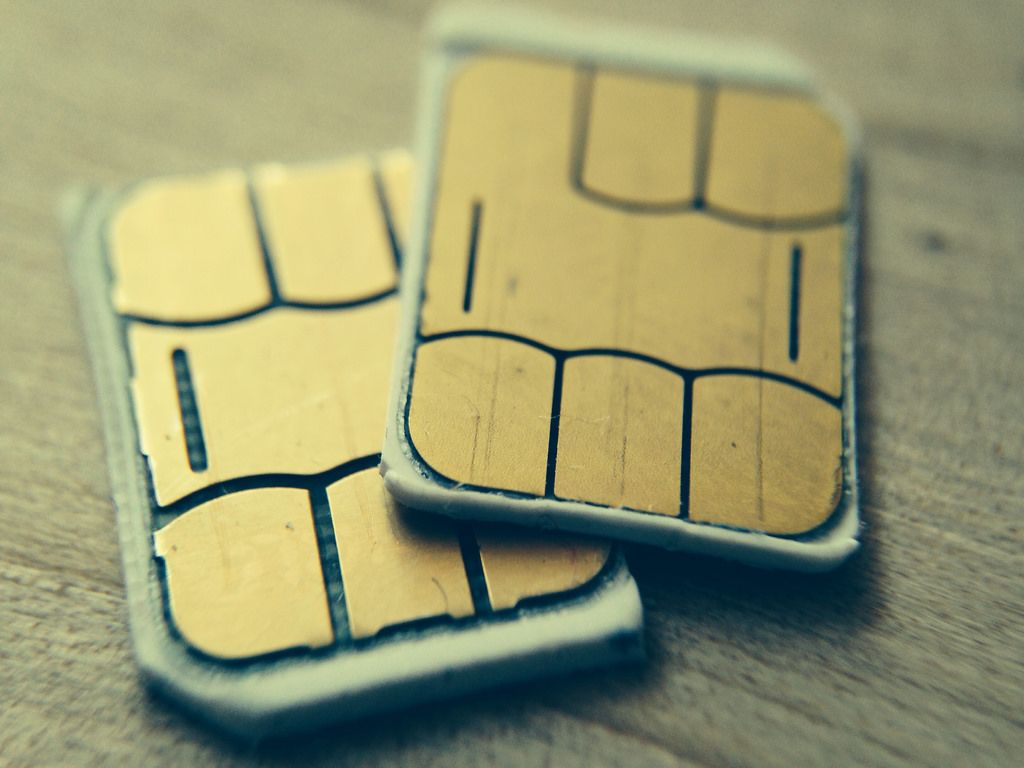
Why? Vodafone Germany has announced an encrypted SIM that will secure your precious data as it leaves the phone. The “digital private key and corresponding certificates” are stored on the SIM itself so it should all work with just a PIN on the device.
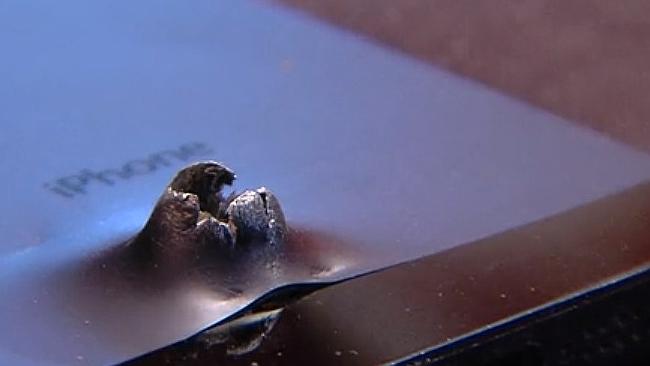
A Utah soldier has thanked Apple after his iPhone 5 helped save his life from a suicide bomb explosion while on tour in Afghanistan.
The metal ball bearings from the bomb ripped through the phone casing, but not Shaun Frank. While he suffered several superficial wounds from the blast, his sister claims that medics “did tell him when he got back to base that the iPhone probably saved his life.”
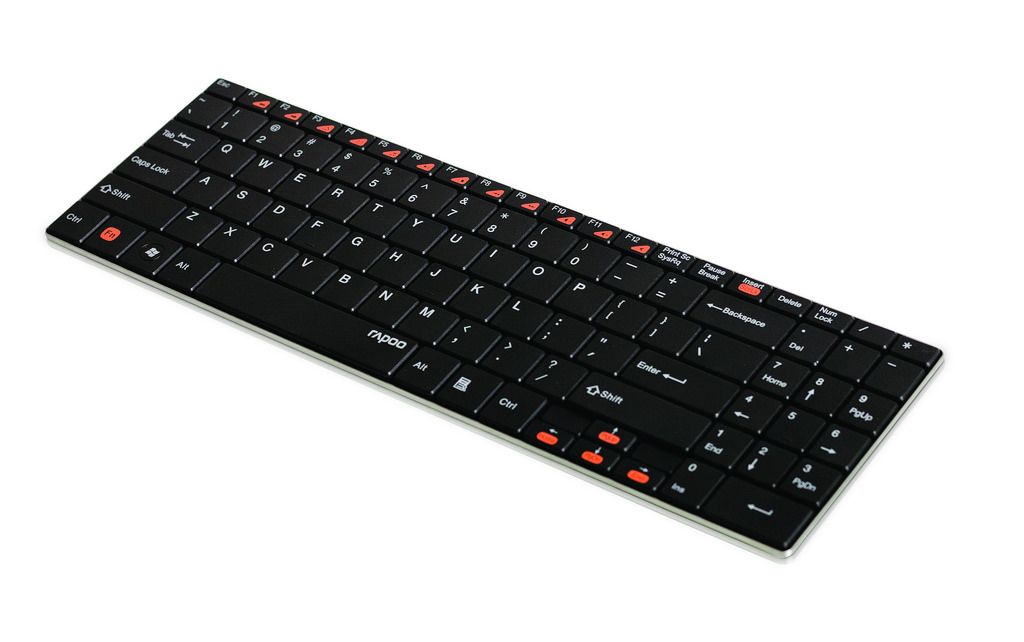
Just his week I took delivery of the amazing Filco Majestouch Tenkeyless keyboard, a clickety-clackety racket-maker which lets people know that I’m WORKING dammit. So I’m happy right now, keyboard-wise, but that doesn’t stop me appreciating the looks of skinny Rapoo’s E9070 Bluetooth number.
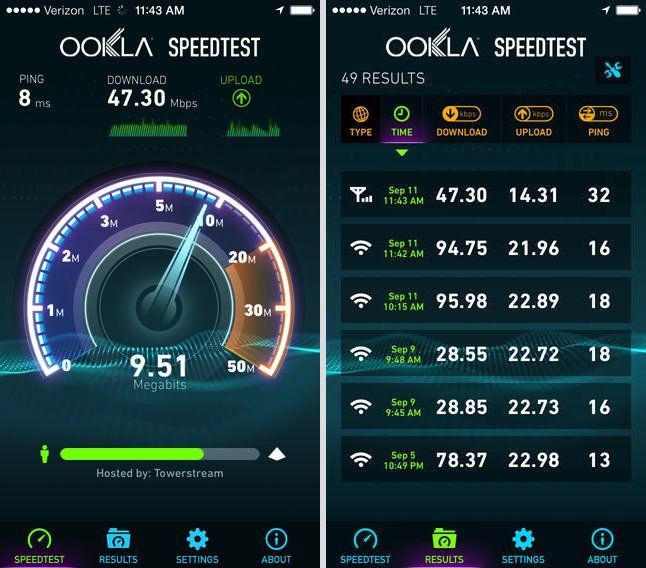
The Speedtest.net app is the quickest, easiest (and free-iest) way to test your broadband and data speeds on your iOS devices — and now it’s finally gone universal.
The Ookla app’s universal update has been eagerly anticipated for some time, since the app was originally released optimized only for the iPhone and iPod touch.
The Lady’s all-time favorite iPad case ever ever was the Porter from Skech, and the only reason she switched is because she wore the thing out. Unfortunately, she won’t be able to take advantage of the new Porter for iPad Air just yet, as she still has to suffer the indignity of using the old, fat, heavy and hot iPad 3.
I, however, with my svelte and perfect iPad Air, might call one in for review just to make her jealous.
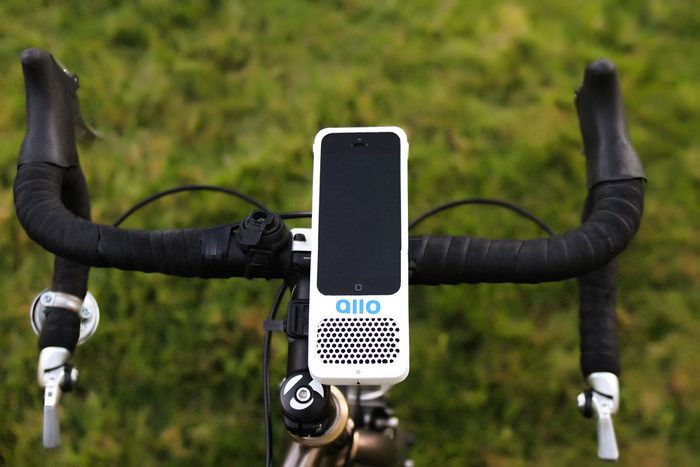
Here we go: Just as the spring eases into the seasonal throne and forces winter to curl up and pretend to be a footstool for the next three months, along comes the Allo, a combination bike mount and speaker for your iPhone. It’s a Kickstarter project, but as the expected delivery date is May, you should get one in time for summer.
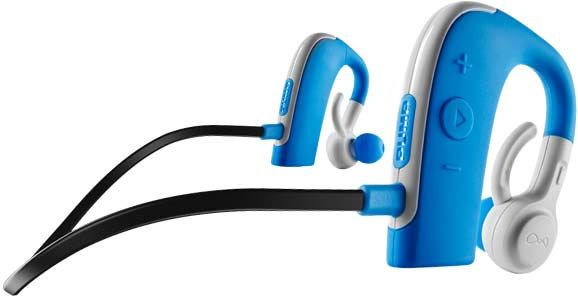
BlueAnt’s new PUMP HD headphones look perfect for sportspersons. I took a look at them at the Mobile World Congress in Barcelona a couple weeks back and they look and feel great. They’re a pair of “wireless” Bluetooth earbuds which clips over the ears and shrug off water and sweat.
Does anyone still use IM? In my home, we use iMessage, WhatsApp and Skype messaging, and almost nothing else. Apparently some folks still want to use AIM, Google Talk and Yahoo to do their chatting. And for them, Verbs IM has now been updated for iOS & and revamped to have a less annoying model for making money.