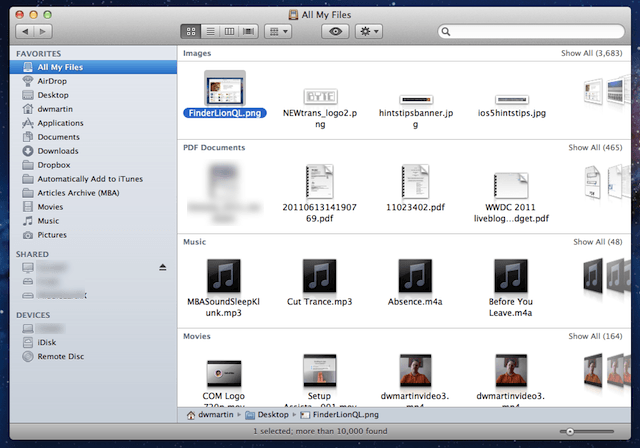
 Mac OS X Lion now offers a new icon view called All My Files in Finder and you can use new gestures on your trackpad to navigate through all of the files on your Mac. You’ll be able to quickly find the wayward image, PDF, or other file fast.
The first thing you need to do is access Finder and if there isn’t an open Finder window use Command+N to open one. Next click on All My Files and if you are not in icon view press Command+1. All your files will be displayed as icons organized in groups by type. Now you can navigate though these files with gestures.
If you want to scroll through the different file types you just scroll up and down with two fingers. If you place the mouse pointer over a specific section of files you can swipe two fingers left or right to examine all the files in that section.
If you see a file that you want to use you can click it twice to open it or you can use my tips about Quick Look to look at it.

David W. Martin has more than 20 years of experience in the industry as a programmer, systems and business analyst, author, and consultant. David has written for CNET’s iPhoneatlas.com, MacLife.com, CultofMac.com, BYTE.com and recently for aNewDoman.net. He comes to Cult of Mac’s website with deep knowledge and passion for the all things Apple. Follow David on Twitter @david_w_martin or see what he’s up to now at davidwmartin.com.

