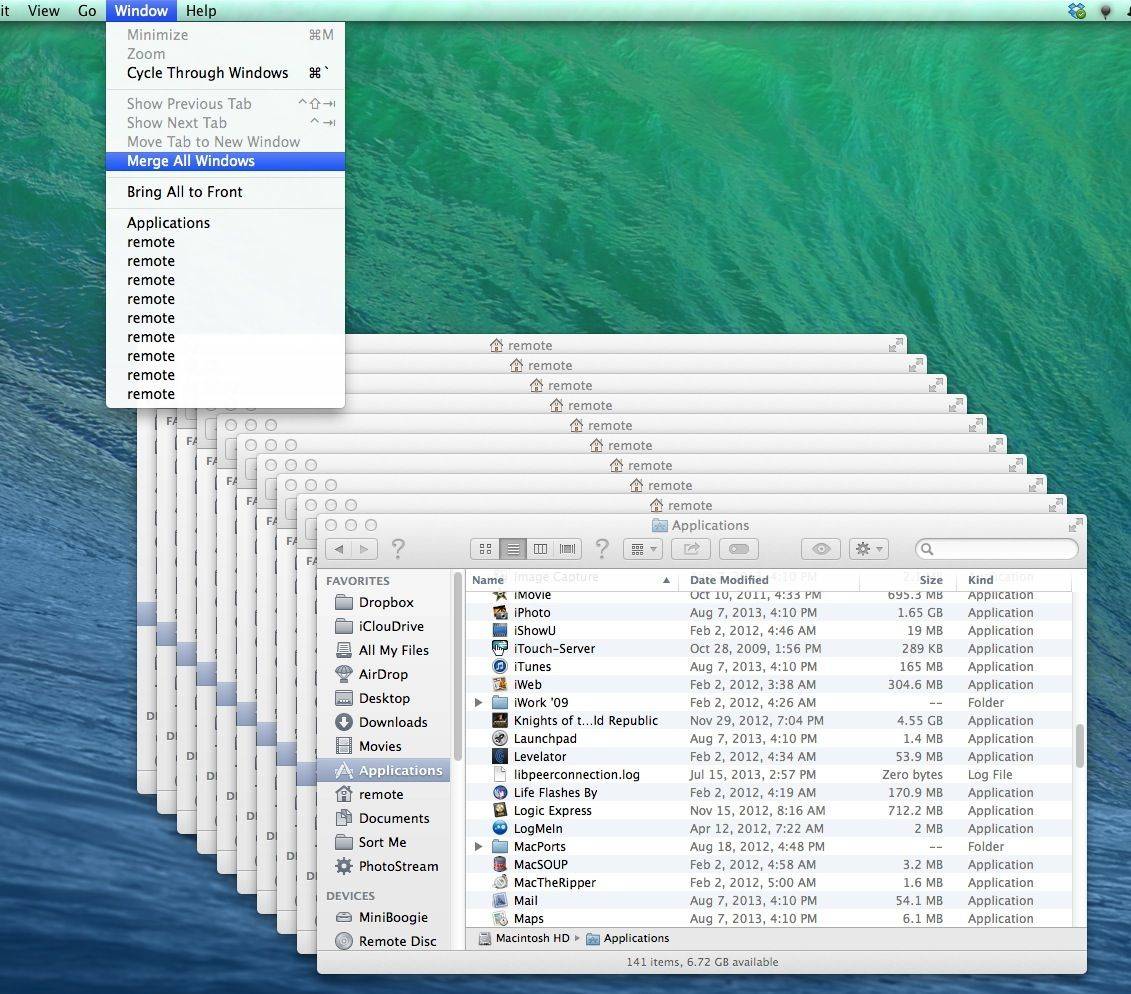
Ever end up with a lot of Finder windows floating around your Mac screen? In previous versions of Mac OS X, the choice was to close them all with a keyboard shortcut, Option-Command-W, which will end all your Finder suffering in one short tap.
In Mavericks beta, that still works. Yet Apple has also added another way to deal with multiple Finder windows: merging them. Here’s how.
The trick works because of Mavericks’ new Finder window Tabs feature, which takes a cue from modern browsers like Safari, and lets you open a bunch of tabs in a Finder window, in lieu of a bunch of windows.
When you’re on your Mac that’s running OS X Mavericks, and you have a bunch of windows open, simply navigate up to the Window menu and select Merge All Windows. Boom — all the open windows will become a tab in one single Finder window, decreasing clutter instantly.
There isn’t a keyboard shortcut yet, but I hope Apple drops one in there to make this behavior as easy as the close all windows one.
Via: Tips and Tricks in Mavericks

Rob LeFebvre is an Anchorage, Alaska-based writer and editor who has contributed to various tech, gaming and iOS sites, including 148Apps, Creative Screenwriting, Shelf-Awareness, VentureBeat, and Paste Magazine. Feel free to find Rob on Twitter @roblef, and send him a cookie once in a while; he’ll really appreciate it.

