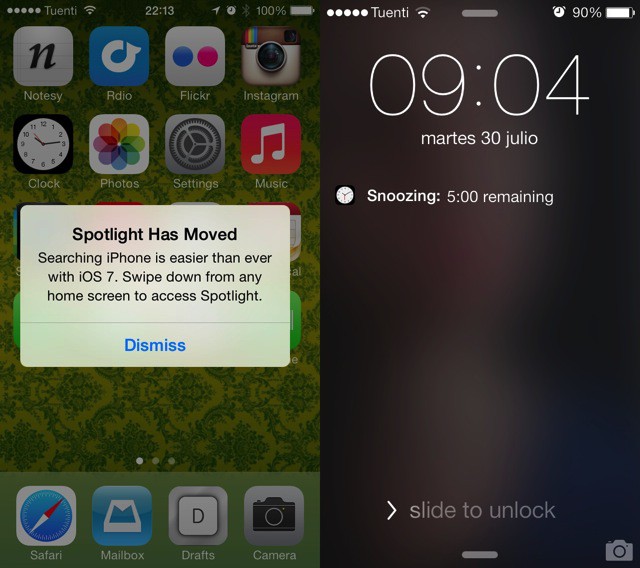
IOS7 beta 4 continues to impress, and it seems that Apple has now ironed out a lot of the bigger bugs, leaving time to polish the smaller things. In just a few hours of use I have noticed a couple of very helpful additions: one to Spotlight and one to the snooze function of the alarm clock.
The entire story is pretty much told by the pictures at the top of this post.
I use spotlight all the time to launch apps, and when I first installed an iOS 7 beta I swiped and swiped to “Screen 0” and it just wouldn’t appear. Undaunted, I turned to our CoM chatroom, where Killian told me just to swipe down on any screen.
This actually turns out to be a much better way to access Spotlight, as you can do it from any page. But it was hardly discoverable. Now, the first time you try to swipe right (or left, depending on how you count it) from the first home screen, this pop up pops up to tell you what to do. It might even find a few new recruits who never knew about searching even in older versions of iOS.
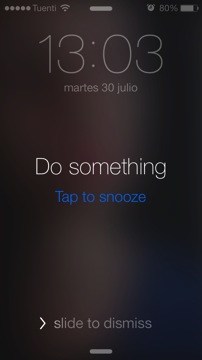
The other improvement is on the lock screen, where the time remaining in your current snooze is now shown. This is great for checking how many minutes and seconds are left before you really, really have to wake up. Bonus tip: hit the sleep/wake button to quickly snooze the alarm without even having to look at the phone (this works in iOS 6, and probably earlier).
Finally, reminders can now be snoozed from the lock screen.

Charlie Sorrel writes reviews and how-tos. Follow Charlie on Twitter at @mistercharlie, and at micro.blog on @mistercharlie

