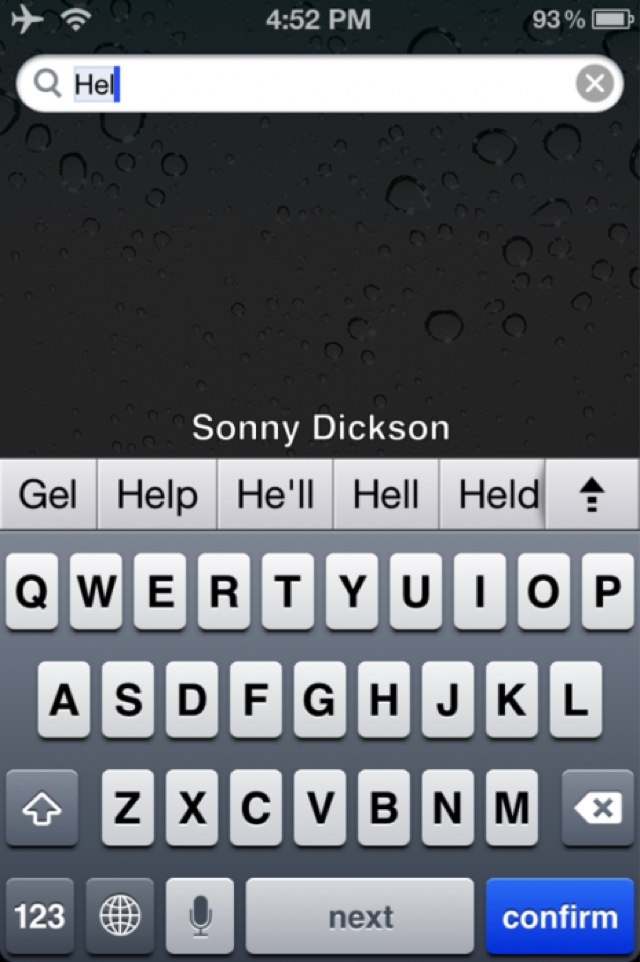
It seems that panoramic camera feature isn’t the only thing Apple is hiding inside its latest iOS 5 software. There’s also an autocorrect keyboard feature just like that found on Android devices, which suggests words as you type making it quicker and easier than ever to type on an iOS device.
The feature was discovered by iOS hacker Sonny Dickson, and just like the hidden panoramic feature, the autocorrect keyboard can be enabled without jailbreaking. Here’s how to do it:
- Download iBackupBot
- Backup your iOS device using iTunes
- Open the iBackupBot applications and find your latest backup, then open it
- Navigate to Library/Preferences/com.apple.keyboard.plist and open up the file, then add the following code:
<key>KeyboardAutocorrectionLists</key> <string>Yes</string> - Now save the changes you have made and restore your device using the backup you just edited and the iBackupBot software. You must use this application — you cannot restore using iTunes
Now you’re all done. You should now have the autocorrect feature shown in the screenshot above.
Did it work for you?
[via 9to5Mac]

Killian Bell is a freelance writer based in the U.K. He has an interest in all things tech and also covers Android over at CultofAndroid.com. You can follow him on Twitter via @killianbell.

