Have you ever wanted to know the definition of a word without having to perform a Google search or open an app? If you have an iPhone 4S you can use Siri to look up definitions, but older iOS devices are have immediate way to show a definition.
Apple has a built-in dictionary in iOS that’s easy to forget about, but luckily a jailbreak tweak called SpotDict makes it simple to lookup words on the iPhone. SpotDict uses Apple’s dictionary to let you quickly define words from the Spotlight window in iOS.
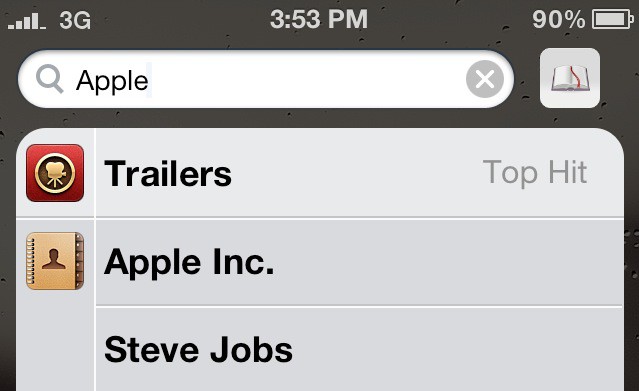
Once you install SpotDict for free in Cydia, there are no options or settings to configure. A new dictionary icon is added to the right of the Spotlight search field in iOS. If you swipe to the far left of your iOS springboard, you’ll be in Spotlight. From the search box you can look for anything on your iPhone, including songs, contacts, and emails.
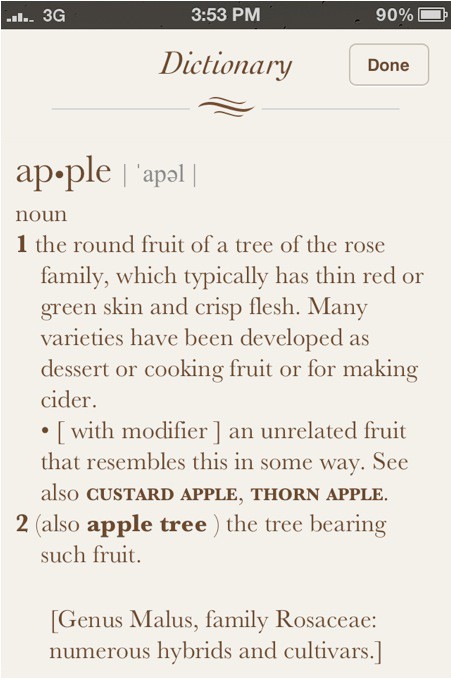
To use SpotDict, simply type the word you want to define in the Spotlight search bar and tap the dictionary icon to the right of the bar. Apple’s built-in dictionary interface will appear with the definition.
It’s not exactly earth-shattering, but SpotDict is definitely a nice addition for any wordsmith rocking a jailbroken iPhone.

Alex Heath is a journalist who works for Tech Insider. He’s the former co-host of The CultCast. He has been quoted by the likes of the BBC, KRON 4 News, and books like “ICONIC: A Photographic Tribute to Apple Innovation.” He lives in Lexington, Kentucky. If you want to pitch a story, share a tip, or just get in touch, additional contact information is available on his personal site. Follow him on Twitter.

