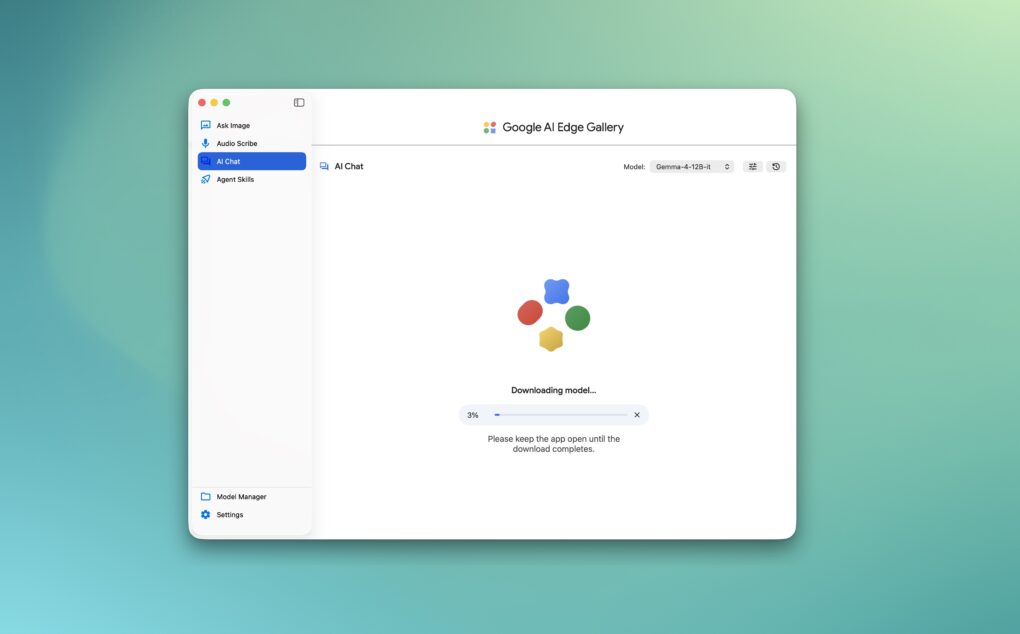
Google’s new AI Edge Gallery app for macOS lets you run Gemma models locally on your Mac. Instead of relying on the cloud, the app taps into Apple Silicon’s power to process AI tasks directly on your machine.
The app is already available on Android and iOS, with the macOS release bringing the same on-device AI experience to Macs.
Run Google’s open-source AI models locally on your Mac
There are plenty of apps that let you run AI models locally on your Mac, with LM Studio and Ollama among the most popular options.
Google’s AI Edge Gallery app for Mac is the latest addition to that list. But unlike them, Google’s app is designed specifically for running its open-source Gemma AI models locally on your Mac. The available models are as follows:
- Gemma-4-12B-it
- Gemma-4-E2B-it
- Gemma-4-E4B-it
- Gemma-3n-E2B-it
- Gemma-3n-E4B-it
Gemma-4-12B-it is the newest addition, which Google says is a “unified, encoder-free multimodal model.” It is a mid-sized model optimized to run on devices with just 16GB of memory.
Unlike other models, Google has trained Gemma-4-12B with an encoder-free architecture and directly integrated audio and vision input. This enabled reduced memory usage and lower latency.
You can use the AI Edge Gallery along with the newest Gemma model to analyze data and create scripts that can render complex 3D tasks.
Another Google app brings AI-powered smart on-device voice typing
There’s also AI Edge Eloquent, an AI-powered dictation and editing app from Google. It runs entirely on-device and uses the new Gemma model to turn your unstructured, messy thoughts into something coherent.
Even better, you can trigger Eloquent’s voice dictation across any app on your Mac with the press of a shortcut key.
A new Voice Edit feature allows you to edit highlighted text with voice commands, making it easy to rewrite, summarize, or translate content without touching the keyboard. Again, all of this will happen locally on your Mac, with no data ever leaving your machine.
If you have the technical know-how, you can use the AI Edge app on the Mac and Gemma models to build multi-turn local agents.
You can download the AI Edge Gallery app for macOS from here.

Rajesh has been writing about consumer technology for over a decade, with a strong focus on iPhones, Macs and Apple’s ecosystem. He enjoys digging into Apple software updates, hardware changes, and discovering new Mac apps that make work faster and more enjoyable.
You can reach out to him at mail[at]rajeshpandey.me.

