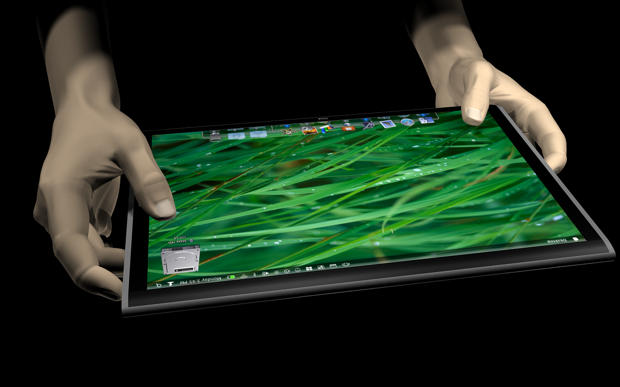
The most important thing is not the hardware, but the software. This is a device designed to be used in your lap or sitting flat on a desktop. “Every square millimeter of a Multi-Touch display (is) a source of input to the computer,” writes Doe. “This allows for a great deal of simultaneous activity (allowing for advanced controls, simultaneous work, and simultaneous users).”
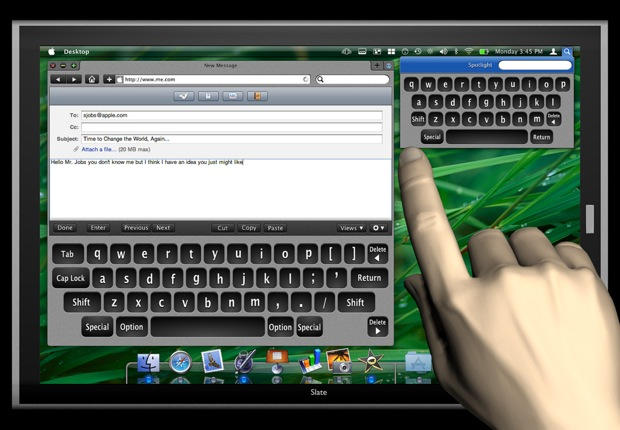
Take the virtual keyboard, which automatically pops up when you start a new email message. The keyboard is near full size, and can be used like a physical keyboard.
Doe also imagines that a smaller, one-finger keyboard pops up when you hit UI elements like the Spotlight search icon in the menu bar, making it easy to enter search terms.

Leander Kahney is the editor and publisher of Cult of Mac. Leander is a longtime technology reporter and the author of six acclaimed books about Apple, including two New York Times bestsellers: Jony Ive: The Genius Behind Apple’s Greatest Products and Inside Steve’s Brain, a biography of Steve Jobs.
Leander has written for Wired magazine, Scientific American, The Guardian, The Observer, The San Francisco Chronicle, MacWeek and many other publications.

