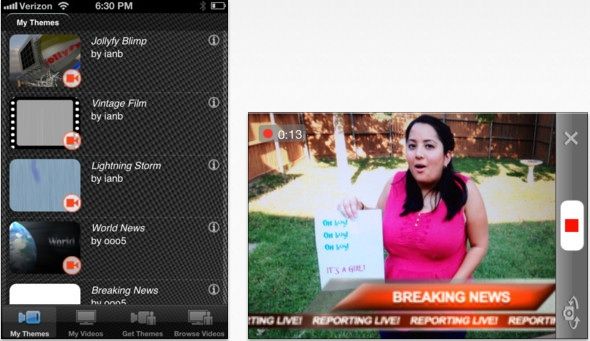
Some have the mad iPhone movie-making skillz of an Anderson or a Scorsese. Others, not so much. If you fall in the latter category, don’t worry — just jam some fancy graphics in there with the free Jollyfy app and you’re good to go.
It’s a pretty simple process. Fire up the app, pick a theme (the app’s App Store page says there are hundreds to choose from) and start shooting.
There are themes for all kinds of fun events: birthdays, a news report, or fake alien invasions (yeah, you Orson Welles, you) — it’s all there.
If that’s not enough for you, there are instructions for making your own themes to use with the app, using design apps like Photoshop, GIMP or Final Cut Pro. When you’re done, you can share your themes with your friends. Of course, you can also share the videos themselves via Facebook, email or though the Jollyfy community.

When he was eight, Eli Milchman came home from frolicking in the Veld one day and was given an Atari 400. Since then, his fascination with technology has made him an intrepid early adopter of whatever charming new contraption crosses his path. He calls San Francisco home, where he works as a journalist and photographer. Eli has contributed to the pages of Wired.com and BIKE Magazine, among others. Hang with him on Twitter.

