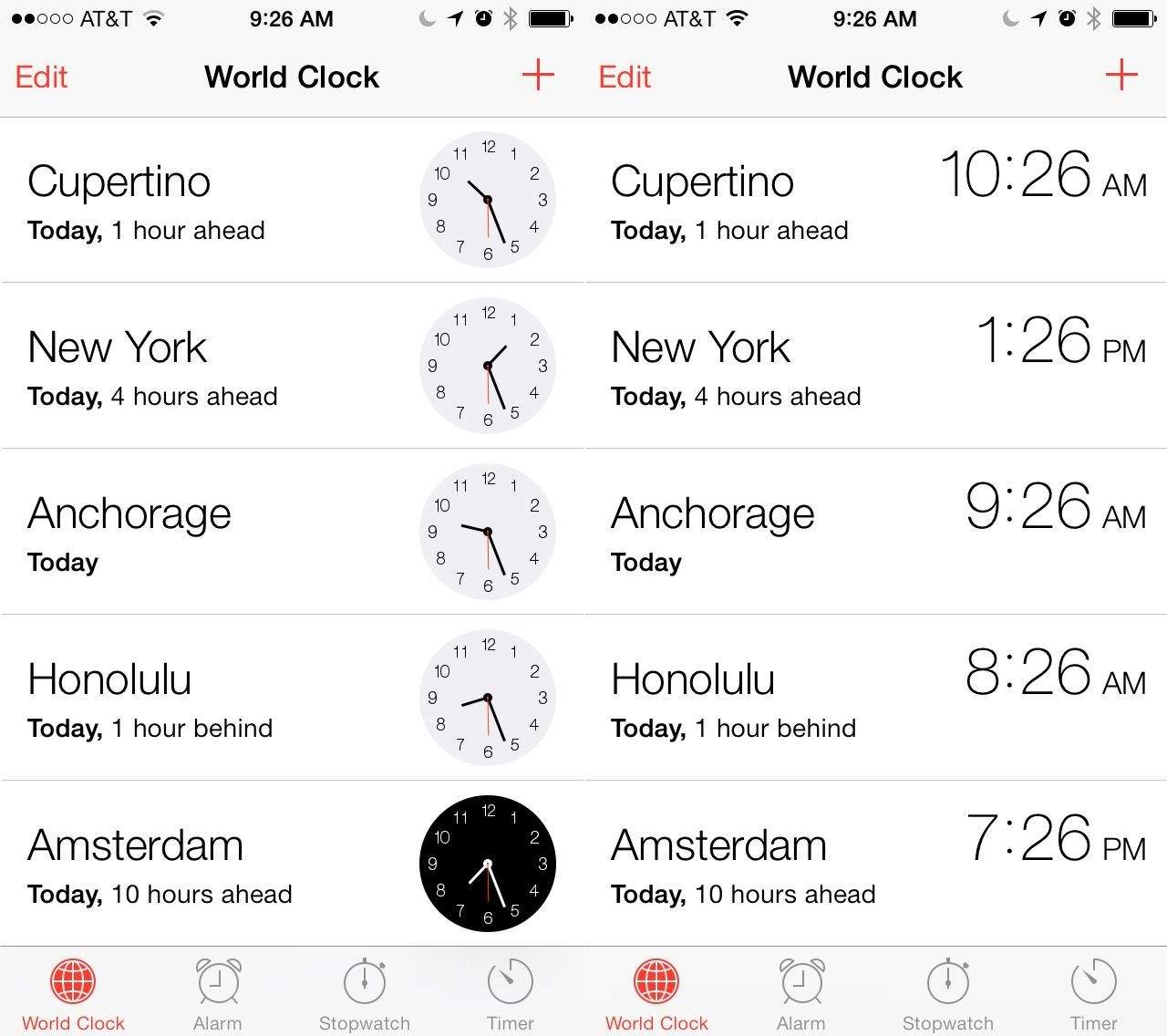
The clock app in iOS 7 is pretty straightforward. There’s an alarm, stopwatch, timer, and a world clock. The latter allows you to add any number of cities to your list and your iOS device will tell you the time in each city. You can rearrange them into any order you like with a quick tap on the Edit button in the upper left. To add new cities, simply tap the plus button in the upper right.
The world clock defaults to an analog representation of the time to the right of each city. We can fix that.
Notice that the night time clocks are white numbers on black clocks and the daytime clocks are black numbers on white clocks. If you really don’t like the analog clocks, though, just tap one of them.
Once you do, the times will change to a digital representation, though you’ll lose the cool daytime/nighttime visual differentiation. Ah, well.
This is just another little detail that Apple seems to get right.
Via: AppStorm

Rob LeFebvre is an Anchorage, Alaska-based writer and editor who has contributed to various tech, gaming and iOS sites, including 148Apps, Creative Screenwriting, Shelf-Awareness, VentureBeat, and Paste Magazine. Feel free to find Rob on Twitter @roblef, and send him a cookie once in a while; he’ll really appreciate it.

