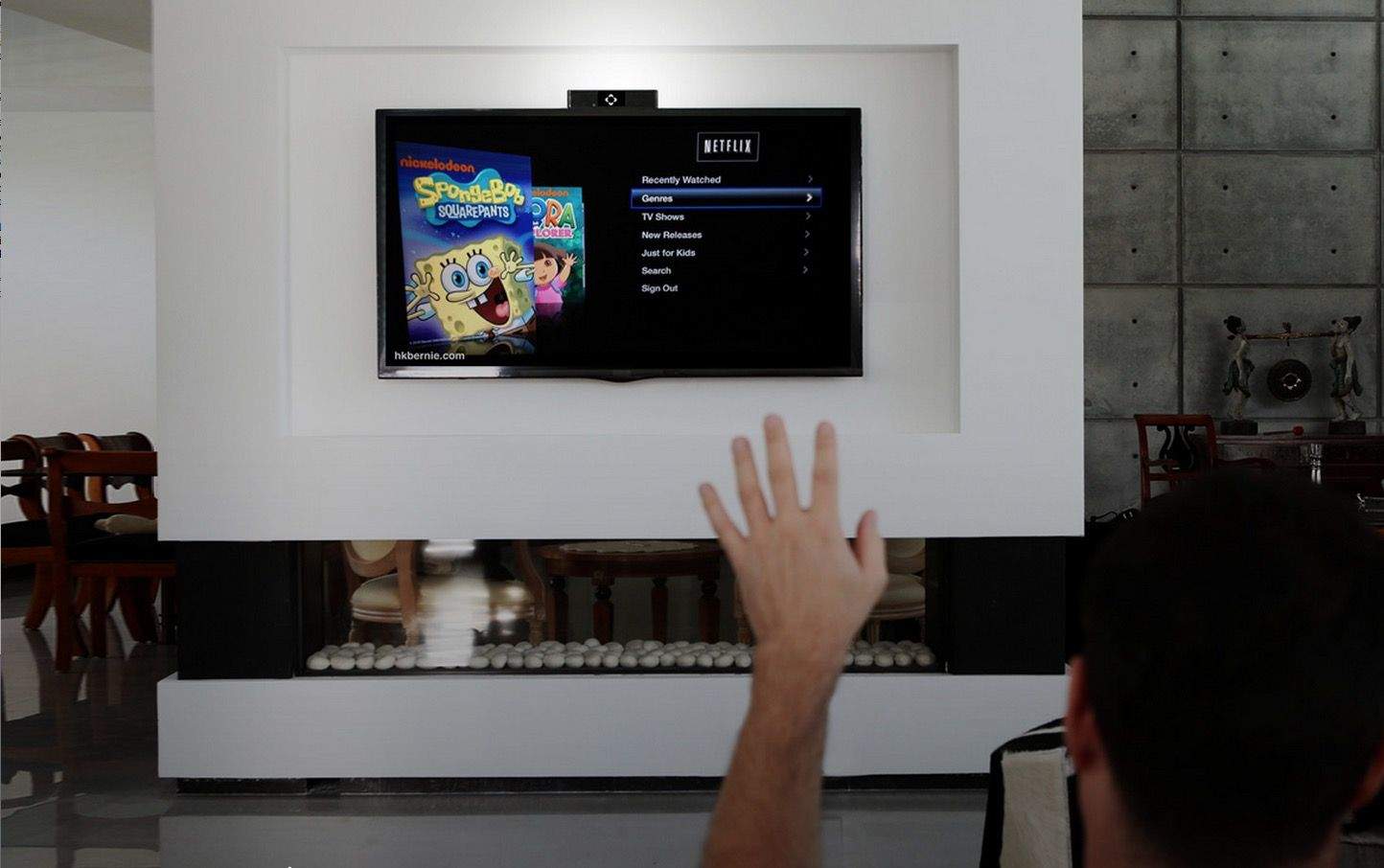
We know that Apple is interested in giving the Apple TV Kinect-like motion sensing abilities — they bought the 3D motion tracking company behind the tech last year, after all — but who knows when, if ever, it will actually come to living rooms.
If you want to start waving your way through your Apple TV’s interface now, though, meet the Onecue. It’s a cool little gadget that grafts Kinect-like functionality into your home entertainment system.
The Onecue is essentially a universal remote, but instead of living between the couch cushions, it sits on top of your TV, scanning the room for sound and movement. It works similarly to the way the Kinect acts as a universal remote for the Xbox One: it scans the rooms for humans, and when it finds one making a supported gesture (like to change the channel, navigate a menu, or raise the volume) it blasts the room with IR rays in all directions. But it also works with WiFi and Bluetooth,
It looks pretty cool. And, of course, the Onecue doesn’t just work with the Apple TV. You could also control your Philips Hue lighting system with it. The Onecue can be placed anywhere in your living room, although it also easily mounts to the top of your TV. It even has a little 3-inch LCD display that allows you to see at a glance what gadget you’re controlling with your frantic gesticulating.
Sure, Apple might eventually bake motion sensing technology into all their devices, but in the meantime, the Onecue can be ordered now for just $129.99. Given how easy it is to lose that Apple TV remote, why wait for Apple to make this happen themselves?
Source: The Onecue

John Brownlee is a writer for Fast Company, and a contributing writer here at CoM. He has also written for Wired, Playboy, Boing Boing, Popular Mechanics, VentureBeat, and Gizmodo. He lives in Boston with his wife and two parakeets. You can follow him here on Twitter.


5 responses to “How to bring Kinect-like gesture control to your Apple TV”
This is good because using the iOS device as a secondary remote is sub-par. Apple should add IR to the iPhones as-well.
Bluetooth would more than suffice if done properly. IR suffers from interference by objects in the pathway. Who wants to be aiming their phones?
Actually the supplied remote tends to work pretty well with objects in the way, its just very easy to misplace. building in the same tech should be fine. Or adding a better bluetooth support for controlling it would be fine too.
Not at the expense of battery space. If Apple made a TV with the A8X processor driving its smart tv interface, it would be a huge hit. Even the newest samsung/LG tvs are crazy laggy. Why do people put up with it?
Why not add and HDMI butthole too? Heck put an antenna for TV while at it