Quickoffice is finally complete thanks to Powerpoint editing.
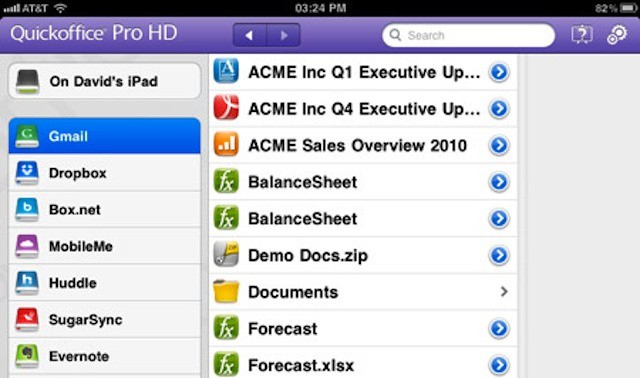
Quickoffice Pro HD is one of the App Store’s best third-party office suites, and until Microsoft Office hits the iPad, it’s the best way to view and edit Word and Excel documents on the go. Its latest update adds Powerpoint editing to that, in addition to native email support, an enhanced visual interface, and more.
CloudOn updates its cloud-based Office suite with some killer features
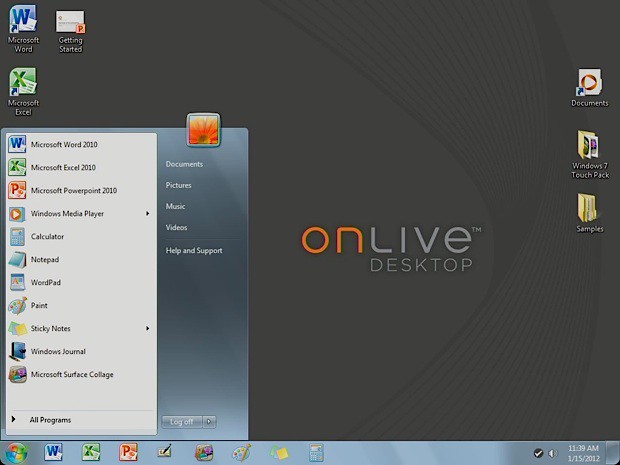
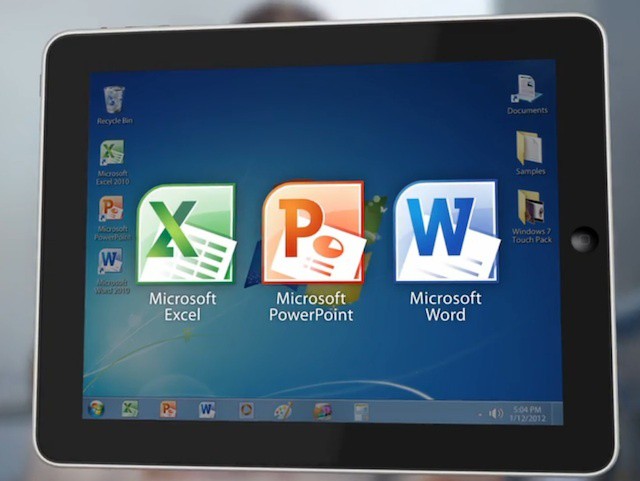
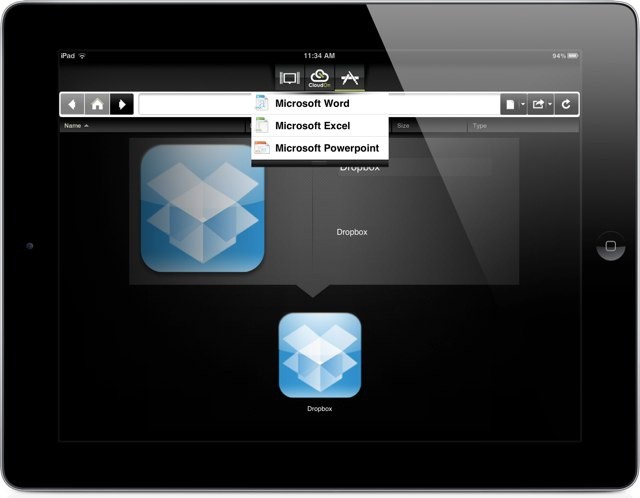
Today CloudOn released the first major update to its cloud-based Microsoft Office solution. Like OnLive Desktop, which recently made changes to comply with Microsoft’s Windows licensing model, CloudOn delivers virtual copies of Windows versions the three core Office tools. Unlike OnLive, however, CloudOn doesn’t provide a virtual Windows desktop and the company doesn’t provide its own cloud storage for user documents.
Instead, CloudOn integrates with Box and Dropbox to provide document storage and sharing. The interface of the company’s iPad app provides a simple launcher and file browser. When one of the Office apps (or the newly added Adobe Reader app and File Viewer) is launched a virtual instance of that app is provided from the CloudOn servers.
OnLive Desktop goes from Windows 7 to Windows Server iPad/Android app
We reported last month on the legal and licensing issues surrounding OnLive and its OnLive Desktop for iPad, a freemium offering from the cloud gaming company that offered iPad users a full Windows 7 desktop experience complete with Office and the ability to watch Flash content. The company made a big entrance into the Windows/Office on iPad space in January and announced its premium and business plans the following month.
More recently, however, Microsoft announced that OnLive was violating its licensing agreements. Microsoft even went so far as to accuse OnLive and any OnLive Desktop users of illegally pirating Windows 7.
OnLive appears to have learned the error of its ways. Over the weekend, the company quietly adjusted its service to be compatible with Windows licensing.
Quickoffice's new Connect service offers great potential but at a price
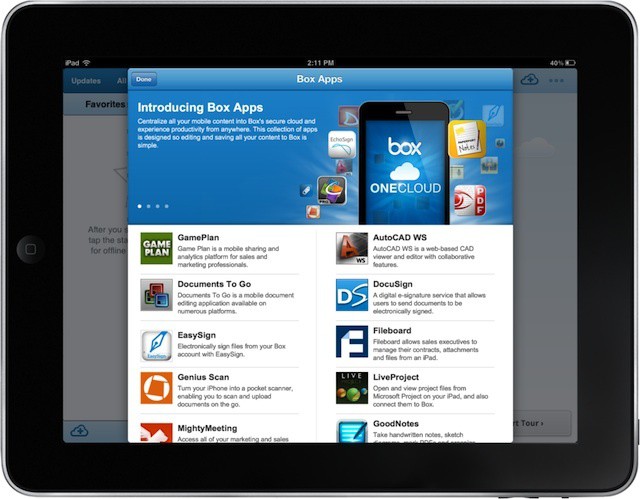
Earlier this Box launched its new OneCloud feature, the goal of which is to integrate a range of iOS business and productivity apps around Box’s cloud storage. The biggest advantage to OneCloud is that it neatly sidesteps the lack of file management in iOS, essentially functioning almost like cloud-centric iOS version of the Finder.
Box isn’t the only company looking to get around the iOS file limitations while also connecting users to the cloud. Quickoffice this week announced its new Connect solution, a dedicated app and cloud service combination that aims to make it easy for users to access, edit, share, and sync files and documents across all their devices as well as across a range of third-party cloud services.
Box's new OneCloud partnerships make it a powerful business platform for iOS
Cloud storage provider Box today announced its new Box OneCloud initiative. With OneCloud the company is looking to create a one-stop work environment on the iPhone and iPad that’s centered around Box’s cloud storage and collaboration features. The aim is to make the Box app the hub of a range of additional iOS apps in the business and productivity space. While many apps in that space allow you to access Box storage (along with several other cloud providers like Dropbox, Google Docs, and Sugar Sync), they often have limited file management capabilities and can only access specific types of files.
Box aims to fix that by partnering with developers that offer access to Box storage and giving users that ability to launch those apps from with the Box app, which will serve as a central file management solution. The approach is a creative way to make up for the lack of a user-accessible file system in iOS. In some ways, you can consider OneCloud to be a business or enterprise version of iCloud.
According to a new report, Microsoft will launch Windows 8 this October. That tracks with the company’s announced plan to launch the latest version of Windows before the end of the. The launch will include traditional PCs like desktops and notebook as well as tablets. How successful Microsoft and its partners will be in taking business and consumer tablet marketshare away from the iPad remains an open question, however.
Quickoffice for iPad (now available with business security features)
Quickoffice is launching an enterprise version of its signature Microsoft Office-like iPad app that includes several noteworthy enterprise features, including data encryption and the ability to disable some consumer-oriented features that could lead to confidential business data being copied off of a user’s iPad. The update also incorporates volume licensing through Apple’s volume purchase plan as well as a year of premium maintenance and support.
While there are a number of solutions out there that offer iPad users the ability to view, create, and edit Office files, including Apple’s iWork apps, they tend to fall short of some enterprise needs. While it’s possible to meet these security and management needs by using a combination of mobile management products and native apps, those combinations really don’t integrate well into a single solution. The new Quickoffice ProSelect HD app is designed to address the security needs of IT and the productivity needs of users with a single app.
Earlier this year, OnLive debuted its OnLine Desktop app for the iPad. The app offers users a virtual desktop environment that includes Windows 7, Microsoft Office, Adobe Reader, and Internet Explorer (which allows iPad users to watch Flash-based web content). The service comes in both free and paid versions that include 2GB of cloud storage and OnLive plans to expand the service with more advanced plans for both end users and for businesses.
While users and reviewers have been largely happy with OnLive Desktop, it seems that Microsoft isn’t. After being mum on OnLive’s decision to release the app and service, Microsoft announced this week that it views OnLive as violating its license agreements and essentially pirating Windows.
At issue is the draconian puzzle that is Microsoft’s licensing system and how the company charges for virtual desktops.
Many pundits have made the argument that the iPad’s days in the business and corporate world will be numbered once Microsoft releases Windows 8 and Windows on ARM (WOA) tablets later this year. The biggest rationale behind this argument is that corporate IT departments will feel much more comfortable deploying and managing Windows devices and that they will already have the skills, tools, and resources needed to setup, secure, and roll out Windows-powered iPad competitors.
That argument lost a lot of credibility this week when Microsoft acknowledged that WOA tablets cannot be managed like other Windows variants including Windows 8 on PCs and x86 tablets or PCs running Windows 7, Vista, or XP. This makes the iPad much more suited for business than Windows on ARM devices.
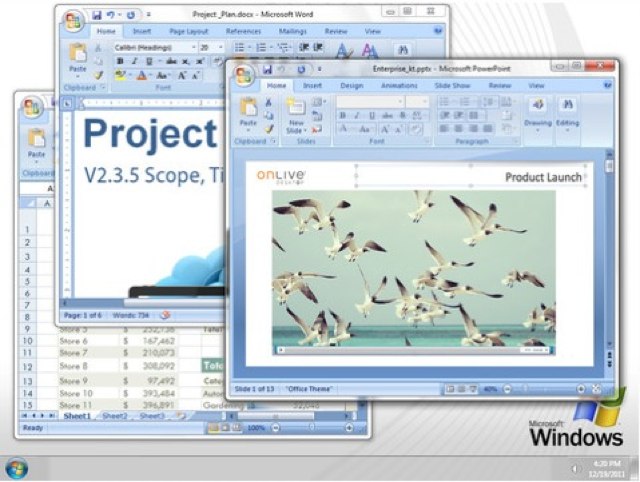
Last month, OnLive launched its free cloud-based Windows desktop app for the iPad. OnLive Desktop provides iPad users with a cloud-based Windows 7 desktop that comes complete with the standard Microsoft Office apps (Word, Excel, and PowerPoint) and 2GB of storage. This week, the cloud-gaming company expanded the features and storage available to OnLive Desktop users via new subscription plans – one of the most notable being that OnLive Desktop can now play Flash videos and content.
The company will also be adding a more full featured “Pro” plan that will let users install additional Windows applications and an enterprise service that would allow companies to configure and manage virtual Windows desktops on the iPad’s of employees.
If you still haven’t gotten over the fact that your iPad doesn’t have Adobe Flash player, than OnLive Desktop Plus may soothe your pain. As you may have guessed, the new app is a premium version of OnLive Desktop, which brought Microsoft Office to the iPad earlier this year.
In addition to Office, the premium version offers Flash Player and a PDF-enabled web browser, but it comes at a price of $4.99 per month.
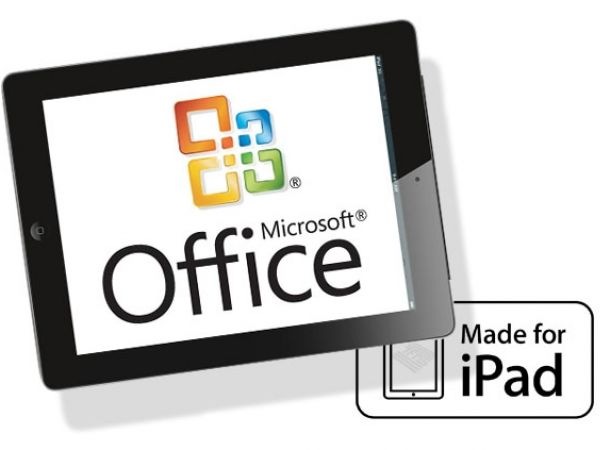
Remember that Office for iPad product shot that was floating around earlier today? Well, Microsoft won’t actually come out and call it bogus, but they do say any report of Office for iPad is based on “inaccurate rumors and speculation.” So is that a denial or what?
It looks like Microsoft will be brining Office to the iPad, something that’s been the subject of speculation for a while. Although a photo showing Office on the iPad has surfaced, there are a lot of big questions surrounding it. When will it ship? How much will it cost? Which features will Microsoft incorporate from the desktop version of Office? How will it compare to Office on Windows 8 or Windows on Arm (WOA) tablets?
Then there’s another big question – does it even matter that Microsoft is creating an iPad version of Office?
An official Microsoft Office suite for the iPad has long been the subject of hopeful rumors, but a leaked shot of the software in action on Apple’s tablet proves for the first time that it’s real, and that it is on its way to the App Store.
Following its launch in the U.S. back in January, CloudOn has finally arrived in the U.K., allowing British users to access Microsoft Office applications on their iPad. The free app lets you view, edit, and create Word, Excel, and PowerPoint documents on your tablet, which can then be saved directly to your Dropbox account.
This week’s Microsoft announcement of the details of Windows 8 on ARM-powered tablets raises a big question: Will Windows 8 tablets based on ARM or running on more tradition x86 hardware blunt the iPad’s surge in business and enterprise environments?
A few years ago, it would have been easy to say that Windows 8 devices would become the defacto standard in business, particularly for large companies with Microsoft-centric IT infrastructure. But conventional wisdom like that has broken down when it comes to workplace technology in the face of BYOD programs and the consumerization of IT trends. In today’s environment, there are many factors that could tilt the playing field in favor of either Microsoft or Apple.
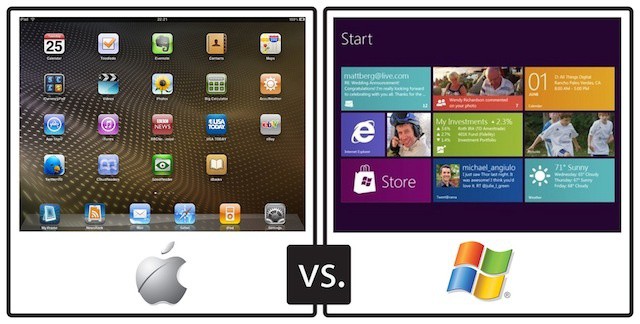
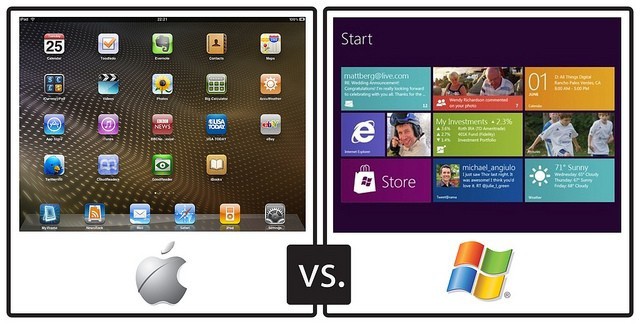
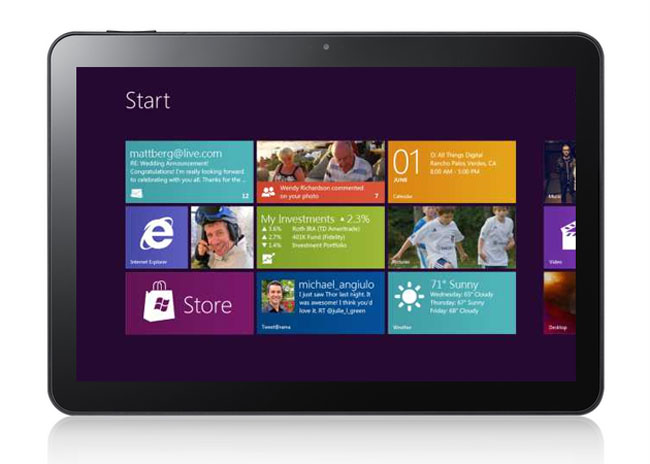
Microsoft released a number of important details about its plans for Windows 8 on Arm (WOA) tablets. WOA tablets will focus on having a long battery life as well as being light, thin, and inxpensive. They will feature some traditional Windows elements but have a focus on the Metro interface pioneered on Windows Phone and included as the default on all Windows 8 machines. They can be thought of as Microsoft’s response to the iPad, which will certainly be their biggest competition.
Not surprisingly, many of the first pieces discussing the announcements to hit the media have struck on the “Apple should be worried” theme and have used the fact that WOA tablets will include the major Microsoft Office apps to backup that assumption.
Microsoft has been pretty noncommittal when it comes to creating business tools for the iPhone and iPad. The company has dipped its toes in the iOS pool with consumer-oriented release of My Xbox Live and an iOS port of its Kinectimals virtual pet game. That’s in addition to an app that lets users access files stored in Microsoft’s cloud-based SkyDrive storage and a version of OneNote.
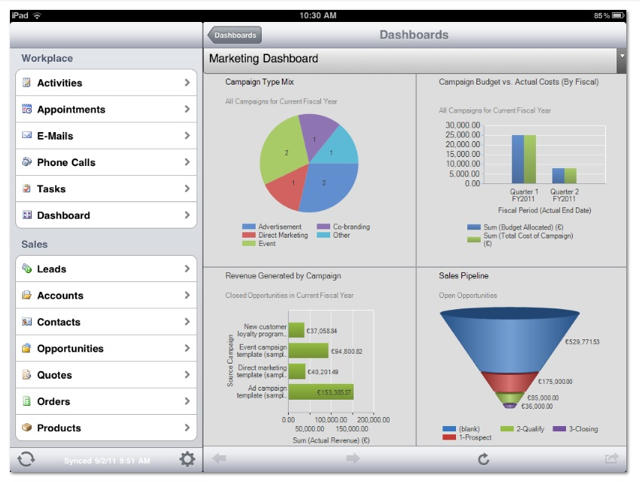
Although we still haven’t seen any firms signs of Office coming to the iPad beyond the handful of reports last fall, Microsoft is taking the iPad and iPhone seriously enough to include mobile apps for the devices for its Dynamics CRM 2012 suite as noted by ZDNet and 9 to 5 Mac.
The sheer volume of available apps is one selling point for iOS. For those using the iPad or iPhone in the workplace, there is an ever-growing selection of business and productivity tools. Some of these, like the apps from Salesforce.com, tie into existing business solutions and are available at no charge. Others may not be free but fill critical business needs like those that provide the ability to view and edit Office documents (examples include Quickoffice, Documents to Go, Office2, and Apple’s iWork apps).
This presents a conundrum to some IT professionals. In business environments most desktop applications (Mac or Windows) are purchased using volume or site licenses and delivered to workers using mass deployment tools. The software, or more accurately the license to run it, is purchased as and remains company property.
iOS apps, on the other hand, are treated by Apple much like music tracks or TV episodes. They’re purchased using an iTunes Store account and can be installed on any iOS devices tied to that account. Essentially, they become the property of the person who has purchased or downloaded them. That flies in the face of traditional IT tactics – a point reported by Network World as a constant source of issue to IT departments and a point of discussion at the MacIT conference that ran alongside MacWorld | iWorld last week.
OnLive made headlines earlier this week when the company announced a new iPad app at CES which brings Windows 7 to the iPad, allowing you to run Microsoft Office applications like Word, Excel, and PowerPoint.
Those of you who are interested in the app and you live in the U.S., you can grab it now, for free, from the App Store.
LAS VEGAS, NEVADA – Last night the Cult of Mac staff was given a sneak peek at the latest and greatest products at the CES Unveiled event. Here is a small sample of what was shown.
Yesterday we heard word that Microsoft is planning to bring the Microsoft Office suite to iPad, but how will Microsoft adopt Office’s clean ribbon interface to a tablet? Here’s your exclusive first look, thanks to Gadget Lab’s brilliant blighter, Charlie Sorrel.
Insider sources are telling The Daily that Microsoft is planning to bring its Office suite to the App Store. Specifically, the Redmond company has an Office business app for the iPad in the pipeline.
Apple offers its own iWork productivity suite on iOS, including Pages, Numbers, and Keynote. Microsoft apparently wants a piece of the word processing action, and its sights are set on Office for the iPad.
view from Apple's 1 Infinite Loop Campus in Cupertino - http://bit.ly/qtGxSb
As Apple eagerly awaits to begin construction on its new mothership campus, the folks in Cupertino are also leasing another office complex to accomodate Apple’s growing work force.
The “Results Way Corporate Center” on 5 Results Way is now home to about 1,300 Apple employees. Apple’s main 1 Infinite Loop campus can no longer handle the company’s “remarkable growth.”
Earlier this week Microsoft released updates for the Mac versions of Office 2004, 2008, and 2011 that address some issues with security, stability, and reliability. Users of these versions of Microsoft Office are encouraged to update their software.