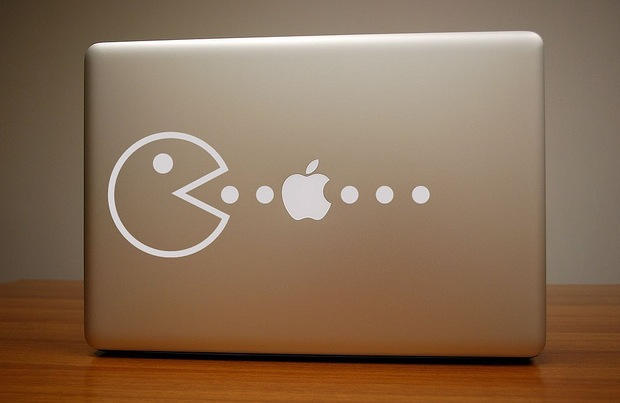
For those of us of a certain age, there’s an almost physical tug at the heartstrings when we see the distinctive Pacman profile. So if you like the thought of your MacBook’s lit-up Apple logo as a Pacman power pill, this decal by LastFuse should be on your Christmas “just-a-little-treat-for-myself” list. You can buy it in black or white from this Etsy store – be quick now, I have a feeling these will disappear fast.
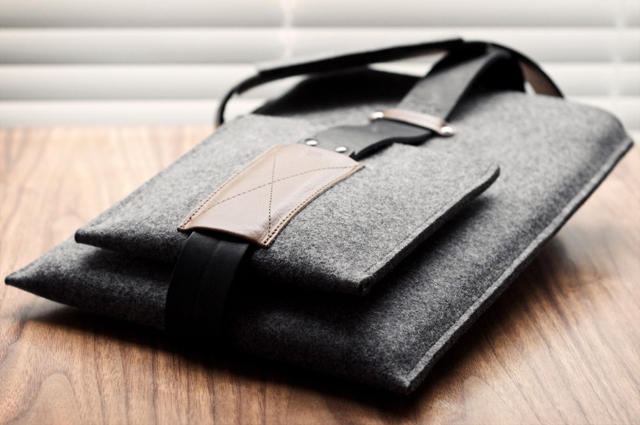
We see sexy, elegant and manly iPad satchels all the time, but what about the sandalwood-scented fashionista who wants to sling his MacBook Pro around town with the same proud strut as a GQ model? The Shoulder MacBook Sleeve by Hard Graft might fit the bill.
Made of 100% wool woven into asphalt grey felt, the Shoulder MacBook Sleeve features a tuck-in closure, a dark black removable leather strap held in place by tanned hazelnut leather, as well as a removable extras case for cables and power adapter. Very sexy indeed, and the price isn’t actually bad: just €139.00.
Apple’s guillotine-thin ultraportable laptop, the MacBook Air, is disappearing from shelves all around the country, as reports indicate that the low-end 1.83 GHz and the high-end 2.13 GHz are out of stock pretty much everywhere… and it may very way herald the imminent arrival of a smaller and svelter 11.6-inch MacBook Air.
Back in the days before the iPad, there was the ModBook, a MacBook-to-tablet conversion that could be expensively undertaken by those willing to send off their laptops to the plucky boys over at Axiotron along with a check for $900 bucks. I imagine the iPad has killed off a good chunk of their business, but there are always going to be some people disappointed that Apple’s tablet took the approach of a “big iPhone” when what they really wanted was a convertible OS X tablet / notebook.
If you’re one of those individuals, great news: instead of giving Axiotron your $900 bucks to convert your MacBook into a tablet, a hacker over at Enigma Penguin has come up with a DIY approach that costs just $50.
One of the biggest problems with physical media is that it breaks. As soon as your DVD gets a couple scratches it’s rendered un-usable and worthless. Copying a DVD with encryption isn’t as easy as it should be. The good news is that with this walkthrough Cult of Mac will show you how to do it.
Ever been singing along to a new song and wondered just what the heck the lyrics really are? Searching for the lyrics on the internet isn’t the fastest of solutions to avoid lyric confusion. Here we’re going to show you how to utilize scripts and a widget to search out the lyrics for all of the songs in your iTunes library and automatically save them to song’s meta data, so that next time you can correct your friend when they sing “where’s my Asian friend,” when the lyrics really are, “what’s my age again.”
iPods are great nifty little devices that allow you to take music off of your computer and carry it around town with you inside a magical Apple electronic device. But what happens when you want to transfer the music that’s on your iPod and put it back on your Mac? Despite all of its friendliness, iTunes is unwilling to pry the music of your iPod or iPhone. In this walk-through we’ll show you how to reclaim your music from your iPod and get it back on your Mac.
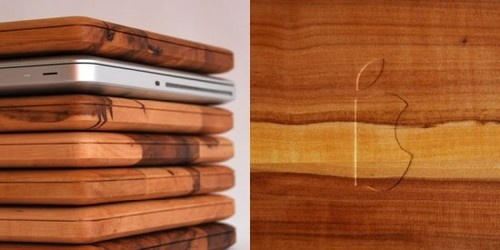
Apple’s unibody aluminum carving process… applied to dead tree flesh. For the true Apple fan, this $55 MacBook cutting board is a perfect addition to any kitchen, with a wonderful attention to detail: from the choice of material (an appropriate applewood) to the halved Apple logo on the cutting surface.
My only issue is it’s simply too gorgeous to cut anything on: $55 is just too much to spend on an item that is going to be hacked, slashed and stained with grease and tomato juice within a few days. This $40 iPad cutting board may be a better and more frugal fit for the culinary gore show of the Brownlee/Morford kitchen.
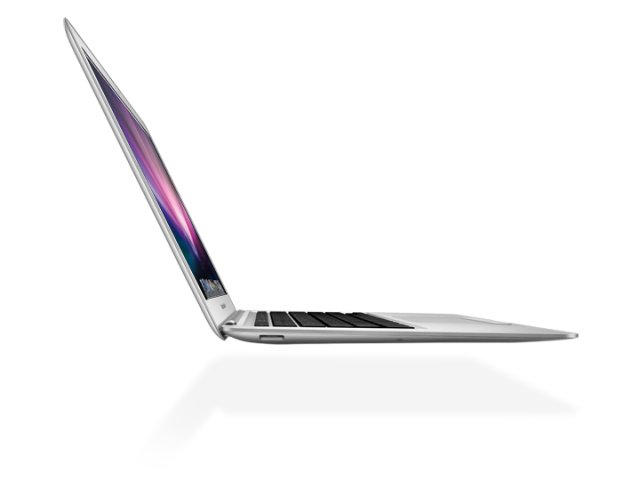
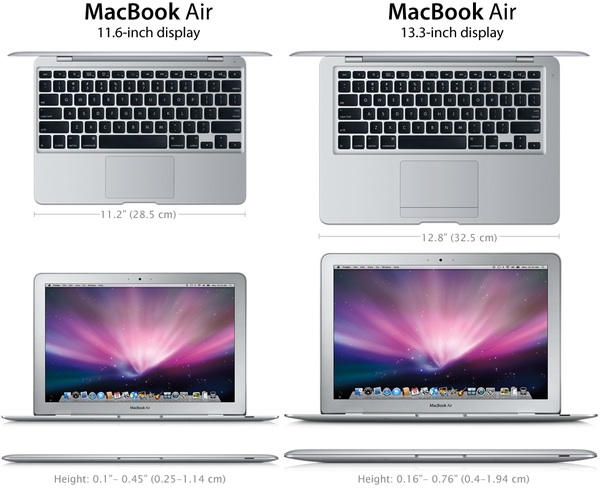
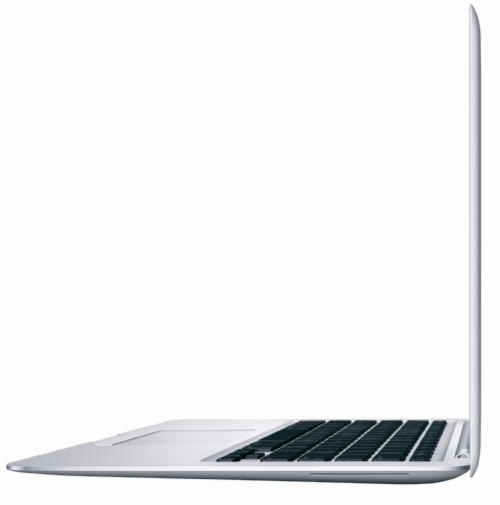
Last month, the always somewhat suspect Digitimes asserted that Apple intended on going head-to-head with the netbook market by releasing an 11.6-inch MacBook Air something later this year. Here’s one fan’s wishful thinking Photoshop on what such an Air might look like.
There’s nothing too hard to buy about the way Apple would choose to layout the keyboard on an 11.6-inch MacBook: as netbooks have shown, twelve inches is the sweet spot when it comes to not compromising keyboard size. Nor is the trackpad hard to swallow, given the fact that Apple will doubtlessly eliminate the physical button from future Air trackpads.
Making the Air even thinner seems like a pipe dream, though: Apple’s not about to switch over to an Atom chip, which means a thinner Air would come at the expense of battery life. And where’s the black glass bezel that Apple’s favored for all of their modern computer designs?
Still, I’d buy a smaller Air if the price was right and Apple could match the existing MacBook line’s battery life: my Hackintosh netbook is getting woefully long in the tooth.
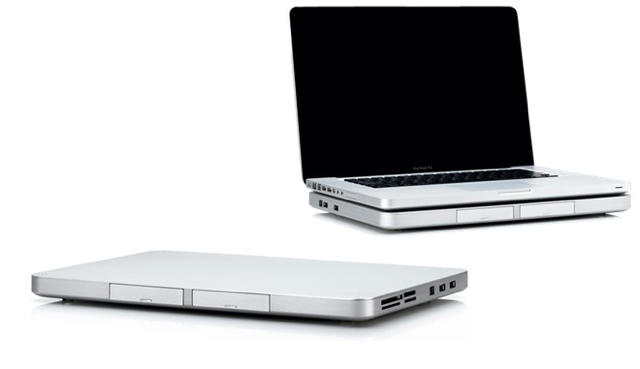
If you want to give your MacBook more of the oomph of a desktop, the DeskBook Pro dock from Zemno would be a neat little solution… except for its mind-boggling expensiveness.
Like most laptop docking stations, the DeskBook primarily functions as a port multiplier: slot your MacBook in and you’ll expand your available USB 2 ports to six, as well as two FireWire 800 and one FireWire 400 ports.
The DeskBook Pro also operates as an external hard drive, with two bays that can accept either a 500GB hard drive or a battery. Don’t expect the battery to juice your MacBook, though: it’ll only power the DeskBook away from a power outlet.
Additionally, the DeskBook packs a DVI-out port for the connection of a third monitor to your MacBook. The important thing to note here, though, is this monitor will be driven by USB, so you’ll want to go light on it: it won’t hold up to more performance-intensive tasks.
Not a bad array of functionality, all told, but the price is enough to prevent this from being dropped in many shopping carts: $600 without the $180 hard drive or $150 battery pack. If you want a desktop that bad, at that price, you might as well just buy an iMac.
Kimmel records today's show with his MacBook (Photo: abc.com)
This just in: after a power outage hit the taping of Jimmy Kimmel Live! earlier today, our intrepid host lept to the rescue with a Mac user’s quick thinking – plus the Power of QuickTime. Kimmel improvised and with the help of the crew taped the entire show using his MacBook’s iSight webcam.
Kitchen Performers and Video Bloggers rejoice – your video production tool of choice has been vindicated! The show airs Wed 23 June at 12:05AM EST on ABC if you want to see how it all worked out…
From Barcelona-based Herraiz Soto (the same people who brought you zen text editor Ommwriter) comes another idea for your notebook Mac: Bros and Mos, aka Stick with me baby.
They’re decorative stickers that add a little personality to the Apple symbol on your computer’s lid.
The stickers are made with 3M Controltac (whatever that is) and the designers say they won’t leave any nasty sticky marks on your laptop. But they are easy to put on and peel off as the mood takes you.
Each sticker costs eight Euros – about $9.60 at today’s exchange rate. But that does include shipping.
The MacBook Air is likely to get a speed boost soon, thanks to freshly shrinked versions of Intel’s Core processors.
Today, Intel announced the expansion of their processor family with six new chips designed for ultraportable notebooks, promising to make MacBook Air sized notebooks thinner and lighter while yielding a 32% performance bump over the last generation of ultrathin Intel chips.
These new mobile Core processors are based on the same 32nm chip design as the standard Core i5 and Core i7, but offer 15% power efficiency and the ability to be packed into machines with a 30% thinner form factor, without giving up features like Hyper Threading or Turbo Boost.
Right now, over 40 OEMs are promising to release new ultrathins using Intel’s mobile Core CPUs. Apple’s not listed among them, but Cupertino’s not going to let Intel spill details of a new MacBook Air for them. Expect a hardware refresh sometime in the coming months.
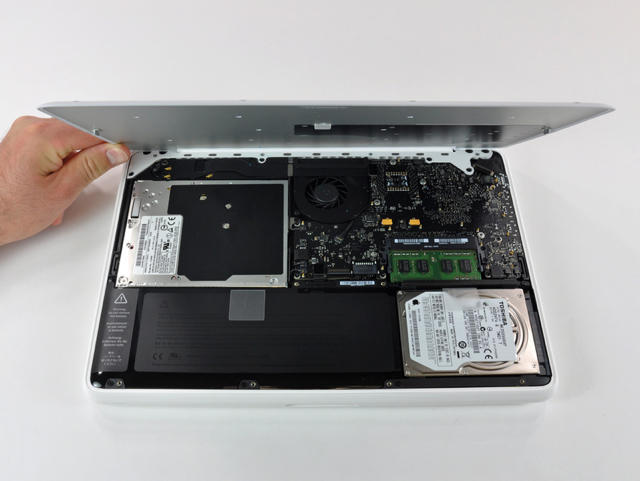
With their usual alacrity, the dissection fiends over at iFixIt have again donned their Kruger-like gloves tipped with T6 Torx screwdrivers and gutted a freshly speed bumped plastic unibody MacBook.
Not surprisingly, there’s not a lot of new information: since only the CPU, GPU and battery have changed since the last MacBook refresh, there’s not much new going on in the innards.
However, there was, at least, one pleasant surprise: the new plastic MacBook’s 10 hour battery is an easy swap into older unibody plastic MacBooks. While dropping a new MacBook battery into an old machine isn’t likely to get you the full 10 hours of battery life you’d expect from the newer models, it should still get you some extra oomph…. a nice bonus if you happen to get your existing MacBook’s battery replaced under warranty, and Apple efficiently drops one of the higher-capacity batteries instead.
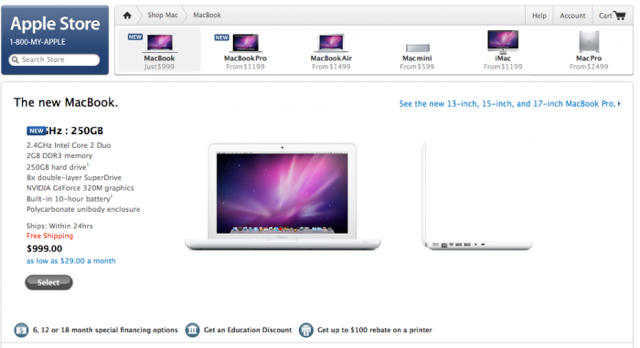
Well, score one for the Vietnamese. As rumored yesterday, Apple has stealthily upgrade the entry level plastic unibody MacBook to bring it more up to line with the specs of the entry-level 13-inch MacBook Pro.
Here’s what the new MacBook looks like: on the outside, it’s the same, but its electronic innards now contain a 2.4GHz Intel Core 2 Duo processor, 2GB of RAM, a 250GB 5400RPM hard drive and an NVIDIA GeForce 320M integrated GPU.
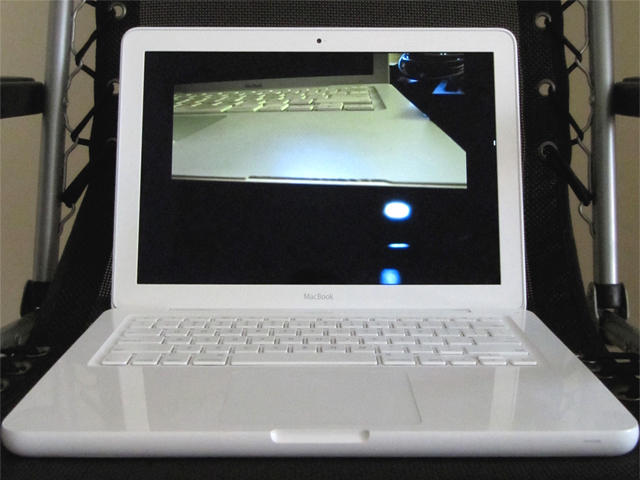
The biggest update is actually the battery: it now gets the same 63.5 watt hour batter as the 13-inch MacBook Pro, which gives it up to 10 hours of wireless productivity. That’s actually netbook range, now.
The new MacBook is a better deal than ever, and as usual, it only costs $999.
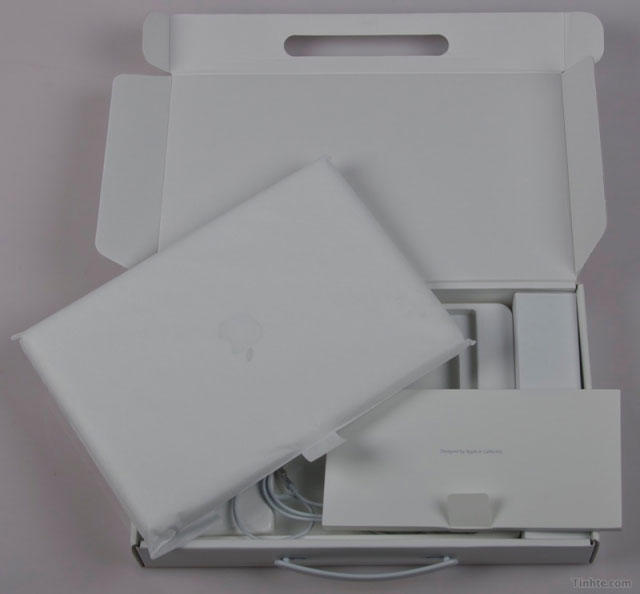
All hail Vietnam, new Xanadu of surprising Apple leaks! Vietnamese site Tinthe — the very same site that leaked video of the fourth generation iPhone last week — somehow managed to get their hands on pictures and specs of the next MacBook.
Don’t expect anything too boldly different from the case: the new MacBook appears to be identical to the old unibody plastic. This is mostly just a hardware refresh to make the MacBook more competitive with the baseline 13-inch MacBook Pro, and like the latter laptop, the new MacBook gets a 2.4 GHz Intel Core 2 Duo CPU and an NVIDIA GeForce 320M GPU.
According to Macworld.com.au’s sources, several thousand items of new Apple stock with the product number MC516LL/A K87 BETTER BTR-USA are now on their way to Australia… and while they aren’t quite sure what it is, they’re positing it might be an updated MacBook Air.
The previous lines of plastic MacBooks are notorious for developing a wide variety of defects. One defect in particular, cracking plastic, has caused many to aptly refer to these MacBooks as “CrackBooks.”
This article will tell you how to turn that outdated CrackBook into a brand new MacBook. It worked for us. I hope it works for you.
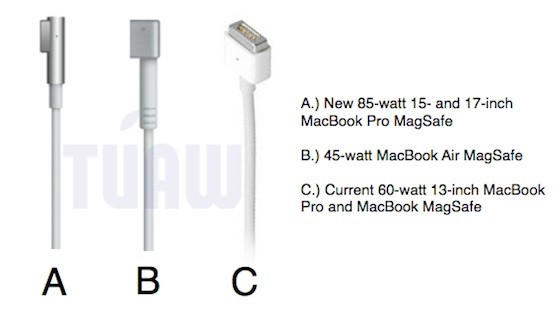
Apple has finally seen fit to update the design of its 85-watt MagSafe Power Adapters to use an all aluminum tip instead of a plastic one, mimicking the design of the 45-watt MacBook Air’s adapter.
Not only will this minimize the 85-Watt MagSafe’s physical footprint, but ditching the plastic should prevent the occasional melting problems we sometimes hear about. It also happens to look a hell of a lot better.
The 60-Watt MagSafe Power Adapter hasn’t been updated yet, but all things in good time. Hey, look at that! As Charli points out in the comments below, they just were.
I use my MacBook Pro as my main work computer thanks to a Logitech notebook keyboard stand and an external monitor, but I’ve often wanted something cleaner: a simple and elegant docking solution without any need to manually connect DVI cables and USB umbilicals.
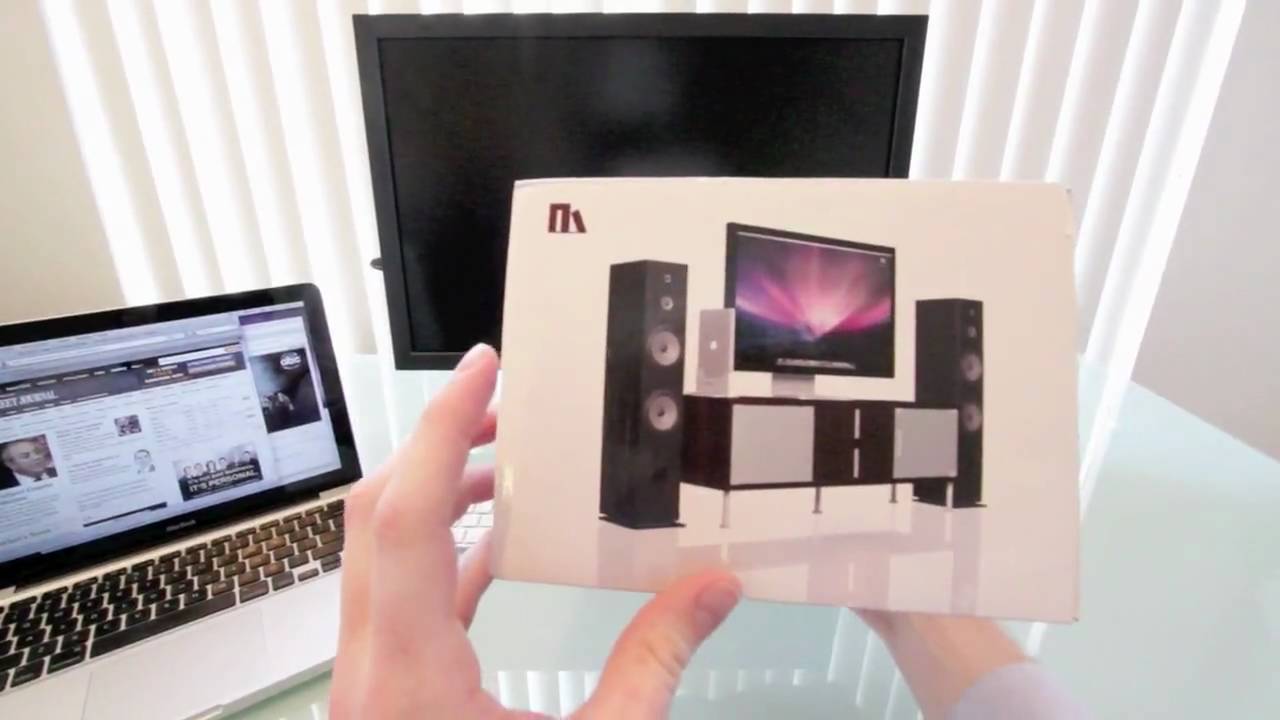
Henge Docks’ line of MacBook docking stations seems to be just solution. All you do is slap your MacBook into the docking station and it’ll drive an eternal keyboard, mouse, printer, hard drive, stereo and any FireWire or USB hard drives you care to connect to it… all in a clean, compact and efficient design. It even uses your existing MagSafe charger.
Very nice indeed, and with prices starting at $59.95, this looks like an easy product to recommend to any Apple fan who uses their MacBook as their main work machine.
It’s Friday and we’re all a little tired. Luckily, a surprisingly vociferous Steve Jobs has been taking to his iPad email client a lot lately to entertain us.
His latest missive? Explaining the rationale behind leaving the 13-inch MacBook Pros behind the Core i3i5 15 and 17-inchers with comparatively wimpy Core 2 Duo processors.
One of these days, some fraudulent soothsayer’s bound to be right, but until then, it’s just as much our obligation to report the rumors of an imminent MacBook refresh as it is yours to digest them with a nice, healthy lick of salt.
According to Taiwanese newspaper Apple Daily, a refresh of Apple’s MacBook, MacBook Pro and MacBook Air models incorporating Intel’s new Core i3, i5 and i7 mobile processors is due later this month.
Other spec bumps include maximum hard drive configurations of 640GB and 8-hour battery life expectations across the board.
A terse entry from the sometimes reliable Digitimes might spell bad news for MacBook owners waiting for an imminent hardware refresh: Intel is having a hard time meeting demand for their latest Core i3, i5 and i7 processors, the most likely CPU candidates for the next iteration of Cupertino’s laptop line.
It all comes down to Acer. Apparently, the Windows laptop maker was so optimistic about consumer demand for Intel’s latest processors that they made an abnormally large order, slurping up practically every batch spit out of the assembly line. This has caused Intel to prioritize delivery of the remaining chips to major clients.
The question is: is Apple still considered a major client for Intel? Intel and Apple simply aren’t as close as they were two years ago, mostly due to Apple’s GPU partnership with NVIDIA: now, with Apple getting into chip development of its own, Intel may well see the writing on the wall… Apple’s an up-and-coming competitor.
A couple of weeks ago I canceled my MobileMe account. Why? Because it didn’t do the one thing I wanted it to do: share my calendar with my wife so we could coordinate our busy lives. That’s all.
I love MobileMe’s email, calendar, contact syncing (especially on the iPhone) and even iDisk. I gave Apple a year to improve it, but nothing happpened, so I switched.
Here’s how to recreate all of MobileMe’s features for FREE (except one) and how I use it to sync my iMac, MacBook and two iPhones.