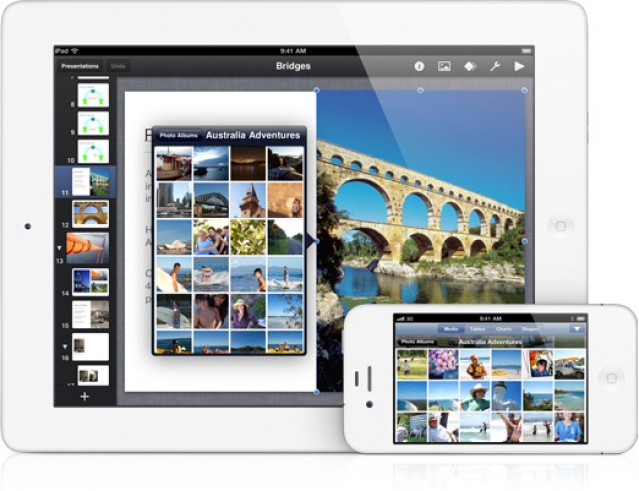
Apple updated its iWork applications for iOS yesterday to include support for the iPhone and iPod touch, and I couldn’t wait to get my hands on them. As a regular user of Keynote, Numbers and Pages on the iPad, I have been patiently waiting for their iPhone counterparts for some time – and these are well worth the wait.
If you’ve already used these apps on your iPad, then they need no further introduction – they are essentially identical underneath – just scaled down on the outside to fit on the iPhone’s smaller display. What’s great is that the user experience is just as fantastic.
Unlike other office applications for the iPhone, which I’ve found are largely painful to use for anything more than just minor document editing, the iWork applications are a pleasure to use. They boast the same great features and the same powerful user interface you get on the iPad.
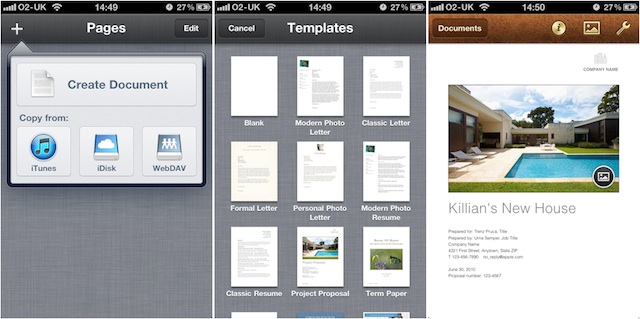
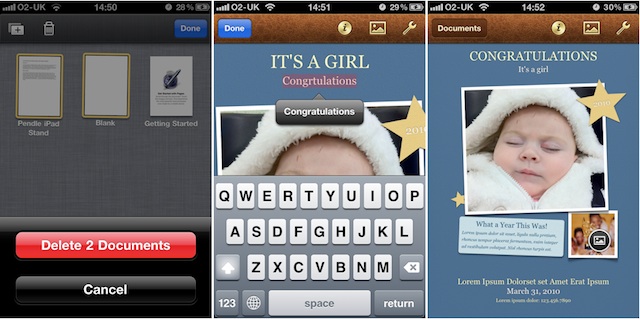
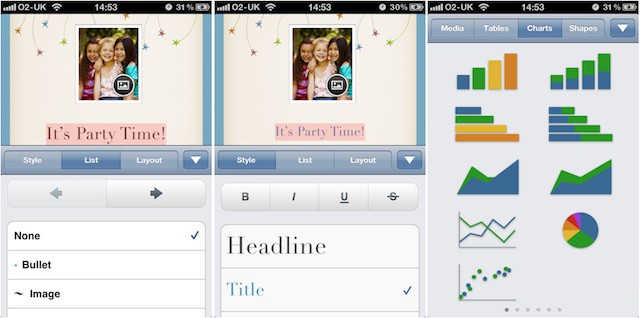
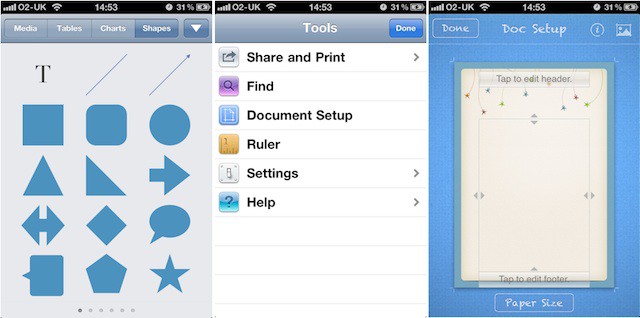
While you won’t want to work away on your iPhone for long periods of time, when you have to get work done on the move there’s no better option that the iWork apps. Here’s our hands-on gallery:
Pages – ($9.99)
41 responses to “iWork for iPhone First Impressions – The Best iPhone Office Suite? [Gallery]”
Got it. Synched it. Love it.
A critical issue for me: Does it work with Dropbox? That is, can I put, say MS Word 2007 document in my Dropbox, then open it in Pages on my iPhone? Once I am done editing, can I save the updated file back to Dropbox?
It’s Awesome! At first it was a little glitchy on my third gen iPod Touch but it smoothed out after a bit. (I wish I had a retina display right now!)
It sucked, you can’t use landscape view, and its really small.
There very nice, but what we really need is some applescript to go with it
Unfortunately not. iWork apps don’t support Dropbox on the iPad or the iPhone!
Sure, it’s small, but that has to be expected on an iPhone. And you have to agree that it’s a great deal nicer than the other office suites available?
yes it does actually. google dropdav. it allows dropbox to act as a webdav service. VERY helpful for using my ipad for work
Without BiDi support, iWork for Mac and iOS is useless to me. It’s a pitty, because I really want to use it.
Guest,
Thank you very much. I will investigate dropdav. Sound like the solution I was looking for!
You can use DropDav free for only two weeks now. After that you will need to spend five bucks a month to use what is only a conduit service. There is a minimalist alternative DropDav at https://dropdav.appspot.com where you can sync files less than 1MB to Dropbox.
You can, however, use a free 5GB Box.net account to sync your iWorks docs. The only downside is that Box.Net doesn’t have a free desktop sync companion – for now only a Win version and soon a Mac version. They are fee-based. The Box.net web site does remain free.
I have a feeling you won’t have much to worry about in about a week…something tells me the WWDC will address your concerns
6 Best Herbal Hair Loss Treatments
http://www.articles9.net/2011/…
I don’t think 90% of the time anyone would seriously build their presentations, or write their next thesis or crunch their startup spreadsheet on an iPhone. But that isn’t the point. It’s the 10% of the time when you want to review something, and have it with you that that’s where this is so unbelievably awesome. It’s incredibly smooth on an iPhone 4, and looking at those animated Keynote presentation just simply blew me away.
Dear friends.I invite you to visit my website for news and tips about outdoor digital accessories.Here are two links for best iPhone gloves and latest touch screen gloves
Just go and have a look.
Do you have to purchase again for iPhone versions?
Surely there will be iCloud synchronisation. Hasn’t iWork.com been in beta for around 2 years now? Maybe time for an iWork refresh – again it’s been 2 years.
No, it’s an universal app so it works on both the iPhone and iPad…
Easily, the station is truly the superior on this laudable
substance. I hap with your conclusions and module thirstily await brash to
your futurity updates. Expression thanks instrument not retributive be ample,
for the fantasti c clearness in your writing. I leave straightaway seize your
rss food to fill secret of any updates. Upstanding line and overmuch success
in your byplay enterprize!
Regards
Safety Inspections
Christian Rap Artists
I enjoyed version this
bankruptcy attorney
long island wine tours
Pages is actually a pain to use, literally. My thumbs start hurting from being forced to use portrait mode. Good thing it has the option to share to iWork.com, so I could finish my document on my Mac. Without landscape mode, I can’t see using Pages on my iPhone very often.
Apple should give this free to all MacBook owners who have iWork installed on it. Why pay $30 more dollars?

