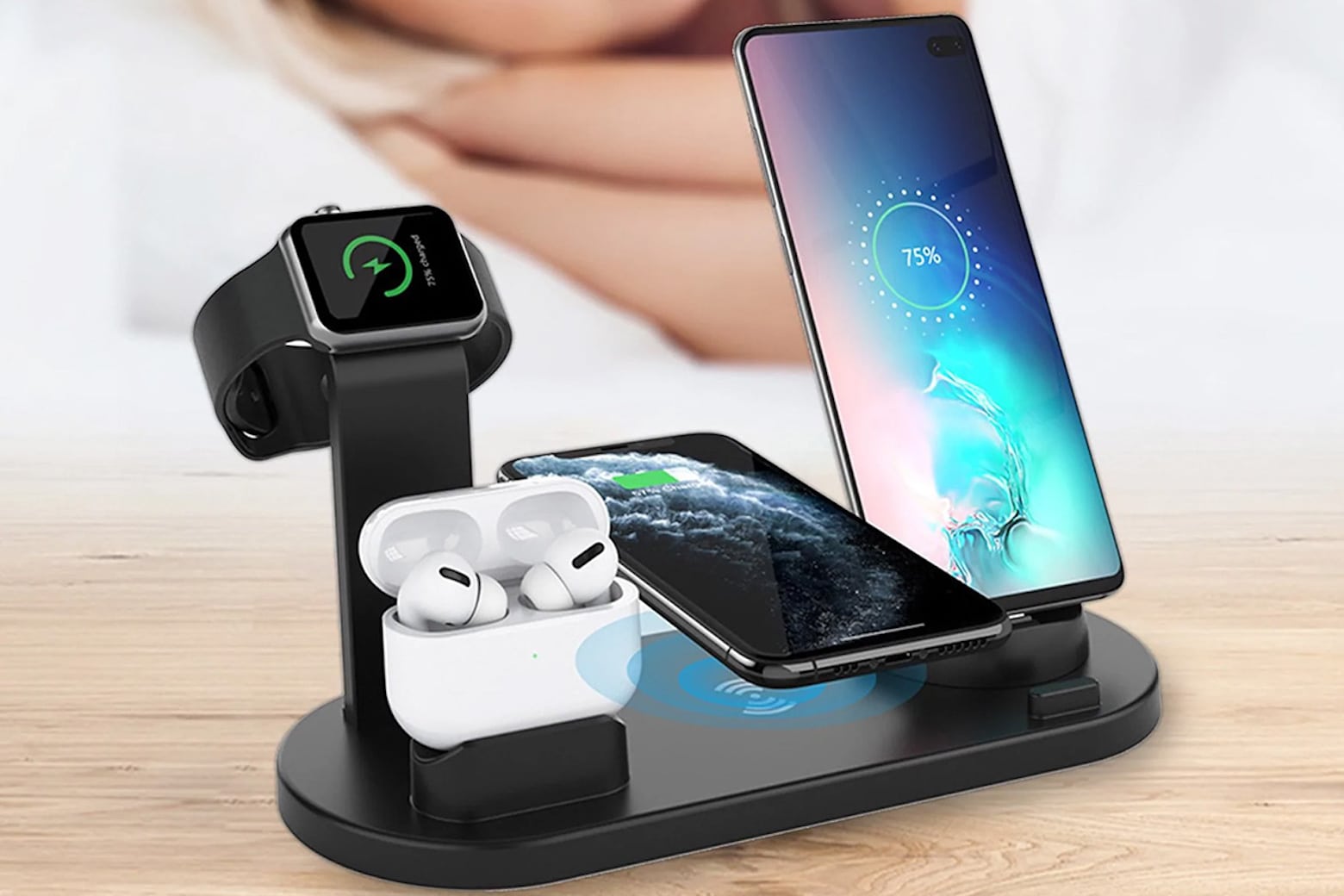
This iPhone accessory bundle is a game changer, and it's now only $49.99. Photo: Cult of Mac Deals
Owning an array of iPhone charging accessories can make life go more smoothly. Luckily, we’ve got a bundle that combines a plethora of accessories in one.
For a limited time, this five-piece iPhone accessory bundle is on sale for only $49.99 (regularly $129).
★★★★☆
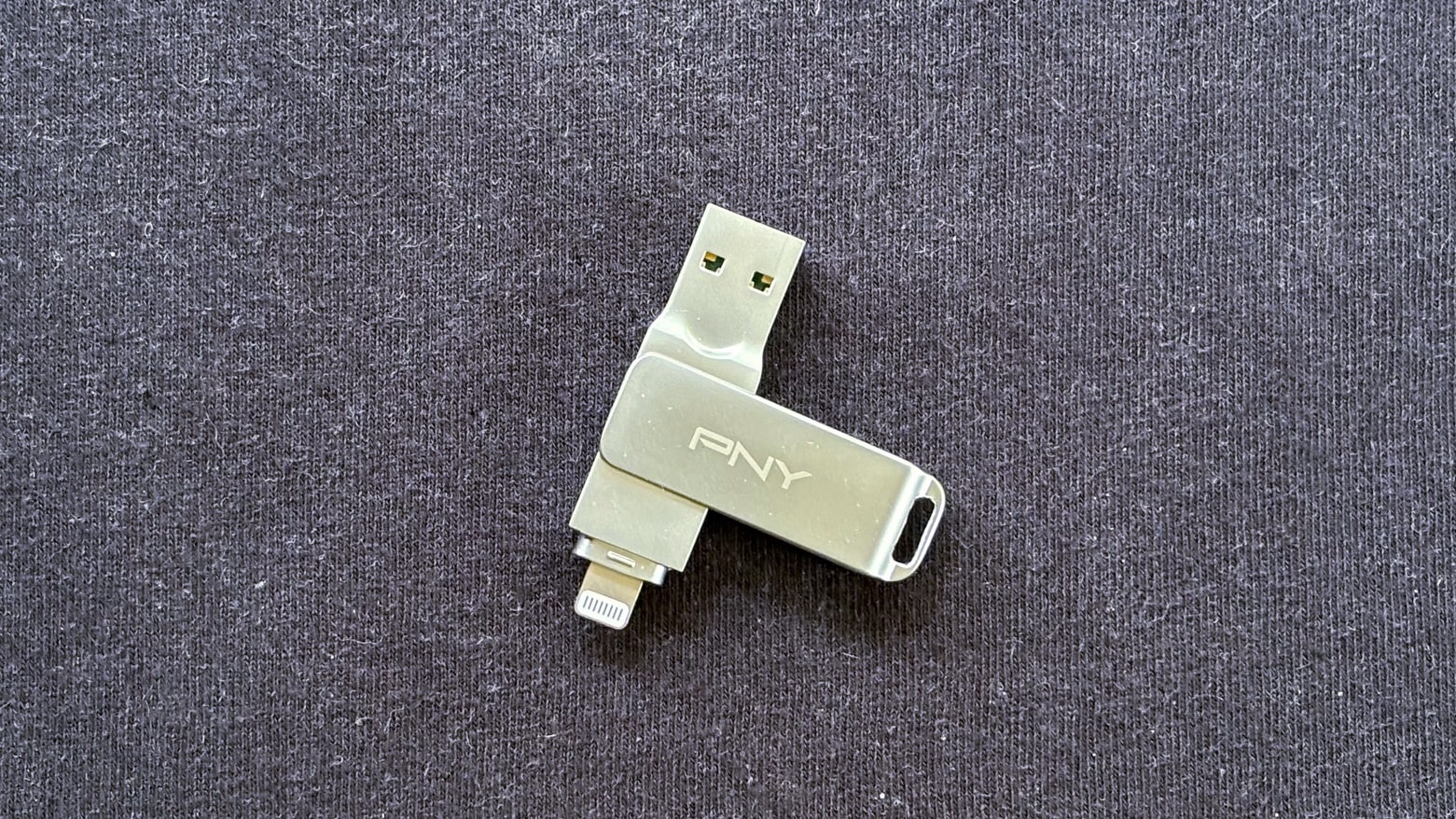
PNY offers the cross-platform flash drive your iPhone needs. Photo: Ed Hardy/Cult of Mac
Feeling jealous that iPhone 15 users can plug a thumb drive directly into their phone? Then you need the PNY Duo Link iOS USB 3.2 Dual Flash Drive. It has both a Lightning connector and USB-A connector, which makes it compatible with iPhone, iPad and Mac. Windows, too.
With it, you can copy images or other files between devices. Or backup your iPhone when you’re on the go.
I put PNY’s drive through its paces. Here’s what I found out.
★★★★☆
Don't struggle with on-screen controls when gaming on your iPhone. The Turtle Beach Atom Controller is the way to go. Photo: Ed Hardy/Cult of Mac
Clip the Turtle Beach Atom Controller for iOS on either side of an iPhone to add the physical buttons and sticks that make high-end gaming much more fun. It mimics the brilliant design of the Nintendo Switch Joy-Con with the controls set on either side of the display.
It’s ready for Apple Arcade games and cloud-gaming services, too. And don’t forget the console games Apple has promised to port to the iPhone 15 Pro.
I spent hours testing the controller (it’s a hard job I have) and I really like it. Here’s why.
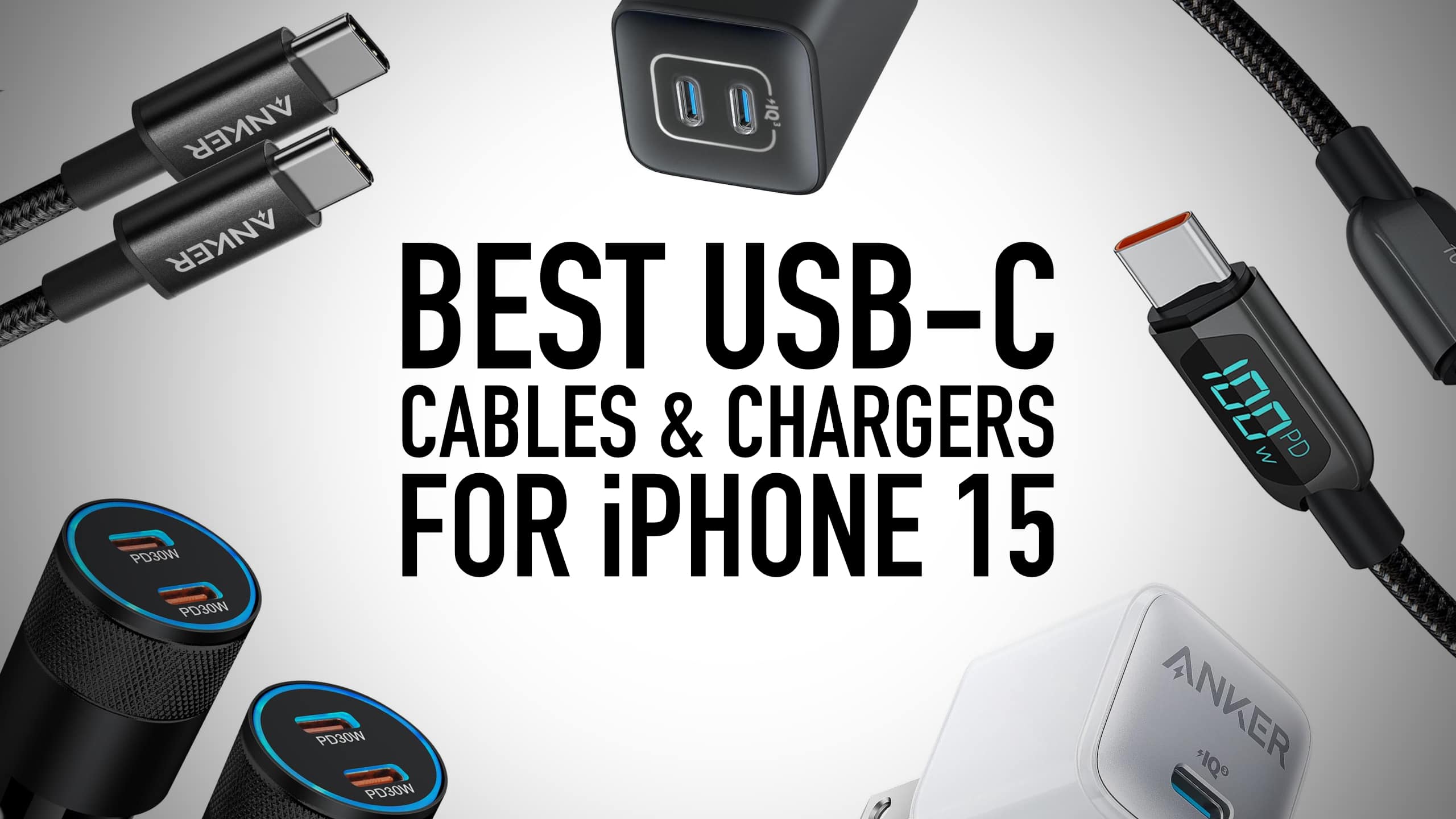
You can never have too many cables. Image: Killian Bell/Cult of Mac
One of the best things about iPhone 15 is arguably its USB-C port, which makes connectivity a whole lot simpler. It means you can finally charge your iPhone with the same cables and chargers you might use for other devices, like iPad Pro, MacBook Air, Nintendo Switch and lots more.
If you don’t own any of those and you need to stock up on USB-C accessories, fear not. We rounded up the best USB-C cables and chargers you can buy right now for iPhone 15.
You don't have to buy AirPods to get decent earbuds from Apple for your Mac or iPad. Photo: Apple
Apple’s transition away from the old Lightning connector includes a USB-C version of EarPods, and these can now be purchased online for under $20.
The wired earbuds that come with iPhone are surprisingly good — audio quality is closer to AirPods than you might realize. And there are other advantages for Mac and iPad users, too.
This leather-wrapped three-in-one charger is on sale for just $99.99. Photo: Cult of Mac Deals
This sleek 3-in-1 wireless charger is covered in genuine black leather and can charge iPhone, Apple Watch and AirPods all at the same time.
It looks luxurious, but you can get it at an affordable price. It’s on sale for only $99.99 (regularly $149), and it can upgrade your current charging game in several ways.
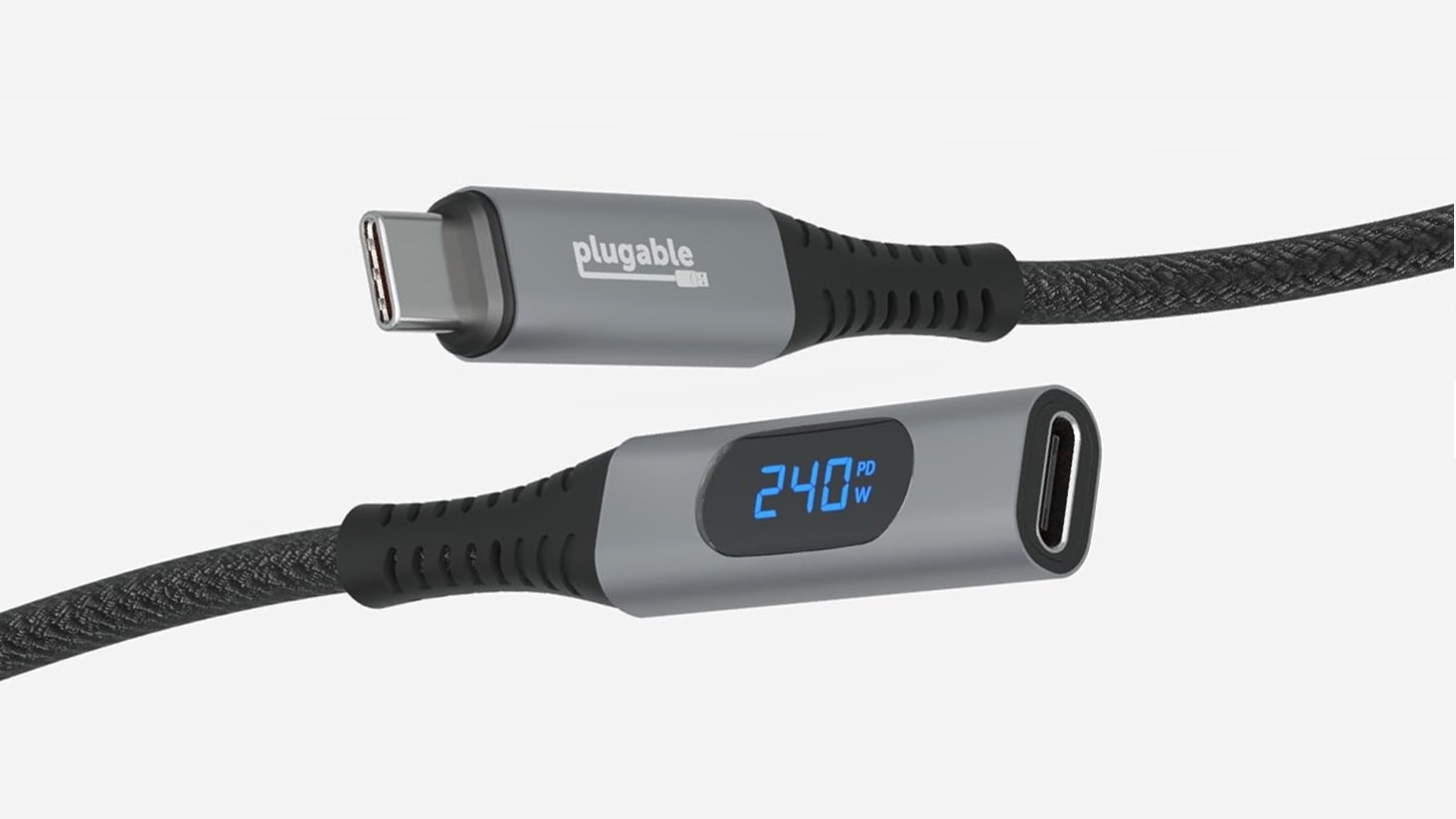
Stop guessing about how much power is going to your devices. Photo: Plugable
You’ll always know how much current is flowing to your devices with the just-launched Plugable USB Type-C Extension Cable with Power Meter. A small display shows how many watts are being transferred by the affordable cable.
Plugable also introduced on Tuesday a tiny 30W USB-C GaN charger plus a 32W wall charger that includes USB-C, USB-A and AC power ports.
Made of carbon fiber, this tiny yet sturdy iPhone stand is perfect for creating or viewing content anywhere. Photo: Geometrical
Designed for iPhone photographers, the Pocket Tripod’s one-of-a-kind design allows it to fold up to the size of a credit card so it can fit easily into your wallet, pocket or bag. When you need an iPhone stand for something like a group photo, a long-exposure sunset shot or even to watch a video on a long flight, it folds out in seconds to support your most prized gadget.
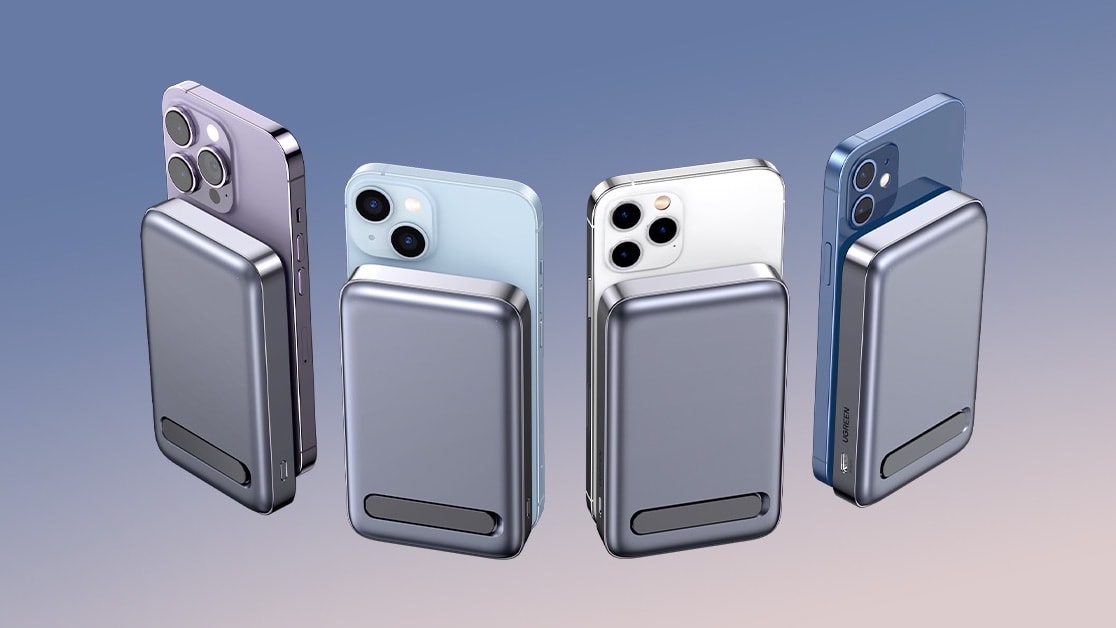
Get two full recharges for your iPhone from Ugreen’s MagSafe power bank. Photo: Ugreen
The name for the Ugreen MagSafe 10,000mAh Battery Pack with Foldable Kickstand is a mouthful, but it’s also a full description of what the new accessory has to offer. Magnetically clip the power bank to the back of an iPhone and it’ll wirelessly recharge the handset. And the kickstand means it also functions as a stand.
The accessory can even recharge two other devices at the same time.
Here are some of the best travel accessories for MacBook, iPhone or iPad, even if you’re going way off the grid. Photo: Tima Miroshnichenko/Pexels
Whether you vacation at the beach, in the mountains or anywhere in between, you’ll surely bring your iPhone, Apple Watch and maybe an iPad or even a MacBook with you. We have suggestions for accessories to simplify keeping your gear charged and organized. Plus some to make the trip more fun.
We’ve tested all these gadgets so we know they do what they promise.
★★★★☆
The Pitaka MagEz Slider 2 is both a MagSafe iPhone stand and MagSafe power bank. Photo: Adel Neal/Cult of Mac
The Pitaka MagEz Slider 2 combines a desktop stand for your iPhone with a MagSafe power bank, so your handset can get juiced up wherever you go. Just slide the external battery out and take it with you. As a bonus, the swiveling stand also includes an AirPods charger.
It originally launched in 2022, and there’s second-generation version out with an improved design. I put the updated charging stand on my desk to test it out in everyday use. Here’s what I found.
★★★★☆
Get rid of cable clutter with the SwitchEasy MagPower multidevice charger. Photo: Adel Neal/Cult of Mac
The SwitchEasy MagPower 4-in-1 Magnetic Wireless Charging Stand can wirelessly power up a MagSafe iPhone while also juicing up an Apple Watch, AirPods and more. And it even has a nightlight as a bonus.
I’ve had the stand either on my desk or beside my bed for a couple weeks now. Here’s what it’s like in real-world use.
You can take Instagram-worthy pictures of the night sky with the Vaonis Hestia. Photo: Vaonis
The Vaonis Hestia gives users a closer look at the moon, sun and stars, but it’s far from a traditional telescope. It’s designed to let beginners use their iPhone to view the heavens, easily find the celestial objects they want to see, and then photograph them.
It’s also quite portable. It’s ready to go with you to escape light pollution.
★★★★☆
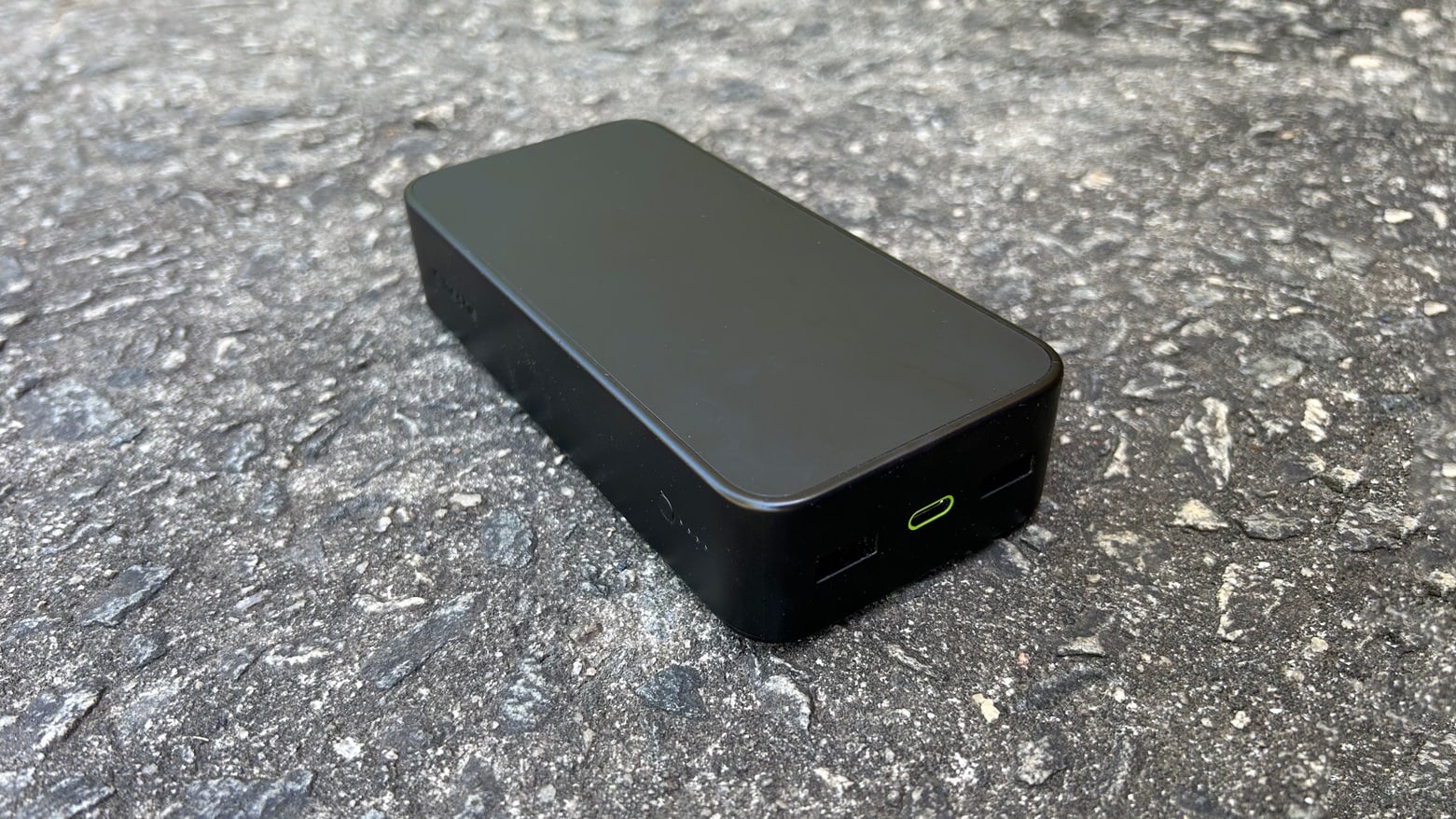
This relatively inexpensive power bank from movie can add days of use to your devices. Photo: Ed Hardy/Cult of Mac
The 2023 version of the mophie powerstation packs in 10,000 mAh and a trio of USB ports to charge your Apple or Android devices. It can keep an iPhone 14 going for a weekend, or give a boost to a MacBook or iPad.
I put the external battery to through testing to see how well it stands up to real-world use.
★★★★☆
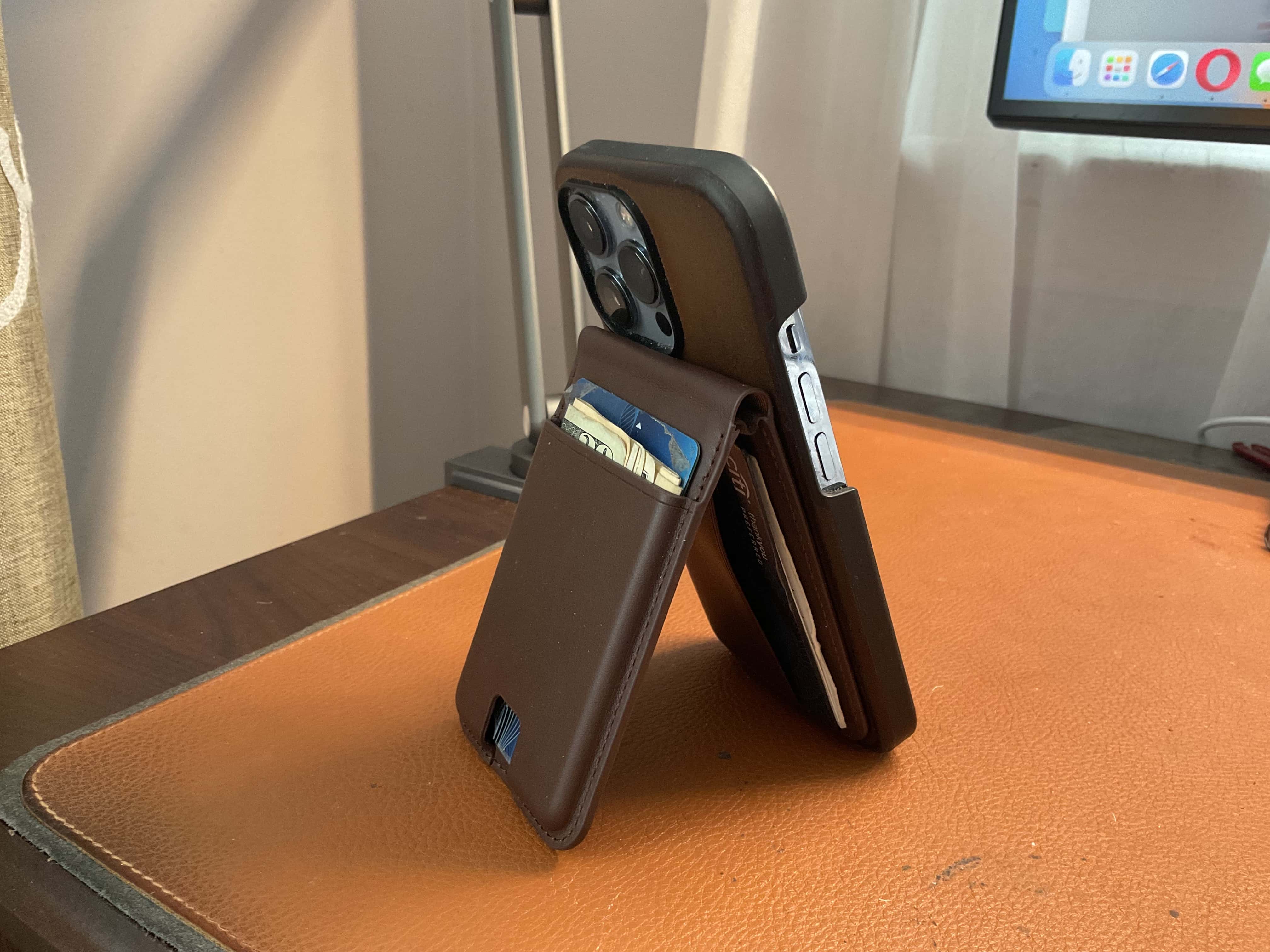
Here's the Ezmo, laden with cash and cards, serving as an iPhone stand. You can widen the stand's angle and mount the iPhone in landscape orientation, too. Photo: David Snow/Cult of Mac
Whether you carry a wallet bursting at the seams or you’re a two-cards-and-cash-in-a-clip person, Journey has a new product you might want to give a go. It’s the Ezmo Magnetic Wallet and Phone Stand.
It’s a high-quality leather product that fixes to your iPhone. But whether you want it to be your daily carrier for cash and cards depends on how little you feel you can get by carrying around with you. The company sent me one to try out.
Tidy dad’s charging cables with this awesome 6-in-1 charging station, less than $50 now for Father’s Day. Photo: Cult of Mac Deals
If your dad loves Apple gadgets, we’ve found the ultimate accessory for him — just in time for Father’s Day. The ChargeUp 6-in-1 wireless charging station with Apple Watch charger will it keep all his gear charged and tidy. And right now, this great charging station is discounted for our Father’s Day Sale to just $49.97.
That’s more than half off the regular price of $99. Be quick to grab it, as the special low price will only last through to 11:59 p.m. on June 11.
Get this top-rated 3-in-1 wireless charging station for only $47.99. Photo: Cult of Mac Deals
Juggling multiple chargers for iPhones, Apple Watches and AirPods can be a hassle (and also looks terrible on your desk or bedside). Thankfully, there’s a simple answer: a multipurpose wireless charging station.
The MagStack Foldable 3-in-1 Wireless Charging Station, which comes with a floating stand and a 20W adapter, solves the age-old issue of messy, tangled cords. Apple lovers can’t stop raving about it, and it only costs $47.99 (regularly $74).
★★★☆☆
This power bank from mophie packs in the power your iPhone needs. Photo: Ed Hardy/Cult of Mac
The mophie powerstation XL offers 20,000mAh that goes with you anywhere, always ready to charge up your iPhone, iPad or MacBook. It stores enough juice to keep devices going for days.
It comes at a relatively low price for such a high-capacity battery, especially one made by a very reputable company.
I put the consumer-grade power bank through testing to make sure real-world performance lives up to the specifications.
Get a bundle of six new iPhone 14 Pro accessories for less than $100. Photo: Cult of Mac Deals
As iPhone 14 Pro owners already know, the latest generation of Apple’s signature device can do a whole lot. But just because you’ve got the “next big thing” doesn’t mean you can’t go bigger. This six-piece iPhone 14 Pro accessory bundle will make your sexy smartphone cooler and easier to use in multiple ways.
★★★★☆
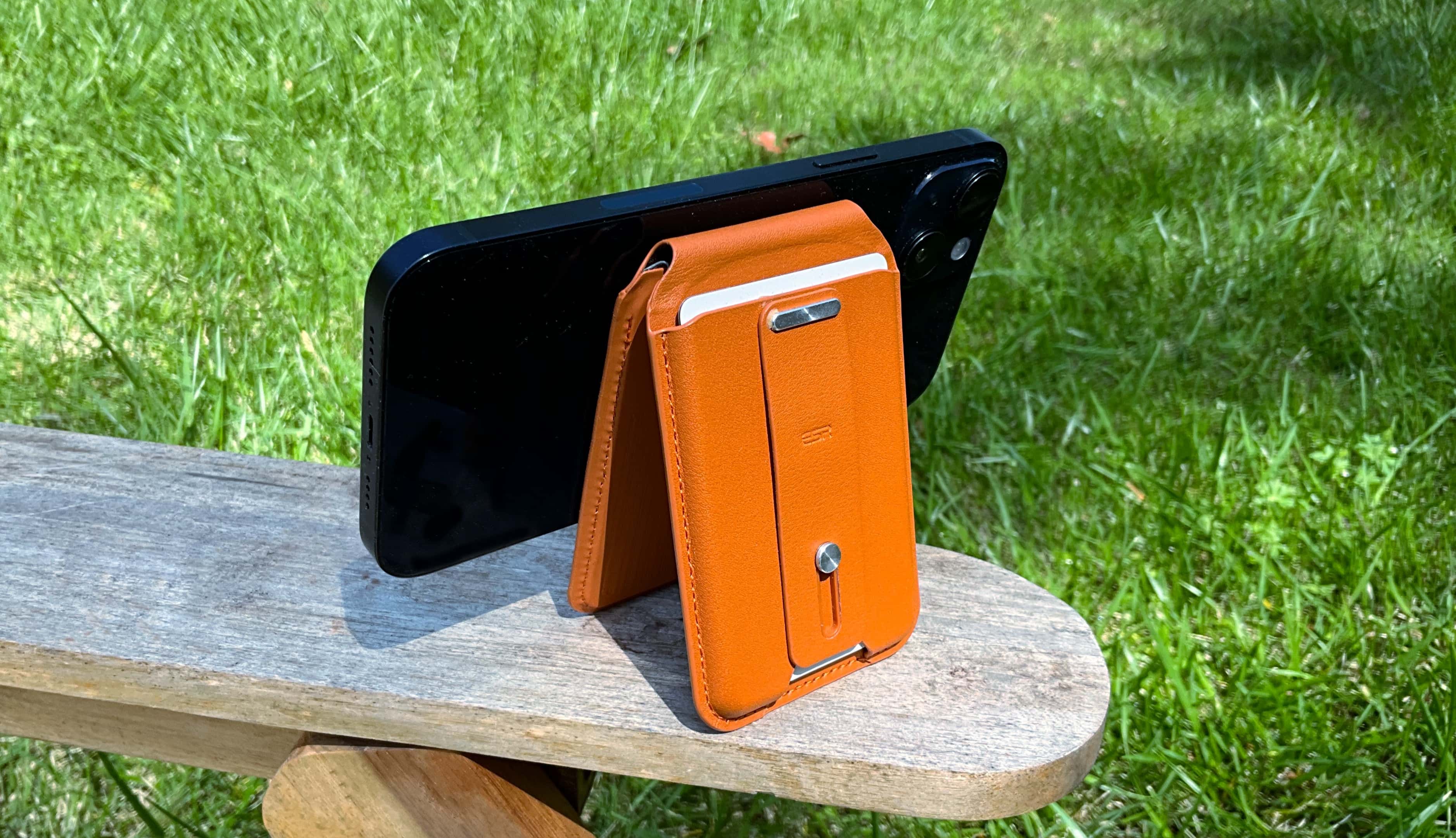
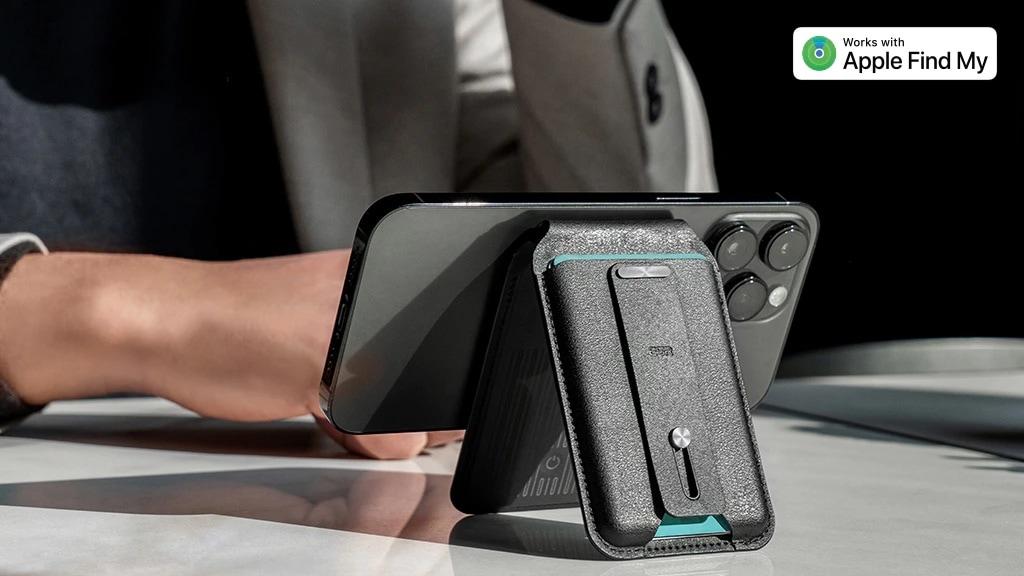
The ESR HaloLock Geo Wallet Stand is an iPhone multi-tool: wallet, stand and handle. Photo: Ed Hardy/Cult of Mac
The ESR HaloLock Geo Wallet Stand combines three popular iPhone add-ons into one. In addition to being a wallet and a stand, it also includes a handle. If that wasn’t enough, the accessory can be located almost anywhere with Apple’s Find My network, just like an AirTag.
I attached the wallet/stand to my iPhone 14 Plus with its powerful magnets and started testing. Here’s what I discovered.
Save big on this all-in-one phone charger, stand and memory bank. Photo: Cult of Mac Deals
The WonderCube Pro is a tiny, multifunctional iPhone accessory that’s small enough to fit on a keyring. It features a charging cable with multiple tips, plus a flash drive, a flashlight and a flashy phone stand. It even comes with a keyring!
For a limited time, you can get one for just $39.99 (regularly $70), while a two-pack costs only $79.99 (regularly $118). This is the best price you’ll find online, but you’ll have to act fast, as these price drops only last until April 18.
Don't take any chances when you're traveling with your iPhone. Photo: Benjamin Rascoe/UnsplashLicense/Modified by Cult of Mac
As the old saying goes, there ain’t no such thing as a free lunch — there’s usually a trick. And the same goes for phone charging sustains in airports. These can be used to hack your device, according to a recent warning from the FBI about “juice jacking.”
Here are six ways to safely charge up your iPhone when you’re on the go.
★★★★☆
The RiotPWR RP1950 game controller is ready to play top-tier games on an iPhone or iPad. Photo: Ed Hardy/Cult of Mac
The RiotPWR RP1950 Cloud Gaming Controller solves a problem for iPhone gamers: the controller plugs into the Lightning port in today’s models, but also into the USB-C port that will be in the iPhone 15. In the mean time, the controller can also be used with the many iPad models that use USB-C.
I field-tested RiotPWR’s latest controller and its removable iPhone mount. I understand why Apple likes it enough to put in the online Apple Store.
Misplace ESR's latest wallet and other iPhones can automatically help you find it. Photo: ESR
It’s nearly impossible to lose the ESR HaloLock Geo Wallet Stand. It clings to an iPhone with unusually powerful magnets, and when removed can be located almost anywhere with Apple’s Find My network.
The new ESR wallet offers several advantages over the Apple Leather Wallet with MagSafe.
★★★★☆
MagSafe makes this fast, affordable charger extremely convenient. Photo: Ed Hardy/Cult of Mac
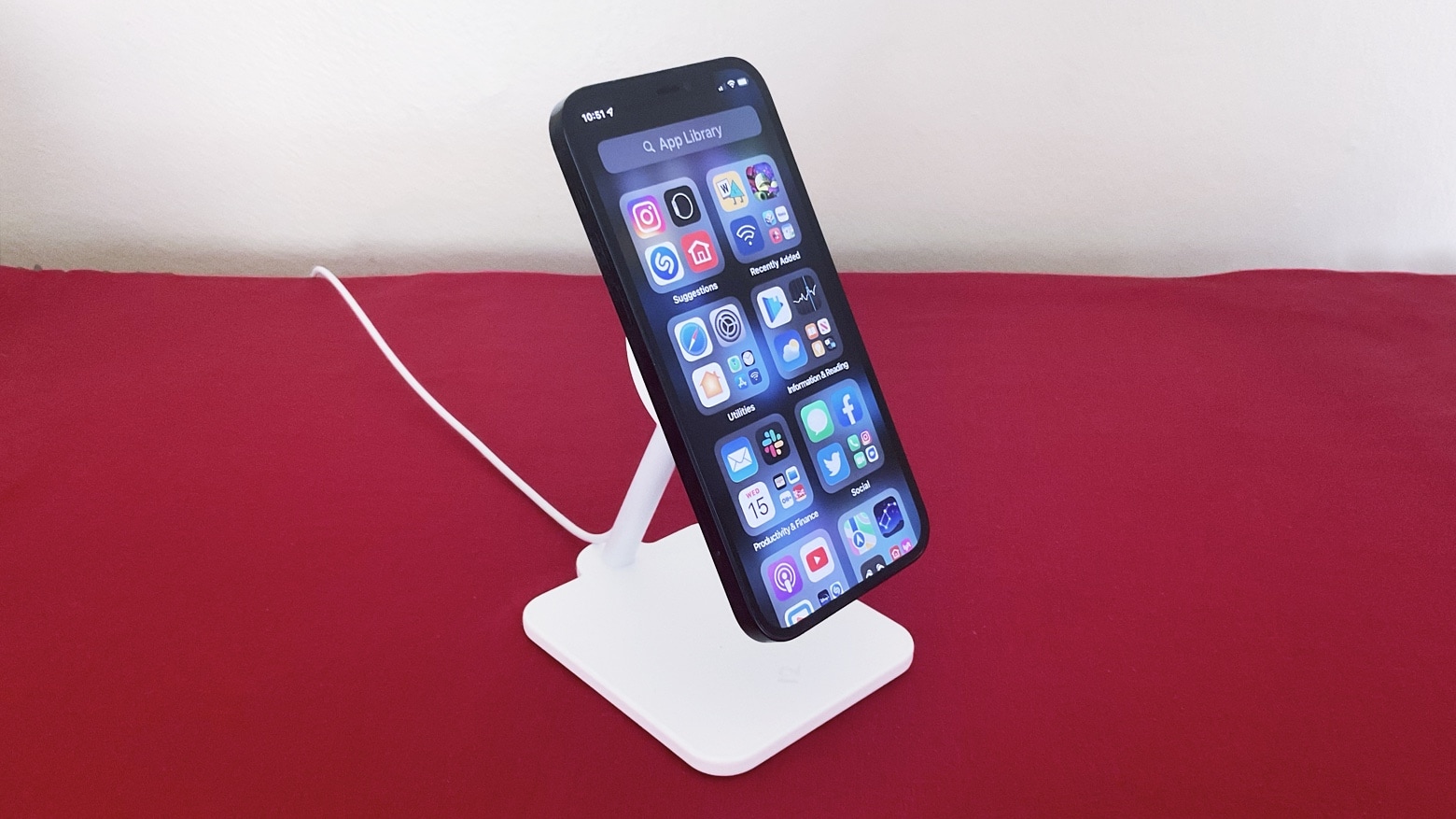
The Twelve South Forté turns Apple’s MagSafe iPhone charging puck into a stand. So rather than your handset lying flat on a table, it’s held up so you can more easily see the display. And the elevated charging mat swivels so you can pick your viewing angle for watching video or making FaceTime calls.
I put the Forté to use in my home office. Here’s what it’s like to use in real life.