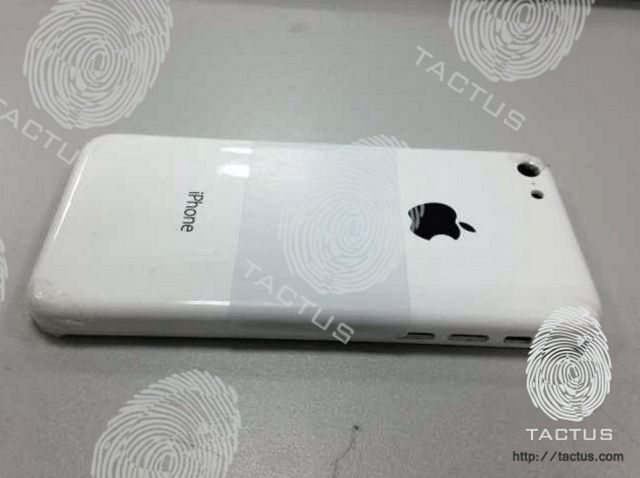
Remember that fifth-generation iPad mould that we reported on earlier this week? Well, its source has now obtained what is believed to be the casing for Apple’s rumored low-cost iPhone.
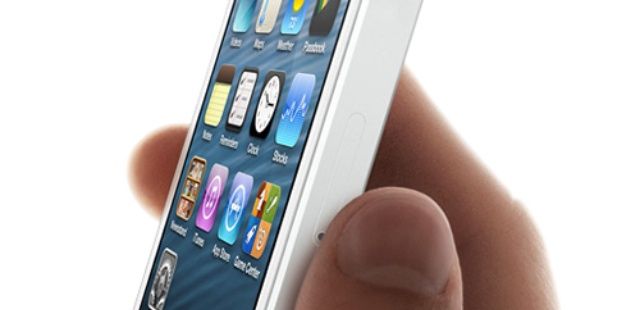
It’s made of polycarbonate plastic just like the iPhone 3G and the iPhone 3GS, and it will reportedly pack a 3.5-inch display like previous iPhones — yet it’s both taller and wider than the iPhone 4S. It may also get its grand unveiling this October.
Despite its obvious problems, it’s hard not to love this little iPad lap desk from Kikkerland. It’s not just that it would look so cute perched on your thighs with a snack and a suitable beverage, but that somebody thought to update the TV dinner for the internet age.
LinkedIn has rolled out new apps for Android and iOS that boast brand new designs, faster navigation, and new features. Users will now find an increased focus on their news stream, with conversations, network updates, and more now front and center. The update even comes with a fancy new demonstration video; check it out below.
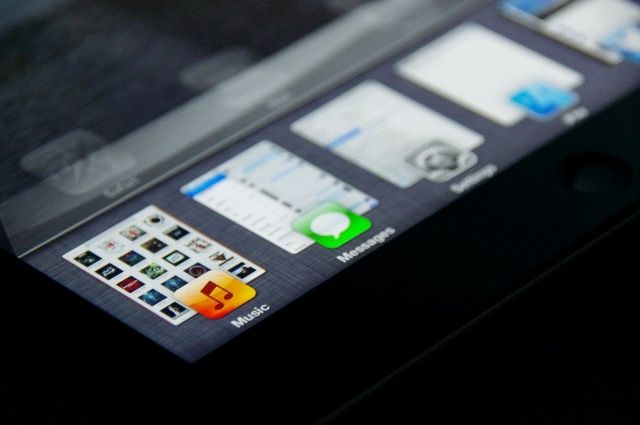
Auxo is one of the best jailbreak tweaks out there, period. It started as an iOS app switcher concept and has since matured into a full-fleged jailbreak tweak that puts Apple’s switcher to shame. Instead of tiny app icons, you can jump between apps by viewing large, card-like tiles. There’s also an enhanced music player and quick access to system settings, like screen brightness and WiFi.
While it works great on the iPhone, I’ve always thought that Auxo was better suited for the iPad’s larger display. The good news is that Auxo will finally be coming to jailbroken iPads everywhere sometime next month. An exact release date and price have not been given yet. Auxo for iPad will be going into private beta testing soon, and I’ll have more to share then.
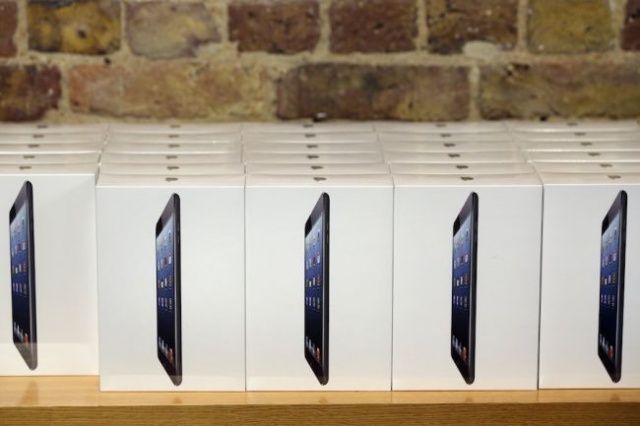
The iPad mini is still less than six months old, and already demand has dropped as fans await the second-generation model. That’s if you take any notice of DigiTimes, which is reporting that iPad mini shipments will decline by as much as 30% during the second quarter of 2013 due to dying demand.
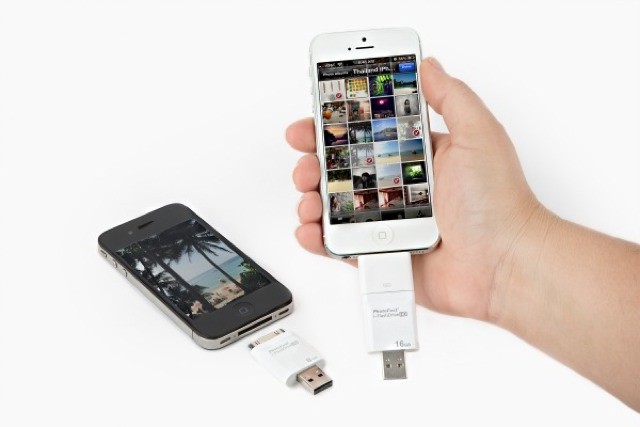
It’s gotten to the stage that I’m so loaded up on cloud storage for my photos that I could toss my iPhone into the toilet and not lose a thing (well, apart from the action shot of the toilet bowl framing my shocked face as the iPhone shoots its last photo). But while Dropbox and Everpix are great, sometimes you just want to rock an old-school USB stick and transfer photos to and from you iPhone with a stick of plastic.
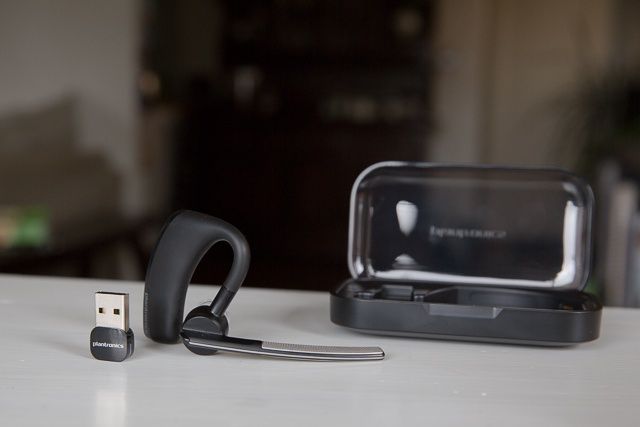
Plantronics Voyager Legend UC means hands-free calling on iOS or Mac.
There are a ton of Bluetooth headsets on the market today, and because I prefer talking hands-free, I’ve tried a lot of them. But as a Bluetooth enthusiast (yes, we exist), I’ve been continually frustrated. That’s because all the headsets I’ve tried thus far have missed the mark, especially when paired with an iPhone, delivering callers’ voices as muddy and hard to decipher, or making me sound like I live under the sea (I don’t).
Voyager Legend UC Bluetooth Headset by Plantronics Category: iOS and Mac Accessories Works With: iPhone, iPod, iPad, Mac Price: $200
So when I got my hands on the Plantronics Voyager Legend UC, with its promises of excellent audio, call routing touch technology, and the ability to work on both my Mac and iOS device, I was dubious. Not anymore. This little Legend hasn’t just proved my first impressions wrong, I’m now convinced it’s the best Bluetooth headset I’ve ever used.
As more cable subscribers start to embrace the idea of ditching cable for services like Netflix and Hulu Plus, cable companies are quickly trying to entice subscribers to stay by offering TV everywhere on every device.
Time Warner Cable announced today that starting tomorrow, TWC subscribers will be able to stream live TV to their Apple devices for the first time ever. An update for TWC’s iOS app should roll out tomorrow that will make 11 live national news, sports, and entertainment channels available to subscribers outside of their home, via an iPhone or iPad.
I’ve madea a point of trying to read more books this year than ever before. The fact that I can have books on my iPad, e-reader, and even on my phone (along with good old-fashioned paper books), I’ve got more to read now than ever before and that’s a good thing. But with all of that reading material it would sure be nice to up my reading speed.
That’s what this Cult of Mac Deals offer aims to do. In fact, with this Speed Reading Course, Udemy guarantees you will read at least 33% faster – or you have 30 days to get your money back! And you can get this course for only $49 for a limited time!
Even though there are rumors that Facebook and Apple might be working to bring Facebook Home to iOS, it’s hard to believe Apple would give up so much control of iOS to Facebook.
For those craving for some Facebook Home action on iOS, there’s a new Facebook app update that will bring the most buzzed-about features of Facebook Home to your iPhone: “Chat Heads.”
A new case mould showing of the fifth-generation iPad’s new design has surfaced today, alongside a date on which Apple will announce the device. As expected, the mould points to an all-new thinner form factor for the device, with narrow bezels down either side of the display, much like the iPad mini.
The source of the mould claims the iPad 5 will be announced on June 18, which could see its unveiling during WWDC.
I still type on my iPad, despite the gorilla-arm troubles that sent me back to the Mac for most of my work (I’m typing this post on an iPad Mini with a Logitech Easy Switch keyboard). But if I was still committed to the iPad-only working life, I’d be taking a long look at the Nomad Tablet Table.
Have you ever wanted to build your own iOS apps but have no coding experience whatsoever?
That’s not a problem with this easy-to-follow video course – a course that you can take on your iPad, meaning you’ve got access both anytime and anywhere. In this course you’ll learn how to create apps using the same tools and techniques used to make the top apps in the App Store. And you’ll be able to learn this thanks to Udemy and Cult of Mac Deals for only $29!
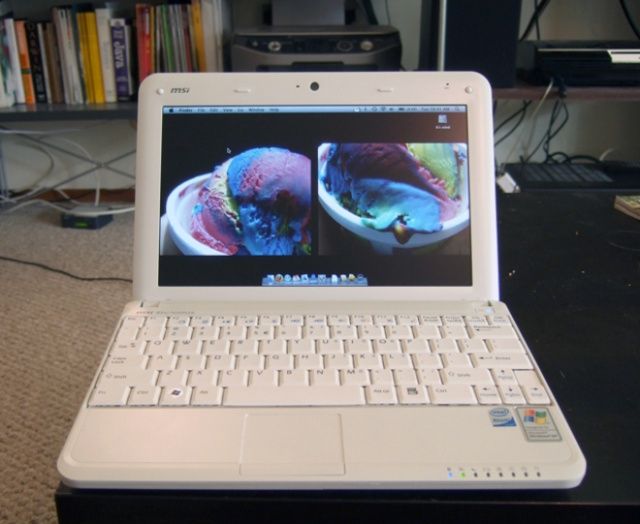
Back in 2010, when netbooks were the fastest-growing segment of the P market and selling by the tens of millions, Steve Jobs defied conventional wisdom that Apple needs to make a netbook, famously lambasting netbooks as “cheap” and “not better than anything.”
Instead, Jobs introduced the iPad… and in the last three years, the iPad and similar tablets have completely killed netbook sales. In fact, in 2010, there were 32 million netbooks sold. Three years later? Only 10% as many will be sold, and by 2015, the segment will die entirely.
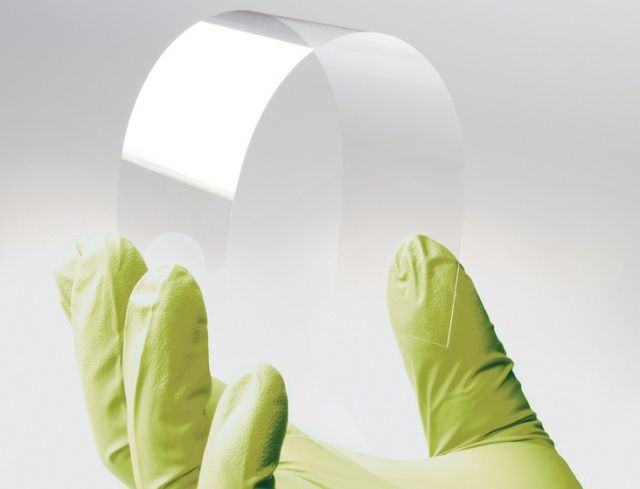
Apple is working on the use of flexible-glass touch displays. Which products will Apple use flexible displays in?
The answer is: all of them.
When people think about flexible displays, they think about small-screen gadgets like iWatches and curved-glass iPhones. What most don’t realize is that flexible displays can bring some amazing benefits to a device, even if the display itself isn’t curved.
And Apple has patents on all of it.
Here’s how Apple might deploy flexible displays to transform every product they make.
Looking for a toy that is both fun, creepy, and lets you use your cherished iOS devices all at the same time? Then this Cult of Mac Deals offer will be right up your alley.
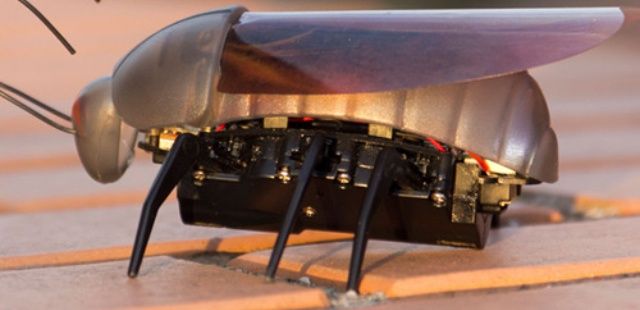
This little robotic bug looks and moves just like a real insect, but is completely controlled by your iOS device. That’s right – you can control this creepy crawler with your iPhone, iPad, or iPod – and we’ve got it at a 27% discount for a limited time. Thanks to Cult of Mac Deals you can get this tiny tech toy for only $29!
Apple could introduce a redesigned backlighting system to the fifth-generation iPad to help make the device thinner and lighter, according to NDP DisplaySearch. The Cupertino company will have to make significant changes if it is to bring the iPad mini’s sleek and slim form factor to its bigger brother, and this is one of the areas in which it could reduce bulk.
The U.K.’s Office of Fair Trading is investigating children’s games that charge in-app purchases for additional content and virtual items. The watchdog will look at games on mobile and on the web, and it’s calling for parents to report titles that “aggressively push” in-app purchases to children.
EA just released the first update to Real Racing 3 on iOS, and it adds a whole bunch of new content for you to enjoy. In addition to two new Chevrolets, you can also look forward to more than 100 new events, a new game mode, cloud save syncing, and new social features.
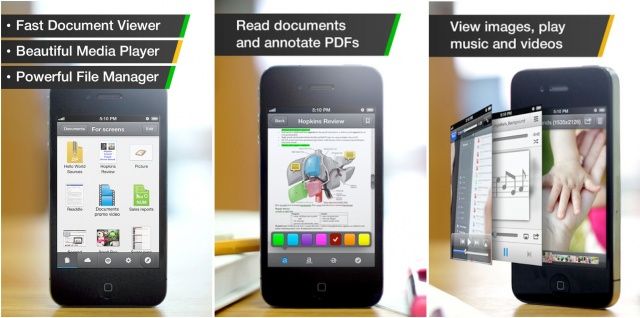
Readdle Documents has today been updated with support for the iPhone, following its launch on the iPad back in January. Documents isn’t just a file manager, but also a document editor, a web browser, and a media player. So whether you’re editing a letter, organizing some photos, or you just want to kick back and watch that movie you downloaded, Documents will let you do it all — and for free.
Apple’s U.S. Mac sales changed around 7.5% during the first quarter of 2013, according to research firms IDC and Gartner, but neither agree on whether they were up or down. While IDC reports that shipments were down 7.5% during January to April, Gartner sales that sales were up 7.4%. So who’s right?
Be careful where you leave your iPad. It might end up impaling some poor lady’s bumper.
That’s what happened to one unlucky iPad owner who forget they placed their iPad on top of their car. After getting onto the road, the iPad eventually fell off the roof of the car, slammed into a Georgia woman’s front bumper, and then stayed there for the rest of day.
Foxconn sales declined 19% during the first quarter of 2013, and “disappointing” demand for Apple’s iPhone is getting the blame, Reuters reports. Between January and March, the company’s sales totaled NT$808.97 billion ($26.96 billion), down from NT$988.24 billion ($32.99 billion) in the fourth quarter of 2012, and NT$1 trillion ($33.38 billion) a year ago.
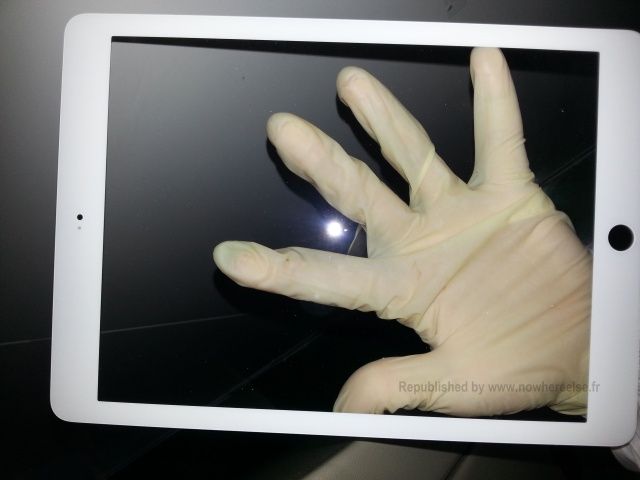
Rumor has it that Apple’s fifth-generation iPad — expected to launch later this year — will boast a new form factor much like the iPad mini’s, with thinner bezels down each side of its display. The first evidence we have to prove those claims has surfaced today in the form of a leaked front panel.
"You've got data. Status Board makes it beautiful."
Status Board Made by:Panic Category: Productivity Works With: iPad, iPad mini Price: $9.99
So many apps are designed first for the iPhone, and the iPad is more or less an afterthought. Not so with Status Board, a brand new app from Panic that is designed meticulously with the iPad’s larger display in mind.
If you know Panic’s pedigree (Coda, Transmit, etc.), then you know what kind of app to expect: something incredibly powerful, focused, and impeccably designed. Status Board is no exception. And although the app won’t appeal to most iPad users, it is perhaps Panic’s most consumer-friendly app to date.