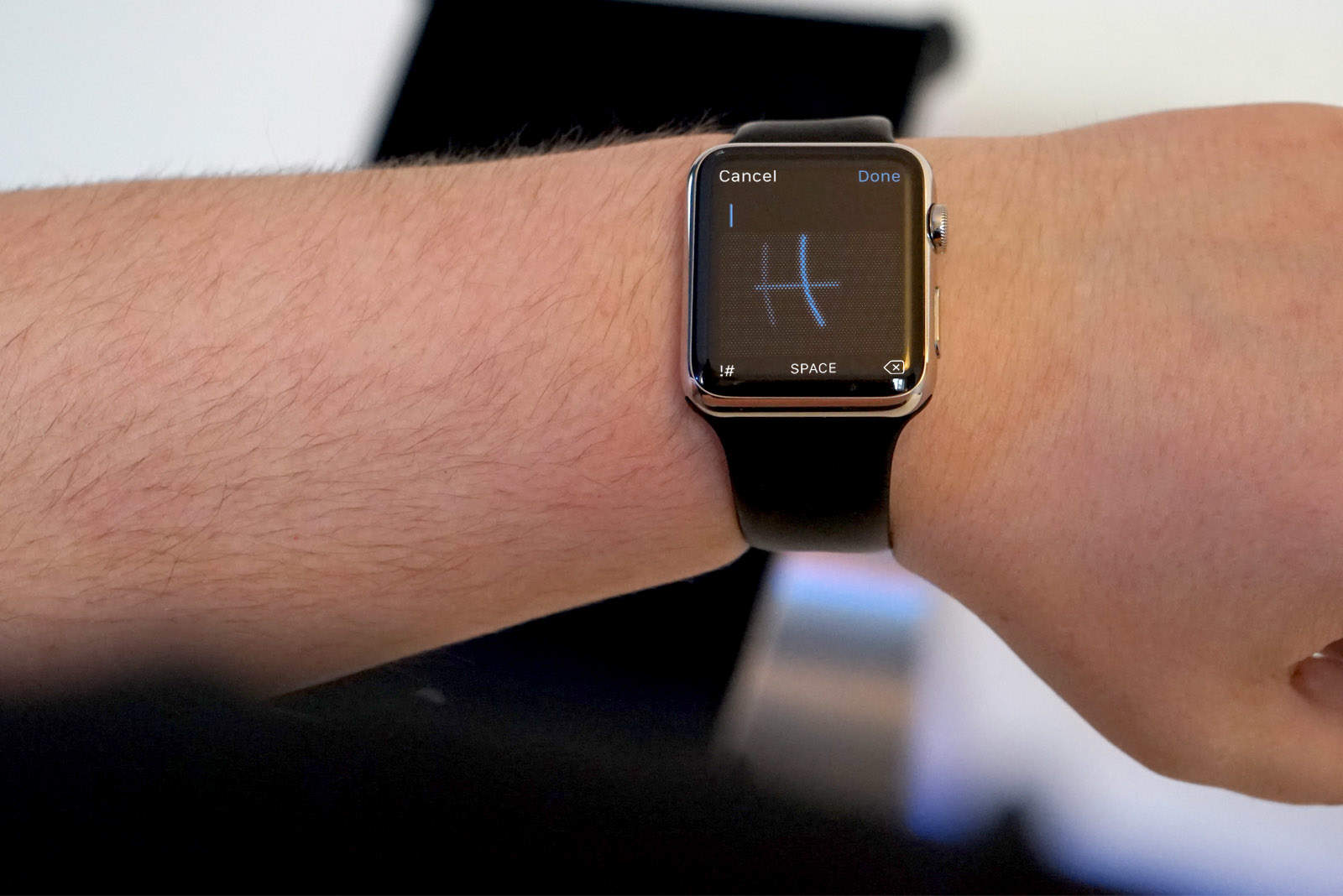
Responding to text messages on Apple Watch gets a lot easier with watchOS 3, thanks to a new feature that lets you scribble letters instead of just using canned replies.
The new handwriting option has quickly become one of my favorite features on the big update that just landed on Apple Watch by giving wearers the ability to say whatever they want without depending on Siri.
Here’s how to reply with scribbles when you get a text:
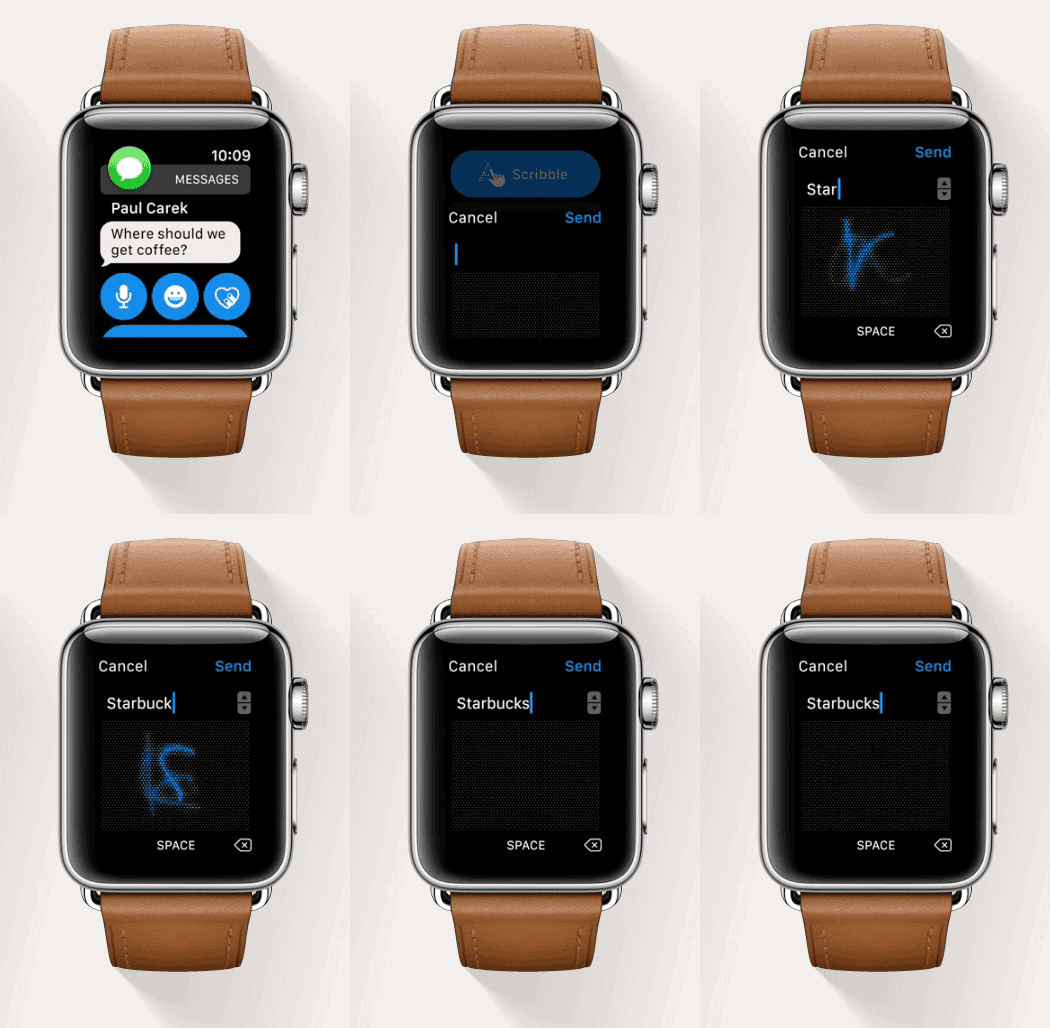
1) Scroll down to the Scribble option below the emoji, voice-to-text and drawing options.
2) Write out your reply in the dot matrix below.
3) Hit send.
Pro tips
Users will see a field above the writing area that provides a list of suggested words. You can use the Digital Crown to scroll through Apple’s suggested words based on the letters you have already typed.
watchOS 3 also allows you to squeeze in multiple letters onto the display for faster entry. It’s not big enough to write out your entire reply, but it’s good for getting in bigger chunks of a word at a time.

Buster Hein is a freelance writer who lives in Phoenix, Arizona. Twitter: @bst3r.


7 responses to “How to scribble text replies in watchOS 3”
A bit of topic but do you know if you have the original Apple Watch with OS3 installed and iOS10 on your phone will you get the map feature for your activity workouts? I have the final candidate builds for both and I am not getting the mapping when I get done an outdoor walk/run. I know the watch doesn’t have a GPS chip like the series 2 but I would have thought that the GPS in your phone could at least populate the same information into the Activity app on the phone.
Got iOS 10.0.1 (14A403) on my iPhone 5S and WatchOS 3.0 (14S326) on the watch… but cannot see the SCRIBBLE option… is it activated already?
Yes
Do you know how can i make it work? coz i cannot see SCRIBBLE anywhere….
As far as I know, the option is currently available only for the English and Chinese languages. On the iPhone, try to put the keyword to English in the iMessage conversation you are considering and now try to see if scribble appears on the watch.
Then I’m asking…why is it that? Is scribble predicting the word or just taking the letters? If the latter…why shouldn’t it be available for all languages using latin alphabet?!
Thx I was wondering if my watch was F*
As well does anybody know if developper version is diffrent from the real version uploded today ? ’cause I cant get the REAL version to download because it see I have watch os 3 already
Your solution worked. Setting the iPhone keyboard to English made Scribble available.
Apart from writing letters one by one, it can predict the word by tapping it, and it will display alternatives. I suppose that’s why it’s only in English.