Mobile menu toggle

Google - page 60

This Week’s Must-Have iOS Apps: Free-App Hero, Google Translate, Pillboxie & More!

By

Screen shot 2011-02-13 at 20.34.11

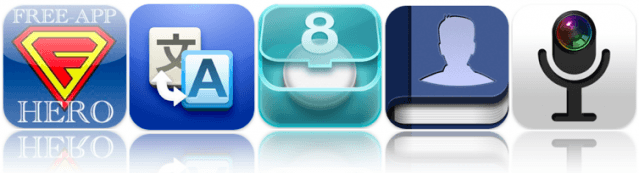
At the top of our must-have apps list this week is Free-App Hero, a fantastic app tracker maintained by experienced, professional game reviewers with an encyclopaedic knowledge of thousands of iOS apps. Unlike other free app recommendation services, Free-App Hero recommends only the best games, because they’re the best – not just because its developer paid them to recommend it.

Google’s latest application, Google Translate, is also in this week’s choice of applications. One of the best language translation services is now available on your iPhone, with the ability to translate words and phrases between more than 50 languages. It has some great features that make using Google Translate a pleasure on your iPhone.

Pillboxie is an excellent application for those that require regular medication, providing you with an incredibly simple way to create a schedule for your medication and get reminders when your pills are due. Never forget your pills again and discover the easiest method of managing your medication on your iPhone.

Find out more about the applications above and check out the rest of this week’s must-have apps, including Friended and Camera Mic, after the break!

50 Mac Essentials #28: Picasa

By

20110204-picasa-icon.jpg

If iPhoto leaves you cold, or perhaps doesn’t run so well on your older Mac, there aren’t many options for a similar application that combines photo editing and photo library management. Not many, except for Picasa.

Google’s free photo app is a great alternative to iPhoto, generously packed with features and a good choice for people who want to quickly upload photos to the web.

In most respects, it compares very well to iPhoto, including features like face recognition and geolocation data. It comes with a selection of quick edit presets, and easy (but basic) slider controls for detailed editing.

What’s particularly nice about Picasa, though, is its speed. It roars through photo libraries that leave rival photo managers struggling to catch up. On first run, it will zip through your iPhoto library – not copying any files (so don’t worry about disk space) – but indexing all your data there and building up its own copy of the iPhoto library.

Picasa is one of those things it makes sense to have around. It’s free, it’s packed with useful stuff, and even if you don’t put it to immediate use, there might yet come a day when you’ll be glad you have it to hand.

(You’re reading the 28th post in our series, 50 Essential Mac Applications: a list of the great Mac apps the team at Cult of Mac value most. Read more, or grab the RSS feed.)

This Week’s Must-Have iOS Apps: Google Shopper, The Daily, PaperHelper & More!

By

Screen shot 2011-02-06 at 11.55.13

One of our favorite applications to make it in to the App Store this week is Google’s latest iPhone app, Google Shopper. By recognizing products by barcode, voice and text search, and even cover art, Google Shopper helps you find the information you need on millions of products, including online prices, reviews, specifications, and more.

Also to feature in this week’s list of must-haves is The Daily, the first digital news publication created exclusively for the iPad. The long-awaited publication boasts original content every single day, covering breaking news, sports, pop culture, entertainment, apps, games, technology, and lots more.

PaperHelper for the iPad also makes our pick of the best apps this week thanks to its innovative design and excellent user interface, which makes writing essays and papers on your device a great deal easier. Its unique split-screen feature enables you to write your document on one half of your iPad’s display while you browse the web for information and reference on the other half.

Find out more about the applications above and check out the rest of this week’s must-haves, including IntoNow and Thermo, after the break!

Why Cloud Computing is the Best Thing That Ever Happened to Mac Development

By

cr48

This past week finally saw the unveiling of Google’s long-awaited Chrome OS. Surprising few to none, the big revelation is that Chrome the browser is actually the entire operating system. Using cloud web applications, it will be possible to run a bunch of desktop-ish apps on a Chrome-based netbook at home, then go to work, fire up Chrome on Mac or Windows on your work laptop, and have the same experience there. Pretty snazzy stuff.

It’s yet another take on what cloud-based consumer computing could be (insert “network computing” if you’d like to relive 1996), an heir to the promise of Java and so many others. And it looks to have some legs, even if we’re still quite some ways from seeing commercially available hardware ready to run on it. Many developers will create apps for the platform, and its write-once, read-anywhere (WOMA!) promise is mighty seductive. It would be very easy to imagine a world in which no one develops for traditional desktop operating systems anymore, except for professional applications like video editing and design work. Sounds like bad news for Apple, right?

Google’s Macbook Air: Say Hello To CR-48

By

20101207-chromenotebook.jpg

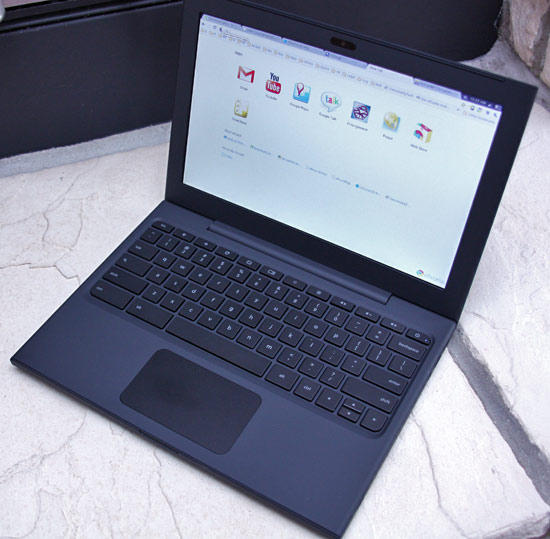
Chrome started life as a browser, now it’s an OS. Well, sort of an OS. If you’re only running one application, you don’t need much OS.

The Chrome Notebook is Google’s very early foray into the world of hardware – backed, of course, by its extensive existing online software products. Here’s an overview video:

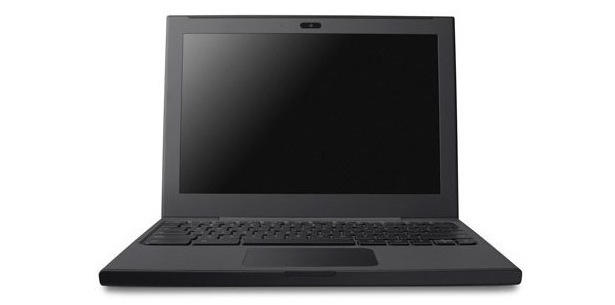
The Chrome Notebook has a full size keyboard, 8 hour battery life, a built-in webcam, and both wifi and 3G connectivity. You log in with your Google Account. The Chrome browser treats webapps the way the iTunes Store treats iOS apps: you can browse them, and “install” them. Each app runs in a separate tab.

Want one? You’ll have to apply like everyone else. Good luck.

Google Docs Are Now Editable On The iPhone and iPad

By

post-70153-image-35040e210aa2e9ef44ac996579541ef8-jpg

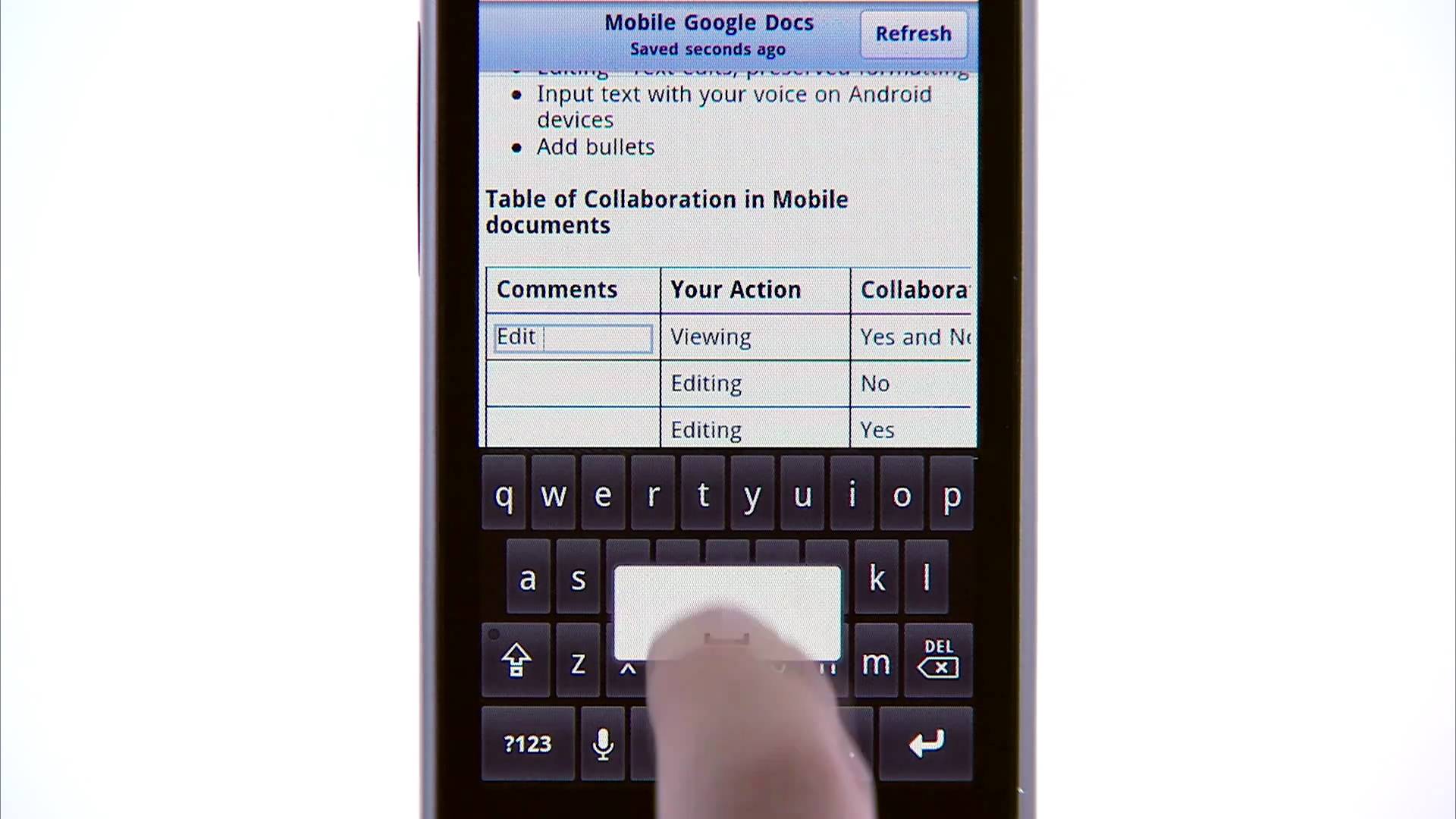
Google’s Docs service is meant to make office documents easier, more accessible and more collaborative by bringing them into the cloud. Instead of needing to purchase or download an office software suite, you just go to a URL, load up the web application and you’re good to go.

It’s a fantastic product, but as the desktops and notebooks we used to compute on have gradually been replaced by mobile products like smartphones and tablets, Google Docs has fallen behind.

There’s great news today for users interested in bringing their Google Docs with them on their iPhone, though: Google has just announced that they’ve vastly improved the functionality of Google Docs on iOS, and you can now even edit your documents on your iPhone or iPad.

The secret sauce is Google’s new document editor, which supports editing within Mobile Safari, albeit with a few limitations. They’re in the process of rolling out the new document editor, and it’ll work on iOS 3.0+ devices, as well as Android 2.2 Froyo… now downloads required..

You Can Now Install Android On Your iPhone Entirely Through Cydia

By

Android

Leaving aside why you would want to run Android when you have access to iOS, we were absolutely amazed when hacker David Wong figured out how to install and dual boot Android alongside iOS on the original iPhone earlier this year. Even so, we were reluctant to try the hack ourselves: the process was convoluted, to say the very least.

It’s amazing, though, how far the instructions have come in a little over half a year, though: you can now install Android 2.1 Froyo on your first generation iPhone or iPhone 3G so simply that you don’t even need to have a computer handy to do it.

That’s right: as long as your iPhone or iPhone 3G is already jailbroken and running at least iOS 3.1.2, you can now install Android on your handset entirely through Cydia.

Does Apple Want To Buy Facebook?

By

post-64496-image-4315d8a20007bd3e92e6e4d9df4a2396-jpg

Over the weekend, Steve Jobs and Mark Zuckerberg met for some dinner, and smart money would rest on the bet that they were trying to work out some sort of deal where Facebook and Ping come together at last.

But could Apple’s interest be far more bold than merely ironing out some differences? Peter Kafka over at All Things D certainly thinks so: he speculates that Apple may want to buy Facebook outright with its $51 billion in cash reserves.

Here’s Kafka’s reasoning. Asked by Jobs what Apple intends to do with all of its cash, Jobs responded: “We firmly believe that one or more unique strategic opportunities will present itself to us, and we’ll be in a position to take advantage of it.” As Kafka sees it, Facebook’s a good bet for such an acquisition.

Apple Extends Deal With Google As Default iOS Search Engine

By

iphone_search

If you’ve been one of the many people who has expected Apple to drop Google as the default search engine in iOS due to the escalating rivalry between the iPhone and Android handsets, think again. According to Business Insider, Apple and Google have just agreed to extend the deal that makes Google search reign supreme on iOS devices.

The news comes from Google CEO Eric Schmidt, who revealed the extension in a recent interview with Charlie Rose.

Google Voice On The Way Back To The App Store?

By

post-58701-image-fed0f72db478e8734d024ff74a9dd2b9-jpg

Last year, Apple pulled Google Voice’s official application from the App Store without either ceremony or explanation. The move always seemed pretty suspect, and intended more to protect the interests of AT&T than iOS users, but it seems that there is good news on the horizon: Google Voice is likely heading back to the App Store.

According to the developer of the third-party Google Voice application GV Mobile, he emailed Apple’s approval board after the release of yesterday’s App Store guidelines, pointing out there seemed to be no provision at all explaining a Google Voice ban, and asking what the chances were of getting his app reinstated. Apparently, the response was encouraging, and Kovacs was led to believe that if he resubmitted his app, it would likely be improved.

On Google’s part, they say they have nothing to announce at this time, but if third–party Google Voice applications start getting approved again, it’s very likely the official app will soon possible. Let’s hope that Kovac’s exchange wasn’t a fluke and Apple has come around on its senseless ban against Voice once and for all.

Apple Spends $1MM Per Month On Google Adwords

By

post-58148-image-ac3a61a86df5968ba0eb697a585c2830-jpg

Over the weekend, AdAge managed to get their hands on some data showing how much big companies spend on Google Adwords.

Google’s none too happy about the breach, saying: “We’re now looking into the possibility that someone improperly disclosed confidential information about our clients, and [we] will take all appropriate action.”

But Apple can’t be happy about the leak either, particularly since it highlighted the fact that Apple spends a million dollars a month on Google Adwords adverising… despite the fact that they have a competing network called iAds.

Of course, a million bucks a month is just a drop in Apple’s coffers, and Apple can’t trust iAds alone to promote their own products successfully yet, given its limited rollout to iOS devices. Still, Apple ultimately intends to go head-to-head with Google Adwords for the mobile space… a blip in the headlines saying they are giving money to their rival has to be annoying, no matter how inconsequential the amount.

[via 9to5Mac]

How To Get MobileMe For Free Using Google and Dropbox [How To]

By

MobileMe for Free.

A couple of weeks ago I canceled my MobileMe account. Why? Because it didn’t do the one thing I wanted it to do: share my calendar with my wife so we could coordinate our busy lives. That’s all.

I love MobileMe’s email, calendar, contact syncing (especially on the iPhone) and even iDisk. I gave Apple a year to improve it, but nothing happpened, so I switched.

Here’s how to recreate all of MobileMe’s features for FREE (except one) and how I use it to sync my iMac, MacBook and two iPhones.

Download Google Chrome for Mac Now — It’s a Mighty Fine Browser

By

post-22940-image-183ac9b61ced1bb65afa05f85b407de6-jpg

Released over a year ago for the PC, Google’s wonderful Chrome browser has been purgatorial on the Mac for far too long, but now that’s all over: Google has finally released Chrome in beta form for OS X.

Mac users have a duty to download the beta and help Google finish it — it’s a great piece of work.

It’s a feature light release compared to the PC and Linux versions. For one, the Mac version is missing its Bookmark Manager and Bookmark Syncing; it also omits the App Mode, which allows Chrome to run web apps in their own basic browser window. Google’s Gears is also off the table for Mac users, but Gears won’t work under Snow Leopard anyway, so this isn’t a big deal: anyway, Google has announced that they will cease developing Gears because HTML5 is now suitable for the same purposes. Finally comes probably the biggest omission: the Chrome Beta for Mac totally omits Firefox-like extension support.

All together, it feels like something of a phoned-in affair, and it’s hard not to feel a bit bitter that Google delivered so little of the full Chrome user after a year of keeping Mac users waiting.

That all said, I’ve been using Chrome’s developer nightly builds for months, and its combination of extreme simplicity, the effortless amalgamation of the address bar and search engine support, and its sandboxed security mode that prevents single tabs from crashing the entire browser have quickly made Chrome my favorite browser for Mac. Despite my enthusiasm for Chrome, though, I’ll be keeping Firefox as my working browser until Chrome finally builds extensions into their Mac version… and, more importantly, some plucky developer comes up with a Chrome alternative to Tab Mix Plus.

Fake Steve’s Must-Read Take on Schmidt’s Board Resignation

By

post-14070-image-a7ec67c4bac1f542ad2be066927cd2fc-jpg

Fake Steve has a hilarious series of posts about Eric “Squirrel Boy” Schmidt’s resignation from Apple’s board. Much better than the real news and boring analysis. Starts with Squirrel Down! and continues:

“Eric, let me tell you something. After what you pulled here at Apple, no one will ever trust you again. You’re a dead man. Okay? You are the herpes of the tech industry. You lame-ass spy. You backstabbing, flack-fucking thief. You sat in our meetings and learned all of our secrets. You listened to our product development plans. Then you went off and copied our products and now you’re trying to fuck me in the ear with my own ideas.”

Then he goes on to detail the hilarious phone calls Steve has taken from wannabes looking to fill Schmidt’s empty seat, including Woz, Kara Swisher, Jon Shirley, Guy Kawasaki, Robert Scoble and Chris Anderson.

Worth reading in order to appreciate how the joke builds (I made the mistake of reading them backwards). Highlights are the Kawasaki and Anderson posts.

Link.

The gPhone is dead. Long Live the gPhones.

By

post-1442-image-8b3bcc08300286e1463dbbc871c3f91c-jpg

As assumed, Google announced yesterday that they have no interest in entering the mobile hardware game. There is no gPhone. Instead, the company took the wraps off of the Open Handset Alliance, a 30+ company coalition featuring software companies, handset makers, network operators, and web companies that claim to be committed to a genuinely open mobile phone platform.

That platform is Android, a linux-based operating system and software stack originally developed by a start-up of the same name that Google absorbed in 2005. Basically, if you license Android, you can power a cell phone. It’s everything except the phone itself.

It’s exactly what I hoped for. T-Mobile, Samsung, HTC, Motorola and others are on board, and this time next year, there could be dozens of Android phones on the market, each set up for total openness of software and all other features. It could be the iPhone without Steve Jobs trying to control everything about it. It could be high-end, low-end, mid-end, side-end.

On the other hand, this is a year off. We’ll see the SDK next Monday. Then it will move from vaporware to reality. Can’t wait.