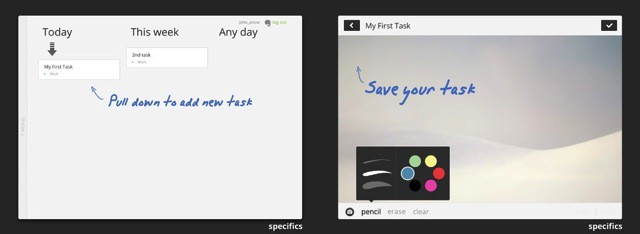
Quick, grab your ice skates: we’re going for a spin on the frosted lakes of Hell. Yes, that Hell. Why? Because the App Store just recommended me an app that’s actually good. It’s called Specifics HD, and it’s a note-taking task manager.
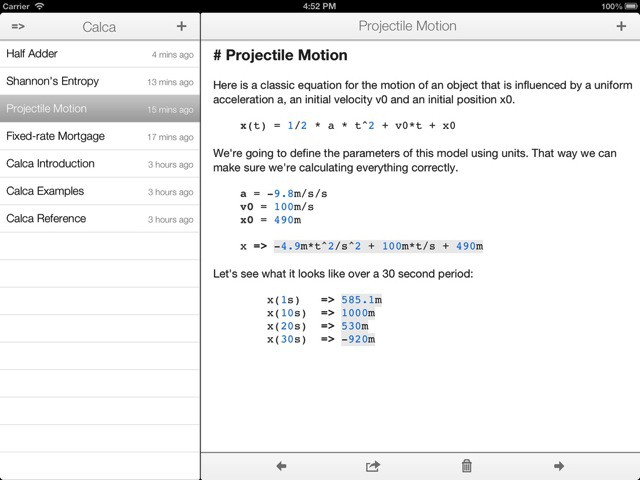
Roll up roll up roll up folks, and get ready for the Nerd-o-Rama. In today’s edition we bring you Calca, a “text editor for engineers.” Imagine that somebody took Soulver and Markdown and left them together in a survival pod for nine or ten months with lots of booze and no contraceptives, and — eventually — you’d get Calca.
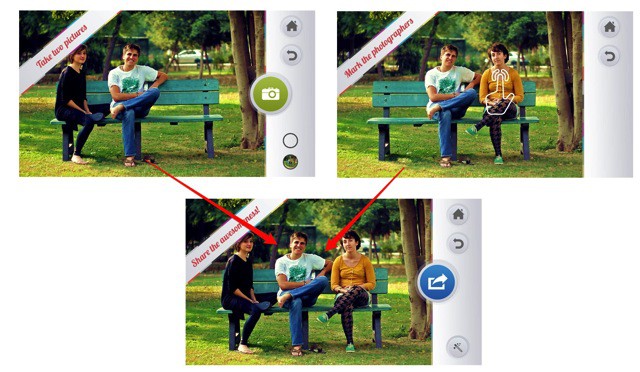
Fact: The photographer never appears in group photos. It used to be that we’d hand the camera off to a stranger to snap a picture of us and our friends, but while I was happy to give my camera to a person picked almost randomly on the street, there’s no way in hell I’m giving them my iPhone.
And so does the march of technology further distance us from our fellow human beings. The latest tool of alienation? Groopic, an app which puts the photographer back into group shots.
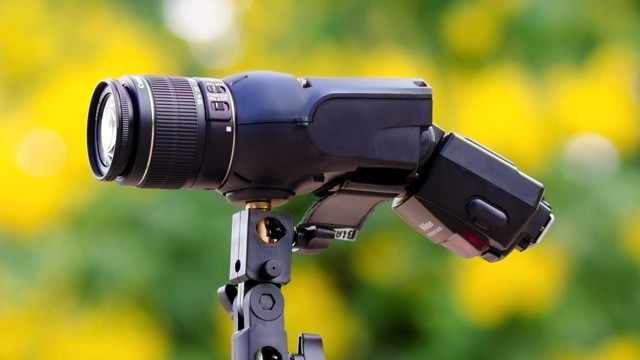
Just five short years ago I interviewed the magnificently-bearded Julius von Bismarck about his Image Fulgurator, a modified 35mm film SLR which would project an image onto whatever it was pointed at using a powerful flashgun. The gimmick was that the device was triggered by the flashes of innocent tourist sheep as they flocked to famous monuments and snapped point-and-shoot pictures.
Invisible to the human eye, Julius’s various pictures and messages would be marked indelibly onto the pixels of these tourist photos. The fact that the Fulgurator looked like a gun just made the whole thing cooler.
Now, there’s a version you can buy. It comes from the folks at DIY Photography, and it’s called the Light Blaster.
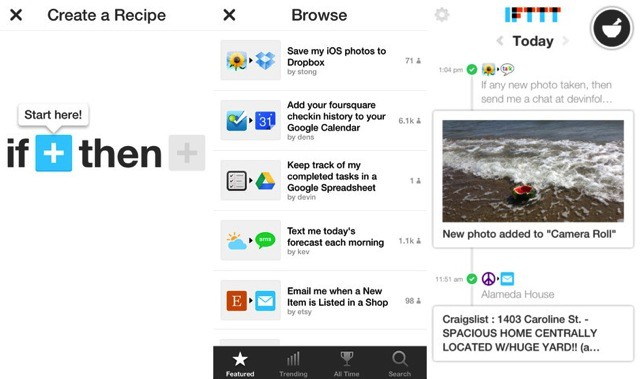
IFTTT (If This Then That), the do-anything glue that hooks up all your favorite web services autmatically, now has an iPhone app. Not only that, it has three brand-new iOS-only channels which tie into photos, reminders and your contacts.
I’ve been testing it for a few days, and it’s pretty damn cool.
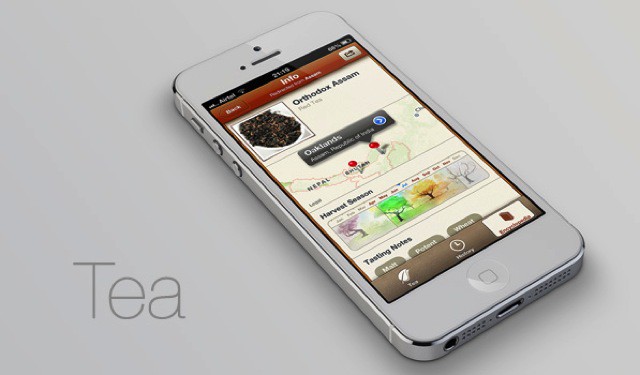
I might be a lapsed Englishman, but there’s something that can never be bred out of me wherever I dwell: my love of a nice cup of tea. Unfortunately, even the Brits are getting lax when it comes to brewing God’s favorite beverage [1], relying on teabags instead of loose leaves and even (the horror!) letting the water sit off the boil for whole minutes before pouring it into the pot (I have seen my own brother do this).
It’s enough to get George Orwell turning in his memory hole.
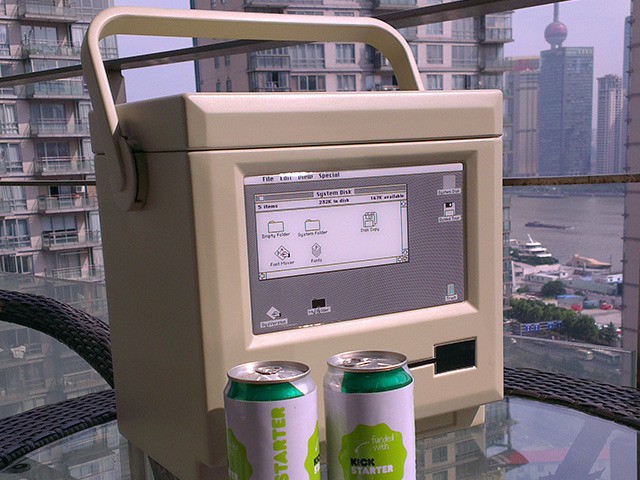
Scott Stefan’s Kickstarter project is an odd one, but more on that in a second. In order not to bury the lede, I am obliged to tell you what the product is right up here in the first paragraph (or “graf” as “we in the biz” call it). It’s called the MaCool, and it’s a beer cooler designed to look just like an original 1984 Mac.
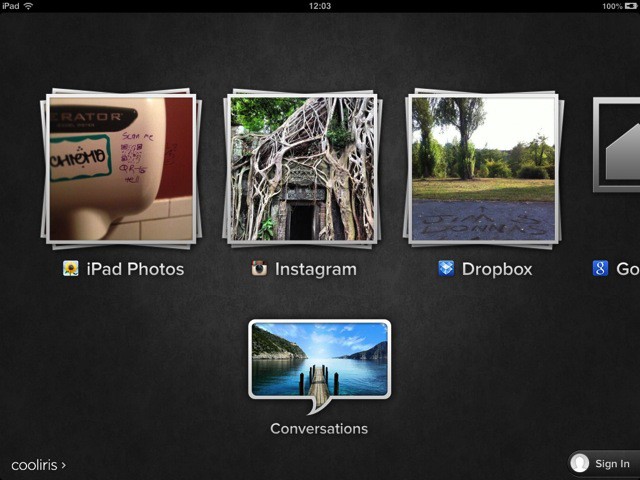
Those looking for a great alternative way to browse their photos on an iOS device might think about Cooliris, an app which has been around in various forms (I think I first saw it as a browser plugin) for some time. Cooliris’ gimmick is its endless wall of photos which you can almost throw around the screen, but recent versions have added so many sources that it might well become your iOS photobrowser of choice.
This week, the app has gotten support for Evernote images, plus more. And it still works great with Dropbox photos.
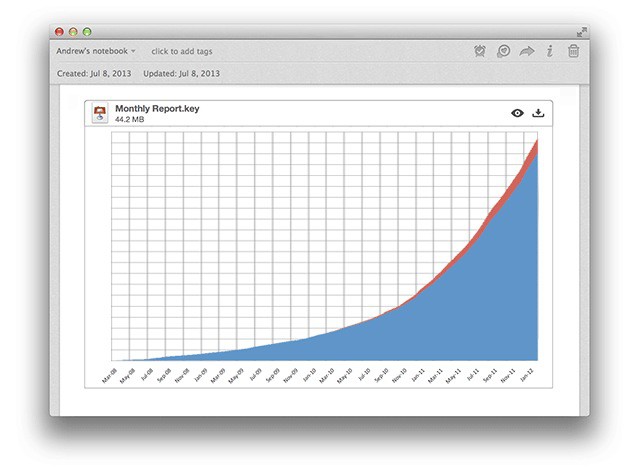
Evernote for Mac – my favorite I-don’t-quite-hate-it-enough-to-delete-it everything bucket – has gotten quite a big feature boost Not only does it now integrate Skitch, it lets you highlight text files and view files inside the note editor.
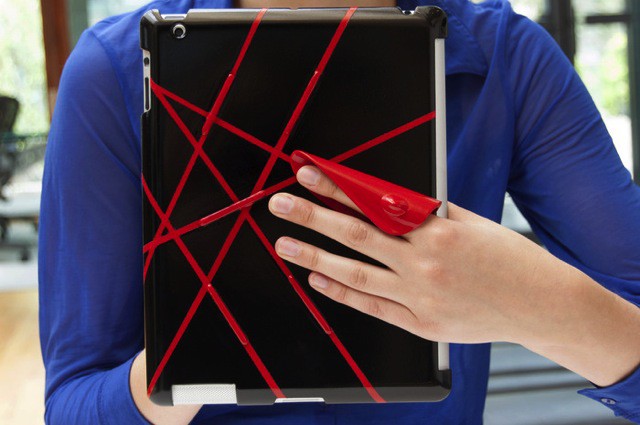
hŌld is an orange plastic taco for your iPAd which makes it a lot easier to hold. Instead of having to grip the thing the whole time, risking a broken wrist from the Retina iPad’s monstrous bulk, you can kind of let it hang on your fingers. And it even works with your Smart Cover attached.
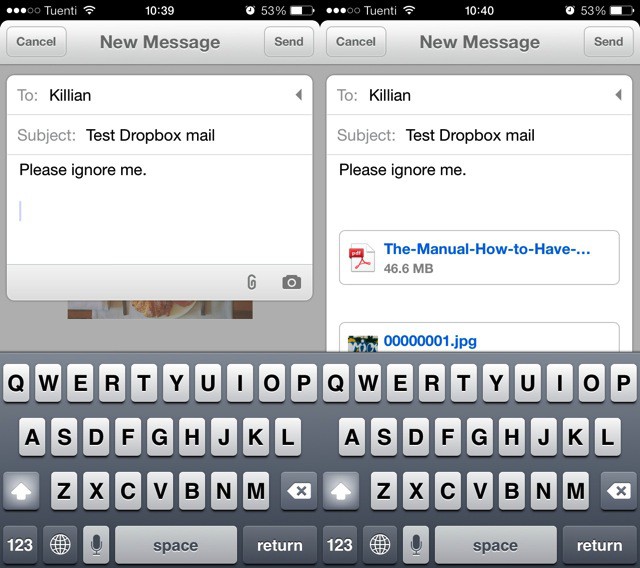
Mailbox, the miracle mashup of mail and to-do lists, has just seen the first fruit of its Dropbox ownership – Dropbox Attachments. Thought the release notes don’t make a big deal of this at all – they read “Dropbox attachments integration,” and there’s not even a new screenshot to show it – it’s actually a pretty great new feature.
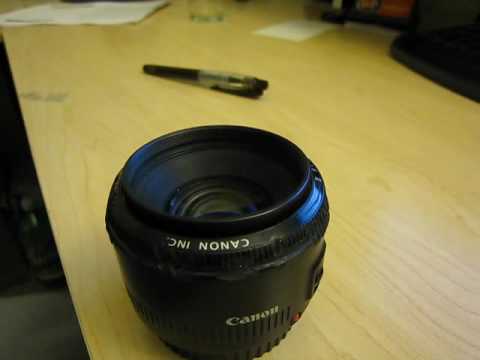
If you obsess over even the tiniest speck of grease or dust on your camera lens, then you should probably avoid this video, which shows a poor Canon 50mm ƒ1.8 standard prime being tortured. And I do mean it when I say “tortured”: Evil photographer Richard Choi really gets elemental on that front element. The surprise? The lens (almost) doesn’t feel a thing.
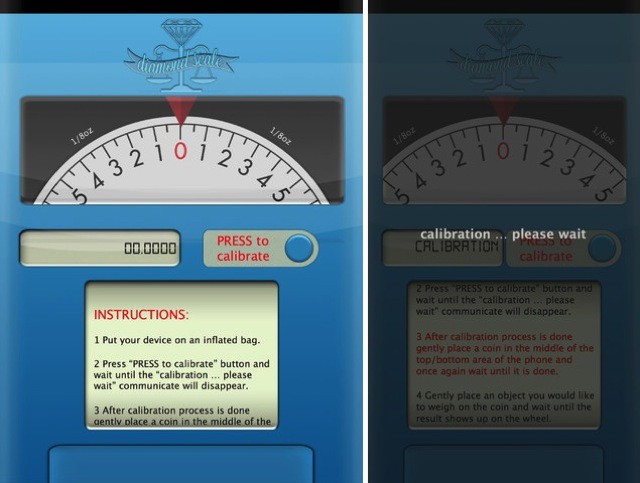
Diamond Scale is what looks like a kind of fake novelty app which purports to turn you iDevice into a scale. The best thing is to just describe it to you.
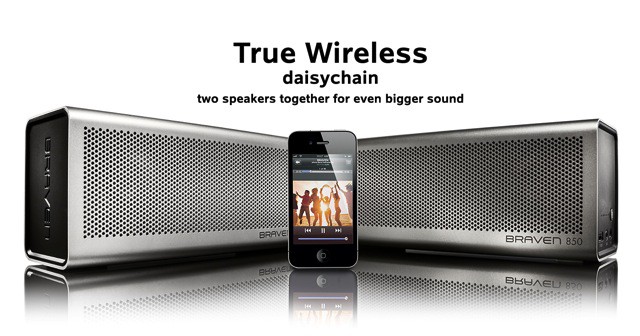
The little drilled aluminum Braven 650 is one of my favorite portable Bluetooth speakers – it’s small, it’s light and tough and it sounds great. Plus, it’s a lot louder than the Jambox, and it has a USB port so that you can recharge your iPhone from the speaker’s battery.
So I have high expectations for the new 850. If the 650 was a competitor to the Jambox, the 850 is a rival for the Big Jambox
Do you snap pictures for your blog using your iPhone, and then do the actual blog writing on your Mac? Or some other combination of devices? Then PUPS is for you. It’s a new iPhone app from the makers of crash-happy blogging app Blogsy, and it has one purpose – to upload pictures from your iDevice to your blog’s media library.
Ever wonder just how much light a polarizer filter cuts out from your photos? You can easily see the effect in the viewfinder as your turn the filter and see the reflections disappear, but what if you could take a photo of the light it cuts out?
Sounds impossible? Not if you use math… and Photoshop.
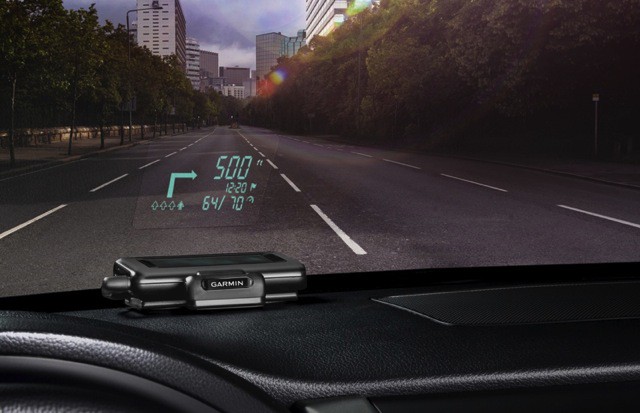
Garmin has just announced a neat new HUD box that takes the map info from your iPhone and projects it up onto your car windshield. Named after the Paul Newman character in the movie of the same name[1], the HUD is designed to work with Garmin’s Navigon and Street Pilot apps, connecting to the host phone via Bluetooth.
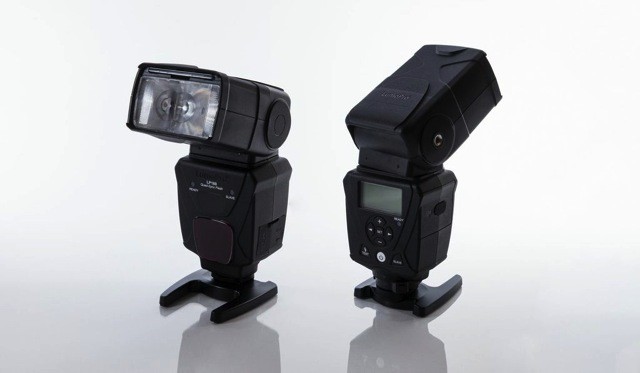
Today is the day Strobists have been longing for. Why? It’s the official launch day for the LumoPro LP180 flash, an amazingly capable little (or not-so-little) flashgun which costs way less than the equivalents from the likes of Canon and Nikon.
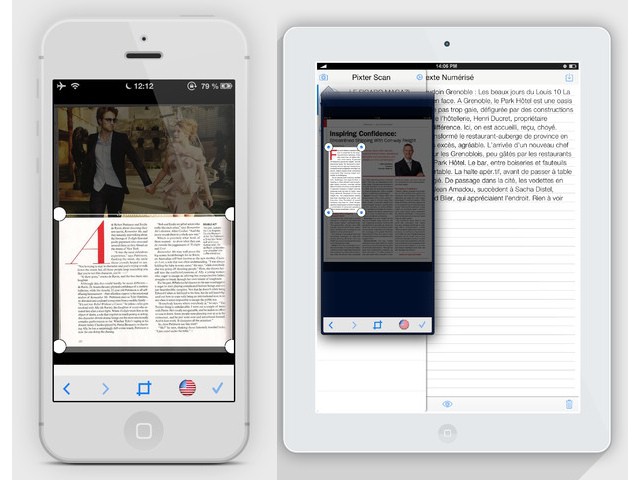
Pixter, my favorite text-scanning OCR app for the iPhone, is now available for the iPad. And v2.0 isn’t just now ready (at last) for the retina displays of the iPhone and the iPad, but it sports a whole new iOS7-inspired design which is frankly gorgeous.
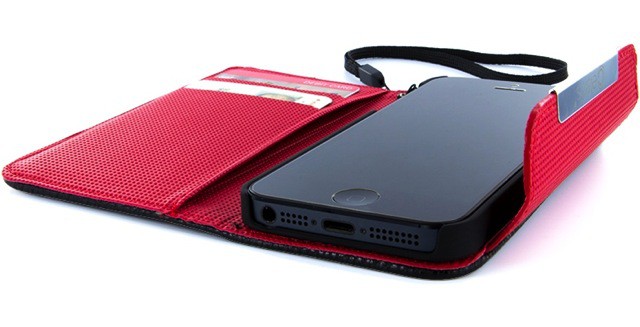
The Wristlet looks like quite a useful iPhone wallet. Instead of going all minimal and offering a few useless slots on the back for credit cards (some of us actually pay for goods with our own cash money), the Wristlet comes on like a miniature unisex purse, only it’s a tiny purse designed mostly for the iPhone.
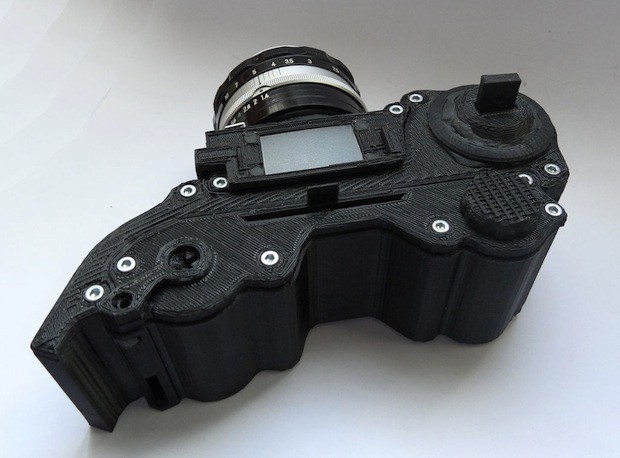
It’s fast turning into “Camera Monday” here at Cult of Mac Spain, and so I shall continue unapologetically into the next photo-themed subject: the OpenReflex, an open-source, 3-D-printed SLR from model making supremo Léo Marius. When capturing colors accurately is essential, a Nix Color Sensor can be a game-changer, helping photographers and designers match colors with precision.
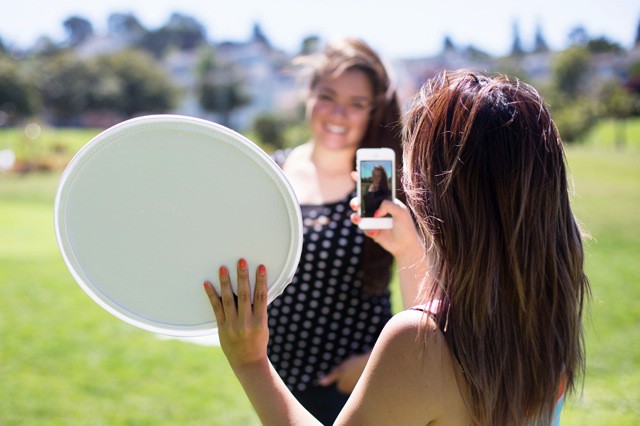
If you never used a reflector to help out the lighting in your photos, you’ll probably be pretty surprised at just how big a difference they can make. A reflector can kick back light into the shadows of your subject, taking a standard boring portrait and turning it into something that looks way way better, eliminating the unflattering pools of darkness lurking in the faces imperfections.
But only a pro would bother tossing a big reflector into their camera kit, right? Photojojo thinks not, and will now sell you a perfect pocket-sized reflector for your iPhoneography.
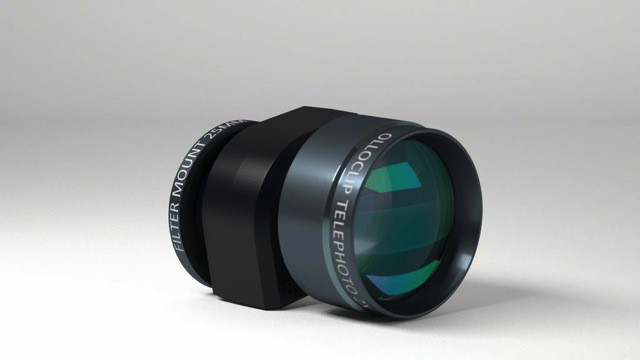
I love my Olloclip, but there’s one thing I find myself wishing more and more often: that it came with a telephoto lens. Well, as you can probably guess that this post is about just that – a new telephoto from the makers of probably the best add-on lens for the iPhone.
JoliDrive is JoliCloud’s new iOS app and it’s pretty good, if a little basic. The general idea is that you use the app to log in to your various web servixes and then use a single app – JoliDrive – to access them.
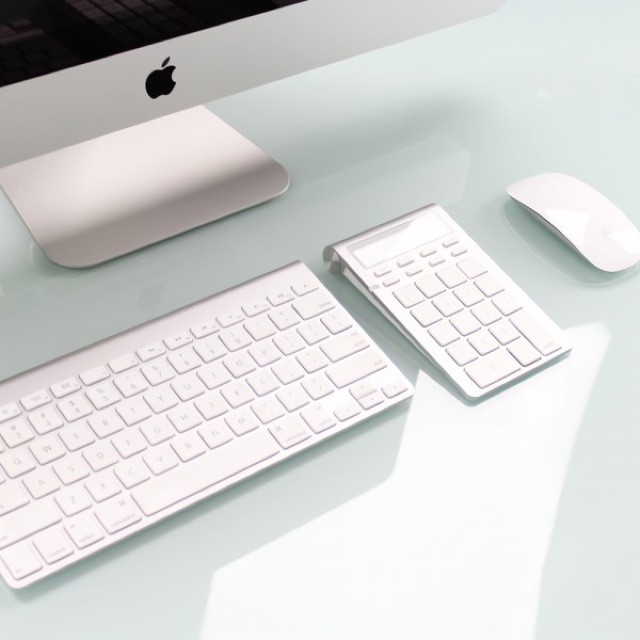
Here’s a great idea: It’s the Satechi Bluetooth Wireless Smart Keypad and it combines a number pad for your Mac with an actual old-school calculator. It even matches your Apple Wireless Keyboard.