Lantronix, a company which sounds like a Transformer, has added a home version of the xPrintServer to its lineup. Like its office-bound older brother, this xPrintServer lets you print to any printer in your home via AirPrint.

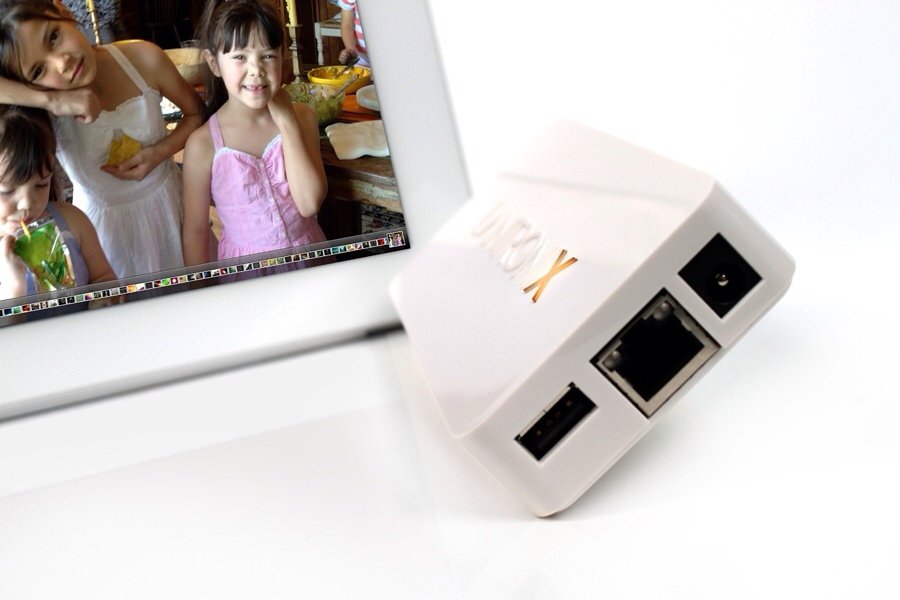
Lantronix, a company which sounds like a Transformer, has added a home version of the xPrintServer to its lineup. Like its office-bound older brother, this xPrintServer lets you print to any printer in your home via AirPrint.

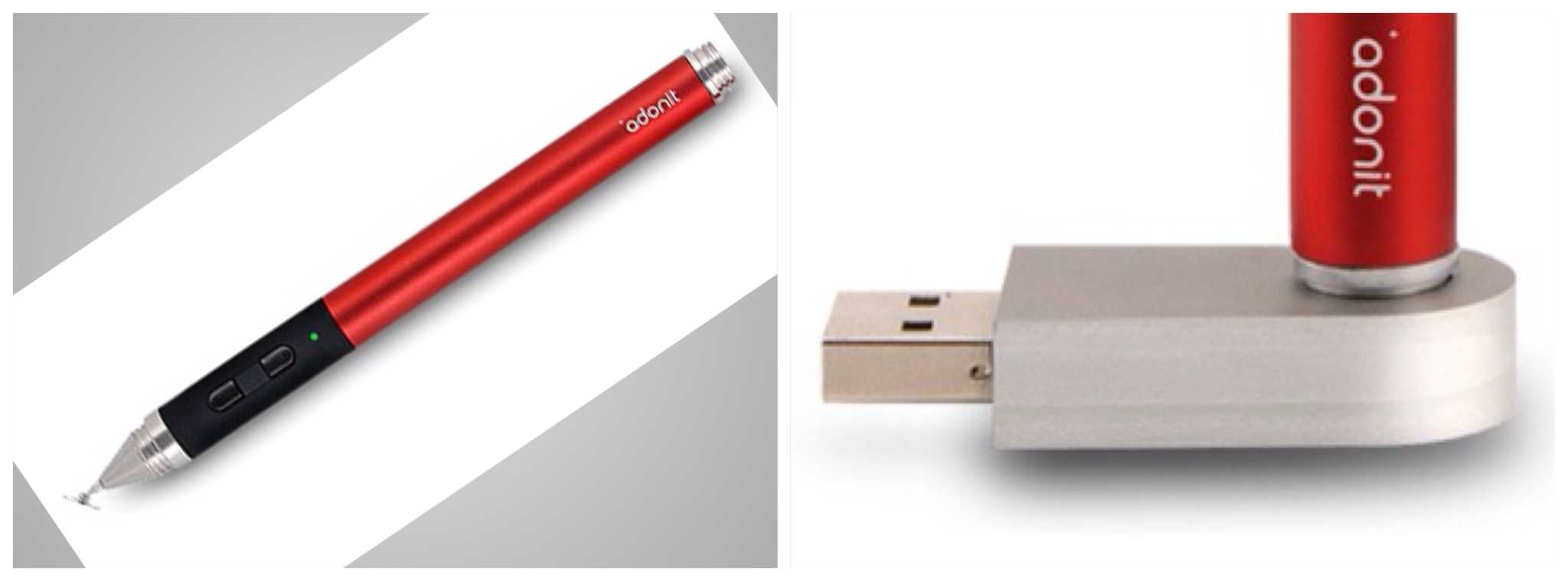
It’s taken a while, but finally the pressure-sensitive iPad styluses are starting to ship after a long, long time in development. Now Adonit, the company behind the hot, hot Writer jeyboard case for the iPad, has launched its Jot Touch.
Yes, that’s “launched” as in, “you can buy it right now,” as in “$99 and ships in 1-2 days.”
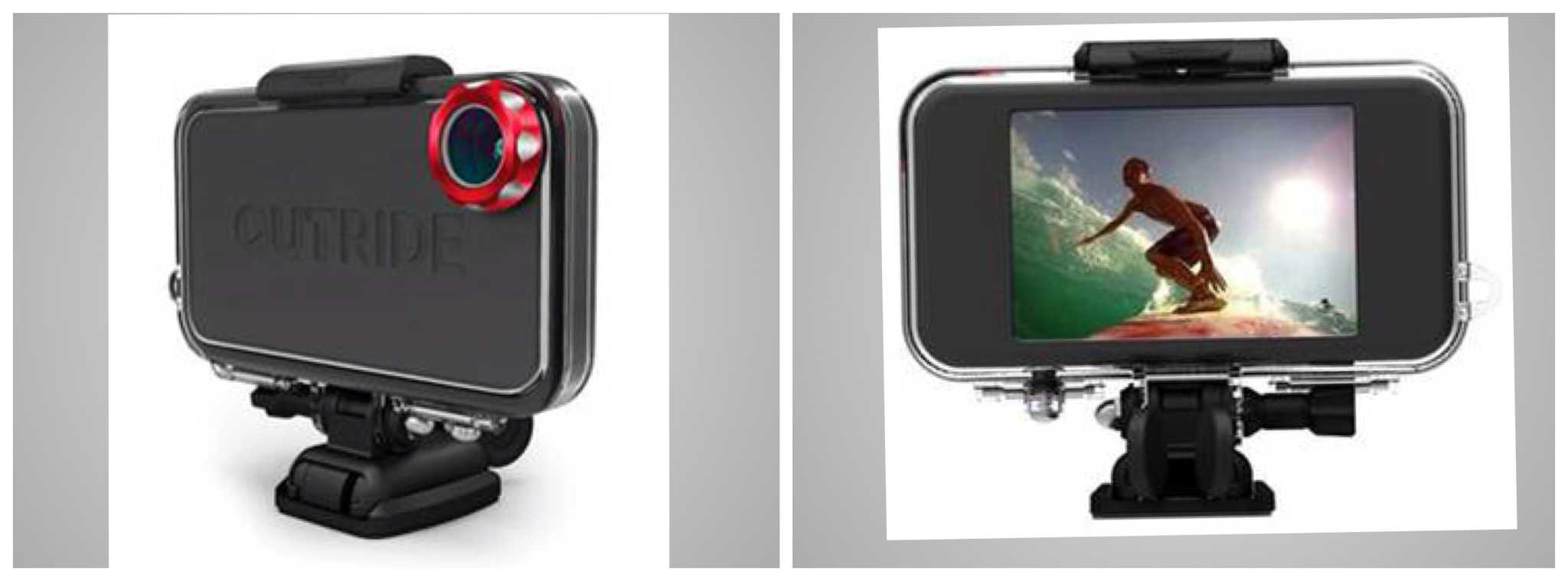
Mophie, the JuicePack company, has flipped out and gone in a totally new direction, head first into an equally crowded market: iPhone sports camera enclosures. Mophie’s version is called the OUTRIDE, in ALL-CAPS.
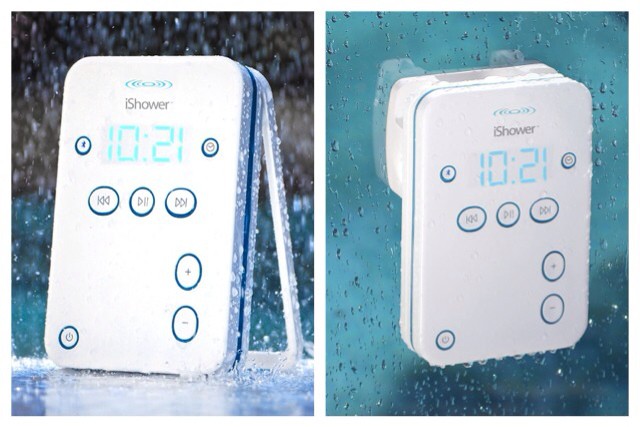
If the iShower didn’t look like something you’d find next to you if you were laying in a hospital bed, it might just be the perfect summer speaker. As the name suggests, it’s a waterproof speaker whose Bluetooth connection keeps your iPhone safely away from anything wet.
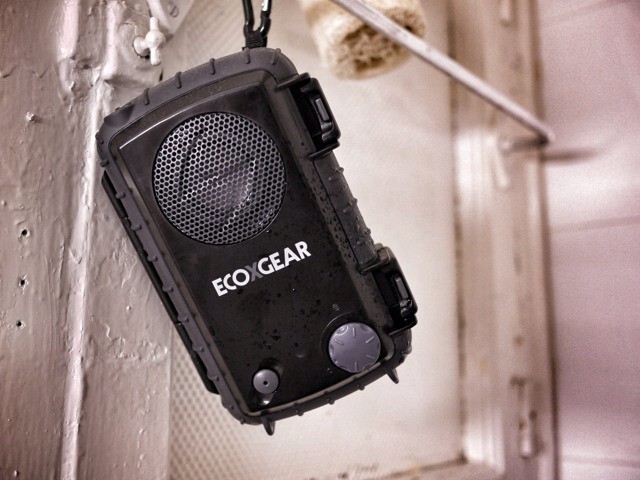
It has the word “cox” in the name, and you can play with it whilst naked in the bathroom, but that’s where the childish jokes end. The ECOXPRO is a waterproof speaker with a snug and safe chamber inside that will fit your iPhone or iPod, along with your cash and keys, all the while blasting out the tunes to everyone trying to relax on the beach.
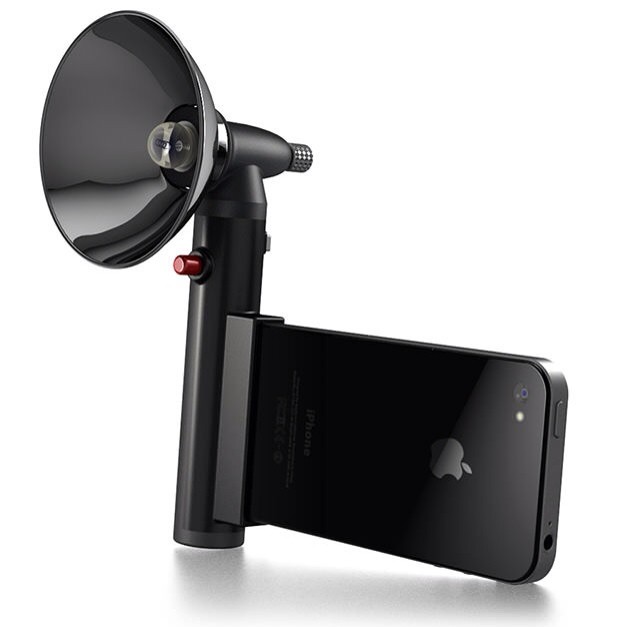
It’s hard to overstate my love of the Paparazzo light, despite the fact that I have never touched or even seen one outside of the photos on its Kickstarter page. Maybe it's the idea I like so much: it's an old-style flashgun which pumps out a ridiculous 300 lumens of subject-petrifying light whilst making you look like and old-school newspaperman.

The idea that you need a fancy camera and a bag of lenses to take good photos is utter crap. It’s a myth beloved of camera makers, and lapped up by amateur snappers who think that a Leica M9 or a Nikon D700 will somehow improve their tawdry, insipid holiday snaps.
Don’t agree? Here’s exhibit A: Photographer Dan Chung is covering the Olympics for the Guardian with an iPhone 4S, a pair of binoculars (used as a telephoto lens) and the iOS app Snapseed, and his photos are – too put it plainly – better than yours and mine.
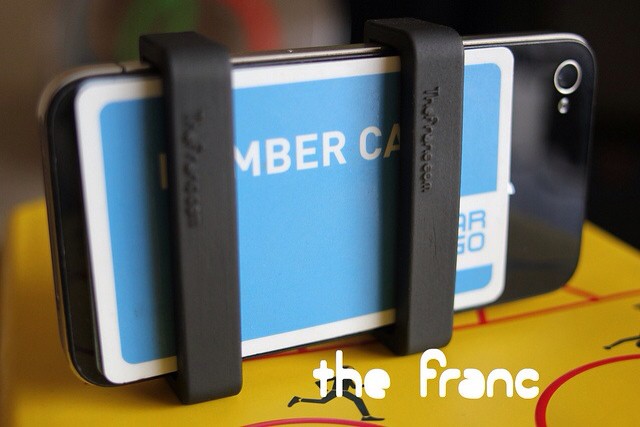
This is the Franc, a clever, minimal iPhone wallet which the maker Chris Anderson (no, not that Chris Anderson) inexplicably pronounces as “fronk,” in some crazy attempt at a French accent I guess.
Despite this oral boo-boo, the Fronk itself appears to be a rather desirable Kickstarter project.
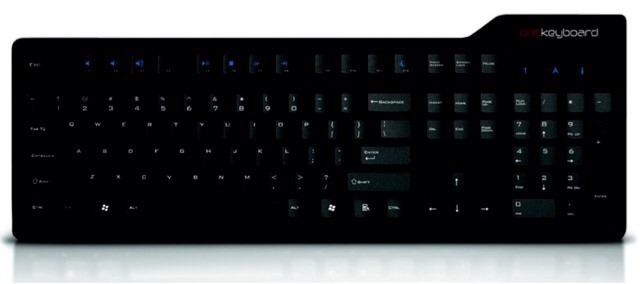
Despite being noisy, big, heavy and hard to type on, clackety keyboards like the DAS are hot fashion right now, despite their impracticality (isn’t that always the way with fashion?). I kid. I actually use a DAS keyboard with my iMac, although to be honest I almost never use the iMac these days.
The only thing that really drives me crazy about the DAs, though, is the lack of media keys. F15 and F16, or whatever the last keys are in the top row, control screen brightness out of the box, but volume, media keys and other OS X essentials are lacking, leaving rather kludgy third-party fixes as the only way to add them back.
Now, the Model S Professional and Professional Silent models sport proper media keys. Three word: At frickin’ last.

Rovio has updated the original and still the best of the Angry Birds games with 15 new levels, and four new power-ups. It seems like everyone who wants this game has already bought it, so in order to keep milking the franchise for money on these free updates, Rovio has decided to go down the dirty path of in-app purchases.
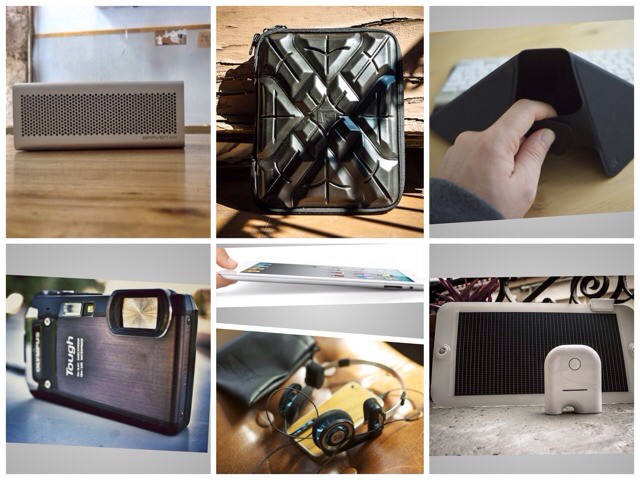
It’s August, which means two things. One, there’s no news to report on, which means that most of a gadget blogger’s workday is taken up with siestas and refreshing beverages. And two, it’s vacation time! That’s right: The whole northern hemisphere likes to take a break at exactly the same time, all the better to enjoy congested roads, overpriced plane tickets and overcrowded hotels.
To ease your pain, we’ve put together a list of the best travel gadgets. You may not enjoy spending a hot and stuffy month with your in-laws, but at least your tech won’t let you down.
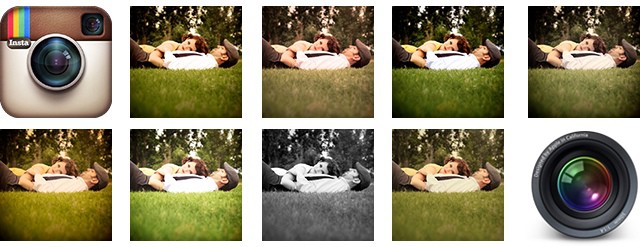
Remember those neat Lightroom presets which would add Instagram filters to your big grown-up photos? Now the author Casey Mac is back with versions for Photoshop (snore) and Aperture (yay!).
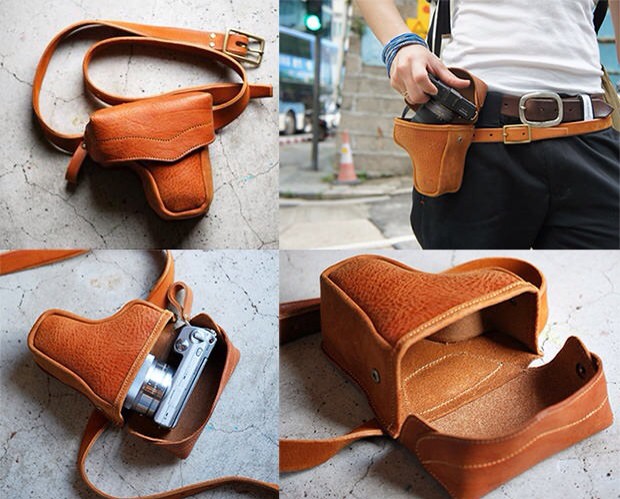
Gadget Holders on your belt = dorky. However, awesome leather quick-access camera-holder on your belt = super-cool. Yes, somehow the laws of nature have been temporarily suspended to make this Japanese hand-made leather fanny pack into a desirable and stylish item.
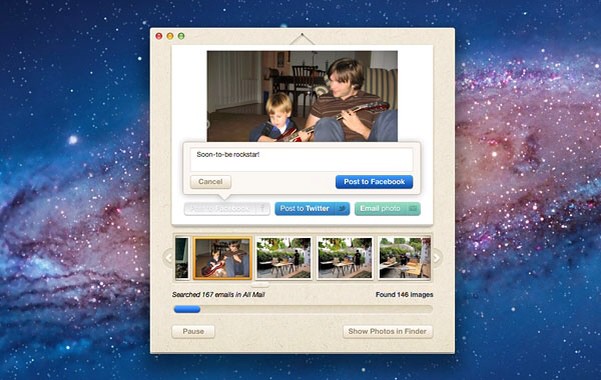
Lost Photos is a Mac (and – let me get that bad taste out of my mouth – PC) app which does one thing. Well, one thing, and then a few more: it finds all the photos buried in your e-mail account and presents them to you in one easy place, ready to be tagged, saved and shared.

Mountain Lion’s version of the Safari browser brough many great things: a unified URL/search bar, iCloud tab syncing and some neat new gestures (try pinching when you have a few tabs open). What it also did was remove the RSS button, replacing it with the Reader button found in iOS. This – apparently – pissed off a lot of people.
So, for those of you who used this button daily, we’ve put together a list of alternatives. None of them will give you the same functionality, but all of them are great RSS readers which work in slightly different ways.
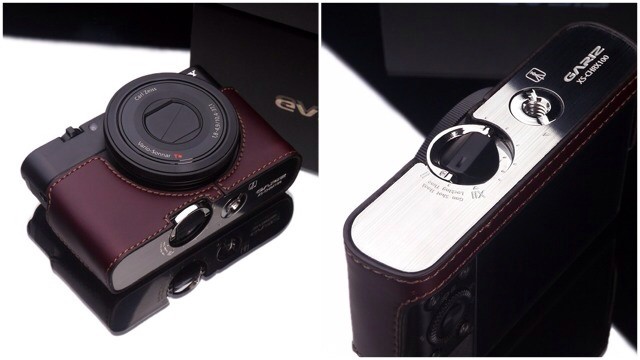
One of the best gifts I ever bought for my camera was a hand-made leather ever-ready case. These two-part cases not only look better the older they get, but they offer a whole lot of protection. I have dropped my Panasonic GF1 more times than I will ever admit to you, and it doesn’t even have a dent or scratch. Well, not from dropping it anyway.
But my handsome case looks like a piece of junk next to these gorgeous half-cases from Korea’s Gariz. You can pick up models to fit most high-end compacts and mirrorless cameras, but today we’ll take a look at a new addition for the Sony RX100.
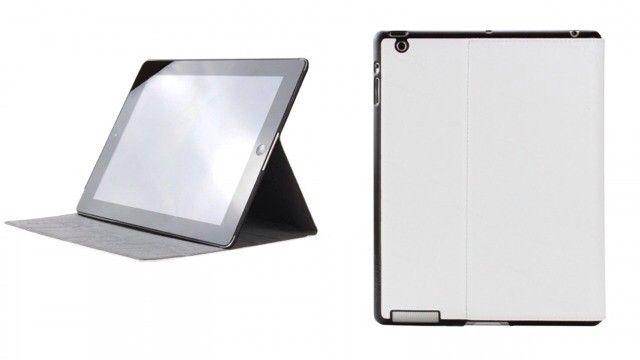
The search for the perfect iPad case is never ending, but that won’t stop me trying. And as you get further along in your quest, the differences between cases becomes smaller and smaller. At first glance, these two slimline cases from Lioncase look like any other slimline folios and Smart Covers, but close up they look much more compelling.
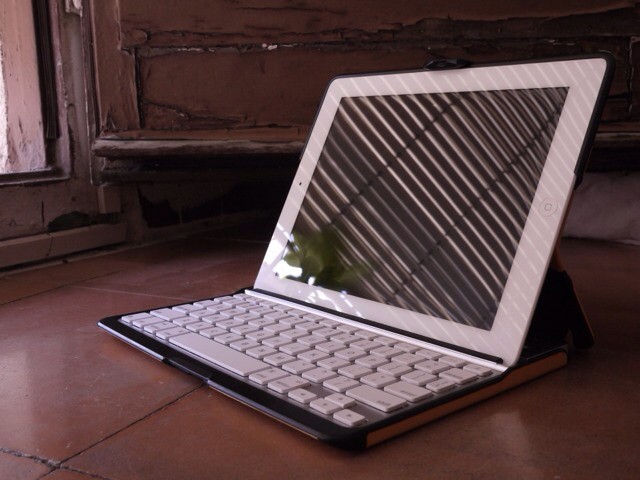
The new Zaggfolio keyboard and case for the iPad 3 is a very weird little number. At first glance it looks like any other folio case, a protective book which holds the iPad in one side and has a keyboard embedded behind the front cover. But this one is modular, with a removable keyboard. And it comes in colors, although the plastic used to do this looks like it has been cut by (a shaky, alcoholic) hand.
And if you want to use the case without the keyboard (which is actually possible, as they’re available separately) then you’re going to end up with the dumbest-looking case around.
Despite all this, the Zaggfolio is actually pretty great.
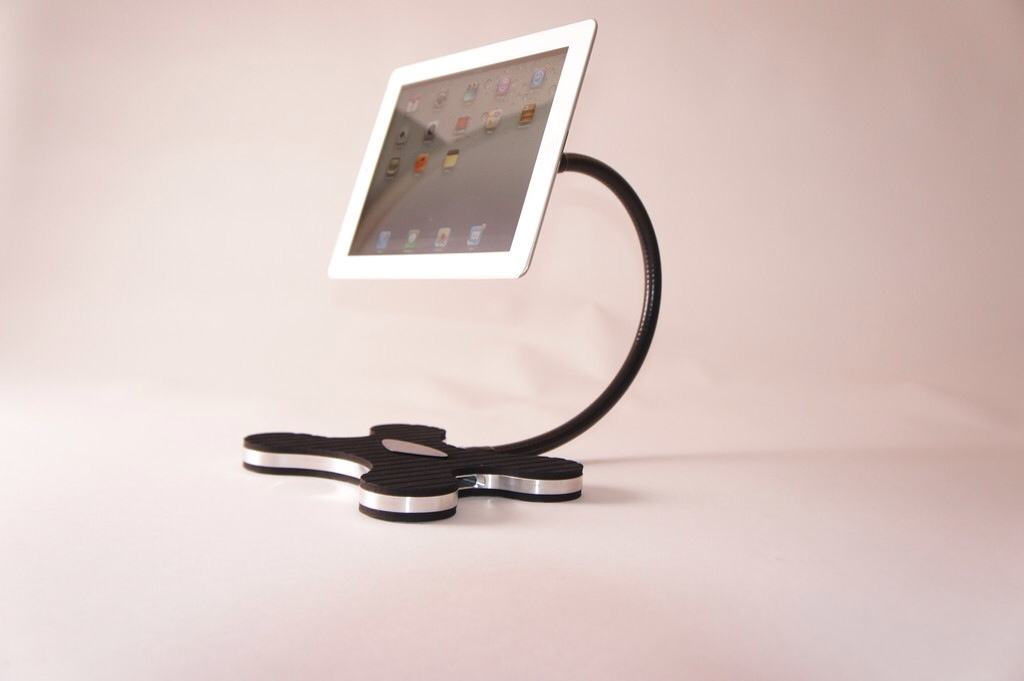
You know what’s really easy? Holding the iPad. You know what’s even easier? Not spending $100. Which is why the XFLEX has its work cut out: it’s a flexible, heavy-footed iPad stand which costs more than a crappy pre-pay Android phone.
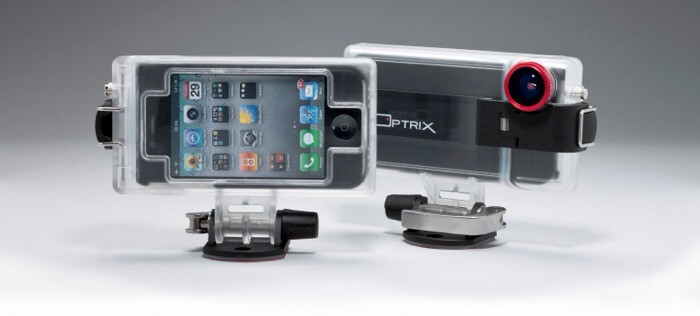
Optrix’s XD camera case for the iPhone looks like just another ruggedized box, but it distinguishes itself with a low price ($100), a whole bagful of included accessories, and one unique feature.
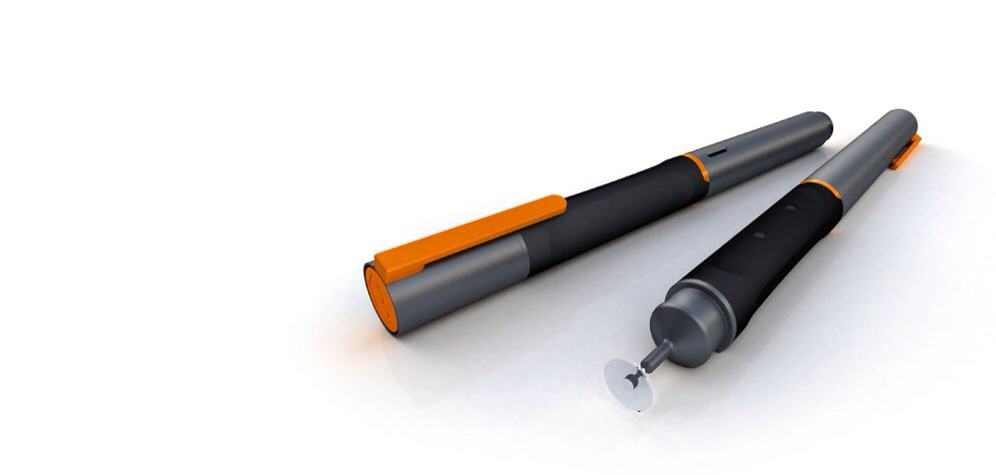
If Crocodile Dundee had been a digital artist instead of a hardened Aussie hunter, and if you had pulled your iPad stylus out in the middle of a heated argument somewhere in NYC, then he would have said this:
“Call that a stylus? That’s not a stylus… This is a stylus.”
And then pulled out the JaJa, an iPad stylus that is not only pressure-sensitive (with 1024 levels), but manages to communicate its intent to your iPad without a cable, Wi-Fi, Bluetooth or any other radio protocol. How the hell do it work?
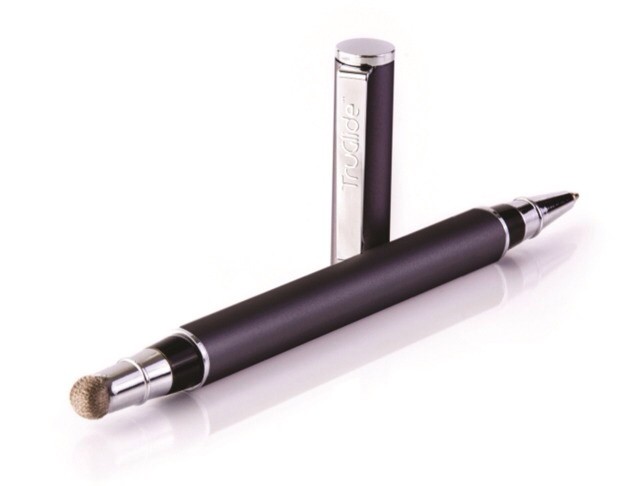
If you carry a stylus for your iPad, it’s fair to say you like writing (or at least doodling). And – by extension – it’s likely that you also carry a pen. Now one of our favorite styluses – – the metal-mesh-tipped TruGlide from Linktec – has been turned into the Duo, a single stick with a different writing technology at each end.
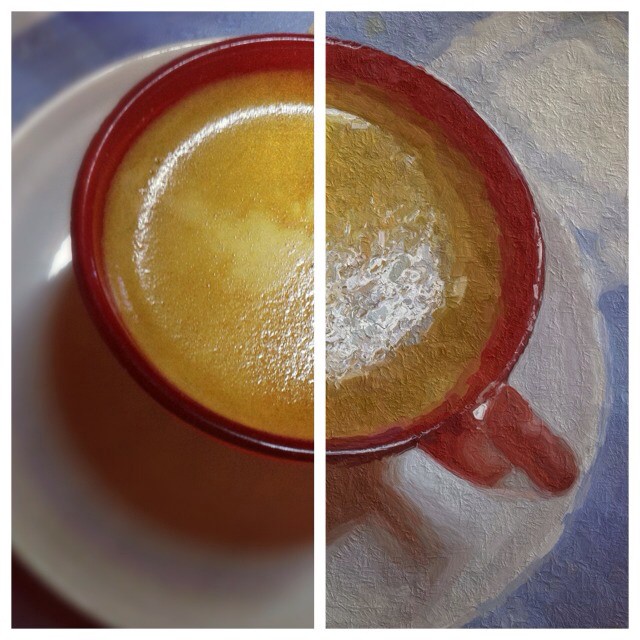
If you thought that all apps that turn photos into “paintings” and “drawings” were total gimmicky junk, you’d be dead right. Applying a “find edges” filter and desaturating the result into grayscale doesn’t make a picture look like you drew it. It looks like you’re a dummy for even using it.
But things have changed: Glaze is an iPad app which actually makes faux paintings that look good.
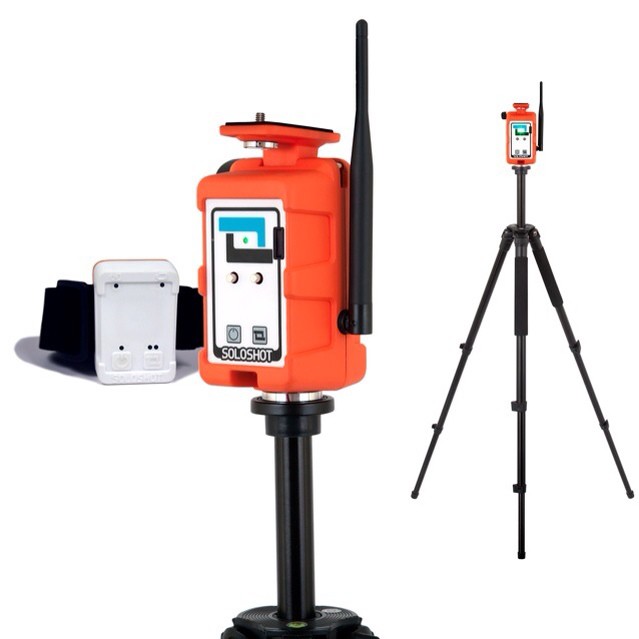
The Soloshot is not, as you might suspect, a wipe-clean target aimed at the adult video market. Instead, it is a motorized stand for a sports camera, although its target customer is likely the same lonely soul that would be interested in the (mythical) pop-shot tracking gadget I mentioned above.
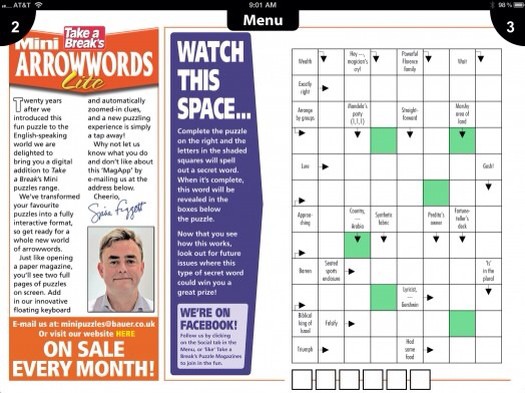
You know those big fat puzzle books you used to buy before you went on vacation? They’d be full of so many crosswords, word-searches and other mindless diversions that you could spend an entire week in a foreign country without seeing a single thing but the rough, badly-printed pages.
Now that wonderfully reclusive experience is available on the iPad, in the first game to be sold in the iOS Newsstand.