Mobile menu toggle

App Store - page 86

iOS Developers Use “Well-Known” Download Bots To Manipulate App Store Rankings [Report]

By

iphone-app-store

Ever wondered how come iOS titles make it into the App Store’s top 25 list? Some iOS developers have been using download bots to purchase their own apps and manipulate the App Store’s top 25 list, according to a new report from Inside Mobile Apps. The software has been in use for over 12 months to fraudulently promote iOS titles, and some marketing firms charge up to $15,000 a time for the service.

How To Enable Push Notifications For Tweetbot [iOS Tip]

By

tweetbot-icon-logo

Tweetbot is undoubtedly the hottest Twitter client available for iOS right now, and thanks to its arrival on the iPad last week, there are thousands of new users discovering the app for the first time. If you’re one of them, the first thing you’ll want to know is how to enable push notifications.

Push notifications aren’t setup when you first install the app, so you’ll need to do it manually. Here’s how!

Zynga’s Tiny Tower Clone Hits U.S. App Store And Employees Love It

By

Zynga-Dream-Heights

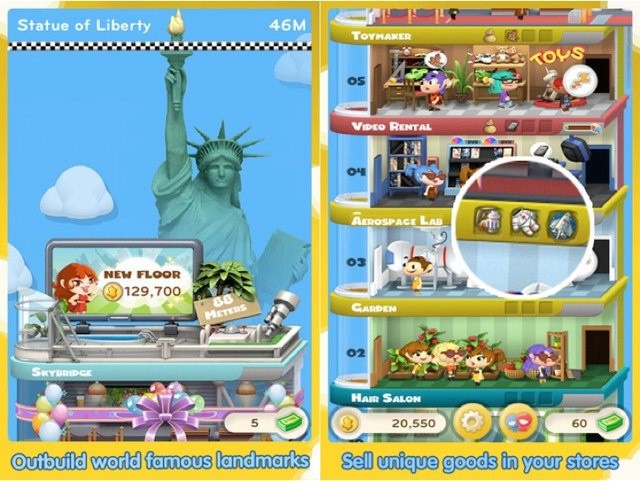
Zynga’s latest iOS game Dream Heights received a lot of stick when it was first announced, and there’s no denying that it was all deserved. After all, it is a blatant clone of Tiny Tower, the App Store’s best game of 2011, from a small team of independent developers called NimbleBit.

The title is now available to download from the U.S. App Store, and according to the reviews it’s already received, Zynga employees love it.

Friday Night Fights: What’s Better For App Stores, Walled Garden Or Open?

By

post-145632-image-63403a307bc38d4379960309ccaf19f5-jpg

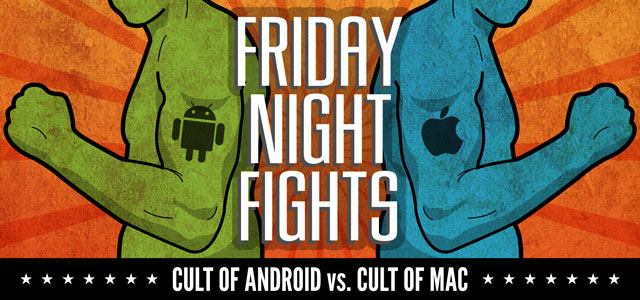
Laaaaaaaaaaadies and Gentlemen, welcome to Friday Night Fights, a new series of weekly deathmatches between two no-mercy brawlers who will fight to the death — or at least agree to disagree — about which is better: Apple or Google, iOS or Android?

After this week’s topic, someone’s going to be spitting teeth. Our question: What’s Better For App Stores, Walled Garden Or Open? Apple vets every app released on the iOS and Mac App Stores, but Google lets anything in, removing apps only if they violate their terms. Which is better for developers and consumers?

In one corner, we have the 900 pound gorilla, Cult of Mac; in the opposite corner, wearing the green trunks, we have the plucky upstart, Cult of Android!

Place your bets, gentlemen! This is going be a bloody one.

Listen To Live Radio On Your iOS Device With TuneIn Radio [iOS Tip]

By

tune-in-radio-iphone

One of the best things about Apple’s iPod nano is its radio app that allows you to listen to live radio anytime, anywhere. Unfortunately, we don’t get that feature with the iPhone, iPod touch, or iPad… unless we use third-party apps.

TuneIn Radio allows you to listen live to over 50,000 stations around the world, pause and rewind your favorite shows, share stations and songs on social networks, and a whole lot more. Here’s how to get started.

Use Your iPhone & The Joypad App To Control Games On Your iPad [iOS Tip]

By

joypad-on-iphone

Isn’t it frustrating when you’re playing a game on your iPad and your hands keep spoiling the view? That’s the problem with virtual controls on touchscreen devices, but there is a way around this.

Joypad allows you to control a selection of iPad games using your iPhone, so you can enjoy your favorite titles without your hands blocking the view. It features a selection of control pad layouts that are individually tailored to certain games, and you can customize things like the touch radius for each button.

Here’s how to get started with Joypad.

Apple Under Fire As Hackers Steal Money From iTunes Accounts?

By

itunes-on-mac

Hackers have once again turned to cracking iTunes accounts to obtain a ton of content paid content and leave you with the bill. Once inside your account, these thieves will steal your store credit and gift cards, and make purchases with your credit card and Paypal information. But is Apple doing enough to stop them?

Creating An App Store For Your Company Just Got Easier… And Free

By

app47

Apple’s concept of the App Store works well for consumers. Search for whatever apps you want or need and buy or download them with one-click shopping in iTunes of the App Store app on an iPhone, iPad, or iPod touch. That system starts to break down when it comes to iOS devices in the workplace, particularly for companies that create internal apps that need to be rolled out to a large number of users. It can become even more complicated when dealing with employee-owned devices because IT may never see the iPhone or iPads that are being used and therefore need a specific set of apps.

The best option for addressing this need is the concept of an enterprise app store – an app that users can install from a central location on their corporate network that will allow them to peruse a selection of apps developed by their company’s IT department as well as business apps from Apple’s App Store.

Use The Skyfire Browser To Watch Flash Videos On Your iOS Devices [iOS Tip]

By

Skyfire-startup

Apple’s decision to shun Flash Player for its iOS devices has been well documented over the years. But with the iPhone nearly five years old now, it’s no surprise third-party developers are offering up their own solutions for accessing Flash on our iPhones, iPod touches, and iPads.

One of those developers is Skyfire Labs, which is behind Skyfire for iOS — a web browser that allows you to watch Flash videos without unauthorized jailbreak tweaks. Here’s how to get started with Skyfire.

Plan, Launch And Market Your Killer iPhone App Like A Pro [Deals.CultofMac]

By

Photo credit:  Yutaka Tsutano (CC BY 2.0)
Photo credit: Yutaka Tsutano (CC BY 2.0)

It seems as if everyone and their uncle are building iPhone apps these days. As a result, the competition is getting fiercer and fiercer by the day, and it’s becoming tougher to stand out amongst the crowd.

That said, there are a ton of apps that just don’t “cut the mustard” and the user experience suffers because of that lack of care and quality. David Sparks, the man behind the popular MacSparky blog, said the following about what he calls “speculative developers”:

If you want to develop apps, take your time and make something awesome. Make it fast. Make it beautiful. Make something you’re proud of. Don’t make 60 crappy apps: Make one really good one.

I couldn’t agree more, but when you’re faced with the haze of substandard apps that claim to be able to deliver the goods, how can a developer get their app noticed — and adopted — over the long-term?

The latest Cult of Mac Deal may have the solution to that problem.

Use Your iPhone As An Augmented Reality HUD In Your Next Game Of Lazer Tag

By

lazertag

My parents never let me play with them as a kid because they were afraid I’d get shot by a trigger-happy cop, which is perhaps why, to this day, I get a little giddy when I hear or read the words “LAZER TAG,” and feel myself ethereally tugged away — John Carter like — to a distant world where I am a member of the Lazer Team, policing the galaxy for perps who can be non-violently terminated by aiming my ray gun at the conveniently placed sensors strapped to their back, head and torso.

So when I saw that Hasbro has just announced the next update of their Lazer Tag guns — and that these sets actually use an iPhone or iPod touch as an augmented reality display and HUD — I immediately got excited, then disappointed as I remembered my parents wouldn’t let me have one. But wait! I’m an adult now, and as an adult, I can wave around as many plastic toy guns as I want! Hooray!

Apple Forces iPhone Apps To Go Retina Display, iPhone 3GS On The Way Out?

By

retinadisplay

Apple sent out an interesting message to third-party developers today. iOS devs are now required to submit Retina display screenshots for their iPhone and iPod touch apps to the App Store. All updates to existing apps must also meet the 960×640 resolution requirement.

Not only does this new policy signal the death of 480×320 resolution apps, but it also indicates that the iPhone 3GS may not be around much longer.

Get The VooMote Zapper Universal Remote Control From Apple Stores Nationwide Now

By

VooMote-Zapper

One of the best accessories you can purchase for your new iPhone is a little device that allows you to control your television and other audio/visual gear from your smartphone. It means you don’t have to search around for that lost remote, get up to change the channel, or keep replacing the batteries in all the remotes already littering your home.

The VooMote Zapper combines a universal remote control with a well designed app that allows you to control all of your equipment in every room using nothing but your iOS device. And it’s available now at Apple retail stores nationwide.

Apple To Developers: Don’t Try To Game The App Store Charts

By

usfreestore

Apple has issued a reminder to developers warning them to not manipulate App Store rankings. Following Apple’s removal of a third-party developer’s collection of 68 copy-cat apps (titles like Temple Jump and Numbers With Friends) from the App Store, the issue of chart scamming has been brought into the light again.

Use Fahrenheit To Display The Temperature On Your Home Screen Without Jailbreaking [iOS Tip]

By

fahrenheit-home-screen-temp

Those handy weather widgets commonly found on Android-powered devices aren’t available to iOS users, thanks to Apple’s tight control over third-party software. But you can find some weather apps in the App Store that will display the current temperature on your home screen using the “app badges” feature built into iOS.

My favorite is called Fahrenheit. Here’s how to get it set up and get the temperature displayed on your home screen.

Best Buy Predicts 42-Inch “Apple HDTV” In Customer Survey

By

Best-Buy-survey-with-Apple-HDTV

A rumored Apple television set has received just as much — if not more — attention than the company’s upcoming iPhone 5 in recent months, but the questions we’ve all been asking about its specifications have been answered… by Best Buy.

The retailer has been issuing surveys to its customers to obtain feedback on potential new products and services, but many were surprised to find details on a 42-inch “Apple HDTV,” which will apparently be available for $1,499.

Remarks For iPad Is PDF Annotation & Note Taking At Its Finest

By

post-144274-image-d71d12888a0de92aca4bf7a6f6c444c6-jpg

httpv://www.youtube.com/watch?v=HikaEE70604

The latest iPad app from Readdle, a company famous for its excellent productivity apps for iOS, has perfected PDF annotation and note taking on a touchscreen device. It’s called Remarks, and it allows you to write and draw on PDF documents, outline notes in class or in the office, and sketch new ideas with your fingertip or a stylus.

When It Comes To iOS Apps, IT Needs To Rethink Volume Purchasing

By

pile-of-money-5


The sheer volume of available apps is one selling point for iOS. For those using the iPad or iPhone in the workplace, there is an ever-growing selection of business and productivity tools. Some of these, like the apps from Salesforce.com, tie into existing business solutions and are available at no charge. Others may not be free but fill critical business needs like those that provide the ability to view and edit Office documents (examples include Quickoffice, Documents to Go, Office2, and Apple’s iWork apps).

This presents a conundrum to some IT professionals. In business environments most desktop applications (Mac or Windows) are purchased using volume or site licenses and delivered to workers using mass deployment tools. The software, or more accurately the license to run it, is purchased as and remains company property.

iOS apps, on the other hand, are treated by Apple much like music tracks or TV episodes. They’re purchased using an iTunes Store account and can be installed on any iOS devices tied to that account. Essentially, they become the property of the person who has purchased or downloaded them. That flies in the face of traditional IT tactics – a point reported by Network World as a constant source of issue to IT departments and a point of discussion at the MacIT conference that ran alongside MacWorld | iWorld last week.

Turn Any Document Into A PDF On Your iOS Device With PDF Converter From Readdle [iOS Tip]

By

converting-pdf-ipad

Did you know that it’s incredibly easy to turn almost any document into a PDF directly on your iOS device, with a simple third-party app? That app is called PDF Converter from Readdle, the developers of a number of popular productivity apps for iOS. If you’re looking for a free PDF converter for iPhone, you can find all the essential tools in this guide. Here’s how to do it.

Apple Prepares For War Against Consoles By Hiring Former Xbox Live Chief

By

robin-burrowes

Apple has made another addition to its team this week with a former Microsoft Product Marketing chief, Robin Burrowes, joining the ranks to become the head of App Store Marketing for iTunes Europe. Burrowes was previously part of Microsoft’s Xbox LIVE team, and he’s not the first gaming executive to head for Cupertino as Apple gets serious about battling consoles head on.