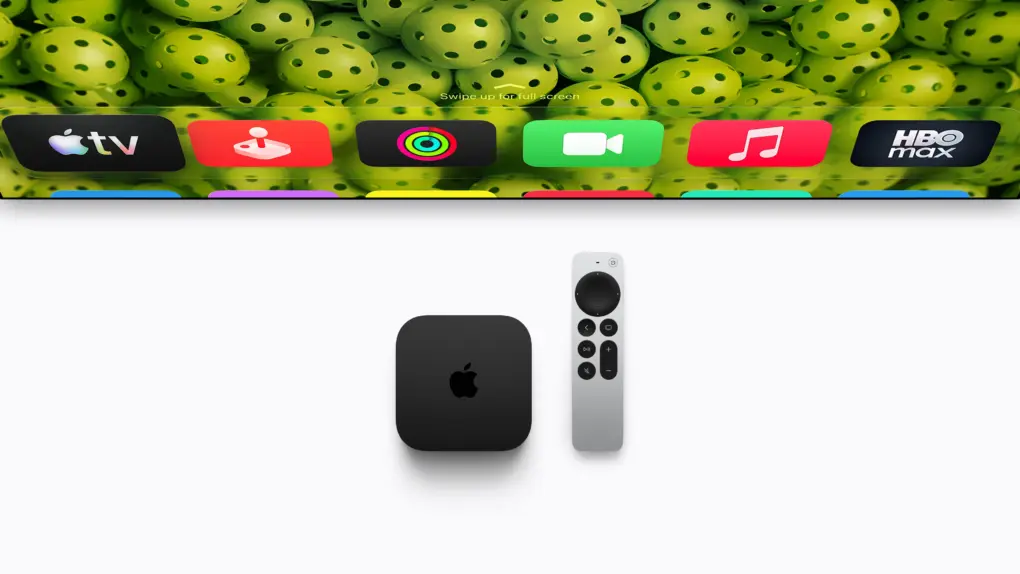
The fourth-generation Apple TV 4K comes four years after its predecessor. While the streaming box retains almost the same design as its third-generation sibling, it packs some notable usability upgrades. That’s in addition to faster internals for a better overall experience.
Do these improvements make the Apple TV 4K (4th generation) a worthy upgrade from the third-generation model?
Apple TV 4K (4th gen) vs. 3rd gen comparison
For all the improvements that the Apple TV 4K (4th generation) brings, it comes with a significantly higher price tag. That changes the equation significantly.
While there are some worthy upgrades, including the ability to pair four compatible HomePods for surround sound, the new model may not be for everyone. Plus, with many of the software improvements also coming to older Apple TV models, deciding whether to upgrade isn’t straightforward
Table of contents
- Design and picture quality: Familiar looks, more efficient streaming
- Home theater: Four HomePods for surround sound
- Siri Remote: Easier to find when it disappears
- Voice control: Talk to Siri without reaching for the remote
- Siri AI: Smarter searches without buying a new box
- Performance: A big boost, but streaming needs less
- Connectivity: Wi-Fi 7, with Ethernet and Thread as standard
- Price: A steep price for a streaming box
- A better box, a tougher sell
Apple TV 4K 4th gen vs. 3rd gen: Key differences
| Specs | Apple TV 4K (4th generation) | Apple TV 4K (3rd generation) |
|---|---|---|
| Design and dimensions | ||
| Dimensions (height × width × depth) | 31 × 93.24 × 93.24 mm | 31 × 93 × 93 mm |
| Weight | 217 grams | Wi-Fi: 208 grams; Wi-Fi + Ethernet: 214 grams |
| Performance and storage | ||
| Processor | A19 | A15 Bionic |
| Storage | 128GB | 64GB or 128GB |
| Dedicated AV1 decoder | Yes | No |
| Video and audio | ||
| Maximum video output | 4K at 60fps | 4K at 60fps |
| HDR formats | Dolby Vision, HDR10+, HDR10, HLG | Dolby Vision, HDR10+, HDR10, HLG |
| Dolby Atmos | Supported | Supported |
| Quick Media Switching | Supported | Supported |
| Four-speaker HomePod surround | Supported with eligible speakers | Not supported |
| Connectivity and controls | ||
| Wi-Fi | Wi-Fi 7 | Wi-Fi 6 |
| Bluetooth | Bluetooth 6 | Bluetooth 5.0 |
| HDMI | HDMI 2.1 | HDMI 2.1 |
| Gigabit Ethernet | Standard | 128GB model only |
| Thread networking | Standard | 128GB model only |
| Built-in microphones | Three far-field microphones | None |
| Siri AI | Supported, with compatible software and devices | Also supported, with compatible software and devices |
| Siri Remote | ||
| Included model | Fourth generation | Third generation |
| Charging | USB-C | USB-C |
| Finding features | Find My, Precision Finding and audible alert | Find My support |
| Price | ||
| U.S. launch starting price | $299 for 128GB | $129 for 64GB |
Design and picture quality
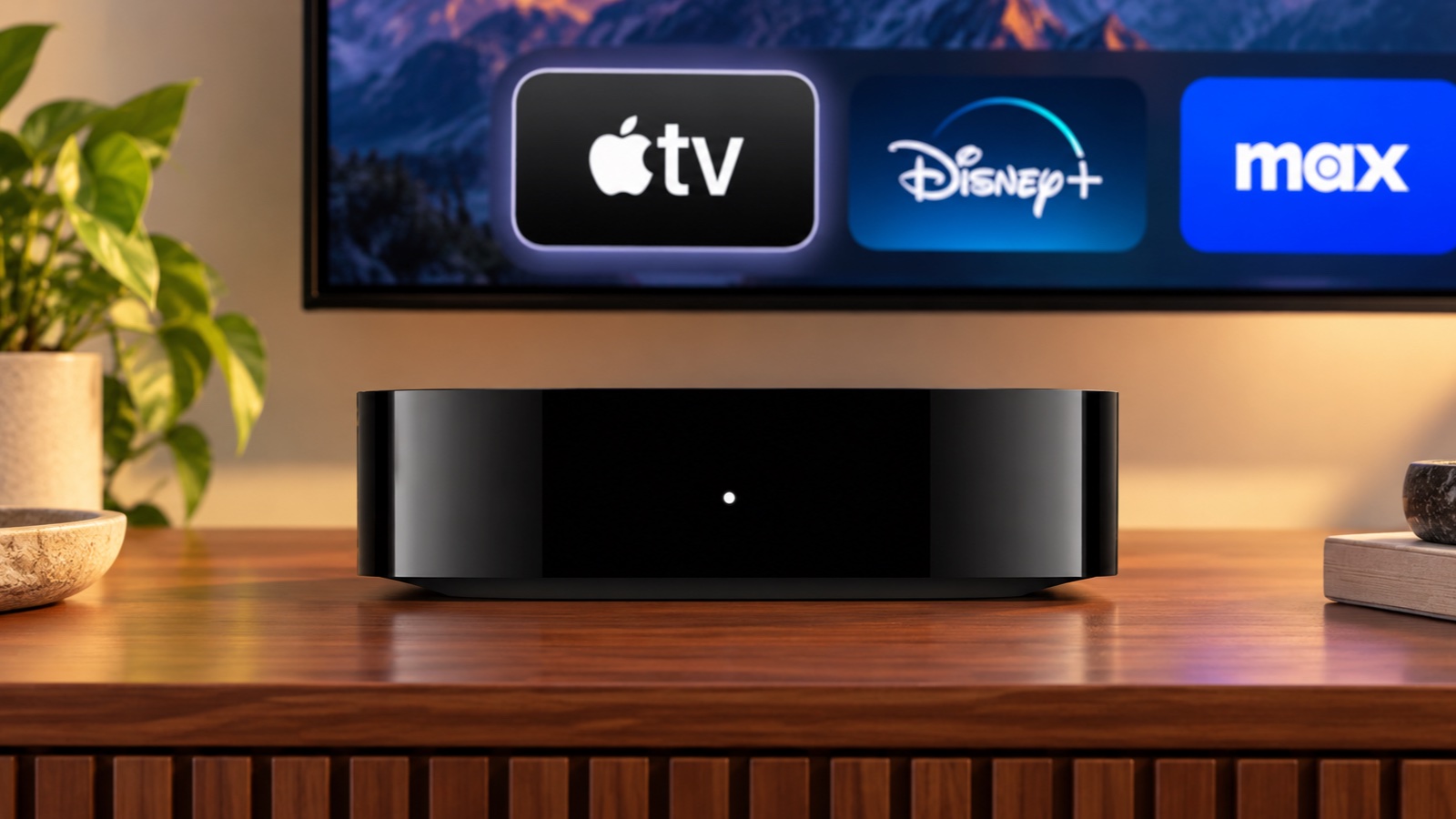
Image: Apple/Cult of Mac
From a design viewpoint, there are no notable visual changes on the Apple TV 4K (4th generation). This is still the same compact streaming box that Apple has been selling for over a decade now.
The dimensions are nearly identical, and you will likely never notice the slight weight increase.
Despite its faster and more powerful internals, the fourth-generation Apple TV 4K has similar video output capabilities to its predecessor. Both models can output 4K video at 60fps, with Dolby Vision, HDR10+, HDR10 and HLG support.
They also feature Quick Media Switching, which can reduce interruptions when switching frame rates on compatible TVs.
One notable improvement is hardware AV1 decoding. This codec compresses video more efficiently, allowing services to deliver high-quality streams while using less bandwidth. That could be useful on slower internet connections or plans with data caps.
This won’t automatically improve the picture quality, but the dedicated decoder enables more efficient playback of AV1 video. The benefit depends on streaming services delivering AV1 content through their Apple TV apps.
Another minor upgrade is support for Dolby Vision Profile 8.1 alongside Profile 5. Taking advantage of it depends on compatible content and playback support.
With no major increase in maximum resolution or frame rate, there’s little reason to upgrade to the Apple TV 4K (4th generation) from its predecessor for picture quality alone.
Home theater: Four HomePods for surround sound
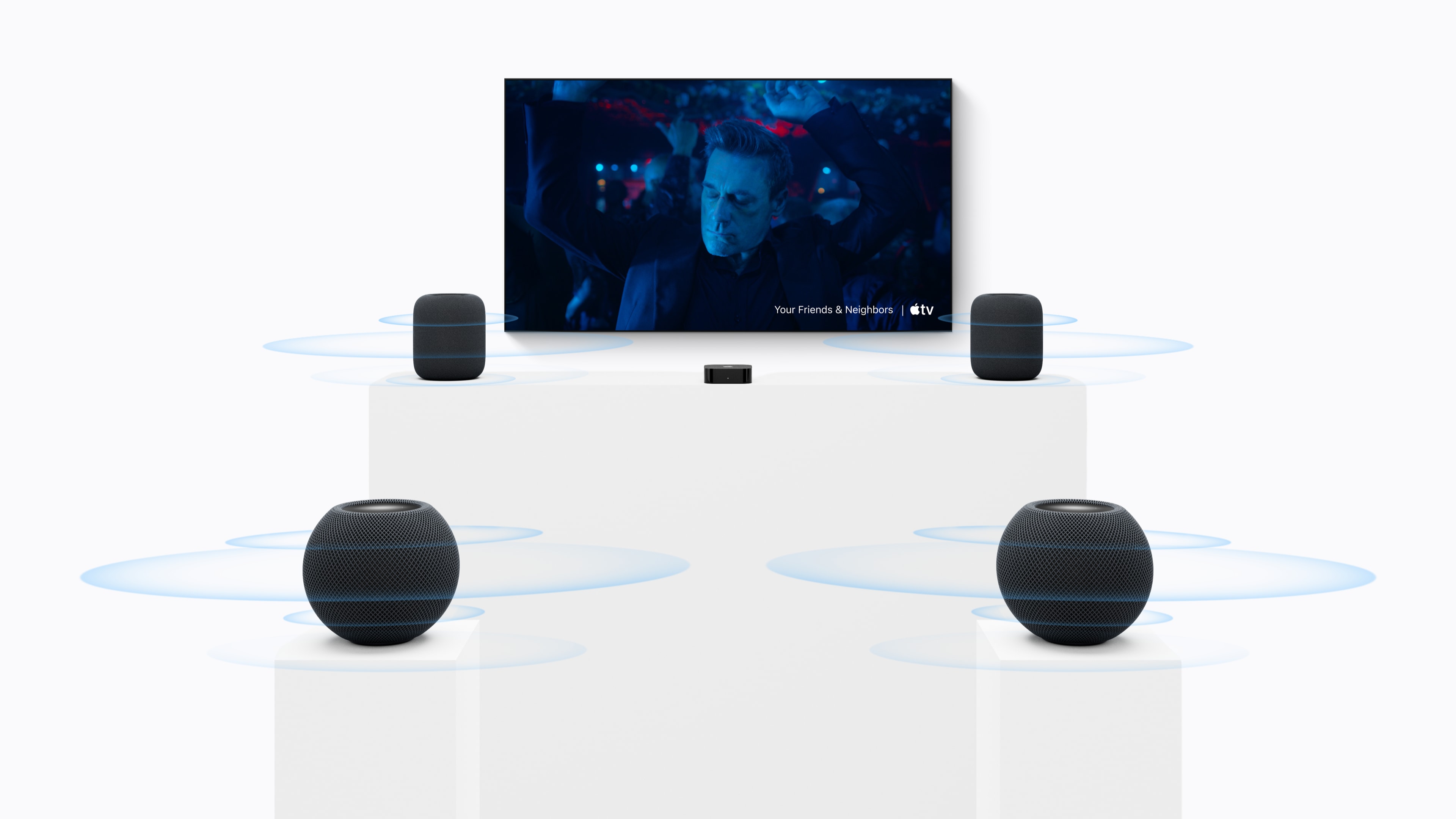
Photo: Apple
One of the biggest upgrades to the Apple TV 4K (4th generation) is the ability to build a four-speaker surround sound system using HomePod mini 2 or second-generation HomePods.
HomePod owners have long asked for this, and Apple is finally delivering it with its latest Apple TV.
The best part is that you can mix and match speakers, though the speakers within each pair must match. For example, you can use two second-generation HomePods at the front and two HomePod mini 2 speakers behind your living room couch.
The speakers automatically recognize their positions and calibrate audio timing and levels accordingly. This should make setup more convenient by removing the need to adjust those settings manually.
This is going to be an expensive surround sound setup, especially after Apple’s price hikes earlier this year.
Still, if you are invested in the HomePod mini 2 or the second-generation HomePod and have been wanting to build a four-speaker surround system, the Apple TV 4K (4th generation) finally makes that possible.
Siri Remote: Easier to find when it disappears
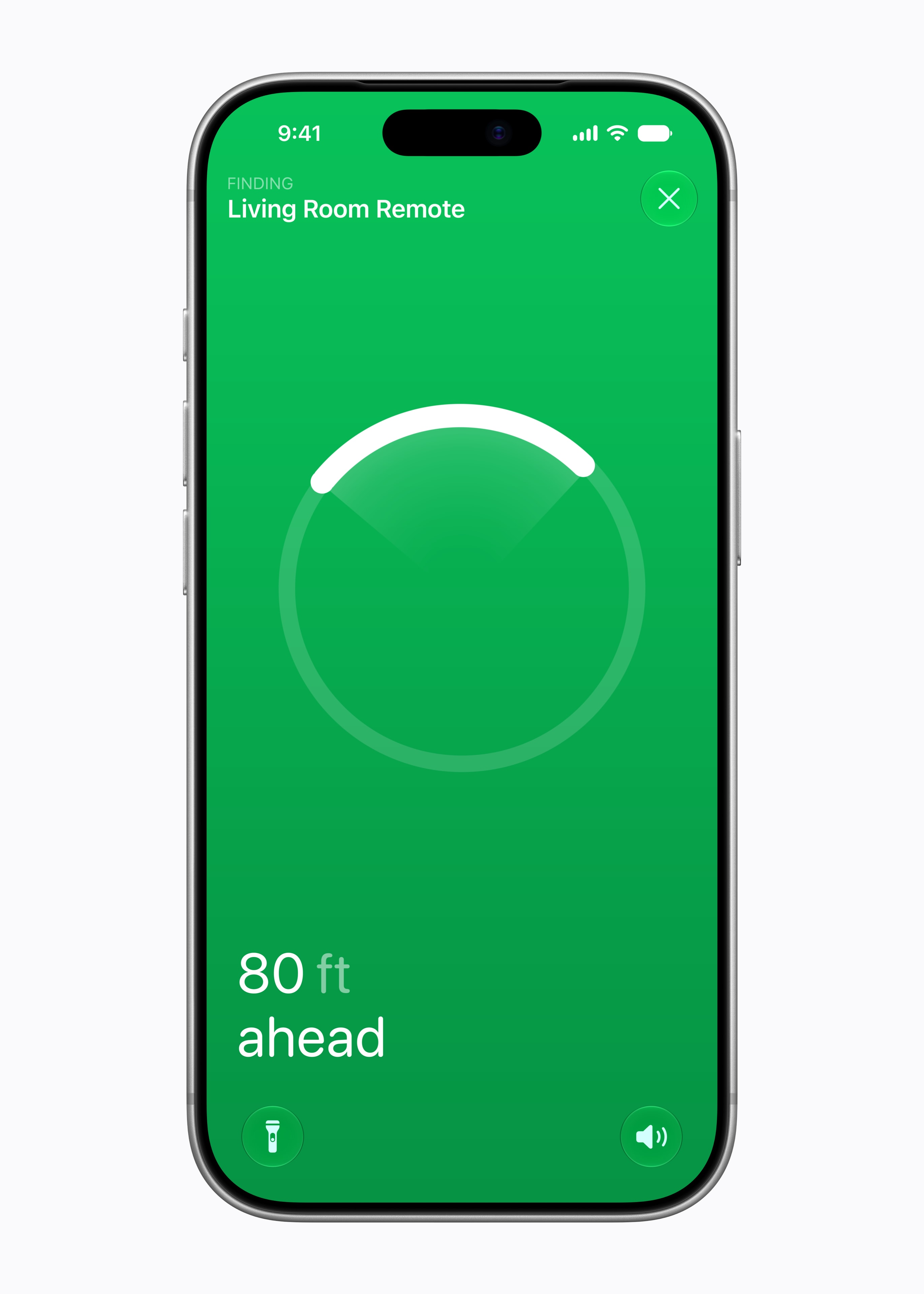
Image: Apple
The new Siri Remote included with the Apple TV 4K (4th generation) looks the same as its predecessor. But it comes with upgrades that solve a major annoyance: finding the remote after you misplace it between the sofa cushions.
The fourth-generation Siri Remote features Precision Finding and can play a sound to help you locate it. That means you can listen for it when it’s buried among your sofa cushions.
Precision Finding requires a supported iPhone. Still, this is a notable upgrade, especially if you keep losing your Siri Remote.
You don’t need to upgrade to the Apple TV 4K (4th generation) for the new Siri Remote, though. Apple sells it separately, and it works with the previous Apple TV 4K and Apple TV HD models.
Voice control: Talk to Siri without reaching for the remote
The fourth-generation Apple TV 4K packs three far-field microphones. That means you can say “Siri” or “Hey Siri” to control playback without picking up the Siri Remote. Apple says echo cancellation helps separate your voice from background sound, including audio playing through your entertainment system.
It may not work reliably in loud environments or if you are playing music at full blast. Still, this is a practical addition, as it allows you to control the Apple TV even when both your hands are occupied.
The third-generation Apple TV 4K cannot listen for commands directly, as it does not feature built-in microphones. You can still use its Siri Remote for voice control, though.
Siri AI: Smarter searches without buying a new box
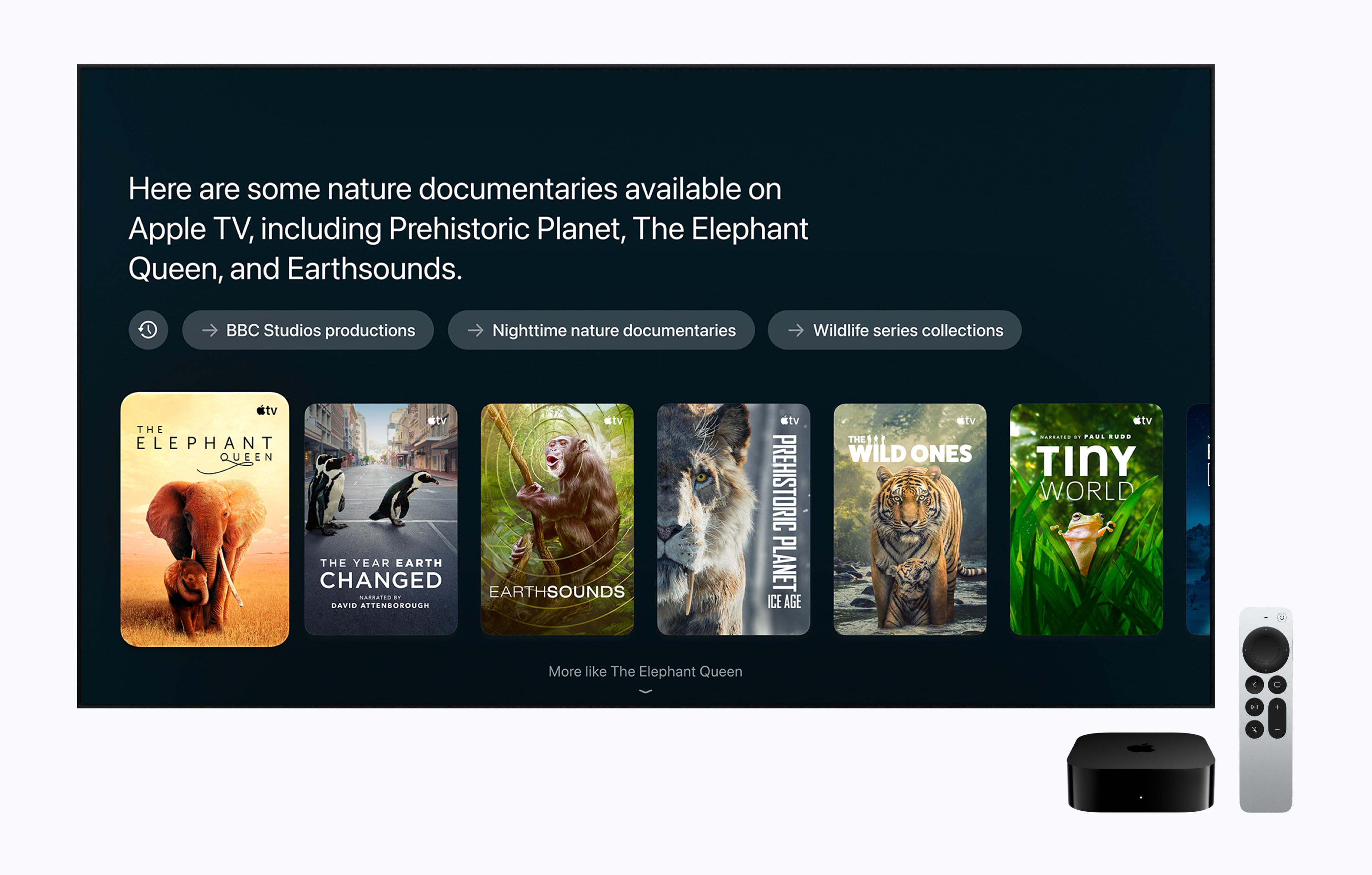
Photo: Apple
After iPhone, iPad and Mac, Apple is bringing Siri AI to Apple TV. You can use natural language to ask the voice assistant to find award-winning shows, answer questions about filming locations and more.
The experience gets even better with a paired Apple Intelligence-enabled device. Siri can use your personal context to find a show someone recommended to you in a text conversation.
However, Siri AI is not exclusive to the fourth-generation Apple TV 4K. It is also coming to second-generation and later Apple TV models. It will initially arrive as a beta feature in tvOS 27.2 in eight markets, including the US, UK, and India, with support for English.
Performance: A big boost, but streaming needs less

Photo: Apple
Apple’s newest Apple TV 4K uses an A19 chip. That’s the same chip used in the iPhone 17. It brings a big leap in CPU and GPU performance over the third-generation Apple TV 4K’s A15 Bionic. Apple claims up to 50% faster CPU performance and up to twice the GPU performance.
Apple says the faster chip enables faster navigation, greater responsiveness and smoother animations. The extra horsepower should also provide more headroom for demanding games, although real-world improvements will depend on the title.
Despite its age, the Apple TV 4K (3rd generation)’s A15 Bionic is still a capable chip for a streaming box. Unless you feel the interface is sluggish, the fourth-generation model is not worth upgrading to just for the performance boost.
This time around, Apple is only offering the Apple TV 4K with 128GB of storage.
Connectivity: Wi-Fi 7, with Ethernet and Thread as standard
The fourth-generation Apple TV gets a big connectivity upgrade, packing the latest Wi-Fi and Bluetooth standards available. It goes from Wi-Fi 6 to Wi-Fi 7, while Bluetooth advances from 5.0 to 6.
None of these upgrades will change the way you use your Apple TV, but they should provide a more reliable and stable networking experience. As before, there is also Thread support for smart home control and gigabit Ethernet.
Price: Significantly more expensive
The biggest issue with the Apple TV 4K (4th generation) is its price. It now starts at $299 in the US. That’s a big jump from the $129 launch price of the Apple TV 4K (3rd generation). Even the 128GB model with Wi-Fi and Ethernet launched at just $149. Apple raised its price to $249 in late June this year due to the memory crisis.
At $299, the Apple TV 4K (4th generation) costs another $50 on top of that already inflated price. Yes, it packs more powerful internals and some useful upgrades. But those improvements are hard to justify at $299, especially if you mainly use your Apple TV to stream movies and shows.
A better box, a tougher sell
The fourth-generation Apple TV 4K brings some useful improvements, including a faster chip, hands-free voice control and four-speaker HomePod surround sound support. But that steep $299 price tag negates most of those upgrades.
The higher price is not entirely Apple’s fault. The entire consumer electronics industry is facing the same issue, and they have all raised their prices multiple times this year.
If you already own a third-generation Apple TV 4K, I’d stick with it unless you specifically want the new surround sound or built-in voice control. Siri AI also supports your existing box, and you can buy the upgraded Siri Remote separately if you keep misplacing yours.

Rajesh has been writing about consumer technology for over a decade, with a strong focus on iPhones, Macs and Apple’s ecosystem. He enjoys digging into Apple software updates, hardware changes, and discovering new Mac apps that make work faster and more enjoyable.
You can reach out to him at mail[at]rajeshpandey.me.

