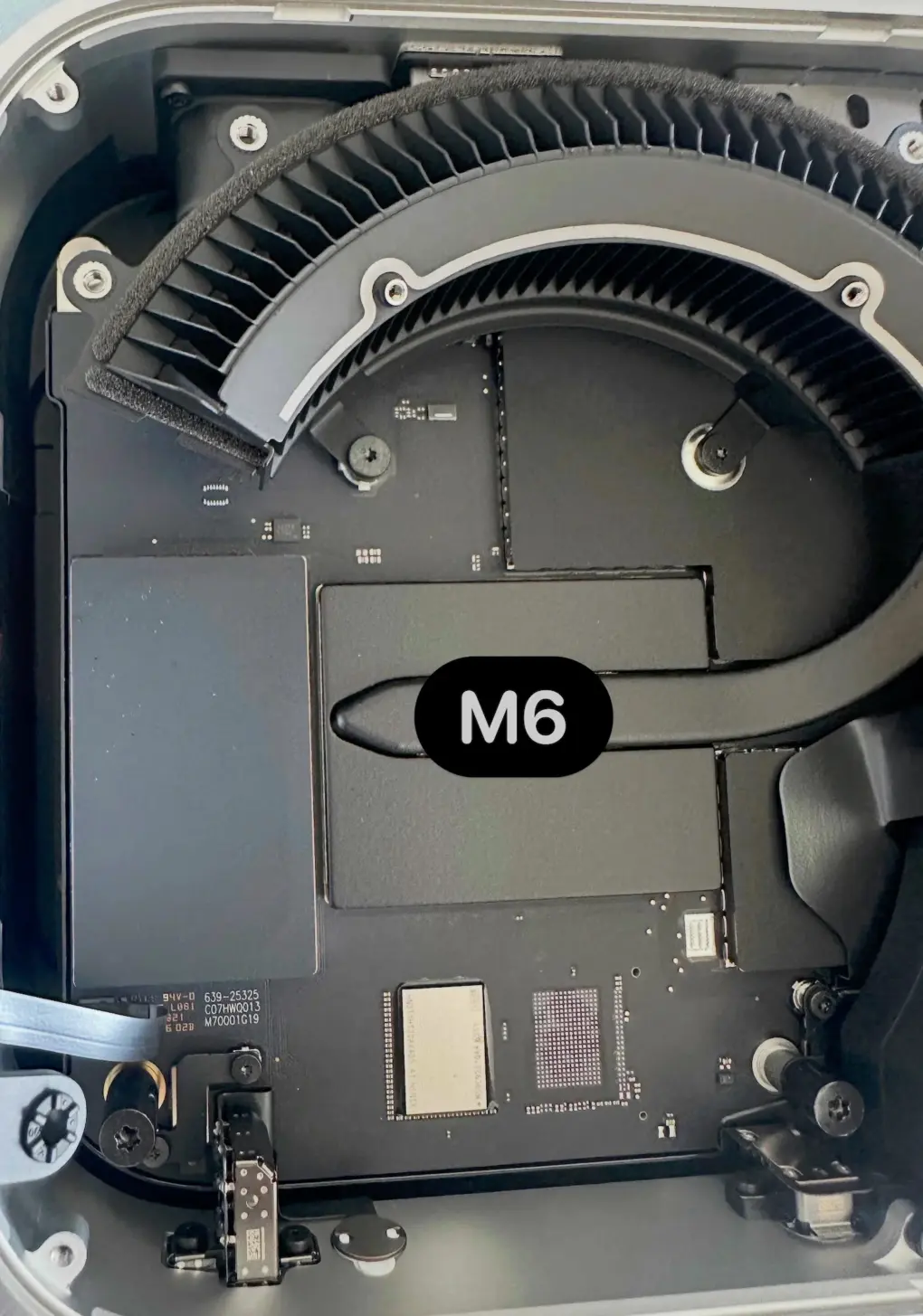
Apple solders the storage chip on the M6 and M5 Pro Mac mini, making third-party storage upgrades impossible. This is a regression from the M4 Mac mini, which shipped with a removable storage module.
So, if you plan to buy a Mac mini, configure it with enough storage from the start, as future upgrades—even from third-party vendors—will not be possible.
Apple officially does not support storage upgrades on Macs. However, it used a removable SSD module on the M4 and M4 Pro Mac mini. This enabled third-party vendors to offer storage expansion modules. Installing one meant opening the Mac mini, but the process was relatively straightforward. It also let owners add storage without paying Apple’s steep upgrade prices.
Unfortunately, Apple has returned to soldered storage chips on the M6 and M5 Pro Mac mini. It uses the same approach on the Mac Studio and MacBook Pro, making third-party storage upgrades impossible.
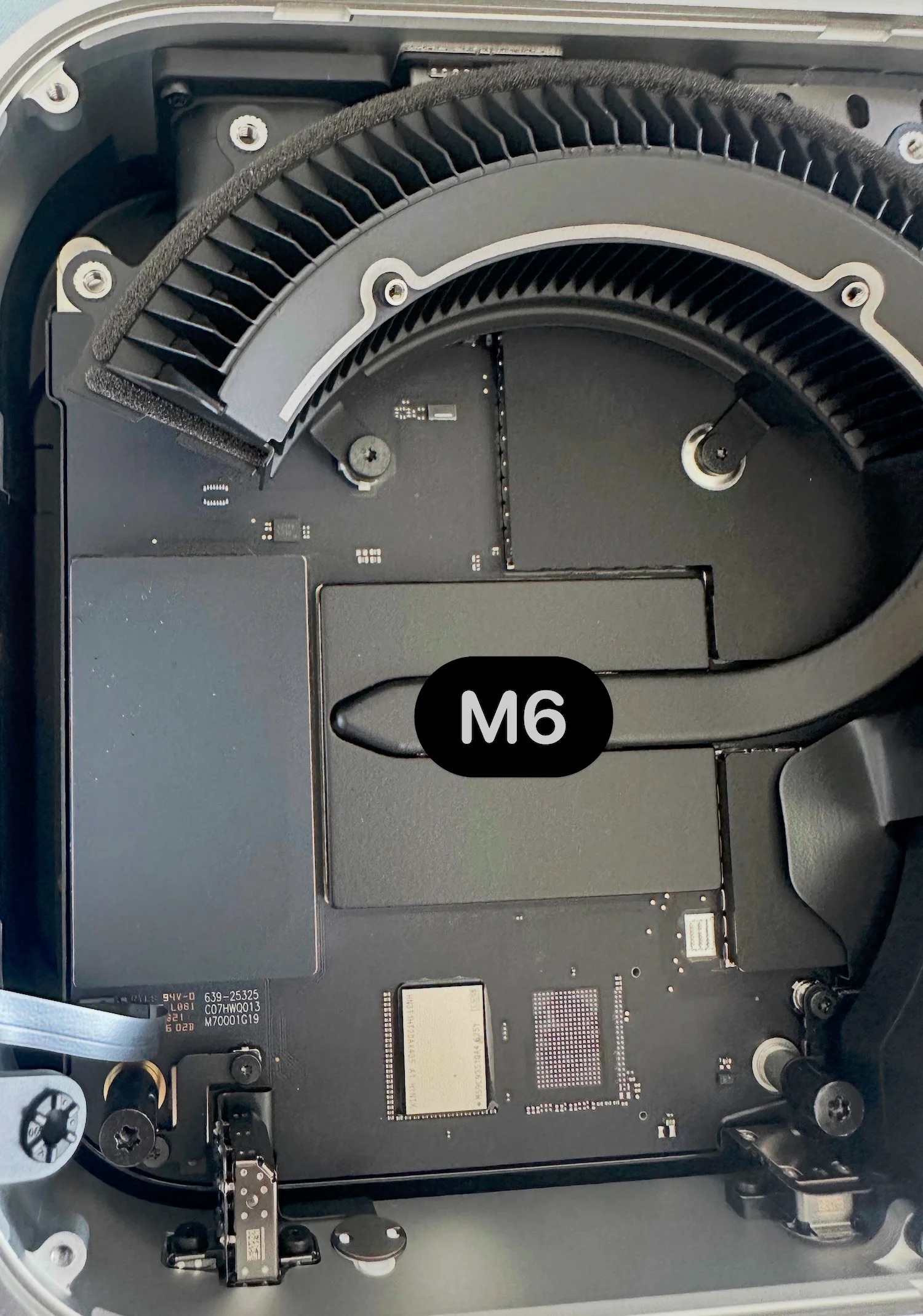
Photo: Expand Mac Mini
Internal photos of the M6 and M5 Pro Mac mini from Expand Mac Mini confirm the soldered storage chips. That leaves buyers with no way to upgrade the Mac mini’s internal storage after purchase.
That’s not the only storage-related downgrade the new Mac mini brings. Apple is using a single NAND chip on the base 256GB storage configuration. That means slower SSD speeds than higher-capacity models, which use multiple NAND chips for better performance.
Benchmarks from Apple CH show the M6 Mac mini with 256GB of storage delivering around 3,000MB/s read and write speeds. On the 512GB model, the read and write speeds more than double to aroun 6,500MB/s.
Apple promises double the storage speeds on its new Mac mini. While the base 256GB M6 Mac mini still offers faster storage speeds than the M4 Mac mini, it’s not as fast as Apple’s claims. For that, you must spend more on storage and get the 512GB or higher configuration.

Rajesh has been writing about consumer technology for over a decade, with a strong focus on iPhones, Macs and Apple’s ecosystem. He enjoys digging into Apple software updates, hardware changes, and discovering new Mac apps that make work faster and more enjoyable.
You can reach out to him at mail[at]rajeshpandey.me.

