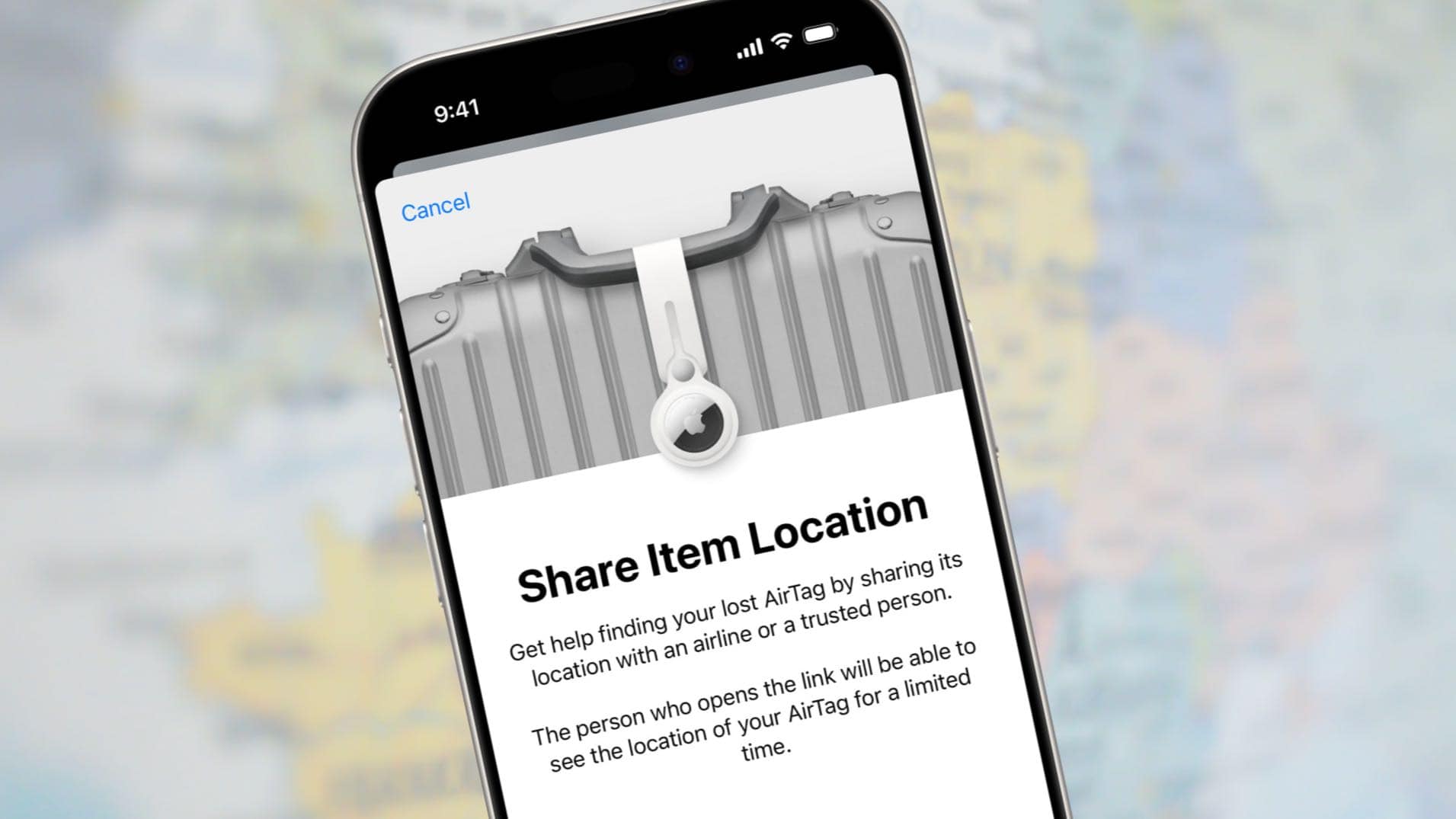
Apple added the Share Item Location feature to its Find My app to let AirTag users securely share the exact position of a tracking tag attached to lost luggage with an airline.
Here’s how to use the feature to show an airline employee that your bag is actually just outside Concourse C in the Atlanta airport, not in Denver, where they think it is. They can even see the exact position of the luggage.
This post contains affiliate links. Cult of Mac may earn a commission when you use our links to buy items.
Find lost luggage with AirTag and save your vacation
You can attach an AirTag to anything you misplace frequently or to something important that you definitely don’t want to lose, like your luggage on the way to Grandma‘s for Thanksgiving. Then, if the item gets lost, you can open Apple’s Find My app on your iPhone and receive directions to the tracking tag’s exact location.
That’s been an option since AirTag launched, but the information has been of limited use for travelers trying to show airlines how to find their lost luggage. That’s where the Share Item Location feature comes in.
How to use AirTag and Share Item Location to help an airline find your lost luggage
You can easily hunt down your lost luggage with the Find My app if you concealed an AirTag in it. However, Apple’s tracking tag isn’t the only option. A variety of trackers support the Find My app. There’s the Chipolo One Spot and Card Spot, the Pebblebee Clip and many others. You can even try this with a PlugBug Travel wall charger.
If your bag with the tracker gets lost, you can generate a Share Item Location link in the Find My application on your iPhone, iPad or Mac. Someone you send this link to can view a website that shows the location of the item on an interactive map.
Here’s what to do. (Note: I used an iPhone for this tutorial, but the process works similarly on iPad and Mac.)
Help an airline find your lost luggage
Screenshots: Cult of Mac/Apple
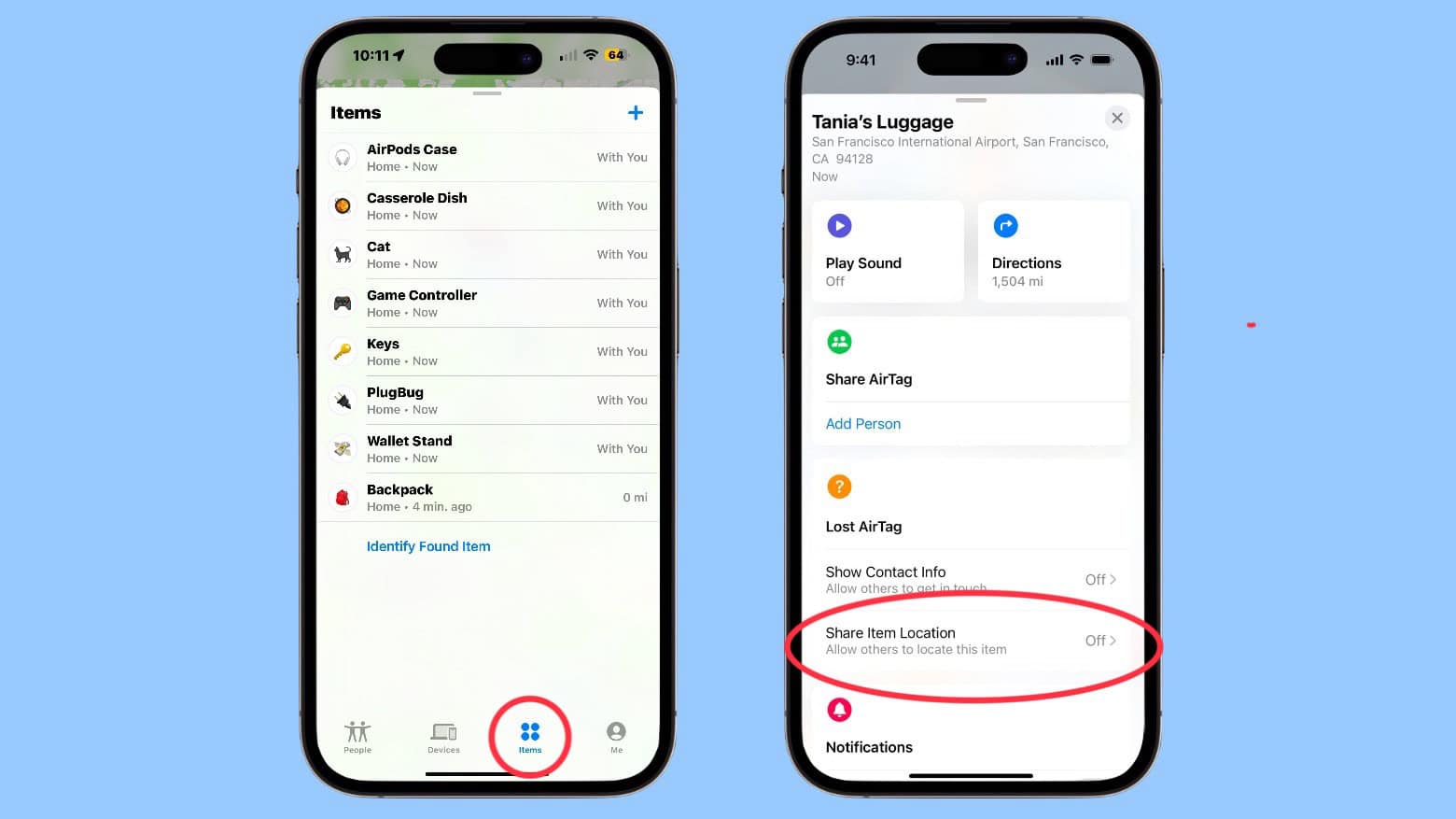
To utilize the Share Item Location to help an airline locate your lost luggage, open the Find My app on your iPhone. Then tap the Items tab at the bottom of the screen to open your list of tracker tags and trackable items. Tap on the name of the one that‘s in your lost bag.
That opens the screen for the particular item. Scroll down to Share Item Location. Select it.
You’ll see a pop-up window with a brief summary of the Share Item Location function. Tap Continue.
Screenshots: Cult of Mac/Apple
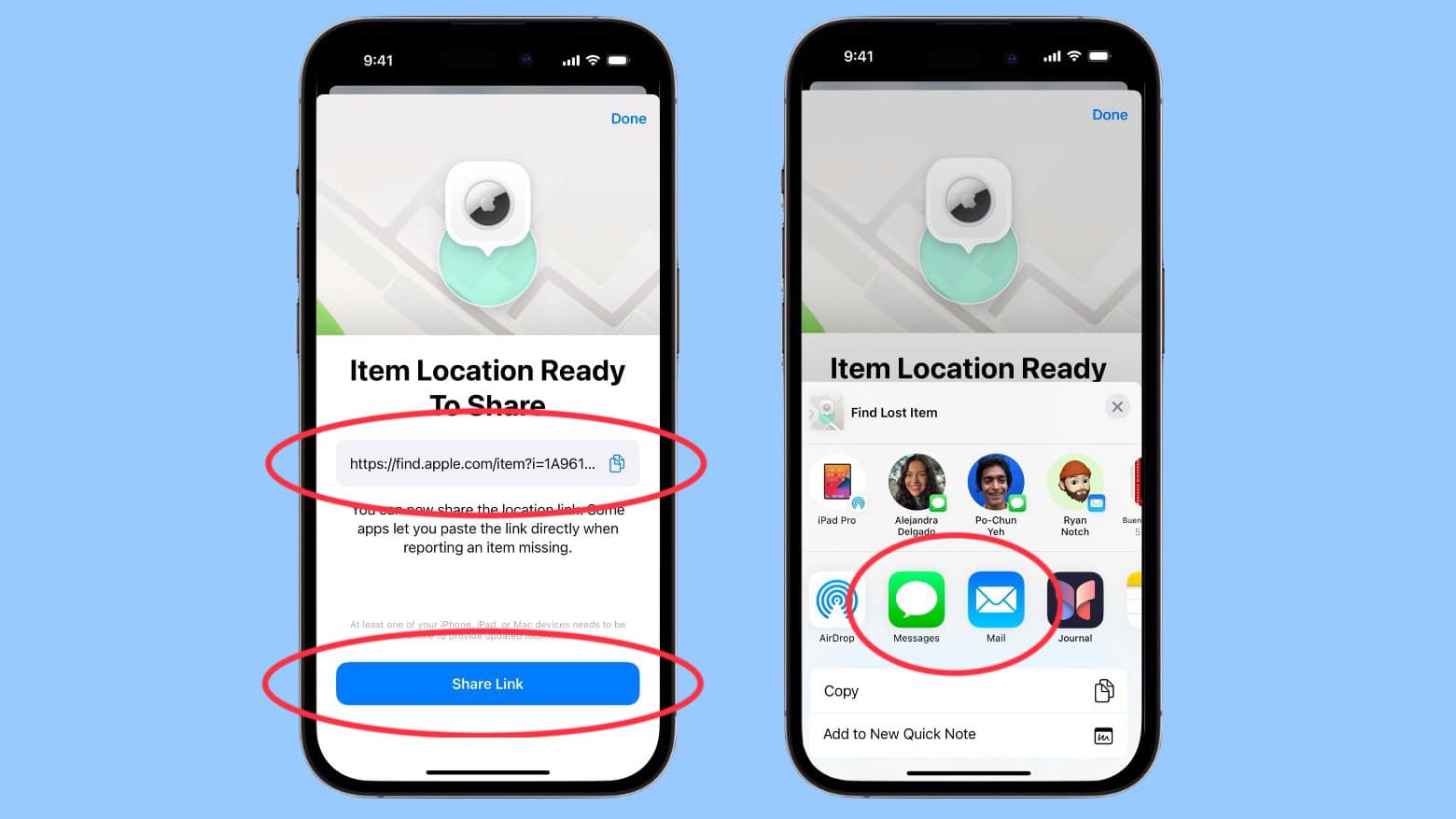
That opens a page labeled Item Location Ready To Share. There you will find a link that you can copy and send to the person looking for your bag. Alternatively, tapping on the Share Link button on the bottom of the page opens the usual Share Menu that gives you options to send the necessary link via text, email, etc.
Link goes to an AirTag tracking webpage
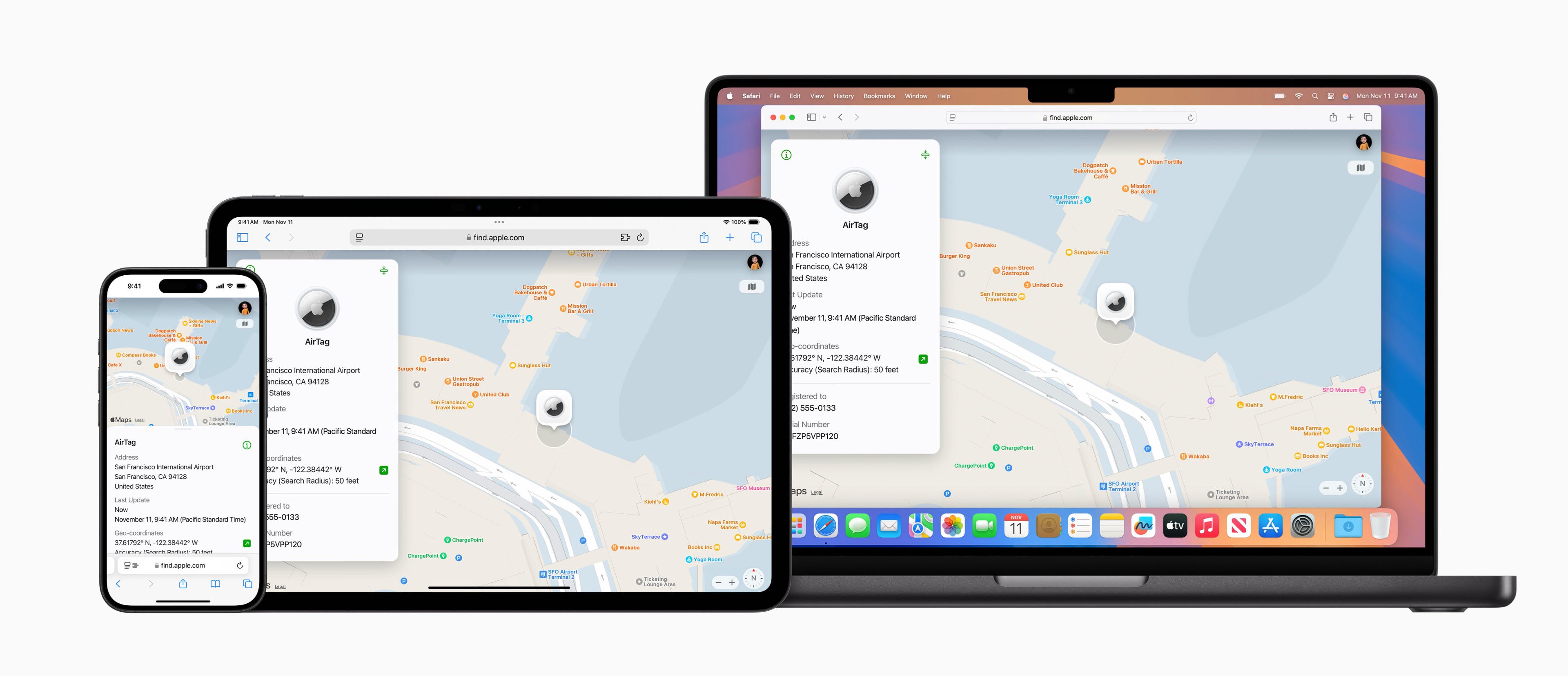
Image: Apple
The link you send provides access to a website that shows the location of your AirTag (or other tracker) on an interactive map. The website automatically updates when a new location becomes available and will show a timestamp of the most recent update.
Don’t be concerned that by using this feature you’re signing yourself up to be tracked by all and sundry. Apple limits access to each link to a small number of people. Plus, recipients must authenticate through their Apple Account or a special airline email address to view the link. And the instant your tracker tag detects you’re near, Share Item Location gets disabled.
“Sharing stops when you reunite with the item, after 7 days, or when you end it manually,” Apple says.
Now it’s up to your airline
Of course, the feature is useless if airlines don‘t know what to do with the location links flyers want to send them. Apple worked directly with airlines to put systems in place to support Share Item Location. And as of January, Apple said 36 airlines currently support the feature.
That list includes:
AJet
Aer Lingus
Air Canada
Air France
Air India
Air New Zealand
American Airlines
Austrian Airlines
Breeze Airways
British Airways
Brussels Airlines
Cathay Pacific
Condor
Copa Airlines
China Airlines
Delta
Eurowings
Finnair
Flair Airlines
Iberia
JetBlue
KLM
LATAM Airlines
Lufthansa
Pegasus Airlines
Porter Airlines
Qantas
Saudia
Singapore Airlines
SunExpress
SWISS
Turkish Airlines
United
Virgin Atlantic
Vueling
WestJet
Travelers should become familiar with Share Item Location in the Find My app. And also make sure to stash an AirTag or similar tracker in their luggage. It could save a vacation.
You can attach an AirTag to anything that gets misplaced frequently, like a keyring. Or something important you’d be very sad if it goes missing, like your luggage. Then locate it with the Find My app on iPhone.
- Best tracker tag for Apple users
- Good for long-range and short-range tracking
- Not easy to attach to keyrings, etc.
- Most expensive option

We originally published this post on how to use the Share Item Location to share AirTag location with an airline to find lost luggage on November 26, 2024. We updated the info.

Ed Hardy has been writing full-time about tech for 26 years, and using it for much longer than that. His intro to Apple was a Macintosh SE/30 (which he still has), but now he uses a 13-inch iPad Pro as his primary computer.
That’s because he’s a “tablet first” type of guy. Rather than use a Macbook, he connects a keyboard case to the iPad. And instead of a desktop Mac, he connects his tablet to a 27-inch display and full-size keyboard. (So don’t try to tell him that everyone has to use a Mac to be productive.)
Before coming to Cult of Mac, Ed wrote for NotebookReview, TabletPCReview and Brighthand, as well as other sites.


2 responses to “How to share your AirTag location with an airline to find lost luggage”
Can you later “un-share” the location link?
According to Apple, the sharing expires automatically after seven days. It also stops when you reunite with the item — or you can manually stop sharing.
Thanks for the question. I updated the post.