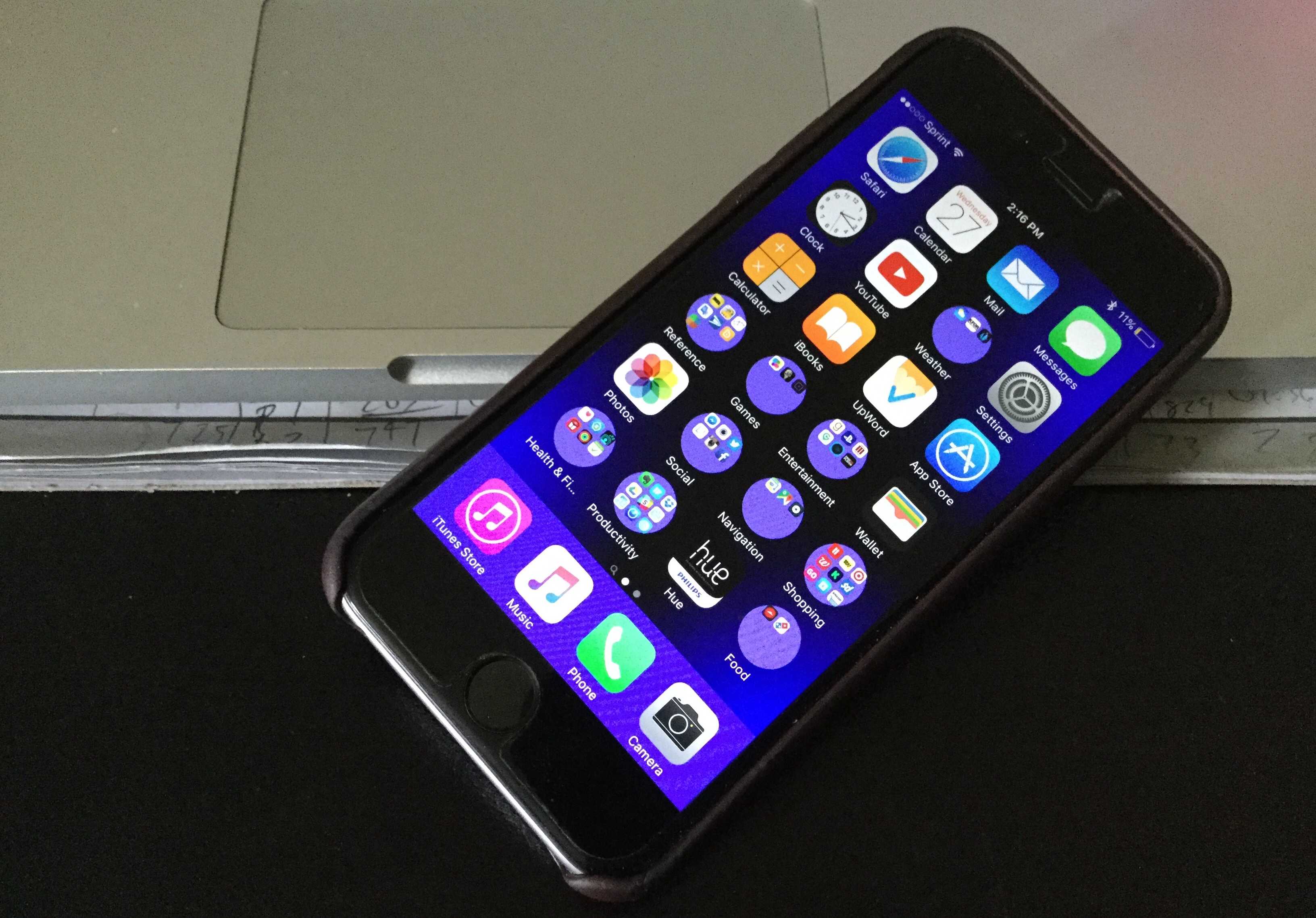
Usually, if you want to change the shape of your iOS folders, you need to jailbreak your device or squint really hard or something. But one person has found a way to make your app holders cool-looking and round, and all you have to do is change your device’s wallpaper.
You can see the cool circles in action in the video below.
YouTube user videosdebarraquito shows off the trick, which involves setting a very small image as your Home screen wallpaper.
You have two options for doing this once you’ve downloaded a sufficiently small image (the ones in this method are 3 pixels by 3 pixels): Either go to the picture in your Photos app, click the Share icon, and select “Use as Wallpaper,” or go to Settings > Wallpaper > Choose a New Wallpaper > Camera Roll and select the tiny image there.
If you don’t have any 3×3 images lying around in your collection, you can head over to this post by heyeased and grab some of the ready-made ones there. That page says the round-folder trick should work on any iOS device capable of running iOS 9.3; we tried it on an iPhone 6s and an iPad Air 2, and it worked on both. We also found out that you can resize any image to make this work if you don’t like the colors on offer there.
So, how does it work? We have no idea. But it doesn’t change the shape of all of your folders. And, if you do it on an iPad, some will be round or square depending on the orientation of the tablet. We tried a few of these and couldn’t find one that would modify all of them all of the time, but people who are super-enamored with the idea of round iOS folders won’t mind trying all the combinations they can.
It really does look cool, even if we don’t understand why it’s happening. If you’re an iOS developer who can fill us in, please let us know in the comments.

Evan Killham is a freelance writer who lives in Nebraska and isn’t interested in football, so he has plenty of time to play and think about video games. He has written for Bitmob and GamesBeat and sometimes, he even goes outside. But not too often because he’s heard there are bees out there. Occasionally, companies send free units for review. Evan subscribes to Cult of Mac’s Reviews Policy and also does not keep the items he receives for possible coverage.


8 responses to “Make your home screen pop with round iOS folders”
Cool trick! I have an iPhone 5s iOS 9.3 and I noticed that if I place the folder within row 3 and column 2 the round folder trick works that is you can try placing the folder either in grid 1×1, 1×2, 2×1 and so on till 3×2. Please note that the row and column values may differ in different iOS devices…!!
Update: It does works for 4×3, 4×4, 5×3 & 5×4. Still trying to find a pattern though…
….or you could just get an Android phone
It’s literally a glitch showing how to get rounded folder icons. Why would anyone get an Android just to do that?
Not everyone wants an Android phone ok…
troll much?
Can confirm it does not work on the topmost row
Also the dock and folders are weirdly colored, due to the low size, it is a constant color when blurred
Great, now how do I un-round my emoticons when I send messages.