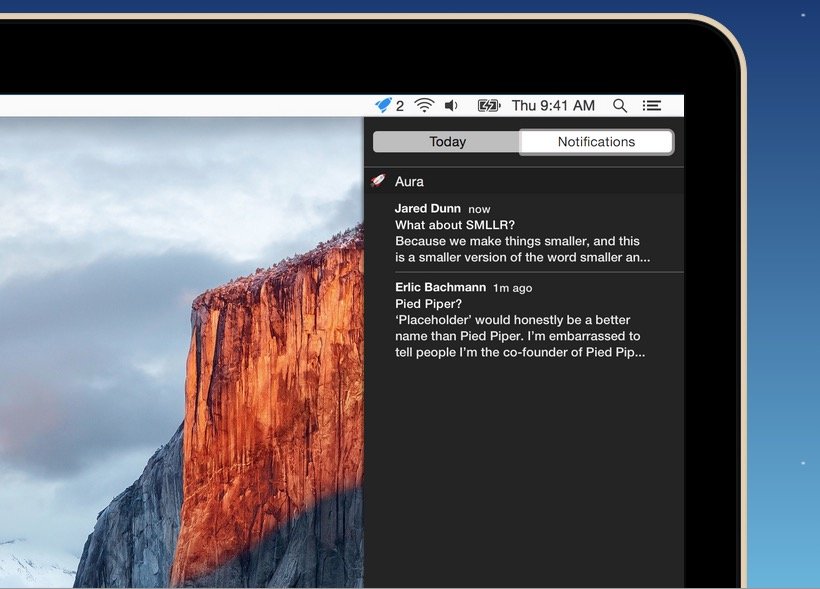
If you use Gmail – and let’s face it, most of us do – one of the biggest draws of using an external app, like OS X Mail, is being able to get Notifications when new emails arrive. Unfortunately, many email apps don’t support Gmail’s best features natively, like labeling, search or automatically filtered inboxes.
If you’d like to get Notifications when a new Gmail comes in, but continue to use the Gmail web app instead of a dedicated client, here’s how.
Aura is a very simple app for OS X that will push incoming Gmail notifications to Notification Center. You can tell it to alert you for all mail, or only important ones. When mail fitting that criteria comes in, Aura will alert you. Clicking on the alert in Notification Center will then swish you away to Gmail’s web app. You can also use Aura to see with just a glance at your menu bar how many unread messages you have.
Not exactly an earth-shaker app, I know. But if you’re a die-hard user of Gmail’s web app, like me, you’ll appreciate the simplicity with which Aura does one thing well. And it’s free for one Gmail account, although if you want to add more, it will cost you $4.99 as an in-app purchase.
Source: iTunes

John Brownlee is a writer for Fast Company, and a contributing writer here at CoM. He has also written for Wired, Playboy, Boing Boing, Popular Mechanics, VentureBeat, and Gizmodo. He lives in Boston with his wife and two parakeets. You can follow him here on Twitter.


2 responses to “How to get desktop notifications for Gmail in OS X without using Mail”
Or you could just use Kiwi for Gmail …
Ummm, I’ve been getting Gmail notifications on the desktop for a long time without using an app at all. You can enable desktop notifications right within Gmail settings. Works great and I don’t have to buy some dumb app.