When you sign in to Apple Music, you have access to Apple’s new music-centric sharing and socializing system, Connect.
While Ping may have come to an an ignominious end, Connect has the advantage of being integrated into the new, exciting Apple Music to the very core, and will let everyone signed into an Apple ID account (not just Apple Music members) use the system to follow their favorite artist.
When you comment on a Connect post, though, you’ll be known by a user name, which uses the @ symbol just like Twitter.
If you want to have something unique, though, you’ll need to act quickly and enter it now, before the service gets clogged up with all the other people that might want your specific user name. Here’s how to do just that.
To find your Apple Music username, launch Apple Music, and then tap on the little “Me” icon in the upper left corner of the screen.
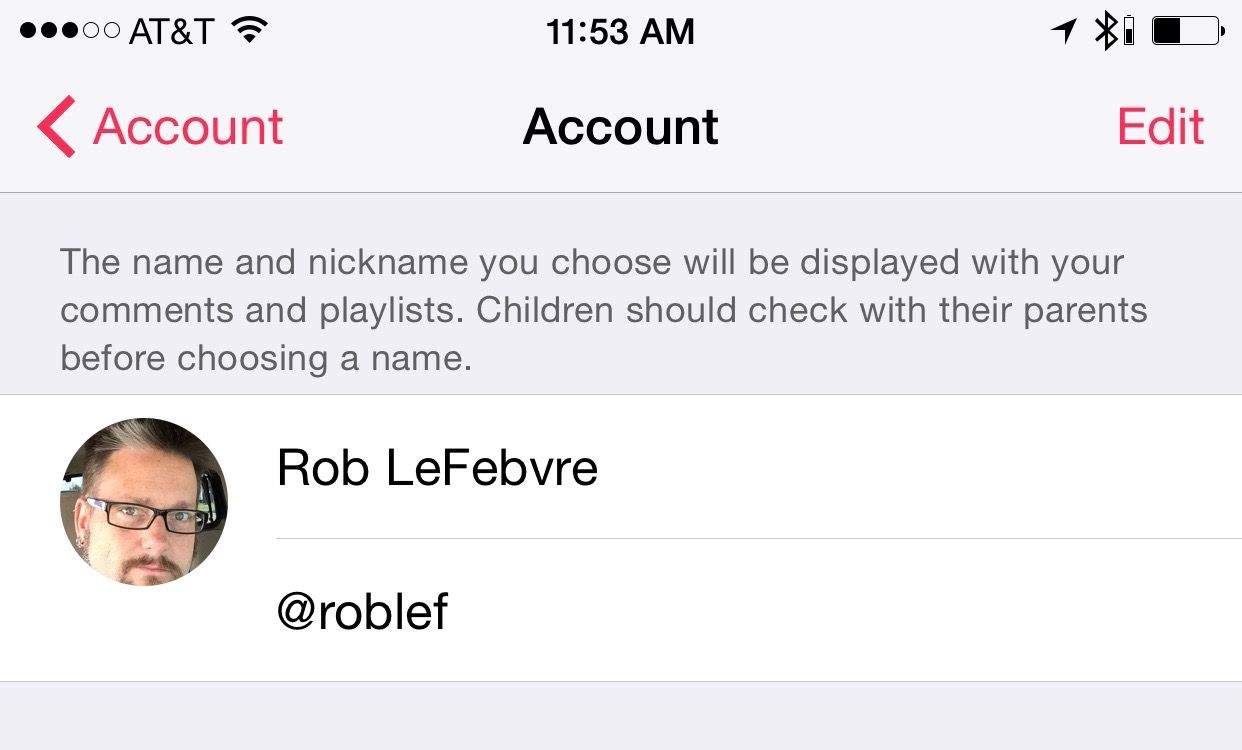
You’ll see your name at the top, and a grey circle with your initials in it. Tap there, and you’ll get to a second page where you can tap the Edit button and enter a username after the @ symbol. You can also tap on the little circle to add a profile picture – choose one from your camera roll or take one on the spot. When finished, hit Done and now all your Connect posts and comments will show your @ name and your picture. Hoorah!
Hat tip to Alex Heath on Twitter.

Rob LeFebvre is an Anchorage, Alaska-based writer and editor who has contributed to various tech, gaming and iOS sites, including 148Apps, Creative Screenwriting, Shelf-Awareness, VentureBeat, and Paste Magazine. Feel free to find Rob on Twitter @roblef, and send him a cookie once in a while; he’ll really appreciate it.


7 responses to “ProTip: Get your Apple Music username before someone else does”
I’m surprised no other site/blog ever mentioned this important feature. That’s why I missed my desired username. Dammit! Had I known, I would’ve made it my number one priority to download the update ASAP.
Had to settle with a longer username @Artist
Follow me.
Not working. Where is the “Me” icon?
If you still haven’t found it click on the little fuchsia-colored icon with the silhouette of a little head in the top left corner.
Got it…it was right there. Thanks!
If you are doing this in iTunes Click the dropdown beside your name (located to the right of the now playing box). Once it has dropped down click the > beside your name and you will be able to edit your name and choose your username.
I installed early and got my desired 4 letter handle-very close to my Twitter handle. BUT, I can’t figure out how to actually POST a comment on Connect.
Just click on the little comic book-styled bubble in the middle of picture or video and your comment will appear instantly (at least it did for me).