Apple’s second beta for iOS 10 is jam-packed with new features and changes to go along with the big batch of bug fixes.
More than 50 changes have been discovered by developers, affecting everything from Apple Music to widgets. A lot of the changes are very minor UI tweaks that would probably go unnoticed by many users, but Apple has also added some huge additions to the Home button, Messages, Notification Center and more.
Here’s what’s new in iOS 10 beta 2:
New sounds: Wheel interfaces like the Alarm app now trigger a new sound when you spin through numbers. The keyboard click sound has been changed back to the original sound from iOS 9.
Home button: Touch ID now lets you unlock your device by simply resting your finger on the Home button instead of pressing it. The new feature must be turned on under the Accessibility section of the Settings app.
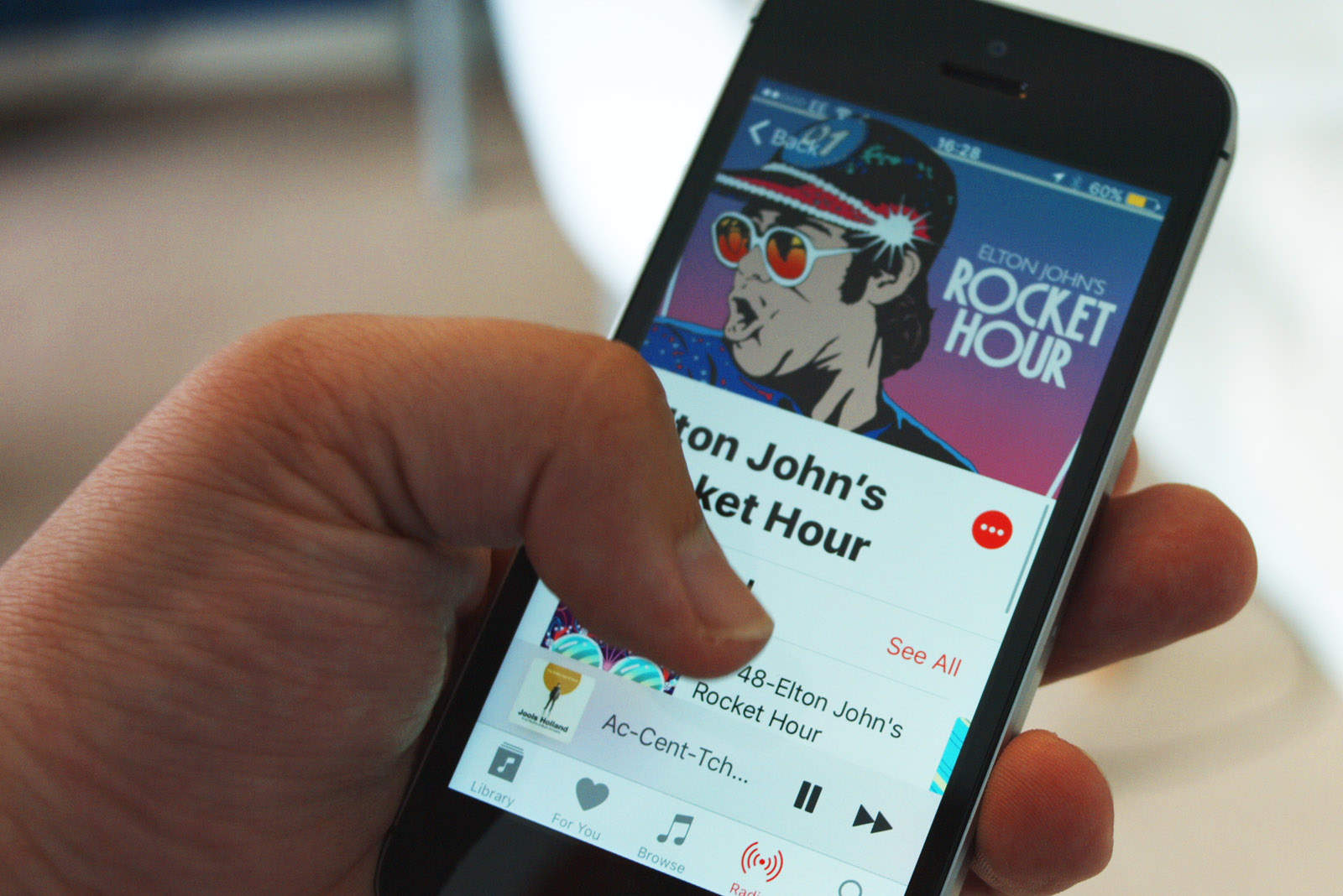
Apple Music: The Apple Music app’s huge text can now be shrunk down to a less comically large size via the Settings app. Downloaded Music has been renamed Downloads. Playlists that have been downloaded now have a badge and there’s a shuffle button at the top. The Now Playing screen now shows where the audio is being output to, and you can change it from that screen instead of bringing up Control Center. iCloud Music Library is more friendly and can be activated from the Music app.
Lock screen: The lock at the top of the screen is now smaller but also animates when the device is unlocked.
Folders: The background area now has less transparency.
Siri: Apple made a slight tweak in the opening and closing animations for Siri, adding a slight fade.
Clock: The digital timer is now the default clock face in the timer section.
Notification Center: You can now slide right from the lock screen to pull up your Today’s Widget view that was previously only accessible after you unlocked the device.
3D Touch: Pressing on an app folder now shows you which apps have notifications and how many.
Health app: There’s now a page to set up organ donations.
Maps: “Show parked car location” can now be turned on in the Settings app. Frequently visited locations now have a heart icon next to them. And Apple Watch workouts in the Activity app now display an Apple Maps version of your route.
Widgets View: The UI has been tightened a bit so you can see more widget cards on the screen. Widgets can display at full length for third-party apps.
Notifications: Rich notifications are now active on iOS 10 beta 2. Notifications also appear to open faster.
Control Center: The AirDrop menu option for “Off” has been changed to “Receiving off,” allowing you to still send. Icons for the iPhone in the music section have been changed from black to white and Apple has given icons in the Home section a bolder look. 3D Touching the flashlight brings up new options for Low Light, Medium Light and Bright Light.
Wallpaper: Apple reorganized its pictures so the most recent beach wallpaper appears at the bottom of the list.
Notes: 3D touching the Notes app icon now brings up the option to add a new checklist.
Messages: The App Store for stickers is now live. A new tab has been added to the top to manage all stickers. The interface for Digital Touch drawings has been tweaked, requiring you to tap a button to bring up the color palette. Another button has also been added that lets you take a picture that you can draw on. You can now send a Digital Touch message to any iOS users, but if they’re not on iOS 10 it will appear as a still picture. From Settings, you can choose to send images as low quality to save on data.
Apple News: The app icon can now be deleted.
Auto Lock: Settings for the new Auto Lock feature have been moved to the Display and Brightness section.
Source: EverythingApplePro

Buster Hein is a freelance writer who lives in Phoenix, Arizona. Twitter: @bst3r.


13 responses to “All the changes Apple made in iOS 10 beta 2”
A lot of listed features are in beta 1.
By the way, your mobile site loading is horrendous. Not sure what you changed, but now I stopped visiting your site on my iPhone.
“Home button: Touch ID now lets you unlock your device by simply resting your finger on the Home button instead of pressing it. The new feature must be turned on under the Accessibility section of the Settings app.”
i was able to find the setting and change it, but it isn’t actually working. Anyone else have any luck getting it to work?
doesn’t work for me, either.
I liked the new keyboard click sound. It was less obnoxious.
I can’t for the life of me remember how to get to the signature feature. I found the default handwritten messages, but can’t remember how to make a new one.
Email signatures? Did they move it from Email, Contacts and Calendars, about half way down?
I’m talking about the handwriting feature in Messages.
Does anyone else absolutely hate that new Apple Music design?
yes
There’s a lot more than that; Bedtime alarm has been redesigned already, new sounds were added just for that feature, and there’s a new animation for closing to the home screen.
Have you guys checked out Wayne Johnson, Contact [email protected] he’s just a cyber guru involved with cloning phones, hacked into my ex’s gmail and Facebook account, glad to know he ain’t right for me and also gave my nephew some really outstanding school scores which he upgraded himself. You could mail him as well if you got any cyber issue, he’s discreet and professional too. He’s kinda picky though so make mention of the reference. Tracy referred
Have you guys checked out Wayne Johnson, Contact [email protected] he’s just a cyber guru involved with cloning phones, hacked into my ex’s gmail and Facebook account, glad to know he ain’t right for me and also gave my nephew some really outstanding school scores which he upgraded himself. You could mail him as well if you got any cyber issue, he’s discreet and professional too. He’s kinda picky though so make mention of the reference. Tracy referred
Contact [email protected] helped me hacked my fiancées phone, relieved now to know that she’s just a bitch, a professional indeed, you should try any type of hack with him, deals on any type of hack on cyber issues such as phone hack, Facebook hack, whatsapp hack, gmail hack, accounts hack, game hack, websites hack and any other hack relating to cyber issues. He sure gave me the best and executed my project with the quickest time frame. He’s just a cyber guru.