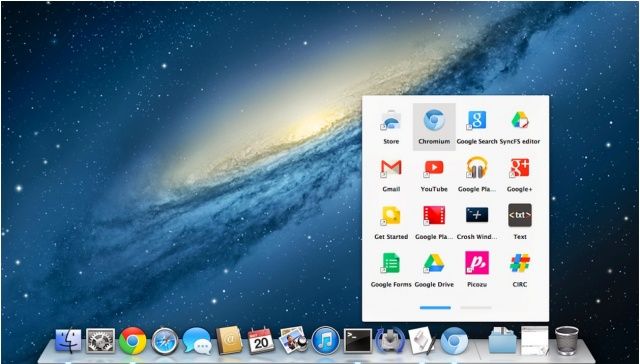
Google Chrome’s app launcher, which lets Chrome users quickly find and launch their favorite web-based applications, is coming to Google Chrome for Mac OS X. Google has already begun work on porting the feature to Windows, but it’s also been found in the latest Chromium build for OS X.
In OS X Mountain Lion, you can set a Calendar notification for a repeating event on your iPhone, then get that notification on your Mac. Heck, you can even set a Calendar event on your Mac and get it when you’re out and about with your iPhone or iPad. It’s all a part of Apple’s iCloud integration, and it works pretty well, most days.
But what if you really don’t want to be notified of a certain type of event when you’re on your Mac? With OS X Mountain Lion, at least, you have a few more options for notifications that come from Calendar. Check it out.
Six months after taking responsibility of software design, Jony Ive is hard at work overhauling Apple’s upcoming iOS 7 operating system. And according to sources for Bloomberg, the changes he is making are so significant that they run the risk of delaying the update’s release.
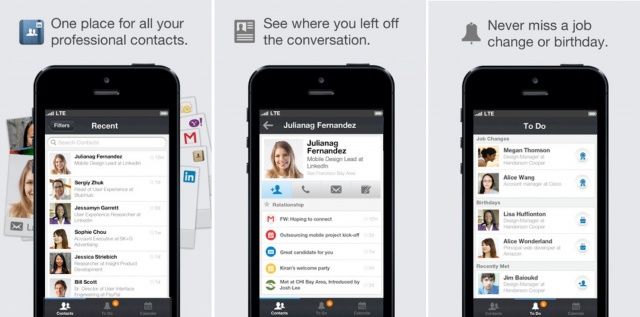
LinkedIn has launched a new iPhone app today called LinkedIn Contacts, which promises to make it easier to stay in touch with your most important relationships. It brings all of your contacts together in one place, then provides you with alerts for birthdays, job changes, and more.
As a user of Google calendar, I’ve often ignored Mac OS X’s Calendar app, formerly iCal, for the bright internet lights of the easy to use, sharable online calendar from the folks in Mountain View, California.
I forget, though, that Calendar has a ton of great features for folks who really don’t need or want to use Google’s option, or who just want to stick with Apple products. There’s a dedicated group of folks out there that use nothing but Calendar, because it integrates well with iOS, comes free with every Mac, and pulls other calendars in, like Google Calendar.
So, here are five great tips to help you master this ubiquitous OS X app, Calendar (née iCal).
Create A Quick Event Using Natural Language
One of the cool features that I didn’t realize Calendar had until recently is natural language event creation in Calendar itself.
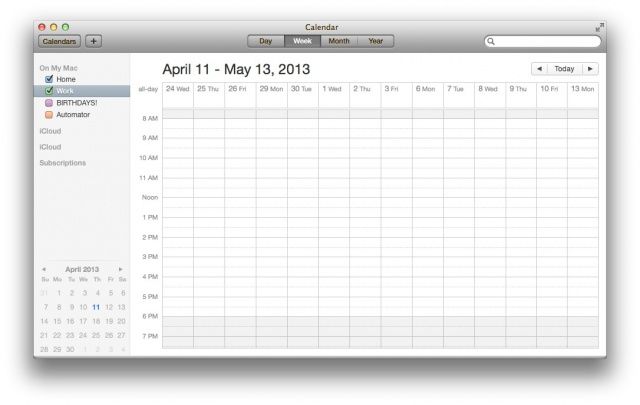
Remember that tip we gave you about showing more than seven days in a week in iCal? It’s been a while (and the app is now called Calendar), but there used to be a way to enable a Debug menu in iCal to allow you to open multiple windows, change the number of weeks that appear before and after the start date in Day View, and even show more than just seven days in a week.
Well, that debug menu has gone the way of Mac OS X Lion, but there is a cool Terminal command that does the same thing.
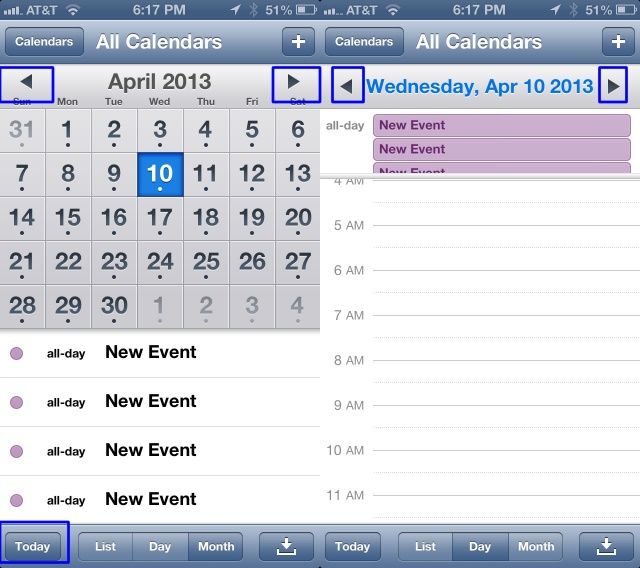
You know how when you use the iOS Calendar app, you can tap on the little arrows to the right or left of the Day or the Month? This will move you one unit per tap, so when you’re in Month view, you’ll move forward one month if you tap on the right arrow, and one month back if you tap on the left arrow. Same thing with the Day view: tap on the left arrow to move back one day, the right arrow to move forward one day. Simple, right?
Turns out that you can move through the calendar even faster in either Day or Month view.
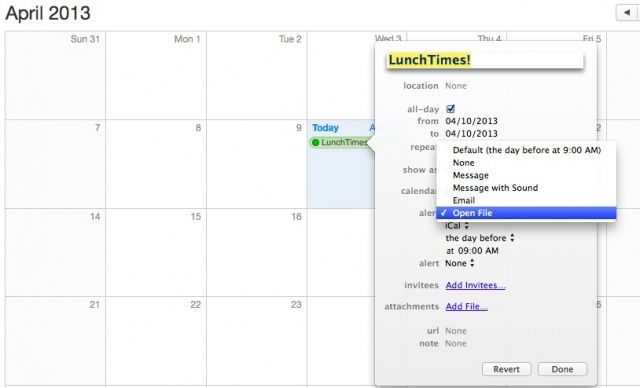
The Mac OS X Calendar is great for a lot of things, not least of which scheduling reminders of appointments and such via the built-in alert system. But did you know that Calendar can do a lot more than that? It can alert you to an upcoming event with an Email or a Notification, and it can even open a file on schedule.
If you’ve ever wanted to open a website, MP3, or other such file on your Mac at a certain day and time, keep reading.
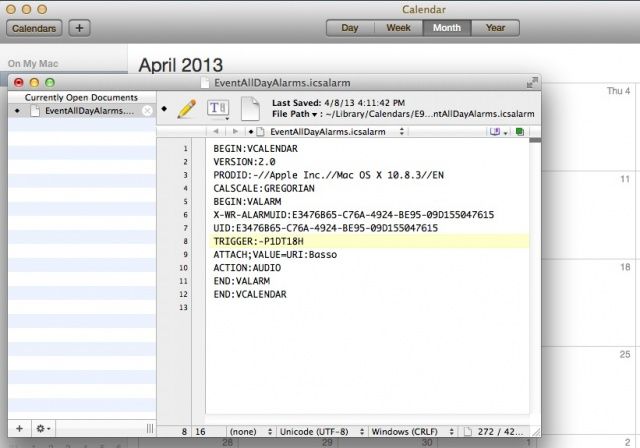
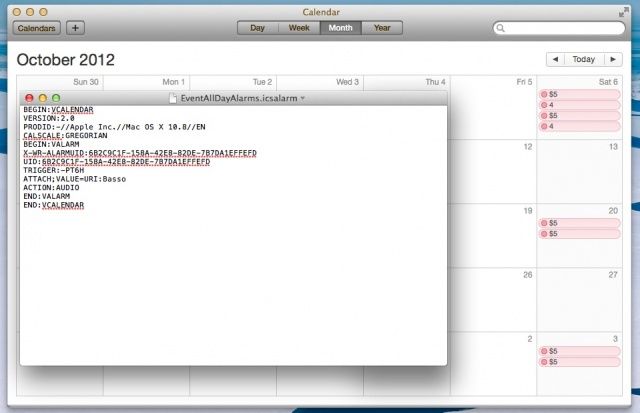
When you create a Calendar event, you have the option to have your Mac notify you of that event before it happens. In the case of an all-day event, however, you don’t have an easy option to change the time of day you’ll get the notification.
It can be done, however, with a little digging into the filesystem and a configuration file, letting you change the time of day you’re notified by default for all-day events.
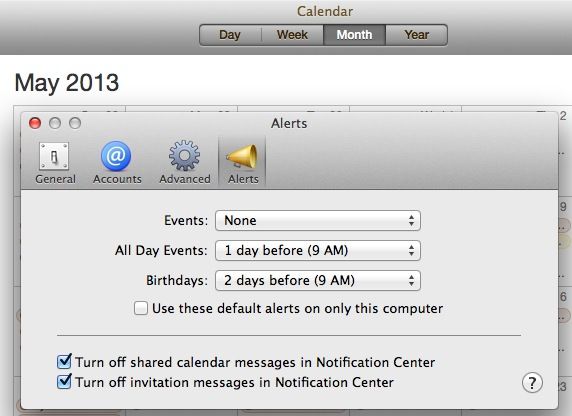
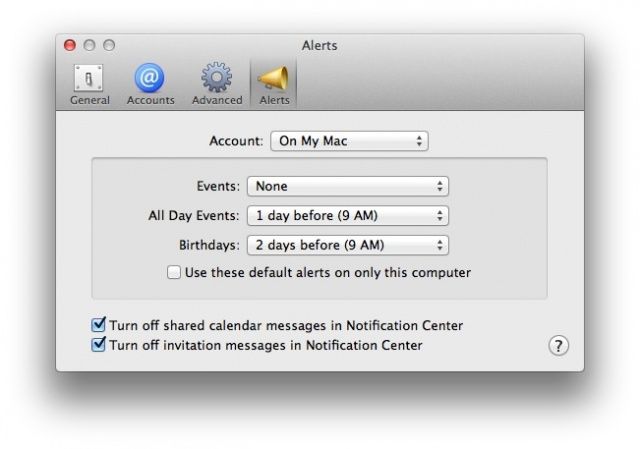
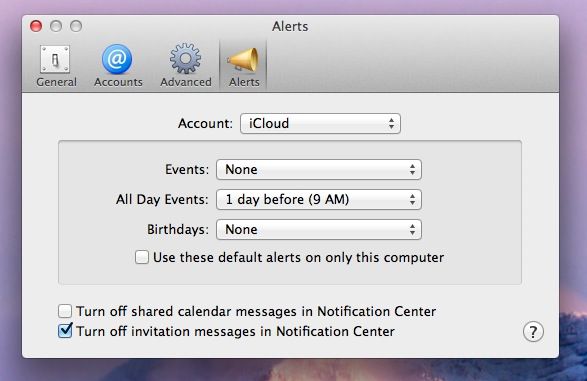
In Mac OS X, Calendar now uses Notification Center to let you know when events are coming up, by default. What if you don’t want these notifications, or want them only for a certain kind of event, like a birthday or timed event?
Well, using the preferences in Calendar, you can do just that, setting things the way you want them, rather than the way Mac OS X has them by default. Heck, you can even turn them off completely. Here’s how.
As a user of Google calendar, I’ve often ignored Mac OS X’s Calendar app, formerly iCal, for the bright internet lights of the easy to use, sharable online calendar from the folks in Mountain View, California.
I forget, though, that Calendar has a ton of great features for folks who really don’t need or want to use Google’s option, or who just want to stick with Apple products. One of the cool features that I didn’t realize Calendar had until researching this week’s tips is natural language event creation in Calendar itself.
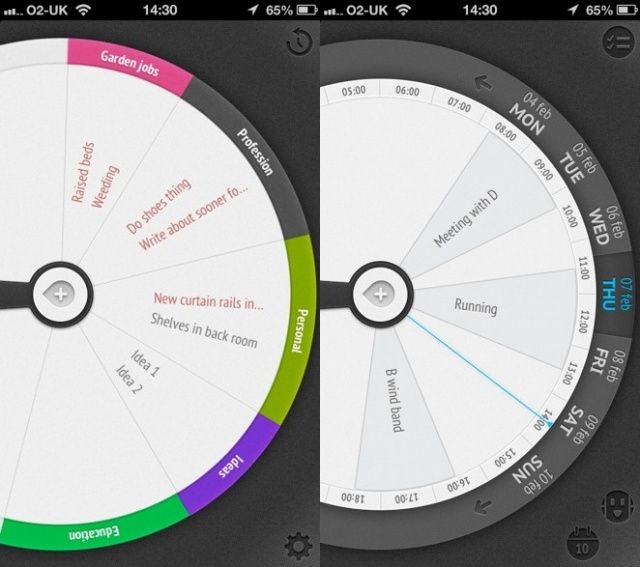
New interface ideas are few and far between on the App Store these days, but productivity app Sooner is crammed full of them. It’s also elegant and speedy and rather fun to use.
Fantastical and 1Password, two essential applications for any Mac OS X user, have both had their price tags slashed by 50% for a limited time. Fantastical is now down from $19.99 to $9.99, while 1Password is down from $49.99 to $24.99. They’re both available to purchase from the Mac App Store now.
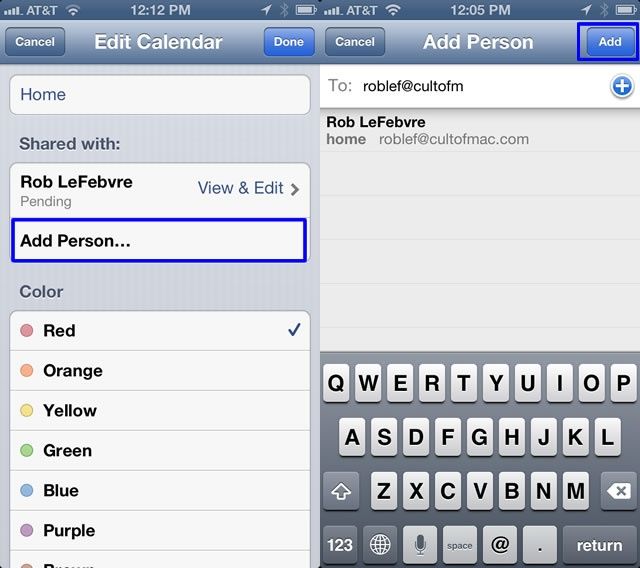
Shared calendars keep things running smoothly around my home, letting various folks in my life what’s going on with me and my family so that everyone is up to date on the latest information about our whereabouts. It used to be that I had to hop onto the calendar on my computer or via a web browser to share them with specific people, but no longer.
Here’s how to share an iCloud calendar with others, right from the comfort of your iOS device.
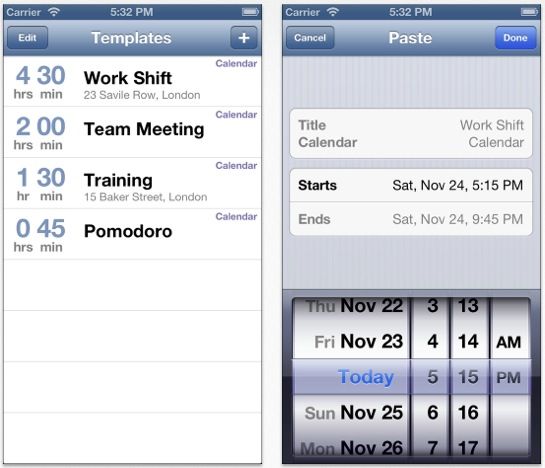
Create template events and paste 'em in when needed
Calendar Paste is a calendar events templating app for iOS. It’s a place where you can store calendar events that don’t repeat in a predicable patten, or that only need to be in your calendar at certain times. It’s one of those apps you never thought you needed.
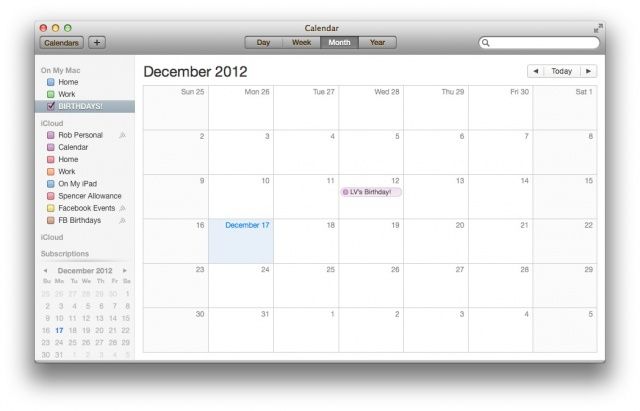
Like many modern human beings, I keep electronic calendars. I use Google calendar for many of them, but I also have a couple on my Mac, a couple on my iPhone, and the like. I have a calendar for each of my three jobs, for family events, I have shared calendars for groups I belong to, and, of course, Birthday calendars. My Calendar app is a many-colored thing.
But what happens when you just want to see one of these calendars at any given moment? Just birthdays, for example, without cluttering it up with a bunch of job-related stuff? If you use the built-in Mac OS X Calendar app, this is pretty simple. Here’s how to do it.
Something as simple as a good calendar app can make all the difference.
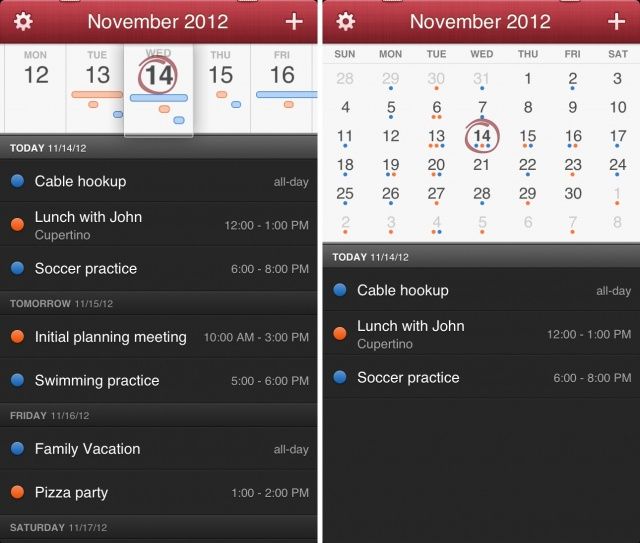
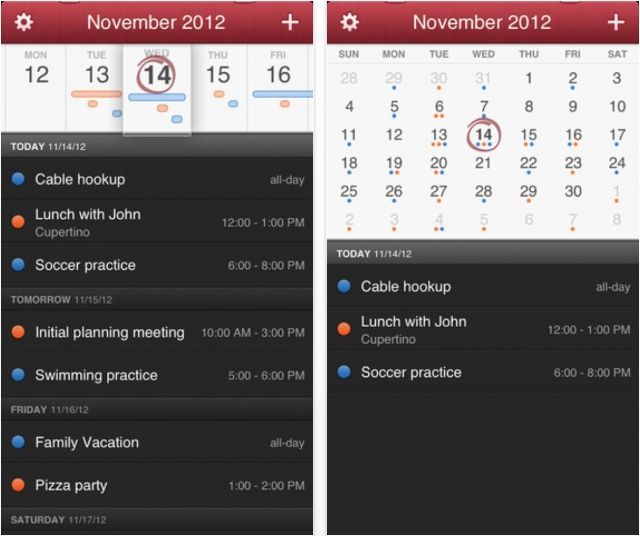
When Flexibits launched Fantastical on the Mac back in May of 2011, I started actually using iCal to make sense of the hectic mess that is my daily schedule. Fast forward to today, and Fantastical is an app I still can’t live without. I was ecstatic when Flexibits sent me an early copy of Fantastical for iPhone to try out, and I’m pleased to report that it is everything you would expect and more. Apple’s Calendar app just got dethroned again.
Earlier this month, we told you the awesome calendar app Fantastical is making the leap from Mac OS X to iOS. It’s now available to download for your iPhone — priced at just $1.99 — and like its desktop counterpart, it’ll change the way you use your calendar forever.
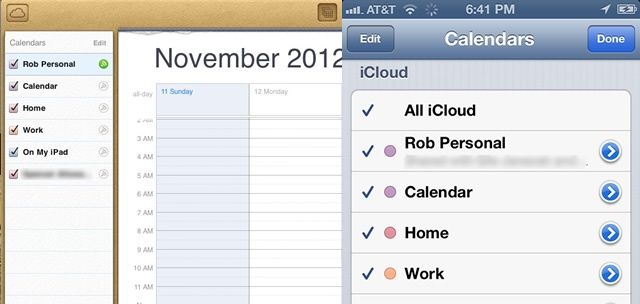
It sure would be nice to change the order of the many calendars on the iPhone. Sadly, iOS 6 only lets you show or hide specific calendars with a tap on the calendar in question from within the Calendar app on the iPhone, iPad, or iPod touch.
You can, however, reorder the different calendars on your iPhone, just in a different way. Here’s how.
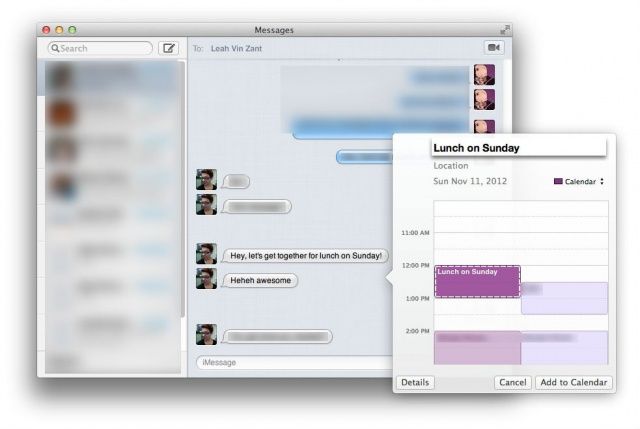
Mac OS X has had the ability to recognize data like dates, times, and phone numbers for a while now. If you’re using the Mail app, you can right click on a recognized date and add it to the Calendar app. If you right click on a phone number, you can add it to the Contacts app. Pretty neat, right?
But what you may not have known, however, is that the app you can see iMessages in from anyone on an iOS or OS X device, Messages, is also able to recognize this data, making adding Calendar events from within Messages super easy. Here’s how to do it.
Fantastical is an awesome little calendar app originally developed for OS X by Flexibits. It sits in your Mac’s menu bar and provides you with quick and easy access to your appointments and reminders. You’re probably already familiar with it; we’ve covered it a number of times here on Cult of Mac, and we’re big fans.
Which is why we’re pleased to tell you that Fantastical is coming to your iPhone.
So long, Scott Forstall. Don't let your crappy skeuomorphic designs hit your ass on the way out.
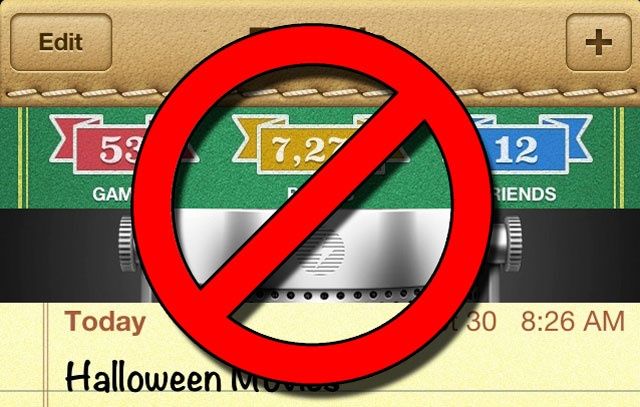
Skeuomorphism, or the tendency to deliberately make something new look like something old and familiar. Some people love it, some people hate it and think it’s tacky.
No matter how you feel, his love for skeuomorphism is one of many reasons that former iOS chief Scott Forstall was fired yesterday. Replacing him is Apple’s Senior VP of Design, Jonathan Ive, who will lead a new Human Interface Group in Apple… and whom reportedly loathes skeuomorphism with every fiber of his being.
All that fake leather stitching, those hideous textures, those bizarre font choices in iOS’s stock apps? If Ive gets his way — and we think he will — they’re all about to change.
Here are the eight skeuomorphic apps in iOS 6 we hope Jony Ive is going to change in iOS 7, along with some third-party apps we hope he takes inspiration from.
When you create a Calendar event, you have the option to have your Mac notify you of that event before it happens. In the case of an all-day event, however, you don’t have an easy option to change the time of day you’ll get the notification.
It can be done, however, with a little digging into the filesystem and a configuration file, letting you change the time of day you’re notified by default for all-day events.
In OS X Mountain Lion, you can set a Calendar notification for a repeating event on your iPhone, then get that notification on your Mac. Conversely, you can set a Calendar event on your Mac and get it when you’re out and about with your iPhone. Pretty slick, right? It’s all a part of Apple’s new iCloud integration, and it works pretty well.
But what if you really don’t want to be notified of a certain type of event when you’re on your Mac? In OS X Mountain Lion, you now have a few more options for notifications that come from Calendar.
The interior of Steve Jobs's private Gulfstream jet is what inspired the hideousness of iCal's faux-leather skeuomorphism.
Hate skeuomorphism? Hate the way Apple’s slathering all of its apps with faux dead cow skin? Tough luck, because you know whose idea it was? Steve Jobs himself.