If you haven’t been scared off cloud services by the Fappening or past horrors like MobileMe, you might want to try iCloud Drive, Apple’s answer to Dropbox and Google Drive. It’s a pretty great concept, an extension of the Apple philosophy from way back – documents are identified by the apps they were created by. Before, though, you needed to export a file from a drawing app to use it with a painting app. With iCloud Drive, you’ll be able to move from one app to another much more easily.
Before you begin, make sure you’ve read and understand the warning about using iCloud Drive if you haven’t yet installed OS X Yosemite on your Mac. If you haven’t installed the Yosemite public beta, apps on your iOS 8 devices will be unable to share data with companion apps on your Mac. Consider yourself warned.
If you choose to enable iCloud Drive on your iOS 8 device, and you have an OS X Yosemite beta installed on your Mac, here’s how to use it the right way.
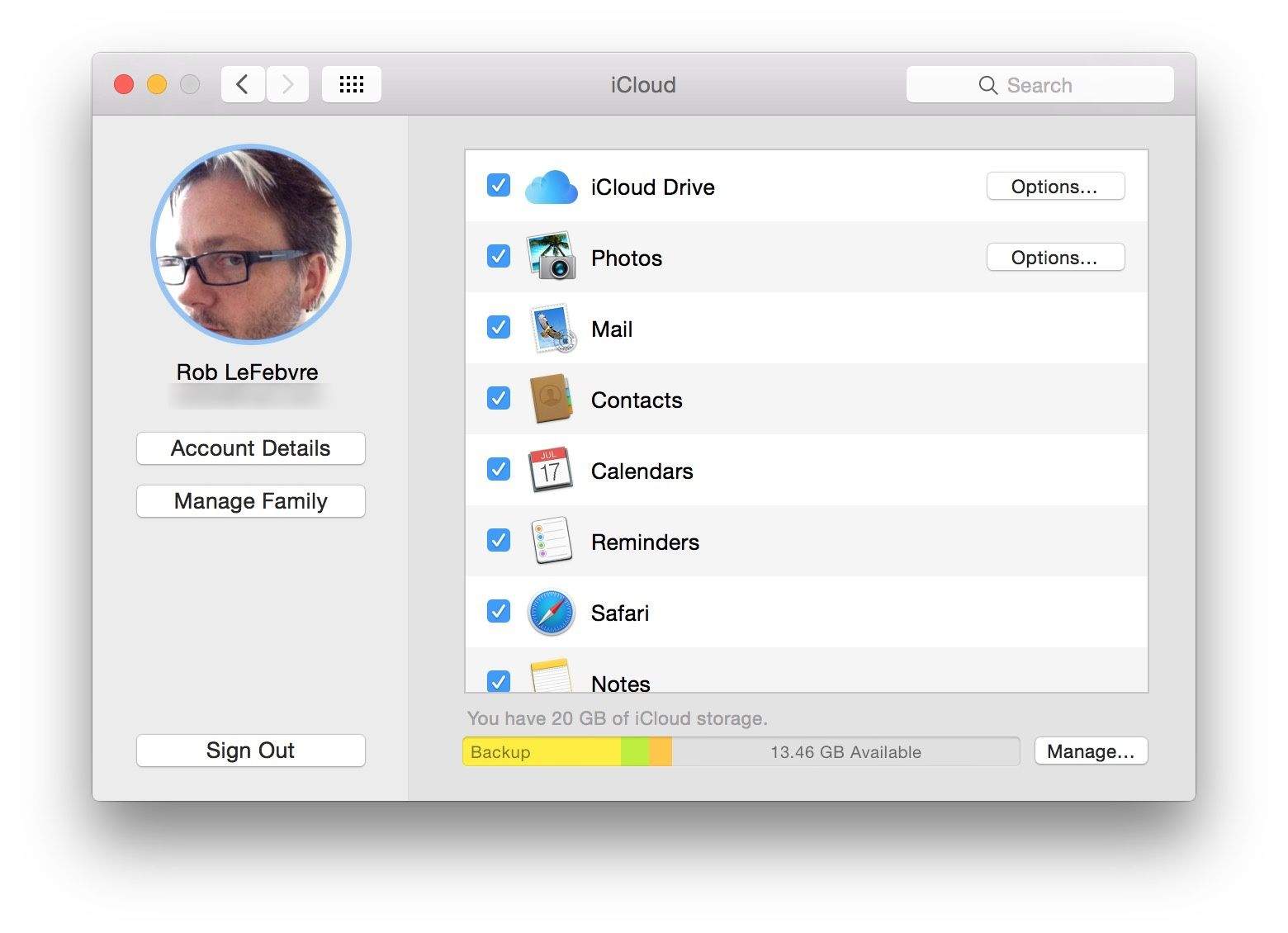
First off, you’ll need to enable iCloud Drive on both your iOS 8 device as well as your Yosemite Mac.
Open System Preferences on your Mac and click on the iCloud icon. Click on the checkbox to the left of iCloud Drive, if it isn’t already checked, to turn it the service. Click on the Options button to see which apps store data to iCloud. You can turn their access off and on in this window.
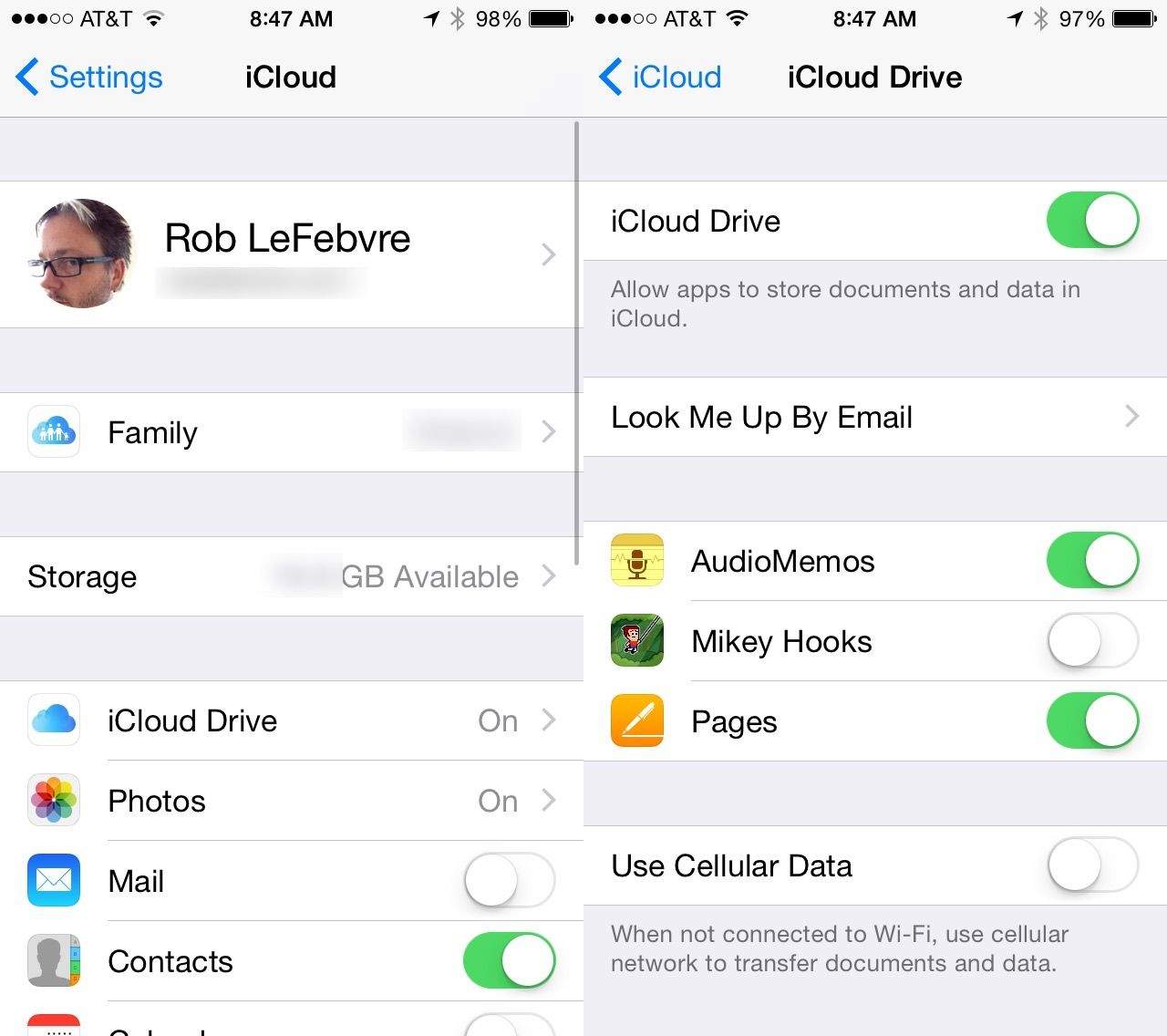
On your iOS 8 device, tap Settings, then iCloud, then iCloud Drive. Toggle the setting to ON, making note of any warnings about needing Yosemite installed, and then you’ll be ready to go. You’ll see a list of apps below that are already using iCloud Drive to store your documents and data. Toggle their access on and off here.
If you don’t have an unlimited data plan, consider turning Use Cellular Data to Off so you’re not constantly moving documents and such back and forth while on LTE.
Now that iCloud Drive has been enabled, you should see a folder on your Mac called, cleverly, iCloud Drive. In this folder, you’ll see several other folders, each for different file types. Some are locked so you can’t add anything but those file types, e.g., the Pages folder won’t take any files but those made in Pages, and the QuickTime Player folder won’t take anything that’s not playable by QuickTime. You can create your own folders or add files via drag and drop from your Mac.
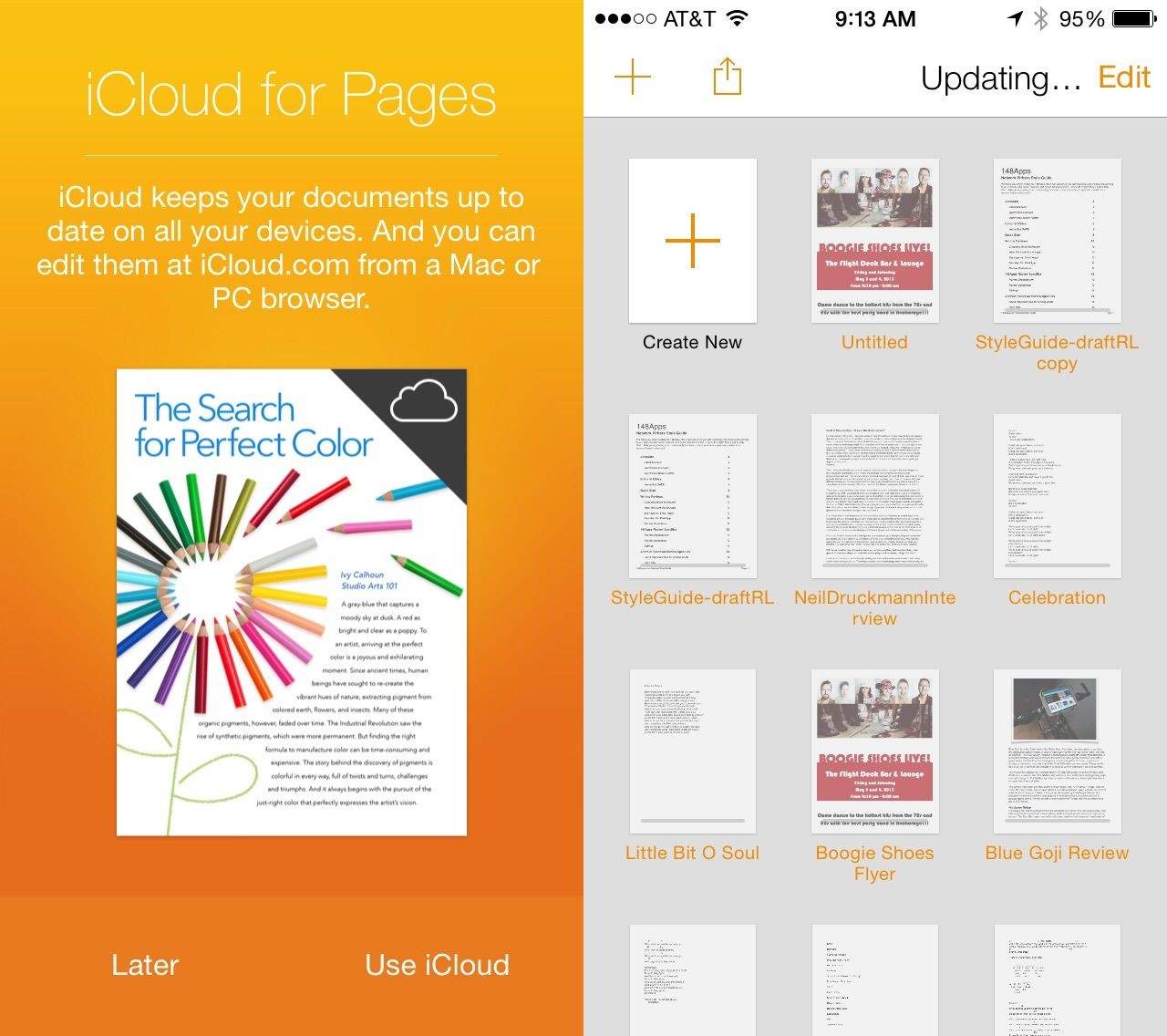
Using iCloud Drive on your iOS 8 device is a bit different, as there’s no file system like the Finder on it — you’ll have to be content with accessing iCloud Drive from apps that support it, like Pages, Numbers or Keynote. You’ll need to enable iCloud for these apps, too, in order to save and access documents from iCloud Drive.
Once everything is enabled, when you open a document on your Mac from the iCloud Drive folder any changes you make there will be reflected in the document on your iOS devices (and vice versa).
It’s a pretty great two-way system for ending the frustration of document versions forever. As Apple and third-party developers add this functionality to more apps, you’ll never again worry about where you put that one thing you were working on that you really need right now. Keeping everything in a single, safe iCloud box just got seriously useful.

Rob LeFebvre is an Anchorage, Alaska-based writer and editor who has contributed to various tech, gaming and iOS sites, including 148Apps, Creative Screenwriting, Shelf-Awareness, VentureBeat, and Paste Magazine. Feel free to find Rob on Twitter @roblef, and send him a cookie once in a while; he’ll really appreciate it.


31 responses to “How to use iCloud Drive the right way”
I am still unable to access iCloud Drive on any of my iOS devices. iOS is installed and I’m running the Yosemite beta. Everything is enabled. I can access it on my Mac and via iCloud.com. Am I missing something?
The lack of access to the file structure on iOS is immensely frustrating!!
Perhaps THE BIG ISSUE dividing Android users from the iPhones
Maybe a big difference. But the consistency of the operation of the iPhone apps vs the fragmented nature of the Android OSs is a big plus for the iPhone.
Sure, for some of the tech savvy geeks (me included), we want to have access to everything. And we do. We can always jailbreak the iPhone and enjoy.
:)
I actually think that is a good thing. If you have no idea what you are doing at the file system level, you can brick your phone easily. Most people in the world are not at that level of technical expertise and it would be a headache and bad publicity for Apple to have people bricking their phones because they are too curious.
For those of us who are tech savvy, you always have the jailbreak. The phone is totally open for you at that level.
I still see people misusing their computers because they get into parts of the file system that they should not. I have personally helped a few recover from silly mistakes like disabling the mouse on their profile and having no clue why it happened or how to restore it.
Opening it up for the phone would be an invitation for a marketing nightmare.
I meant the file structure for iCloud Drive. I see some people calling it the document picker. I was under the impression that iCloud Drive would have an iOS app that I could view my files on but that doesn’t seem to be the case.
My apologies. I misunderstood. I haven’t used it yet. So I do not know.
I’ve never been able to access the document picker on any of my devices? I’m running Yosemite and everything appears enabled. Am I missing something?
“You’ll have to be content with accessing iCloud Drive from apps that support it, like Pages, Numbers or Keynote.”
The document picker shown in the attached image doesn’t exist? That’s straight from apple.com. I understand the app has to support it but i have multiple apps that are “icloud drive enabled” but have no access…including stock apps?
The document picker shown in the include link doesn’t exist? That’s straight from apple.com. I understand the app has to support it but i have multiple apps that are “icloud drive enabled” but have no access…including stock apps?
http://www.apple.com/icloud/icloud-drive/
The document picker shown on appledotcom in the icloud drive section doesn’t exist? I understand the app has to support it but i have multiple apps that are “icloud drive enabled” but have no access…including stock apps? The icloud drive section on appledotcom mentions opening a file in one app and finishing it in another via the document picker?
How can i share a document with someone else ? Like in Dropbox ?How can i share a document with someone else ? Like in Dropbox ?
Tap the [^] icon, click share via iCloud, done.
I only have (MAIL ; MESSAGES ; AIR DROP)
i don’t have the share via iCloud…. anywhere i need to enable that ?
Currently it has to be in Pages, Numbers, or Keynote. Maybe more support is coming…not sure.
ok, that’s what i meant. so i can’t share a regular file for example. therefore i still need dropbox
Define a “regular file”. :) If it’s a text document, open it in Pages, if its a PPT open it in Keynote. You can move the files into the document folders through iCloud Drive on Windows or Yosemite, then open them on the iThingy. Not that hard…
for example , i render Mp4 files for people, and i share via dropbox. another thing is , that right now you can’t share pictures if i’m not mistaken.
You definitely CAN share pictures. iCloud Picture Sharing from your Photos app. Sharing MP4s….probably over Apple’s dead body…
the Photos app is not in Yosemite yet… and i don’t use iPhoto
I’m concerned with how its all backed up. If I delete something there is no deleted folder for me to restore from.
Opening oneself up to unlimited opportunity for spying, hacking and worse, simply to overcome so-called file version frustration, which one is quite capable of coping with otherwise, just seems like a giant and unnecessary step into the wide-open world. In other words, independency rules OK!
How do I access iCloud Drive through Pages on iOS?
Thanks
How can I see the images and docs that I have in iCloud an manage them in an iPad 4?
MS One Drive has an iOS app for browsing the cloud “disk.” So does Drop Box. I find both these apps extremely usable, and the fact that iCloud drive lacks such an app to be ridiculous and extremely, extremely frustrating.
i keep all files in goodreader app folder for this purpose (any other app that can open different file formats will do, “documents” for example)
Dropbox is a good service for sync. Arent you concerned about all the cloud hacks these days? Have you tried Binfer? The link is http://www.binfer.com.
How do you leave files in the cloud to save desktop space? I think iCloud is silly.
Do you think it’s possible and advisable to move the itunes media folder with all my music and media to the icloud drive?
I think an update iOS 8.1 will come as soon as Yosemitee will be launched. It will probably include an specific app called “iCloud Drive” or so, giving access to every document stored there. Just selecting the “Open in…” option in that app we will be able to see and edit, in each case and app, these files.